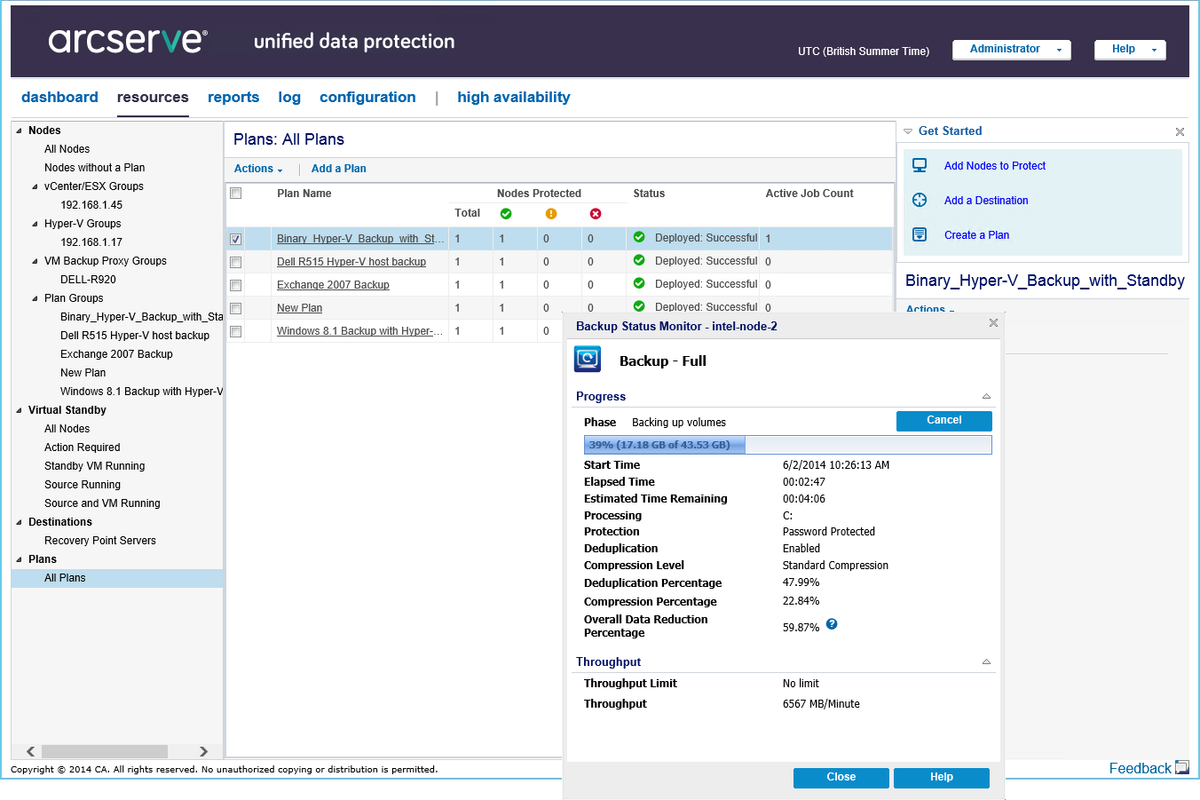
Integrating Arcserve solutions into campus wellness programs provides a robust framework for securing the sensitive student, faculty, and administrative data that sustains modern university health initiatives. As campus wellness programs expand to include digital health tracking, tele-mental health services, and centralized fitness management, the underlying IT infrastructure must prioritize data availability and disaster recovery. Implementing Arcserve’s suite of data protection tools ensures that wellness program metrics, appointment scheduling systems, and sensitive health records remain protected against ransomware, hardware failure, and accidental deletion, thereby maintaining the continuity of student care.
Understanding the Role of Data Protection in Campus Wellness
Modern campus wellness programs are heavily reliant on digitized workflows. Whether it is an online portal for booking counseling sessions, an application for tracking physical activity, or a database managing student health insurance compliance, these services generate high volumes of data. When this data is inaccessible, the wellness program suffers immediate operational paralysis.
The primary role of Arcserve in this environment is to provide business continuity. By utilizing Unified Data Protection (UDP), universities can consolidate their backup, disaster recovery, and high-availability requirements into a single interface. For wellness administrators, this means that even in the event of a server outage or a security incident, the programs remain available to the student body. The goal is to move beyond simple backups and toward comprehensive "data resilience," where wellness records are not only saved but are immediately recoverable to meet strict institutional and regulatory service level agreements.
Technical Infrastructure and Data Requirements
Campus wellness environments typically host a hybrid architecture. This often includes legacy on-premises servers for core administrative databases and cloud-based applications for student-facing services. Arcserve fits into this ecosystem by offering flexible deployment models that bridge the gap between physical and virtual environments.
Data Sensitivity and Compliance
Campus wellness records are often subject to specific privacy regulations. In the United States, while FERPA (Family Educational Rights and Privacy Act) generally governs student records, health information managed by campus providers may also fall under HIPAA (Health Insurance Portability and Accountability Act) standards, depending on the specific legal structure of the campus health service.
Arcserve supports these requirements through:
- Encryption: Data is encrypted at rest and in transit, ensuring that wellness data remains secure even if storage hardware is compromised.
- Granular Recovery: IT staff can restore individual files or entire databases rather than performing a full system restore, which minimizes downtime during minor technical glitches.
- Immutable Backups: To combat the rising threat of ransomware within higher education institutions, Arcserve provides immutable storage options, ensuring that wellness data backups cannot be modified or deleted by unauthorized actors for a set duration.
Implementing Arcserve: A Step-by-Step Strategic Approach
Implementing a robust backup and recovery solution for campus wellness programs requires a structured approach to ensure that no critical data point is left exposed.
1. Assessment of Critical Assets
Before deploying any software, administrators must conduct a data audit. Identify which systems support the wellness program:
- The Electronic Health Record (EHR) System: Often the most critical component.
- Scheduling and Appointments: The interface between student and provider.
- Wellness Program Portals: Web applications used for fitness tracking or incentive programs.
- Ancillary Data: Surveys, feedback forms, and historical participation metrics.
2. Defining Recovery Objectives
Establish the RTO (Recovery Time Objective) and RPO (Recovery Point Objective) for every wellness application. An RTO of minutes is usually required for patient-facing scheduling systems, while an RPO of a few hours may be acceptable for historical participation data.
3. Deployment of Arcserve UDP
Arcserve UDP allows for agentless backup of virtualized environments, which is common in university data centers. By installing the UDP agent or console, the IT team can automate the backup process across all wellness-related virtual machines.
4. Testing and Verification
The most common point of failure in university IT departments is the lack of "restore testing." Administrators should conduct scheduled rehearsals, using Arcserve’s Assured Recovery feature to automatically verify that backup images can indeed be booted into a functional state.
Comparison of Backup and Recovery Features
When selecting data protection strategies for campus wellness, it is useful to understand how specific features directly impact operational uptime.
| Feature | Impact on Wellness Programs | Benefit |
|---|---|---|
| Instant VM Recovery | Immediate | Minimizes the time students are unable to book appointments. |
| Assured Recovery | Proactive | Confirms that health records are intact and ready for use. |
| Cloud Hybridization | Scalable | Provides an off-site copy of data in case of campus-wide disaster. |
| Ransomware Protection | Security | Safeguards sensitive medical histories from encryption attacks. |
| Granular Restore | Efficient | Allows recovery of a single record without affecting the entire DB. |
Addressing Common Challenges in Higher Education IT
Higher education environments present unique challenges that are distinct from corporate environments. Budget constraints, a high volume of transient users (students), and decentralized IT management across different departments can complicate the protection of wellness data.
Bridging the Gap Between IT and Wellness Staff
One significant challenge is the disconnect between the technical staff managing the servers and the wellness staff managing the programs. The IT team must ensure that the backup schedule aligns with the wellness department's operational cycle—for example, ensuring that server updates or backup tasks do not occur during peak registration hours for wellness seminars or wellness-related events.
Dealing with Scaling Demands
As wellness programs incorporate more IoT devices (e.g., wearable fitness trackers or digital kiosks), the volume of data grows exponentially. Arcserve’s deduplication features are essential here, as they allow institutions to store massive amounts of data without overwhelming their storage budgets. By eliminating redundant data blocks, universities can retain more historical health data for long-term trends analysis, which is vital for university health researchers.
Integrating Security and Compliance Protocols
In 2026, the digital threat landscape for universities has become increasingly sophisticated. Ransomware attacks specifically targeting higher education data are frequent. For a campus wellness program, a successful attack could result in the exposure of sensitive medical data, leading to severe legal and reputational damage.
The integration of Arcserve into the security stack should include:
- Air-Gapped Backups: Maintaining a copy of wellness data that is logically or physically disconnected from the university network.
- Role-Based Access Control (RBAC): Restricting access to the Arcserve management console so that only authorized IT personnel can initiate restores or delete backup sets.
- Audit Trails: Maintaining detailed logs of all data access and restoration activities, which is a requirement for many healthcare data privacy audits.
Troubleshooting Common Implementation Issues
Even with an enterprise-grade solution, challenges can arise during daily operations.
Slow Network Performance
During full backups, the university network may experience latency. This can be mitigated by configuring "throttling" in the Arcserve console, allowing the backup to consume only a set percentage of available bandwidth during peak daytime hours, while running at full speed overnight.
Backup Failure Notifications
If backups are failing, the issue often stems from snapshots in the hypervisor failing to consolidate. Administrators should ensure that the underlying virtualization layer (e.g., VMware or Hyper-V) is healthy before troubleshooting the Arcserve agent itself.
Storage Capacity Alerts
As wellness programs accumulate more longitudinal data, storage quotas may be reached unexpectedly. It is recommended to configure proactive alerts in the Arcserve management dashboard to notify administrators when storage consumption reaches 80% capacity, providing a buffer to add storage resources before the backup process stops.
Future-Proofing Wellness Data Management
As we look toward the ongoing developments in 2026, the trend in campus wellness is toward predictive health modeling. By leveraging stored data, wellness programs aim to identify at-risk students before physical or mental health crises occur. This heightens the importance of data integrity; if data is corrupted or lost, the predictive models lose their accuracy.
Universities should treat their wellness data as a long-term asset. This requires consistent versioning of data and clear documentation on how data is archived. Using Arcserve’s tape or cloud-archiving capabilities, universities can move older wellness records to lower-cost, long-term storage while keeping them easily accessible for authorized research or regulatory compliance audits.
Conclusion and Next Actions
Successfully managing campus wellness programs requires a blend of empathetic care and robust digital protection. By deploying Arcserve, universities create a layer of stability that allows health professionals to focus on student outcomes rather than technical failures.
Recommended Next Actions:
- Inventory: Audit all software and databases currently used for campus wellness, including third-party health apps integrated into the university network.
- Review: Assess the current RTO/RPO requirements for each system based on its impact on student care.
- Audit: Verify that existing backups are immutable and that recent restoration tests have been documented.
- Consult: Reach out to institutional security officers to ensure that backup encryption keys are managed according to the university's information security policies.