Antimalware is a specialized security category designed to identify, block, and eliminate malicious software before it compromises systems. By combining signature-based scanning with advanced behavioral analysis and artificial intelligence, modern antimalware tools provide a multi-layered defense against evolving threats like ransomware, spyware, and sophisticated zero-day exploits across personal and enterprise devices.
Understanding the Role of Antimalware in Modern Computing
As we navigate the digital landscape of 2026, the definition of "antimalware" has expanded significantly. While the term was once used interchangeably with "antivirus," it now represents a comprehensive suite of technologies aimed at a broader spectrum of threats. Malware—an umbrella term for malicious software—includes everything from traditional viruses to complex, multi-stage attacks that never even touch a computer's hard drive.
The primary objective of an antimalware solution is to maintain the integrity, availability, and confidentiality of data. In an era where hybrid work is the standard and cloud-integrated systems are ubiquitous, antimalware serves as the first and last line of defense. It does not merely react to known threats; it actively monitors system health to prevent unauthorized changes, data exfiltration, and unauthorized remote access.
Modern solutions operate on several planes. They protect the local file system, monitor network traffic, secure web browsers, and frequently integrate with identity management systems to ensure that "human error"—such as clicking a phishing link—does not lead to a catastrophic system breach.
The Evolving Malware Landscape
To understand why antimalware is essential, one must understand the adversaries it faces. In 2026, malware has become highly commodified, often sold as a service (MaaS) on the dark web. This accessibility has led to an explosion in the volume and variety of attacks.
Ransomware and Extortion
Ransomware remains the most visible threat. Modern variants do more than just encrypt files; they often perform "double extortion," where sensitive data is stolen before encryption. The antimalware's role here is to detect the encryption process itself—often through behavioral analysis—and kill the process before it can lock the entire drive.
Spyware and Infostealers
Spyware is designed to remain invisible. Its goal is to log keystrokes, capture screen images, and scrape browser cookies to steal login credentials and financial information. Antimalware monitors for "hooking" behaviors, where a program attempts to intercept data between the keyboard and the application.
Fileless Malware and Living-off-the-Land (LotL)
One of the most difficult threats to stop is fileless malware. These attacks use legitimate system tools, such as PowerShell or Windows Management Instrumentation (WMI), to execute malicious commands in the computer's memory (RAM). Because no physical file is downloaded to the disk, traditional scanners often miss them. Contemporary antimalware uses memory scanning and script-blockers to mitigate these risks.
Adware and Potentially Unwanted Programs (PUPs)
While often considered a nuisance rather than a critical threat, adware can degrade system performance and serve as a gateway for more dangerous infections. Antimalware provides a "clean" environment by identifying applications that use aggressive advertising or bundle hidden software during installation.
Core Detection Mechanisms
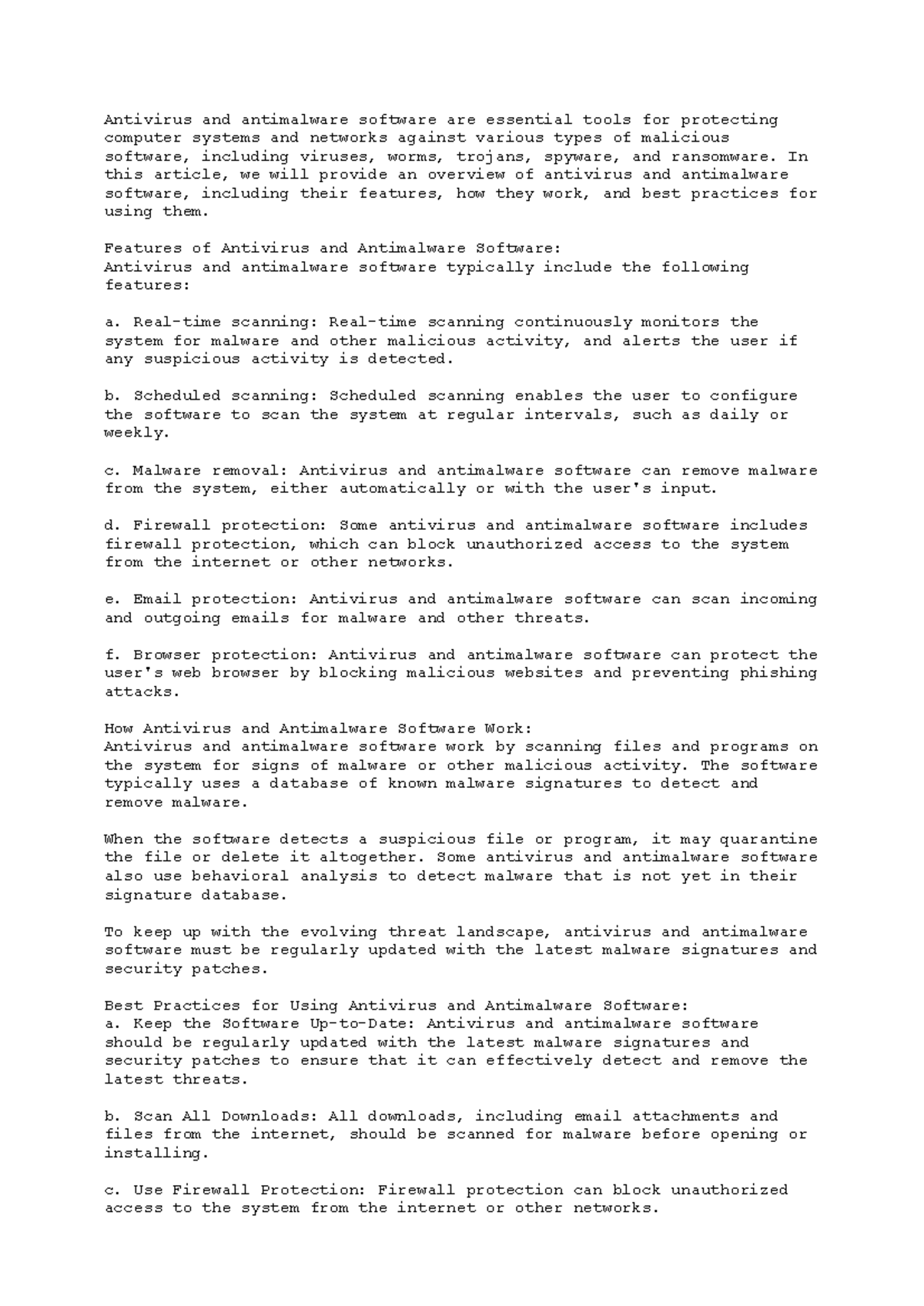
Antimalware software uses a combination of methods to identify threats. No single method is foolproof, which is why a layered approach is standard in 2026.
Signature-Based Detection
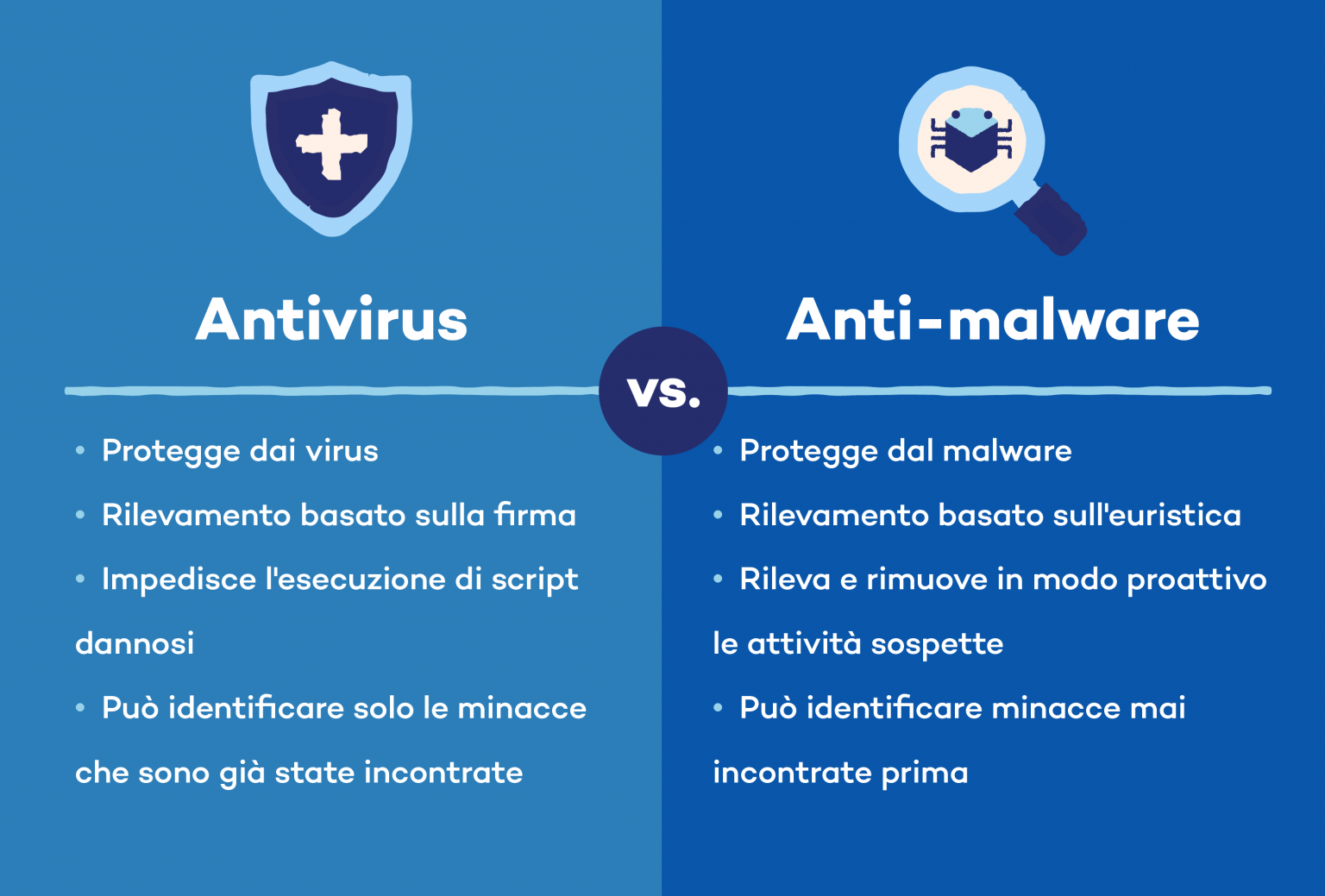
This is the traditional method. The software maintains a database of "signatures" (unique digital fingerprints) of known malware. When a file is scanned, its signature is compared against the database. While extremely fast and efficient for known threats, it is ineffective against new, previously unseen malware (zero-day threats) or polymorphic malware that changes its own code to evade detection.
Heuristic and Behavioral Analysis
Heuristics involve looking for suspicious characteristics within a file's code without requiring an exact signature match. Behavioral analysis takes this a step further by watching what a program does while it is running. If a calculator app suddenly tries to modify system registry files or reach out to a remote server in a foreign country, the antimalware flags it as suspicious.
Artificial Intelligence and Machine Learning (AI/ML)
In 2026, AI is the backbone of high-end antimalware. Machine learning models are trained on billions of files—both benign and malicious—to recognize patterns that humans might miss. This allows the software to predict whether a new file is dangerous based on its structure and intent, providing a proactive defense against zero-day exploits.
Cloud-Based Scanning
To reduce the load on the user's local hardware, much of the heavy lifting is now done in the cloud. When a suspicious file is encountered, the local agent sends a metadata hash to a massive cloud database for instant verification. This ensures that the local device always has access to the most up-to-date threat intelligence without needing to download massive daily updates.
Key Features of Effective Antimalware Solutions
When evaluating antimalware, several core components are necessary to ensure comprehensive protection.
| Feature | Function | Benefit |
|---|---|---|
| Real-Time Protection | Scans files and programs in the background as they are opened or executed. | Prevents infections before they can take root in the system. |
| Sandbox Environment | Runs suspicious programs in an isolated virtual space. | Allows the software to observe behavior without risking the host system. |
| Exploit Prevention | Hardens vulnerable applications (like browsers) against known attack vectors. | Stops "drive-by downloads" where malware installs via a web page flaw. |
| EDR Integration | Endpoint Detection and Response capabilities for forensic analysis. | Essential for businesses to understand how a breach occurred. |
| Network Firewall | Monitors incoming and outgoing traffic based on security rules. | Blocks unauthorized connections and prevents "command and control" (C2) traffic. |
Technical Considerations: Performance vs. Security
A common concern with antimalware is "system bloat"—the tendency of security software to consume significant CPU and RAM resources. In 2026, the industry has shifted toward "thin clients." These agents have a minimal footprint on the local machine, offloading complex analysis to the cloud or utilizing dedicated hardware acceleration features found in modern processors.
However, users must still consider the impact of full system scans. These are intensive processes that check every sector of the storage drive. Modern antimalware mitigates this by using "smart scanning," which only checks files that have been modified since the last scan or those located in high-risk directories.
Antimalware for Businesses vs. Home Users
The requirements for a home user vary significantly from those of a multinational corporation.
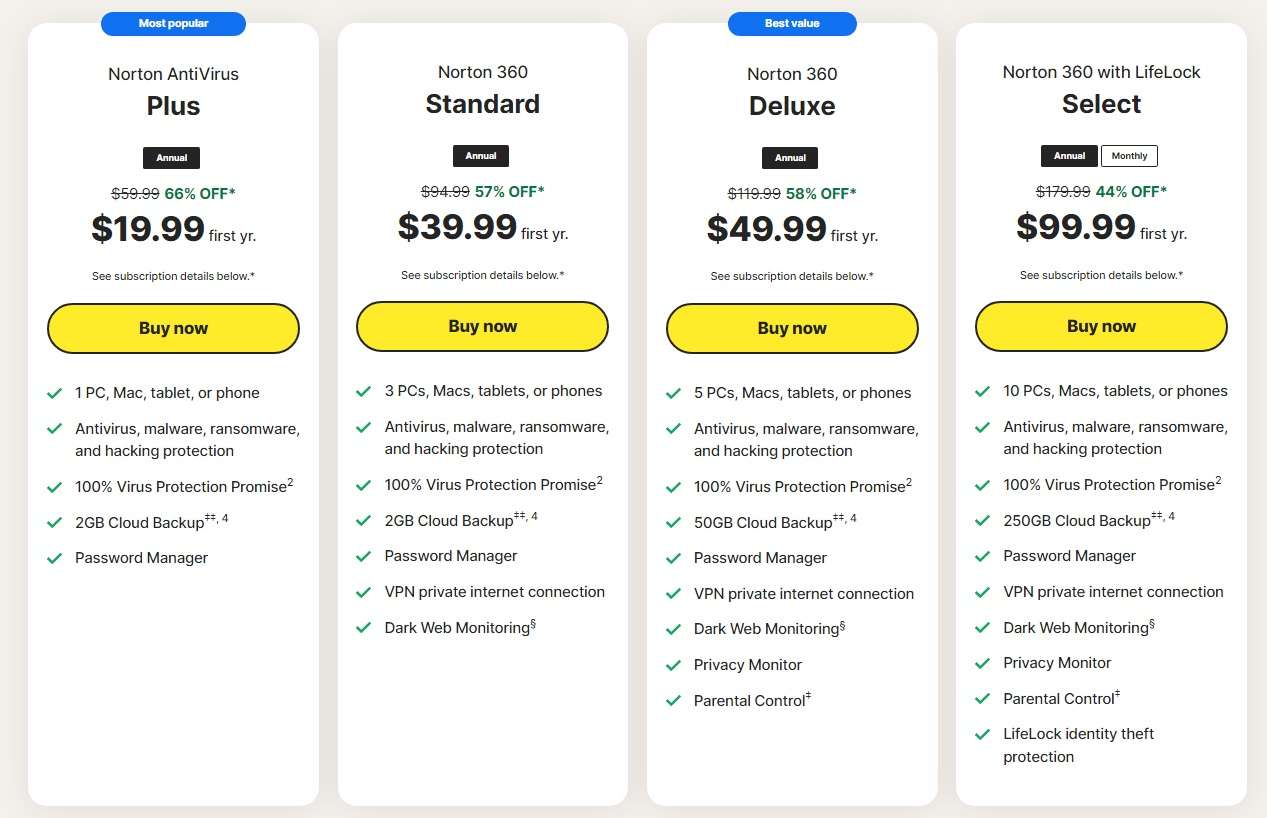
- Home Users: Focus is on ease of use, automated updates, and protection against common threats like phishing and identity theft. Solutions often include consumer-grade extras like VPNs, password managers, and parental controls.
- Enterprise (EDR/XDR): Businesses utilize Endpoint Detection and Response (EDR) or Extended Detection and Response (XDR). These tools offer centralized management, allowing IT teams to see the security status of thousands of devices from a single dashboard. They emphasize "threat hunting," where security analysts proactively look for signs of advanced persistent threats (APTs) that may have bypassed initial defenses.
Installation and Maintenance Best Practices
Deploying antimalware is not a "set it and forget it" task. To maintain a robust security posture in 2026, several operational steps are required:
- Ensure Real-Time Protection is Active: Many users accidentally disable this feature to improve gaming performance or install unverified software. This leaves the system completely vulnerable.
- Regular Updates: While most software updates automatically, users should verify that the engine and threat definitions are current. An outdated database is nearly useless against 2026-era threats.
- Scheduled Deep Scans: Even with real-time protection, a weekly full-system scan is recommended to catch dormant threats that may have been identified by the community after they were already on the drive.
- Layered Defense (Defense in Depth): Antimalware should be part of a broader strategy. This includes using a non-administrative user account for daily tasks, enabling Multi-Factor Authentication (MFA), and keeping the operating system patched.
The Future of Antimalware: Looking Beyond 2026
The battle between malware authors and security researchers is an endless arms race. We are already seeing the rise of "adversarial AI," where hackers use machine learning to create malware specifically designed to bypass common antimalware algorithms.
Consequently, the future of antimalware lies in "Zero Trust" architecture. This philosophy assumes that no file or process is inherently safe, regardless of its source. Future security agents will likely focus more on identity verification and micro-segmentation—isolating every process from every other process—to ensure that even if a single piece of malware executes, it has nowhere to go and nothing to steal.
Common Mistakes to Avoid
One of the most frequent errors is installing multiple "active" antimalware programs. These programs often conflict with one another at the kernel level, leading to system crashes (Blue Screens of Death) and reduced protection because they perceive each other's monitoring activities as malicious.
Another mistake is relying solely on "free" tools for high-risk environments. While free antimalware provides a basic level of protection, it often lacks advanced features like ransomware rollback, encrypted backup integration, or specialized protection for online banking. For users handling sensitive financial or professional data, the investment in a premium suite is often justified by the recovery costs it prevents.
FAQs
What is the difference between antivirus and antimalware?
Historically, antivirus focused on files (viruses and worms), while antimalware targeted more diverse threats like spyware and trojans. In 2026, these terms are largely synonymous in marketing, though "antimalware" is technically more accurate as it covers the entire spectrum of malicious software, including fileless attacks and ransomware.
Is Microsoft Defender enough for basic protection?
As of 2026, Microsoft Defender remains a robust, built-in solution for Windows users. It offers high detection rates and excellent integration. However, third-party premium suites often provide better "zero-day" protection, superior phishing filters, and more comprehensive privacy tools that some users may find necessary.
Can antimalware remove a virus that is already on my computer?
Yes, most antimalware tools include remediation capabilities. They can quarantine infected files (isolating them so they cannot run) or delete them entirely. In cases of severe infection, specialized "bootable" scanners may be required to clean the system before the operating system even loads.
Does antimalware protect against phishing emails?
Indirectly, yes. While phishing is a social engineering attack rather than a software infection, modern antimalware suites include web protection modules. These modules scan the links you click and compare them against databases of known fraudulent sites, blocking access before you can enter your credentials.
Will antimalware slow down my computer?
While all security software requires some system resources, the impact in 2026 is minimal compared to a decade ago. Modern CPUs have dedicated instructions for encryption and scanning, and cloud-based analysis offloads the most intensive tasks. If your system is significantly slow, it may be due to a conflict between two security programs or an existing infection.
Practical Recommendation
For the best balance of security and performance in 2026, users should select a solution that offers a "layered" defense. This should include behavioral analysis, cloud-based threat intelligence, and a built-in firewall. Always ensure that your chosen software is set to update automatically and that "Real-Time Protection" remains enabled. For business environments, prioritize solutions that offer EDR (Endpoint Detection and Response) to ensure that if a breach does occur, your team has the forensic tools necessary to contain the threat and prevent its return.