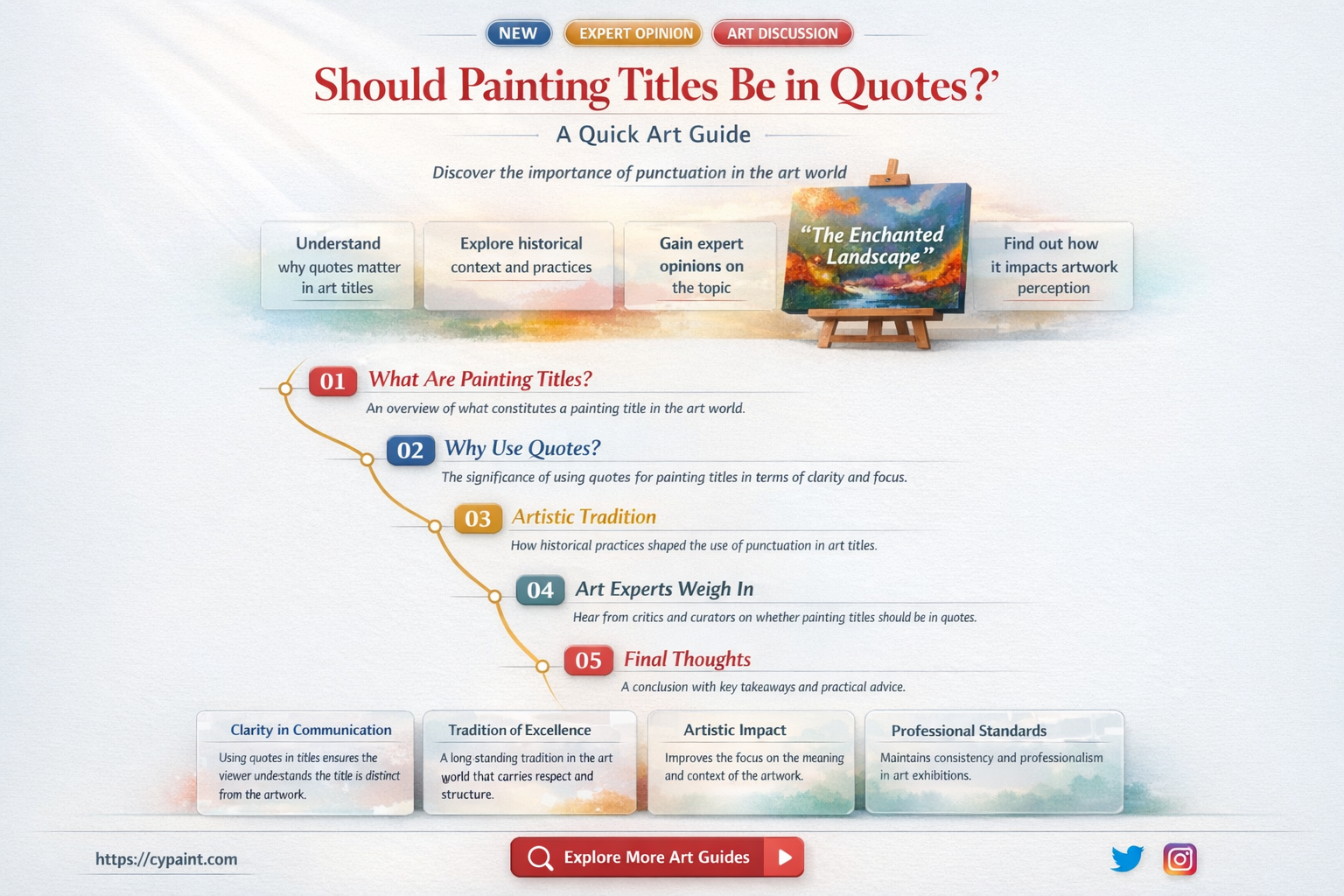
The short answer is yes: article titles should generally be enclosed in quotation marks when referenced in body text, according to major academic and editorial style guides. While full-length works like books or journals are italicized, the specific articles contained within them are distinguished by quotation marks to indicate they are parts of a larger whole.
The Foundation of Citation Styles
To understand why quotation marks are used for article titles, it is necessary to recognize the hierarchical relationship between different types of publications. In formal writing, style guides provide a set of rules to help the reader identify the nature of the source being cited. The convention of using quotation marks for titles functions as a visual cue, signaling to the reader that the work is a "containerized" piece of content—such as an essay, a newspaper article, a journal paper, or a single track on an album—rather than a standalone volume.
The Role of Major Style Manuals
Various organizations have developed specific rules for formatting titles, ensuring consistency across academic, journalistic, and professional documentation. While minor variations exist between them, they overwhelmingly agree on the use of quotation marks for shorter works.
- The Modern Language Association (MLA): MLA format is widely used in the humanities. It mandates that titles of articles, essays, and short stories be placed in quotation marks. This differentiates them from book titles, which are italicized.
- The Chicago Manual of Style (CMOS): CMOS is a standard for book publishing and history. It follows the same principle, using quotation marks for titles of articles in periodicals and for titles of chapters in books.
- The Associated Press (AP) Stylebook: As the gold standard for journalists and news organizations, the AP style also utilizes quotation marks for the titles of articles, television episodes, and songs, while italicization is generally avoided for titles in journalism to accommodate simplified character sets and readability in print.
- American Psychological Association (APA): APA style is the primary guide for the social sciences. Notably, APA differs slightly in its treatment of reference lists; while it uses quotation marks for articles in the text of a paper, it omits them in the bibliography, where the article title is written in sentence case without quotation marks or italics.
Why Distinction Matters: Container vs. Content
The primary purpose of these punctuation rules is clarity. When you write a document, you are likely citing various sources. If you were to treat all titles the same way, the reader would be unable to distinguish between a full-length textbook and a single blog post.
By placing an article title in quotation marks, you provide the reader with two pieces of information simultaneously:
- Scope: The work is a smaller component of a larger collection.
- Location: You are directing the reader to look for a specific title inside a publication that likely bears a different, italicized title.
For example, consider the sentence: In the article "The Future of Artificial Intelligence," the author discusses the implications of machine learning.
Here, the quotation marks explicitly tell the reader that "The Future of Artificial Intelligence" is the name of the piece, not the name of the journal or magazine where it was published. If the reader were to search for a book with that title, they might be confused; instead, they understand they are looking for an article within a larger medium.
Punctuation Rules When Using Quotation Marks
The use of quotation marks for article titles comes with specific technical requirements regarding how they interact with other punctuation. These rules ensure that the flow of text remains professional and grammatically sound.
Placement of Commas and Periods
In American English, the standard convention is to place commas and periods inside the closing quotation mark, regardless of whether the punctuation is part of the title itself.
- Correct: The author’s argument is detailed in "The Economic Impact of Inflation," which was published in the Journal of Financial Studies.
- Incorrect: The author’s argument is detailed in "The Economic Impact of Inflation", which was published in the Journal of Financial Studies.
Question Marks and Exclamation Points
When the title of an article contains a question mark or an exclamation point, the logic changes slightly. If the punctuation belongs to the title, it stays inside the quotation marks. If the punctuation belongs to your sentence as a whole, it goes outside.
- Title-specific: Have you read "Who Killed the Newsroom?"
- Sentence-specific: Is the primary source for your research "The State of the Climate"?
Comparison of Formatting Standards
The following table summarizes how different types of media are treated across common style guides to help you distinguish articles from other works.
| Type of Work | MLA Style | APA Style | AP Style |
|---|---|---|---|
| Article Title | "Quotation Marks" | "Quotation Marks" | "Quotation Marks" |
| Book Title | Italics | Italics | No special formatting |
| Journal/Magazine Title | Italics | Italics | No special formatting |
| Website Name | Italics | No special formatting | No special formatting |
| Webpage Title | "Quotation Marks" | "Quotation Marks" | "Quotation Marks" |
Handling Ambiguity: When to Skip Quotes
There are specific instances where quotation marks are omitted, even if you are referring to an article. Understanding these exceptions prevents you from over-puncturing your work.
Titles in Headings
In most style guides, if you are using an article title as an H1, H2, or H3 heading, you should omit quotation marks. Headings are intended to be clean and legible. The formatting of the heading itself (bolding or font size) is sufficient to indicate that it is a title.
Search Engine Optimization (SEO)
When writing for the web, excessive punctuation in titles or headings can sometimes interfere with how search engine crawlers interpret your content. While quotation marks are technically correct, using them in your </code> tag or main <code><h1></code> header is generally discouraged because it can clutter the search snippet and is not necessary for the search algorithm to understand the content.</p>
<h3>References and Bibliography Sections</h3>
<p>As noted with the APA style, reference lists often follow their own internal logic. In many academic formats, the bibliography entry is designed to be parsed by software or library systems. These systems prefer a clean, standardized format (often sentence case) rather than the decorative punctuation used for reading flow. Always check your specific department’s or publisher’s manual when compiling a bibliography.</p>
<h2>Common Mistakes to Avoid</h2>
<p>Even experienced writers sometimes trip over the nuances of titling conventions. Avoiding these errors will increase the professional quality of your writing:</p>
<ol>
<li><strong>Over-using Italics:</strong> Many writers default to italics for everything. Remember that italics are for the <em>container</em> (the book, the website, the journal), while quotes are for the <em>content</em> (the article, the chapter, the post).</li>
<li><strong>Inconsistent Punctuation:</strong> If you decide to place periods inside the quotation marks, ensure you do this throughout the entire document. Mixing styles within a single piece of writing is the most common cause of editorial rejection.</li>
<li><strong>Ignoring Capitalization:</strong> Articles usually follow "Title Case" when appearing in text. Ensure that you capitalize the principal words, even when they are enclosed in quotation marks.</li>
<li><strong>Misidentifying the Work:</strong> If you are unsure whether a piece is an "article" or a "book," look at the length and the distribution method. If it is a self-contained, long-form work, it is likely a book (italics). If it is a shorter piece published within a larger platform, it is an article (quotes).</li>
</ol>
<h2>Best Practices for Digital Content</h2>
<p>In the digital era of 2026, content creators often work across multiple platforms, from blog posts and social media updates to formal white papers. When referencing articles in a digital environment, the goal is to balance professional rigor with the constraints of the platform.</p>
<ul>
<li><strong>Social Media:</strong> On platforms like X or LinkedIn, keep it simple. Quotation marks are helpful for clarity, but be mindful of character limits. Avoid italics, as they do not render consistently across all devices.</li>
<li><strong>Blog Posts:</strong> In your body text, use quotation marks for article titles to maintain readability. If you are linking to the article, place the hyperlink on the words inside the quotes.</li>
<li><strong>Formal Reports:</strong> When producing PDF reports or white papers, stick strictly to the style manual dictated by your industry (e.g., APA for science, Chicago for business reports). Consistency here builds trust with your readers.</li>
</ul>
<h2>Troubleshooting Reference Issues</h2>
<p>If you find yourself struggling to format a reference, ask yourself these three questions:</p>
<ol>
<li><strong>Is this the only thing of its kind?</strong> If yes, it is likely a standalone work (like a book or a website) and should be italicized.</li>
<li><strong>Is this a piece of a larger publication?</strong> If yes, it is an article or chapter and should be in quotation marks.</li>
<li><strong>Does my target publication have a style sheet?</strong> Most academic journals and news organizations have a "Style Guide" or "Contributor Guidelines" page. When in doubt, consult their specific rules, as institutional preference always overrides general conventions.</li>
</ol>
<h2>Summary of Next Steps</h2>
<p>To ensure your writing is polished and grammatically correct:</p>
<ol>
<li>Identify the nature of the source you are citing.</li>
<li>Determine if it is a container (italics) or a piece of content (quotation marks).</li>
<li>Apply your chosen style guide (MLA, APA, AP, or Chicago) consistently throughout the document.</li>
<li>If you are preparing a document for a specific publisher, check their internal style guide for any deviations from standard rules.</li>
<li>Maintain a clean, logical flow by placing terminal punctuation inside the quotation marks, unless the specific title rules dictate otherwise.</li>
</ol>
<p>By adhering to these conventions, you ensure that your writing remains accessible, authoritative, and easy to navigate for your readers, whether they are academic peers or general consumers of your content.</p>
<h2>Frequently Asked Questions</h2>
<p><strong>Does a blog post title get quotes?</strong>
Yes. Blog posts are considered articles. Therefore, they should be placed in quotation marks when referred to in the body of a text. For example: I recently read "10 Tips for Better SEO" on the company blog.</p>
<p><strong>What if I am writing an academic paper?</strong>
Academic papers almost universally require the use of quotation marks for article titles. Always verify whether your institution prefers MLA, APA, or another specific format, as the citation format in the bibliography section may vary.</p>
<p><strong>Are there times when quotation marks are wrong?</strong>
Quotation marks should not be used for book titles, magazine names, or newspaper titles. These should be italicized. Using quotes for a book title is a common error that can make your writing appear amateurish.</p>
<p><strong>Do I need to italicize the article title?</strong>
No, you should never italicize an article title. If you italicize it, you are incorrectly signaling to the reader that the article is a standalone book or a full-length publication. Use either italics or quotation marks, but never both.</p>
<p><strong>What about article titles in my email?</strong>
While you have more flexibility in casual emails, using quotation marks is still a "best practice" for clarity. It helps the recipient immediately recognize that the words in quotes are the title of the specific document or link you are discussing.</p>
<p><strong>