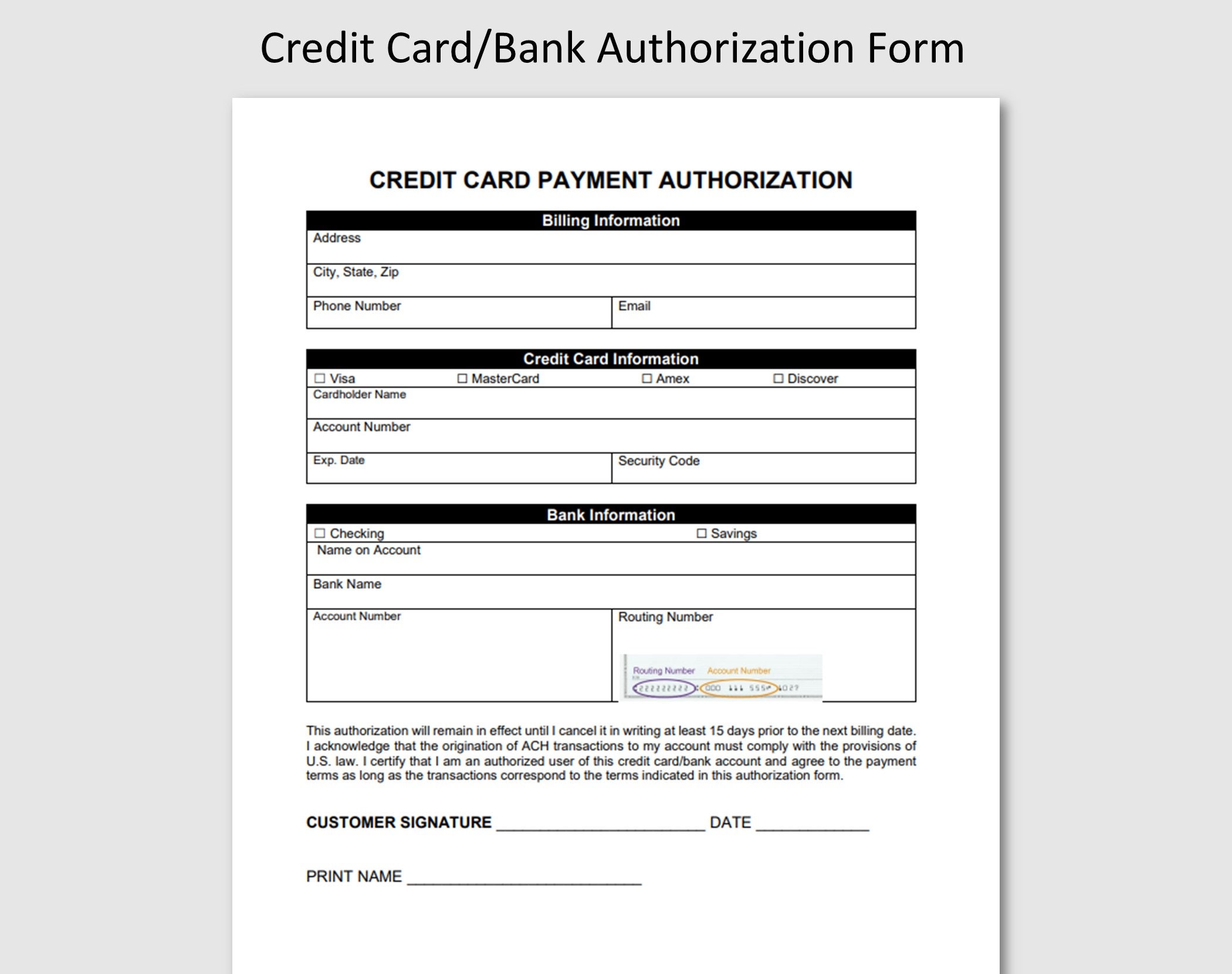
The ADP corporate credit card form is a foundational document or digital entry point used to authorize employees to use company-funded credit lines for business expenses. It collects essential data such as personal identification, departmental cost centers, and requested credit limits, ensuring that all spending integrates directly with ADP’s payroll and expense management software.
Managing corporate expenses in 2026 requires a high degree of integration between financial tools and Human Resources (HR) platforms. For organizations using ADP—whether it is Workforce Now, RUN, or ADP TotalSource—the corporate credit card form serves as the gateway to this integration. Understanding this form is critical for both the employee who needs to make purchases and the administrator who must maintain fiscal oversight.
The Purpose of the ADP Corporate Credit Card Form
At its core, the ADP corporate credit card form is a dual-purpose instrument. First, it acts as a formal application for an individual to receive a physical or virtual card tied to the company’s credit facility. Second, it serves as a compliance document that establishes the "rules of engagement" for how that card is used.
In the 2026 business environment, "integrated spend management" is the standard. When an employee fills out this form, they are not just applying for a piece of plastic; they are consenting to a system where every swipe is tracked, categorized, and reconciled within the ADP ecosystem. This connectivity reduces the manual labor traditionally associated with monthly expense reports, as the card data flows directly into the employee’s expense profile.
For the employer, the form is a risk management tool. It allows the finance department to set specific parameters before the card is even minted. These parameters include Merchant Category Code (MCC) restrictions, daily transaction limits, and monthly spending caps. By capturing this information on the initial form, the company ensures that its internal controls are enforced from day one.
Key Components of the ADP Corporate Credit Card Form
While the specific layout of the form may vary depending on whether your company uses a third-party bank integrated with ADP or a proprietary ADP financial product, several key fields are nearly universal.
Employee Identification and Data
The first section requires standard personal information. This includes the employee's legal name, social security number (often required by banks for "Know Your Customer" or KYC regulations, even if the company is liable for the debt), and their internal employee ID. In 2026, many digital forms also ask for a "Mobile Device ID" to facilitate two-factor authentication (2FA) and mobile wallet integration (such as Apple Pay or Google Pay).
Departmental and Cost Center Allocation
This is arguably the most important section for the accounting department. Every corporate card must be "coded" to a specific part of the business. The form will ask for:
- Department Code: The primary unit (e.g., Marketing, Sales, R&D).
- GL Account Number: The General Ledger code that identifies the type of expense.
- Project Code: If the card is being issued for a specific client project or internal initiative.
Credit Limits and Spending Controls
The form allows managers to tailor the card’s power to the employee’s role. A senior sales executive who travels internationally will require a significantly higher limit than a local office manager purchasing supplies. The form typically includes options for:
- Total Monthly Limit: The maximum balance allowed at any time.
- Single Purchase Limit: The maximum amount allowed for a single transaction.
- Cash Advance Access: A checkbox to allow or disallow ATM withdrawals (usually disabled by default in 2026).
Liability and Agreement
This section outlines who is legally responsible for the charges. Most modern corporate cards are "Corporate Liability," meaning the company pays the bill directly. However, some are "Individual Liability," where the employee pays the bill and is reimbursed via ADP. The form will explicitly state the terms, and the employee must sign to acknowledge they understand the company's expense policy regarding personal use and receipt submission.
Comparison of ADP-Integrated Card Types
It is common for users to confuse different types of cards offered through the ADP marketplace. The following table clarifies the distinctions between the most common card forms you might encounter in 2026.
| Card Type | Primary Purpose | Liability | ADP Integration Level |
|---|---|---|---|
| ADP Wisely Pay Card | Payroll/Wages for employees without bank accounts | Individual | High (Direct Payroll) |
| Standard Corporate Card | General business expenses (travel, software, etc.) | Corporate | High (Expense Management) |
| Purchasing Card (P-Card) | High-volume, low-value procurement (office supplies) | Corporate | Medium (Procurement UI) |
| Virtual Card | One-time or subscription-based online payments | Corporate | High (Real-time Sync) |
The Step-by-Step Application Process
Completing the ADP corporate credit card form is usually the third step in a five-step onboarding or request process.
- Request and Approval: The employee or their manager initiates a request within the ADP portal. The system checks the employee’s eligibility based on their job grade and tenure.
- Form Generation: Once approved, the system generates the "Corporate Credit Card Form." In 2026, this is almost always a digital workflow rather than a PDF.
- Data Entry and Verification: The employee enters their personal details. The system often pre-populates fields like "Employee ID" and "Department" from the ADP HRIS (Human Resources Information System) to prevent errors.
- Manager and Finance Review: The form is routed to the immediate supervisor for approval of the limits, and then to the Finance/Treasury department for final verification.
- Card Issuance: Upon final approval, the data is transmitted to the issuing bank. A virtual card may be available instantly in the ADP mobile app, while a physical card is shipped to the office or employee’s home.
Understanding the "Why" Behind Spending Restrictions
Many employees feel frustrated by the granular restrictions found on the ADP corporate credit card form. However, these restrictions are essential for the health of the company’s cash flow and tax compliance.
MCC Blocking
Merchant Category Codes (MCCs) are four-digit numbers used by credit card processors to classify a business by the type of goods or services it provides. On the ADP form, an admin might block categories like "Gambling," "Jewelry Stores," or "Liquor Stores." This automation prevents non-compliant spending before it happens, saving the employee from a difficult conversation with HR later.
Tax and Audit Preparedness
ADP’s system is designed to satisfy IRS requirements for accountable plans. By filling out the form accurately, you are ensuring that your business expenses are not treated as taxable income. If a card is used without proper documentation or for personal reasons, and the ADP form doesn't clearly define the card's business purpose, the IRS may view those expenditures as "fringe benefits," which are subject to withholding taxes.
Common Mistakes When Filling Out the Form
Errors on the ADP corporate credit card form can lead to significant delays in card issuance or, worse, issues during the monthly reconciliation process.
- Incorrect Cost Centers: Entering a defunct or incorrect department code is the most common error. This causes expenses to "orphan" in the accounting software, requiring manual intervention by the finance team.
- Legal vs. Preferred Name: The name on the form must match the employee's government-issued ID exactly. If the names do not match, the bank's fraud prevention system may flag the application during the KYC (Know Your Customer) check.
- Inadequate Justification: Some forms require a brief "Business Purpose" statement. Vague entries like "to buy stuff" are often rejected. Instead, use specific language like "Client-facing travel and software procurement for the Northeast Sales Team."
- Ignoring the Fine Print: Employees often skip reading the "Individual Liability" clause. If the company policy requires the employee to pay the bank and then seek reimbursement, the employee is personally responsible for any late fees or credit score impacts.
Administrative Oversight and Security
For administrators, the ADP corporate credit card form is the start of the audit trail. In 2026, ADP provides enhanced dashboards that monitor "Form Compliance."
Real-Time Monitoring
Once the form is processed and the card is active, ADP’s expense module monitors transactions against the limits set on the form. If an employee was granted a $5,000 limit on their form but attempts a $6,000 purchase, the transaction will be declined, and the admin will receive a notification. This proactive approach is a significant upgrade over the "post-spend" auditing of the past.
Fraud Prevention and Deactivation
The data captured on the form—specifically the mobile number and email—is used for real-time fraud alerts. If a suspicious transaction occurs, the employee receives a notification via the ADP app. Furthermore, because the card is linked to the ADP HRIS, if an employee is terminated or resigns, the system can automatically trigger a card cancellation based on the "Separation of Employment" status, using the contact info from the original form to send final instructions.
Frequently Asked Questions
Is the ADP corporate credit card form the same as a Wisely card application?
No. While both are managed within the ADP ecosystem, they serve different purposes. The Wisely card is primarily a "pay card" used to receive wages and personal funds. The corporate credit card form is for business-related expenses that the company either pays for directly or reimburses.
Can I change my credit limit after the form is submitted?
Yes, but it typically requires a "Limit Amendment Form" or a digital change request within the ADP portal. This request usually requires a new round of manager approvals, as it changes the financial risk profile of the cardholder.
Does applying for a corporate card through ADP affect my personal credit score?
In most cases for "Corporate Liability" cards, there is no hard inquiry on your personal credit report. However, the bank still requires your personal information to verify your identity under federal anti-money laundering laws. If the card is "Individual Liability," the bank may perform a credit check.
What should I do if I lose the physical card issued through the ADP form?
You should immediately log into the ADP mobile app or portal and use the "Freeze Card" feature. Because your contact information was verified on the original application form, you can usually request a replacement card with a single click, which will be sent to the address on file.
How long does it take for the form to be processed?
In 2026, digital forms are typically processed by the employer within 24–48 hours. Once the bank receives the data, a virtual card is often issued instantly, while a physical card may take 3–5 business days to arrive via mail.
Practical Recommendations for Users
If you are an employee preparing to fill out this form, ensure you have your department’s specific cost center codes and a clear understanding of your expected monthly spend. Review your company’s internal expense policy before signing, specifically looking for rules regarding "mixed-use" expenses (like a dinner that is part business and part personal).
If you are an administrator, use the 2026 ADP template to enforce mandatory fields for project codes. This small step during the form-filling phase will save dozens of hours during year-end tax preparation. Ensure that your "Terms and Conditions" section is updated to reflect current remote-work policies and digital receipt requirements.
The ADP corporate credit card form is more than just paperwork; it is a critical component of a company's financial integrity. When handled with precision, it enables a frictionless spending experience that allows employees to focus on their work rather than their expense reports.