An ASP coder understanding classic server-side scripting focuses on the execution of VBScript or JScript within the Microsoft Internet Information Services (IIS) environment to generate dynamic HTML. This involves mastering the request-response cycle, managing state through intrinsic objects like Session and Application, and interfacing with databases using ActiveX Data Objects (ADO) to deliver data-driven web content.
The Evolution and Persistence of Classic ASP in 2026
Classic Active Server Pages (ASP), first introduced by Microsoft in 1996, remains a significant, albeit legacy, pillar of web development. In 2026, while modern frameworks like ASP.NET Core, React, and Node.js dominate new builds, a substantial number of enterprise systems, internal corporate portals, and specialized industrial applications still rely on the robustness of Classic ASP. Understanding this technology requires a shift in mindset from the compiled, strongly-typed environments of today back to the interpreted, loosely-typed scripting of the late 1990s and early 2000s.
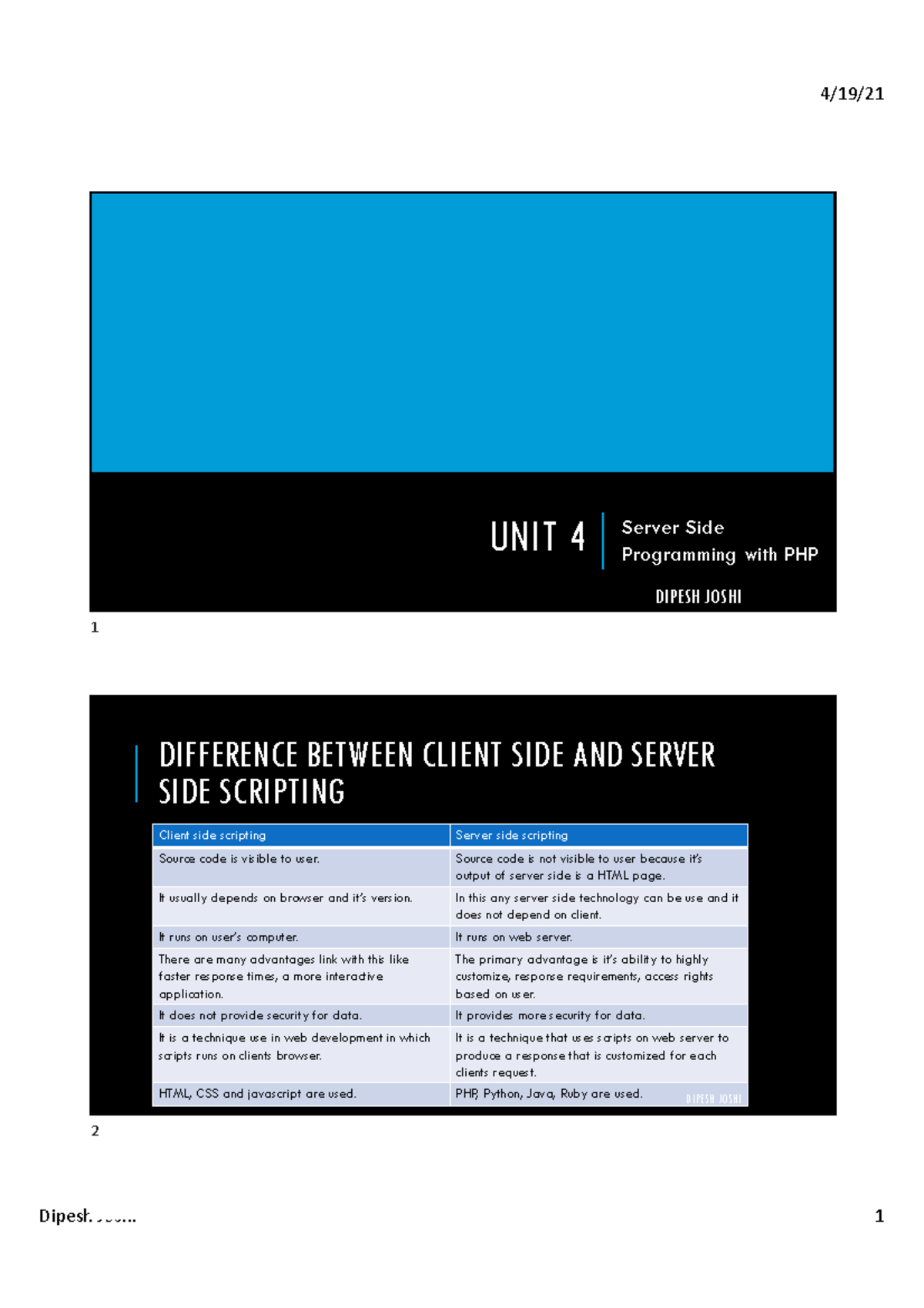
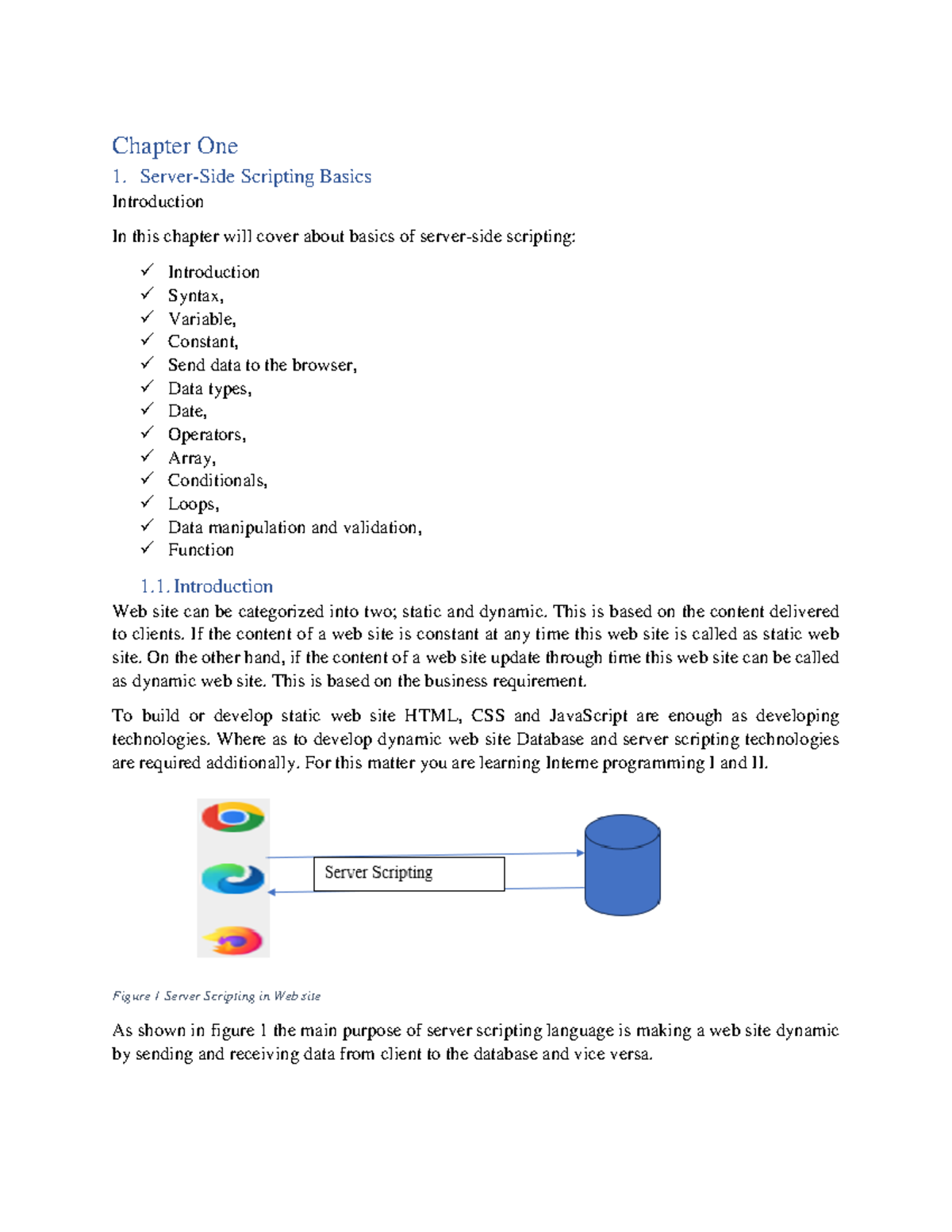
For an ASP coder, the primary goal is to manage the "Server-Side" logic. Unlike client-side scripting (like JavaScript in the browser), server-side scripting completes all its logic on the web server before any data is sent to the user’s browser. When a user requests an .asp file, the server parses the code, executes the scripts, and transmits only the resulting HTML, CSS, and client-side JavaScript to the visitor. This ensures that the source code, database credentials, and business logic remain hidden and secure from the end-user.
The Mechanics of the Server-Side Request Cycle
To master classic server-side scripting, one must visualize the journey of a single HTTP request. This cycle is the heartbeat of any ASP application. In 2026, even with advanced IIS versions on modern Windows Server iterations, the fundamental process remains unchanged.
- The Request: A client (browser) sends an HTTP request for a specific URL ending in
.asp. - The Interception: IIS identifies the file extension and passes the request to the
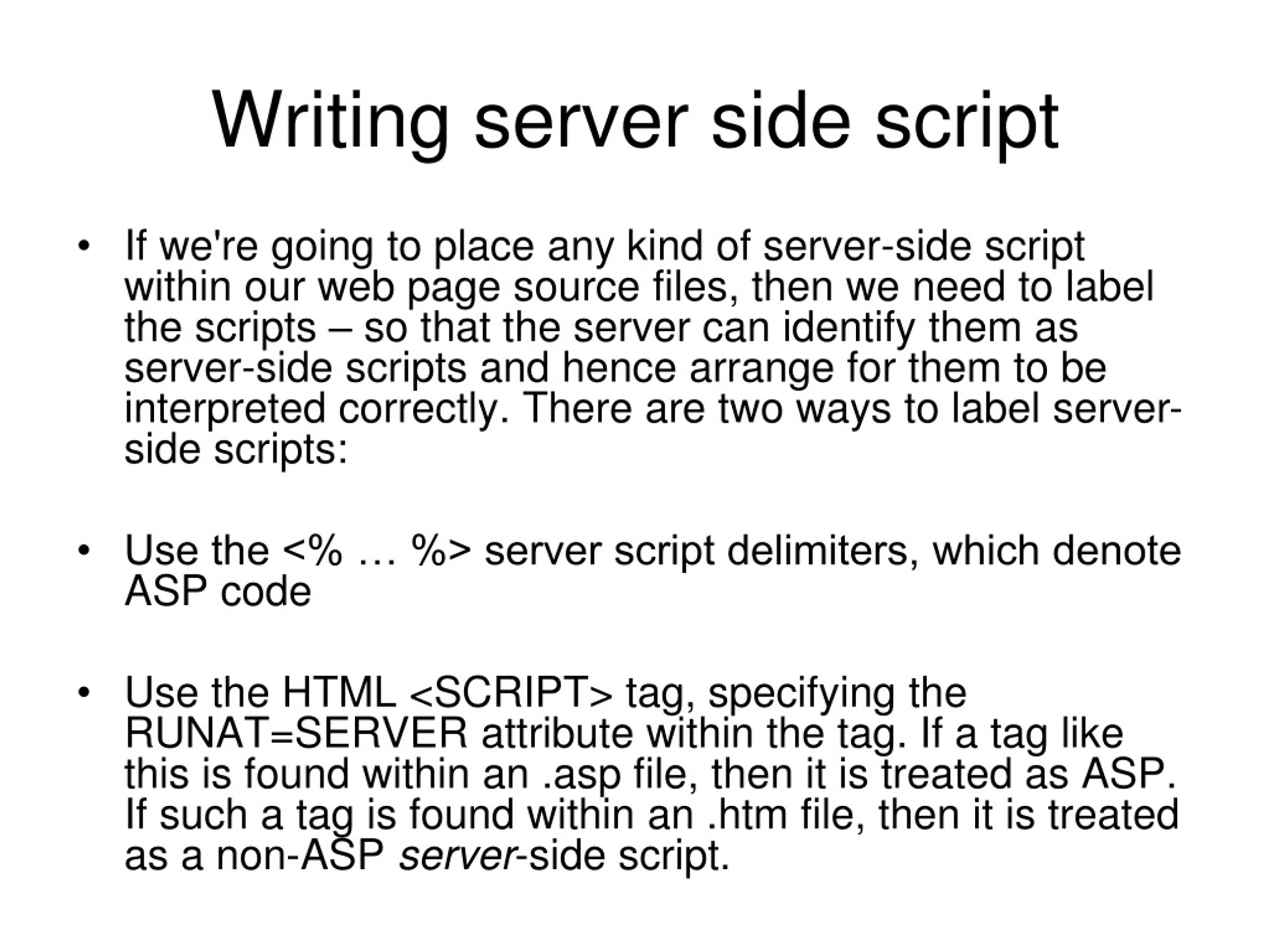
asp.dllengine. - The Execution: The ASP engine reads the file from top to bottom. It treats everything outside of
<% ... %>tags as literal text (usually HTML) and everything inside as executable code. - The Scripting Engine: By default, most classic ASP applications use VBScript (Visual Basic Scripting Edition). The engine interprets these commands, interacts with the file system or databases if instructed, and builds the final page content.
- The Delivery: The server sends the completed stream back to the client. The client never sees the VBScript; it only sees the output generated by the script.
This linear execution model is simple but requires careful management. Because the code is interpreted line-by-line, inefficient loops or unoptimized database calls can significantly delay the "Time to First Byte" (TTFB).
The Intrinsic Object Model
The power of an ASP coder lies in their ability to manipulate the five core intrinsic objects provided by the ASP engine. These objects provide the interface between the web server and the script.
The Request Object
The Request object is used to retrieve values that the browser passes to the server. An experienced coder understands the nuances of the various collections within this object:
- QueryString: Retrieves values from the URL (e.g.,
page.asp?id=10). - Form: Retrieves values from an HTML form using the POST method.
- Cookies: Accesses cookies sent by the client.
- ServerVariables: Provides information about the server environment, such as the visitor’s IP address or the type of browser they are using.
The Response Object
Conversely, the Response object sends information back to the user. Beyond the common Response.Write used to output text, it manages critical headers. In 2026, managing Response.ContentType is still vital for serving JSON or XML from a legacy ASP backend to a modern frontend. Additionally, Response.Buffer controls whether the server should wait until the entire script is finished before sending data, a key factor in performance tuning.
The Server Object
The Server object provides utility functions. The most critical method is Server.CreateObject, which allows the script to instantiate COM components, such as ADODB for database connections or FileSystemObject for file manipulation. It also handles URL encoding and mapping virtual paths to physical paths on the server via Server.MapPath.
The Session and Application Objects
State management is handled through Session and Application. The Session object stores information for a single user (using a cookie-based SessionID), while the Application object stores variables accessible to all users of the website. In 2026, coders must be wary of Session usage in load-balanced environments, as Classic ASP sessions are, by default, stored in the memory of a single web server.
Scripting Languages: VBScript vs. JScript
While VBScript is the synonymous language for Classic ASP, the engine also supports JScript (Microsoft’s implementation of ECMAScript). A coder must understand the syntax limitations of VBScript, which lacks modern features like arrow functions, async/await, or block-level scoping (let and const).
In VBScript, variables are often declared using Dim and are of the Variant type. This lack of strict typing requires the coder to be disciplined with naming conventions and data validation to avoid runtime errors that can crash the script execution. Error handling is notably different from modern "Try/Catch" blocks, instead relying on On Error Resume Next and checking the Err object—a pattern that requires meticulous manual checks after every risky operation.
Data Integration with ADO
Most Classic ASP applications exist to display or manipulate data. This is achieved through ActiveX Data Objects (ADO). Understanding how to create a DSN-less connection string to a modern SQL Server instance is a hallmark of a proficient ASP developer in 2026.
The standard workflow involves:
- Opening an
ADODB.Connection. - Executing a SQL command or opening an
ADODB.Recordset. - Iterating through the recordset using a
While Not EOFloop. - Closing the connection and explicitly setting the object to
Nothingto prevent memory leaks—a critical step in legacy environments where garbage collection is less aggressive than in .NET.
| Feature | Classic ASP (VBScript) | ASP.NET Core (C#) | PHP (Modern) |
|---|---|---|---|
| Execution | Interpreted (Runtime) | Compiled | Interpreted/JIT |
| Type System | Weakly Typed (Variant) | Strongly Typed | Optional Strict Typing |
| State Management | Built-in Session/App | Middleware/Distributed Cache | Built-in Session/Redis |
| Database Access | ADO (COM) | Entity Framework Core | PDO / Eloquent |
| Modern Support | Legacy/IIS Only | Cross-platform | Cross-platform |
Security Considerations for the Modern ASP Coder
In 2026, the security landscape is far more hostile than when Classic ASP was designed. A coder maintaining these systems must prioritize two main areas: SQL Injection and Cross-Site Scripting (XSS).
Because VBScript often encourages string concatenation to build SQL queries, legacy apps are prime targets for injection. Modern best practices for ASP coders involve using ADODB.Command objects with parameters instead of building strings. Similarly, all user input must be sanitized using Server.HTMLEncode before being rendered back to the page to prevent XSS attacks.
Furthermore, as TLS 1.3 is the standard in 2026, the underlying IIS server must be configured to handle modern encryption, even if the code itself is decades old. The coder must ensure that the application logic does not bypass these server-level security protocols.
Practical Maintenance and Troubleshooting
Maintaining a Classic ASP site in 2026 often involves "interop" with modern systems. You might find yourself debugging an ASP page that calls a REST API using the WinHttp.WinHttpRequest component. Troubleshooting these scenarios requires a deep understanding of HTTP status codes and the COM+ environment.
Common errors, such as the "800a01ad" (ActiveX component can't create object), usually point to 32-bit vs. 64-bit compatibility issues. Since most modern servers are 64-bit, but many legacy COM components are 32-bit, the ASP coder must know how to enable 32-bit applications in the IIS Application Pool settings.
Frequently Asked Questions
Is Classic ASP still supported by Microsoft in 2026?
Yes, Microsoft has historically tied the support of Classic ASP to the lifecycle of the Windows Server OS it runs on. As long as IIS is a supported component of the current Windows Server versions, the asp.dll remains supported. However, no new features have been added to the language itself for over two decades.
Can Classic ASP run on Linux or macOS?
Native support for Classic ASP is exclusive to Windows and IIS. While third-party solutions like Sun One (formerly Chilisoft) or specific modules for Apache existed in the past to bridge this gap, they are largely obsolete in 2026. For modern cross-platform needs, migration to ASP.NET Core is the standard path.
Why would a company still use Classic ASP in 2026?
The primary reason is "legacy debt" and the cost-to-risk ratio of migration. Many complex business systems were built with millions of lines of ASP code. If the system is stable, secure, and performs its required function, the significant investment required to rewrite it in a modern framework may not be justifiable to stakeholders.
How do I handle modern JSON data in Classic ASP?
Since VBScript does not have a native JSON parser, coders in 2026 typically use one of two methods: they either use a JScript-based library (leveraging ASP’s ability to mix languages) or they use a COM component wrapper around a modern JSON library. This allows the legacy application to communicate with modern web APIs.
What is the most common mistake made by new ASP coders?
The most common mistake is failing to manage resources, specifically database connections and filesystem objects. Unlike modern languages with robust garbage collection, failing to explicitly close a connection and set the object variable to Nothing can lead to "Connection Pooling" exhaustion, eventually causing the server to stop responding to requests.
Moving Forward: Recommendation for Developers
If you are tasked with understanding or maintaining classic server-side scripting in 2026, your best strategy is encapsulation and gradual modernization. Do not attempt to build new, complex logic using VBScript. Instead, wrap new functionality in modern Microservices (built in .NET or Node.js) and have your Classic ASP code communicate with those services via HTTP requests. This preserves the existing system while slowly migrating the business logic to a modern, supported stack. Always prioritize security patches at the IIS level and ensure that any database interactions are strictly parameterized to protect against modern exploits.