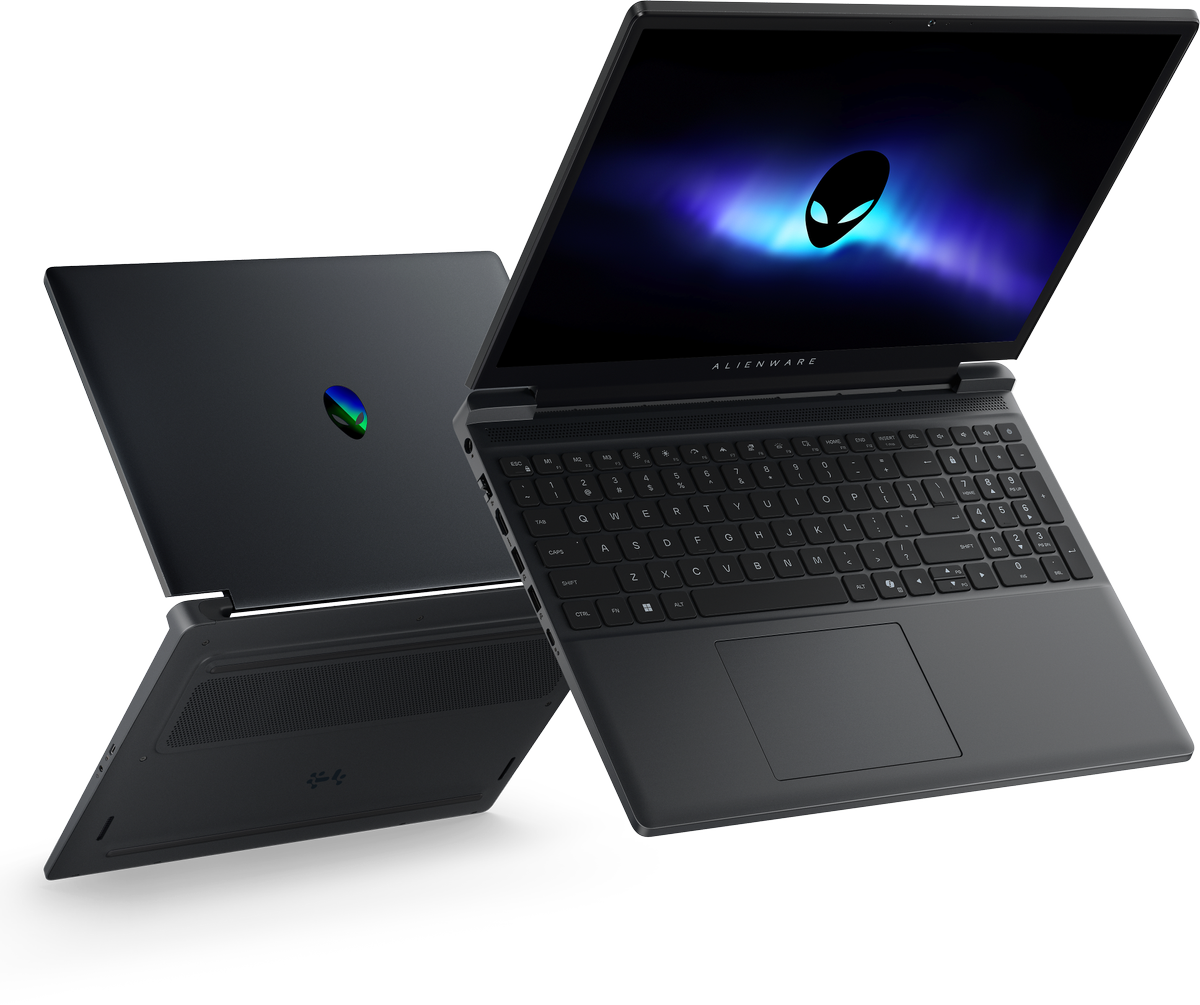
The Alienware m17 R4 serves as a benchmark for mobile gaming power from its 2021 release, featuring a balance of high-end NVIDIA GeForce RTX 30-series graphics and 10th Gen Intel Core processors. It is designed for enthusiasts who require desktop-level gaming performance in a portable 17-inch form factor, emphasizing thermal management, display fidelity, and extensive connectivity options for demanding titles and creative workloads.
The Evolution of the Alienware m17 Series
When considering the Alienware m17 R4, it is essential to understand its position within the broader Alienware ecosystem. Released in early 2021, this model refined the aesthetic and structural design established by its predecessors, focusing on the "Legend" industrial design language. Unlike thinner, more ultrabook-oriented machines, the m17 R4 was engineered with a specific intent: to house high-wattage hardware within a chassis that prioritizes sustained cooling performance.
The R4 iteration was notable for being one of the first in the Alienware mobile lineup to fully embrace the NVIDIA GeForce RTX 30-series laptop GPUs, including the flagship RTX 3080. By the year 2026, this device remains a highly capable piece of hardware for those who favor a legacy of physical port availability and aggressive thermal architecture over the ultra-slim profiles of more modern designs.
Technical Specifications and Hardware Architecture
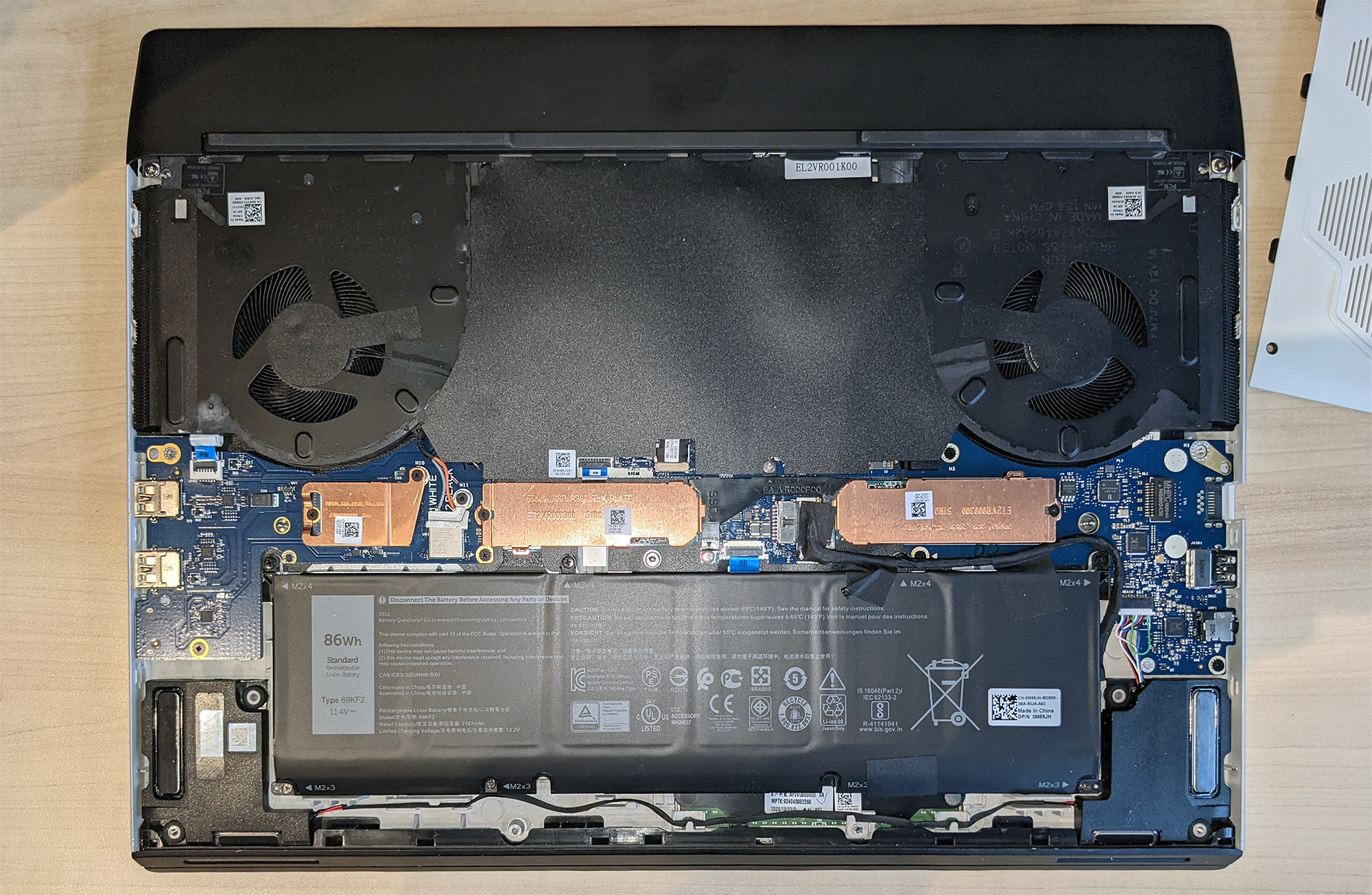
At the heart of the Alienware m17 R4 is a sophisticated internal architecture designed to mitigate thermal throttling. The device utilizes the Alienware Cryo-Tech cooling technology, which includes vapor chamber components and high-voltage driving fans that draw air from the top and bottom vents, exhausting heat through the side and rear vents.
Core Processing and Graphics
The machine was configured with 10th Generation Intel Core i7 and i9 processors. While these processors may appear dated compared to current 2026 silicon, they remain potent for multi-threaded tasks and high-frame-rate gaming.
- Processor: Intel Core i7-10870H or i9-10980HK (8-core/16-thread).
- GPU Options: NVIDIA GeForce RTX 3060, 3070, or 3080, featuring high TGP (Total Graphics Power) variants that allow for higher clock speeds compared to lower-wattage counterparts in thinner laptops.
- Memory: Soldered LPDDR4x memory (non-upgradable), which was a critical design choice by Dell to maximize signal integrity and speed.
- Storage: Multiple M.2 SSD slots allowed for significant storage expansion, a rarity in many modern gaming laptops.
Display Technology
The m17 R4 offered several display panel options, catering to different user priorities. Professional gamers often gravitated toward the 360Hz Full HD (1920x1080) panel for maximum motion clarity in competitive shooters. Conversely, creators and immersion-focused players preferred the 4K UHD (3840x2160) panel, which provided superior color accuracy and density, though capped at 60Hz.
Performance Profile and Thermal Dynamics
The performance of the m17 R4 is heavily reliant on the Alienware Command Center (AWCC). This software suite acts as the primary interface for managing thermal profiles, overclocking the CPU/GPU, and adjusting fan curves.
The "Performance" and "Full Speed" thermal profiles are particularly significant. In "Full Speed" mode, the fans operate at maximum RPM, which produces audible noise but effectively prevents the GPU from lowering its frequency during extended gaming sessions. In 2026, users seeking to maintain the longevity of an m17 R4 should focus on periodic maintenance, specifically cleaning the internal intake vents and replacing the thermal interface material if temperatures exceed acceptable manufacturer specifications.
Comparative Overview of Key Components
The following table outlines the hardware variations inherent to the Alienware m17 R4 configuration process, helping to distinguish between the performance tiers of this specific generation.
| Feature | Entry-Level Config | Mid-Range Config | High-End Config |
|---|---|---|---|
| Processor | Intel Core i7-10870H | Intel Core i7-10870H | Intel Core i9-10980HK |
| GPU | NVIDIA RTX 3060 | NVIDIA RTX 3070 | NVIDIA RTX 3080 |
| RAM | 16GB LPDDR4x | 16GB or 32GB LPDDR4x | 32GB LPDDR4x |
| Display | 144Hz FHD | 144Hz FHD/360Hz FHD | 360Hz FHD/4K 60Hz |
| Storage | 512GB SSD | 1TB SSD | 2TB+ SSD |
Connectivity and I/O Considerations
One of the primary advantages of the m17 R4’s 2021-era chassis design is the abundance of I/O ports. Unlike many 2026 ultrathin devices, the m17 R4 does not force reliance on dongles or hubs.
- Rear Ports: HDMI 2.1 output (a major inclusion for 4K 120Hz monitor support), Mini DisplayPort 1.4, Thunderbolt 3 / USB-C, and the dedicated Alienware Graphics Amplifier port.
- Side Ports: Two USB 3.2 Gen 1 Type-A ports, a microSD card reader, and a headset jack.
- Networking: The inclusion of an Ethernet port was standard, providing stable connectivity for low-latency gaming, which remains preferable to Wi-Fi for competitive environments.
Practical Usage and Maintenance in 2026
If you are operating or purchasing an Alienware m17 R4 in 2026, there are specific factors to manage to ensure the system remains functional.
Thermal Maintenance
The most common issue with high-performance laptops of this era is the accumulation of dust in the heat sinks. Because the m17 R4 uses an aggressive thermal solution with small fan blades, dust buildup can significantly degrade cooling efficiency. It is highly recommended to use compressed air to clean the vents at least every six months.
Battery Health
By 2026, the lithium-ion batteries in these units will be several years old. If the system is primarily used as a desktop replacement, it is advisable to use the BIOS-level battery charging limit settings. Keeping the battery charged at a maximum of 80% rather than 100% significantly extends the chemical lifespan of the cells.
Software Support
Ensure the BIOS is updated to the latest available version provided by Dell. While the hardware is from 2021, Dell periodically releases security and stability patches. Always verify the driver versions through the official Dell support portal to ensure compatibility with modern operating systems and security protocols.
Frequently Asked Questions
Can the memory (RAM) in the Alienware m17 R4 be upgraded?
No. The memory in the m17 R4 is soldered directly to the motherboard to achieve higher clock speeds and lower latency. Users must ensure they purchase the configuration with sufficient RAM at the time of initial acquisition, as there is no path for post-purchase expansion.
Is the Alienware Graphics Amplifier port still useful?
While the Graphics Amplifier itself has been discontinued by Alienware, it remains a unique feature of the R4. Users who already own the unit and an external desktop GPU can still utilize this proprietary connection for external graphics processing, though it does not support the latest generation of interface standards like PCIe 5.0.
How does the m17 R4 perform with modern 2026 gaming titles?
The machine remains highly capable for 1080p gaming. For titles released in 2026, the RTX 3080 (16GB VRAM) variant can still handle most games at high settings, though players may need to utilize DLSS (Deep Learning Super Sampling) to maintain consistent frame rates in the most graphically demanding AAA titles.
What are the primary signs of thermal throttling on this device?
Thermal throttling typically manifests as a sudden drop in frame rates during intense gaming sequences. Users can verify this by running performance monitoring software; if the CPU or GPU clock speed drops sharply once temperatures reach their thermal limit, the system is throttling to prevent hardware damage.
Can I replace the SSD in the m17 R4?
Yes, storage is the most flexible aspect of the m17 R4. The laptop features multiple M.2 slots, allowing users to upgrade or add additional NVMe SSD storage to accommodate larger game libraries.
Recommendations for Ongoing Use
To maintain the performance of the Alienware m17 R4 in 2026, treat the device as a desktop-replacement platform. Ensure the rear of the laptop is elevated by at least an inch during intense gaming sessions to maximize airflow. If you are noticing elevated temperatures during idle, consider having a professional apply high-quality thermal paste, as the factory-applied material may have degraded over the years. By respecting the physical limitations of the hardware while maximizing its strengths—such as the high-refresh-rate display and robust I/O—the m17 R4 continues to be a viable high-performance asset.