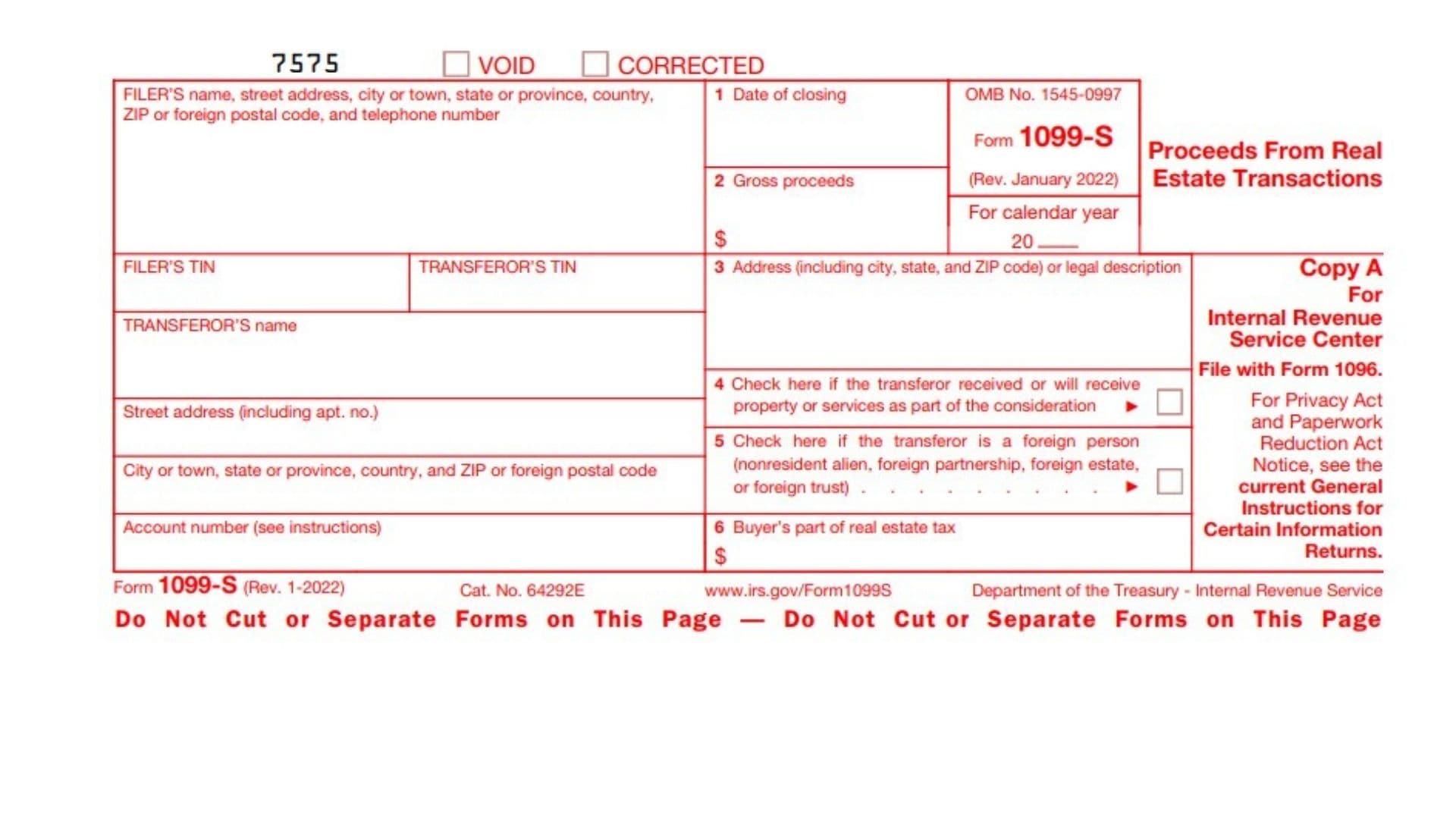
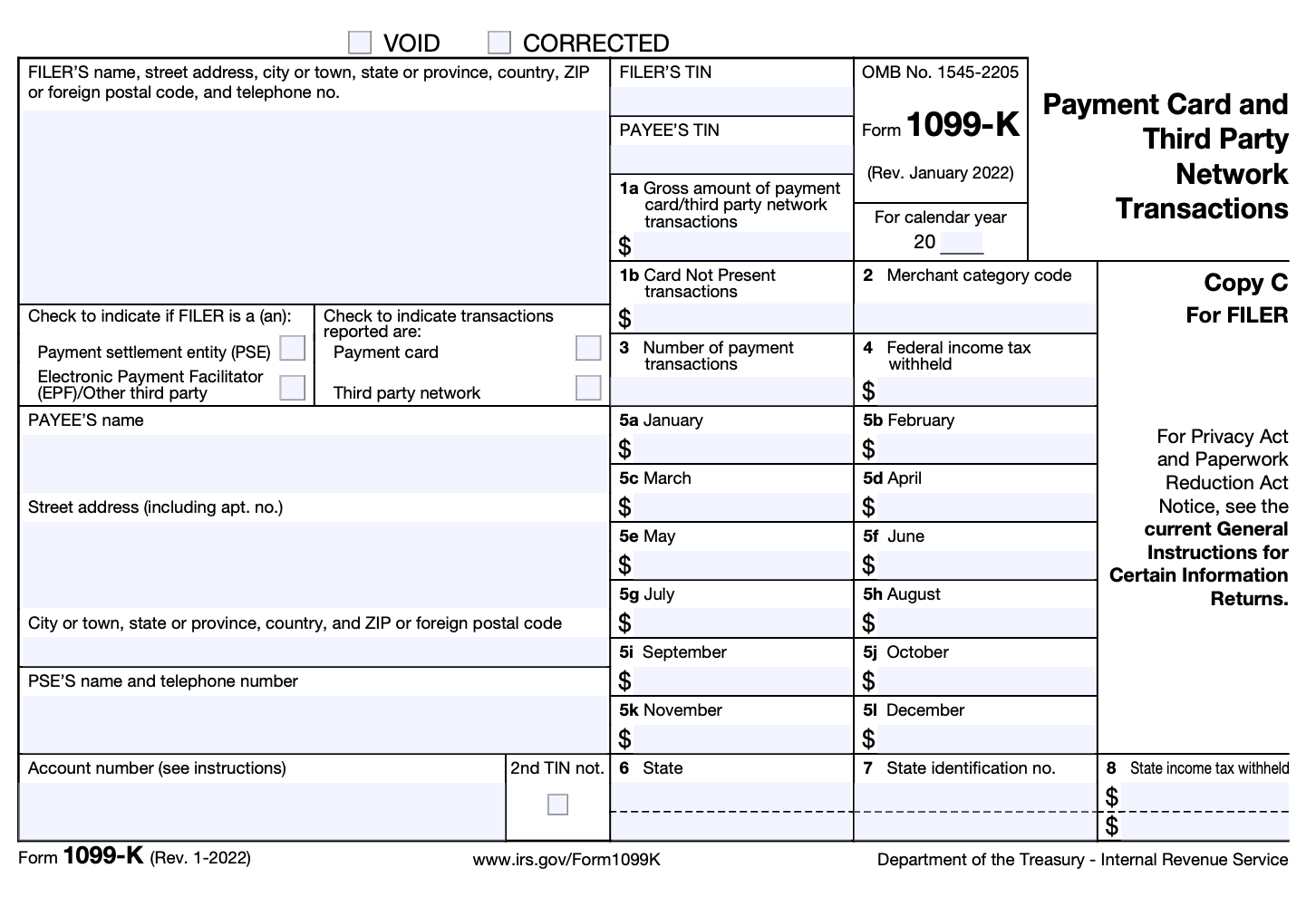
To file your Form 1099-K, you must reconcile the gross amount reported in Box 1a against your actual sales records, deduct eligible expenses or cost basis, and transfer the net income to the appropriate IRS schedule—typically Schedule C for business activities, Schedule 1 for personal property, or Schedule D for capital assets—on Form 1040.
Form 1099-K (Payment Card and Third Party Network Transactions) is an informational tax return issued by payment settlement entities (PSEs), including credit card processors, payment apps such as Venmo and PayPal, and online marketplaces like eBay, Etsy, and Airbnb. While the payment platform sends a copy of this form directly to the Internal Revenue Service (IRS), taxpayers frequently misunderstand their responsibility. You do not simply attach the 1099-K to your return and pay taxes on the top-line number; instead, you must accurately categorize the underlying transactions, account for allowable deductions, and report the figures on your annual federal income tax return.
Understanding Form 1099-K: Issuance vs. Tax Reporting
A widespread point of confusion regarding Form 1099-K is the distinction between receiving an informational form and filing a tax return. The payment processor or platform files Form 1099-K with the IRS to establish a third-party paper trail of funds transferred into your accounts. As the recipient, your job is to account for that revenue on your federal and state tax filings.
HOW FORM 1099-K OPERATES
- Payment Processor (PSE)
- Tracks credit card / app payments
- Reports unadjusted gross volume in Box 1a
- Sends Copy A to IRS (Automated Underreporter)
- Sends Copy B to Payee (You)
- Taxpayer Responsibility
- Reconciles Box 1a against bank deposits and books
- Subtracts processor fees, refunds, and cost of goods sold
- Reports taxable remainder on Schedule C, Schedule 1, or Sched D
Box 1a of Form 1099-K reflects the gross payment volume processed on your behalf. This figure does not account for merchant processing fees, platform commissions, customer refunds, shipping labels bought through the platform, discounts, or the original cost basis of the items you sold. Consequently, treating the Box 1a figure as pure taxable income results in overpaying taxes.
The IRS relies on automated matching systems, specifically the Automated Underreporter (AUR) program, to cross-reference the Box 1a values reported by PSEs against the gross receipts declared on individual and business returns. If your return shows lower gross receipts than the aggregate of your 1099 forms without a clear offsetting explanation, the system flags the return and issues an automated notice (such as Notice CP2000). Successfully navigating Form 1099-K requires a systematic approach to income classification and expense tracking.
The 10 Steps to Report and File Your Form 1099-K
Following a structured process ensures you pay only the tax you legitimately owe, avoid IRS compliance notices, and maintain a verifiable audit trail.
Step 1: Gather and Verify All 1099-K Statements
Begin by logging into every payment platform, marketplace, and merchant processor you utilized during the tax year. Most entities provide electronic copies of Form 1099-K in their tax documents dashboard by January 31.
Carefully inspect the administrative details on each form:
- Payee Information: Confirm that your name, address, and Taxpayer Identification Number (TIN)—which may be your Social Security Number (SSN) or Employer Identification Number (EIN)—are accurate.
- Account Scope: Determine whether the form covers an individual account, a sole proprietorship, a formal partnership, or a corporate entity.
- Box 1a vs. Monthly Breakdowns: Examine Box 1a (gross payment volume) and the monthly breakdowns in Boxes 5a through 5l. These monthly totals provide a valuable reference when reconciling cash flows against quarterly estimated tax obligations.
Step 2: Reconcile Gross Payment Volume with Internal Accounting Records
Because Box 1a displays the total unadjusted dollar amount of all reportable payment transactions, it almost never equals the net cash deposited into your bank account.
Download the comprehensive annual transaction history (.CSV format) from each processor. Calculate the variance between the gross figure reported on Form 1099-K and your actual bank deposits. This variance typically consists of:
- Platform transaction fees and fixed payment processing charges.
- Customer returns, chargebacks, and administrative chargeback fees.
- Sales tax collected and automatically remitted by marketplace facilitators (which should not be counted as your taxable revenue).
- Pre-funded shipping postage and label charges.
Document these calculations in a reconciliation spreadsheet. If the IRS requests clarification regarding a discrepancy between your tax return and Box 1a, this reconciliation schedule serves as primary supporting evidence.
Step 3: Categorize Your Underlying Transactions
Not every dollar on a Form 1099-K represents taxable business revenue. Transactions generally fall into four distinct legal categories:
- Trade or Business Income: Self-employment, independent contracting, digital content creation, professional freelancing, or retail sales conducted with a profit motive.
- Personal Assets Sold at a Loss: Personal effects (such as used clothing, electronics, or personal vehicles) sold for less than their original purchase price. Under federal law, personal property losses are non-deductible, but the gross sale proceeds are also not taxable income.
- Personal Assets Sold at a Profit: Items sold for more than their original purchase price (such as rare collectibles, tickets, or appreciated personal goods). The gain represents a taxable capital gain.
- Non-Taxable Personal Transactions: Reimbursements between friends, roommate utility splits, shared dining tabs, or gifts received via peer-to-peer networks that were incorrectly flagged as commercial goods and services transactions.
Step 4: Request Corrections for Errors Promptly
If your Form 1099-K contains material errors—such as reporting an erroneous TIN, including pure personal transfers sent by family, or duplicating income reported by another processor—contact the issuing payment settlement entity immediately.
Request a corrected Form 1099-K (marked with a checkmark in the "CORRECTED" box at the top). Document your communication, including confirmation tickets and support emails.
If the payment processor refuses or fails to issue a corrected form before your tax filing deadline, do not alter the form yourself. You must proceed by reporting the gross amount reported to the IRS and making a corresponding offsetting adjustment on your return to explain the non-taxable portion, preventing automated underreporting penalties.
Step 5: Calculate Deductible Business Expenses and Adjustments
For transactions arising from business or independent contracting activities, identify all ordinary and necessary expenses incurred to generate that revenue. Under Section 162 of the Internal Revenue Code, ordinary expenses are those common and accepted in your trade, while necessary expenses are those helpful and appropriate for your business.
Common deductible expenses that offset your 1099-K gross receipts include:
- Cost of Goods Sold (COGS): The wholesale inventory cost, materials, supplies, and direct manufacturing costs of physical products.
- Platform Fees: Listing fees, final value fees, advertising costs paid to the platform, and payment processing fees deducted at the point of sale.
- Shipping and Fulfillment: Postage, carrier fees, packaging supplies, boxes, and freight charges.
- Operating Overhead: Home office deductions (calculated via the simplified or regular method), software subscriptions, internet utility allocations, and professional services.
- Mileage and Travel: Documented business mileage incurred for inventory acquisition, client meetings, or package drop-offs, calculated using the standard IRS mileage rate or actual vehicle expenses.
Step 6: Select the Correct IRS Tax Schedule
Once transactions are categorized and expenses tallied, direct the numbers to the appropriate IRS schedule:
IRS SCHEDULE SELECTION WORKFLOW
| 1099-K Income Type | Filing Location |
|---|---|
| Sole Proprietor / Freelancer | Schedule C (Form 1040) |
| Personal Property Sold at Loss | Schedule 1 (Lines 8z & 24z offset) |
| Personal Property Sold at Gain | Form 8949 + Schedule D (Form 1040) |
| Hobby Activities (No Profit) | Schedule 1 (Line 8i) |
| Partnership / Corporation | Form 1065 / Form 1120-S |
- Schedule C (Profit or Loss From Business): Used by sole proprietors, independent contractors, single-member LLCs, and gig workers. Gross receipts are entered on Line 1, while COGS and operating expenses are entered in Part II and Part III.
- Schedule 1 (Additional Income and Adjustments to Income): Used for personal items sold at a loss or non-taxable personal reimbursements that cannot be corrected by the issuer.
- Form 8949 and Schedule D (Capital Gains and Losses): Used for personal assets, investments, or collectibles sold at a gain.
- Form 1120, 1120-S, or 1065: Used if your business operates as a C-Corporation, S-Corporation, or multi-member partnership. The gross figures are entered on the corporate gross receipts line.
Step 7: Report Personal Items Sold at a Loss Correctly
If you received a Form 1099-K for selling used personal items (like old furniture, personal electronics, or clothing) at a financial loss, you do not owe income tax on those transactions. However, because the processor transmitted the gross figure to the IRS, failing to mention it on your return will trigger an AUR inquiry.
The IRS provides a specific mechanism on Schedule 1 (Form 1040) to neutralize these amounts:
- Report the Gross Sales: On Schedule 1, Part I (Additional Income), Line 8z ("Other income"), write the description "Form 1099-K Personal Item Sold at a Loss" and input the full gross amount from Box 1a of the form.
- Report the Offsetting Adjustment: On Schedule 1, Part II (Adjustments to Income), Line 24z ("Other adjustments"), write the description "Form 1099-K Personal Item Sold at a Loss" and enter the identical dollar amount (or the amount of the loss up to the sale price).
This reporting method results in a net zero effect on your Adjusted Gross Income (AGI) while explicitly notifying IRS processing algorithms that the 1099-K gross receipt has been fully accounted for and carries no tax liability.
Step 8: Compute Net Self-Employment Tax
If your 1099-K activities represent trade or business activities reported on Schedule C, and your net profit (gross revenue minus allowable expenses) exceeds $400, you are subject to federal self-employment taxes under the Self-Employment Contributions Act (SECA).
Complete Schedule SE (Form 1040) to compute:
- Social Security Tax: 12.4% on net earnings up to the annual statutory contribution limit.
- Medicare Tax: 2.9% on all net business earnings, plus an additional 0.9% Medicare tax if your overall income crosses statutory thresholds based on your filing status ($200,000 for single filers, $250,000 for married filing jointly).
- Above-the-Line Deduction: Transfer 50% of your total self-employment tax calculation to Schedule 1, Line 15. This adjustment reduces your overall taxable income before calculating individual income tax rates.
Step 9: Consolidate Figures onto Form 1040 and Check for Duplication
Transfer the resulting figures from Schedule C, Schedule 1, and Schedule D to the primary pages of Form 1040.
At this stage, you must perform a critical audit check: income duplication prevention. A frequent compliance issue arises when a client issues you a Form 1099-NEC (Nonemployee Compensation) for services rendered, and you also receive a Form 1099-K from the third-party processor (such as Stripe or PayPal) through which that client paid you.
Do not report both top-line amounts on Line 1 of Schedule C, as doing so doubles your taxable income for that engagement. Report your actual total gross revenue, and maintain an internal reconciliation demonstrating that the amount on the 1099-NEC was processed through the payment network reflected on the 1099-K.
Step 10: Retain Documentation and File Electronically
Complete your return and submit it electronically through IRS Free File, commercial tax preparation software, or an authorized tax professional. Electronic filing drastically reduces clerical data-entry errors and speeds up verification against third-party reporting databases.
Retain supporting records in an organized digital archive for a minimum of three years from the filing date (or up to six years if business income deductions exceed 25% of gross income):
- All Forms 1099-K, 1099-NEC, and 1099-MISC.
- Full-year .CSV export files from payment settlement networks.
- Merchant processing fee summaries and credit card processing statements.
- Original receipts, invoices, or purchase orders demonstrating the cost basis of sold items.
- Bank statements showing business-related deposits and withdrawals.
Form 1099-K Tax Treatment Comparison
The appropriate treatment of a Form 1099-K depends entirely on the nature of the transaction that generated the payment. Use the following comparison table to identify the proper tax treatment and reporting location for your specific situation:
| Transaction Nature | Taxable Status | Primary IRS Forms | Allowable Offsets / Deductions | Recordkeeping Requirement |
|---|---|---|---|---|
| Active Business / Freelancing | Yes (Subject to income and SE tax) | Form 1040, Schedule C, Schedule SE | Ordinary and necessary business expenses, COGS, mileage, processing fees | Invoices, expense receipts, mileage logs, processor fee summaries |
| Personal Items Sold at a Loss | No (No taxable income generated) | Form 1040, Schedule 1 (Lines 8z and 24z) | Full offset equal to gross sales amount to yield zero net AGI impact | Original purchase receipts or reasonable fair market value documentation |
| Personal Items Sold at a Gain | Yes (Subject to capital gains tax) | Form 1040, Form 8949, Schedule D | Original purchase basis plus capital improvements; platform selling fees | Original purchase proofs, appraisal forms, transaction histories |
| Hobby Activity (No Profit Intent) | Yes (Subject to income tax; no SE tax) | Form 1040, Schedule 1 (Line 8i) | No itemized hobby expense deductions allowed (under current tax code provisions) | Purchase receipts, payment logs, evidence of hobby classification |
| Personal Reimbursement / Gift | No (Non-taxable event) | Form 1040, Schedule 1 (Lines 8z and 24z offset) | Full offsetting notation if processor cannot issue corrected form | Bank transfers, communications proving personal reimbursement or gift |
Common Pitfalls When Handling Form 1099-K
Navigating Form 1099-K requires careful accounting to prevent unnecessary tax burdens or triggering an audit. Taxpayers frequently encounter four common traps.
1. Reporting Box 1a as Net Taxable Revenue
The most expensive mistake a taxpayer can make is copying the number from Box 1a directly into the net profit section of their return. Box 1a represents total unadjusted sales volume before chargebacks, shipping costs, payment platform surcharges, inventory acquisition costs, and advertising expenditures. Failing to deduct your operational expenses means paying income and self-employment taxes on gross dollars you never kept.
2. Disregarding the Form When Personal Property Was Sold at a Loss
Many individuals believe that because they sold personal possessions at a loss—such as selling a used sofa or personal laptop for half of its original price—they can disregard Form 1099-K entirely. However, the IRS receives a copy of the form automatically. If your return omits any reference to that gross amount, IRS computers will flag your return for underreporting income and send a CP2000 notice proposing additional tax, interest, and penalties. You must report the gross transaction and make the offsetting adjustment on Schedule 1.
3. Double-Counting Revenue Between 1099-K and 1099-NEC
Independent contractors frequently face double-reporting issues. A corporate client might issue you a Form 1099-NEC for consulting services. If that client paid your invoice via credit card, PayPal, or another third-party platform, that platform includes that exact payment in the Box 1a total on your Form 1099-K.
THE DOUBLE-COUNTING DILEMMA EXPLAINED
- Client pays $5,000 invoice via Credit Card / Payment Platform
- Paperwork generated:
- Client files Form 1099-NEC (Box 1: $5,000)
- Payment Platform files Form 1099-K (Box 1a: $5,000)
- Incorrect Action: Report $5,000 + $5,000 = $10,000 gross receipts
- Correct Action: Report $5,000 true receipts and reconcile
If you blindly enter both the 1099-NEC amount and the 1099-K amount as income, you are paying tax on double your actual income. You must report your actual gross income once on Schedule C, maintaining a ledger that shows how the 1099-NEC and 1099-K correspond to the identical payment.
4. Overlooking State-Level Reporting Thresholds
While federal reporting thresholds determine when a PSE must issue a federal Form 1099-K, several states enforce lower statutory thresholds (such as $600 or $1,000 regardless of the transaction count). If you live or operate in one of these states, you may receive a state-level 1099-K even if you did not cross federal thresholds. You must still account for this income on your state income tax return, reconciling it with your federal AGI.
Frequently Asked Questions
What happens if I don't report income from a 1099-K on my tax return?
If you omit gross income reported on a Form 1099-K, the IRS Automated Underreporter (AUR) unit will identify the discrepancy through computerized data matching. The IRS will issue a Notice CP2000 proposing adjustments to your tax return. This notice typically recalculates your tax bill by treating the entire Box 1a gross amount as taxable income, adding failure-to-pay penalties, accuracy-related penalties under Section 6662, and accrued interest from the original due date of the return.
Can I deduct seller fees and shipping costs from my 1099-K total?
Yes, provided the transactions represent an active trade or business reported on Schedule C or an entity return. Platform commissions, payment processing charges, shipping postage, packaging materials, and merchant fees are fully deductible ordinary and necessary business expenses. On Schedule C, payment processing fees and platform commissions are typically deducted in Part II under "Commissions and fees" or "Other expenses," while shipping charges are deducted under "Office expense" or included in Cost of Goods Sold.
How do I prove the cost basis of personal items sold at a loss?
To establish the cost basis of personal goods, maintain original receipts, credit card statements showing the purchase, invoices, or canceled checks. If original receipts are unavailable, the IRS generally permits reasonable estimates based on the item's fair market value at purchase, historical retail catalog pricing, or documented proof of the item's original retail price, provided the explanation is consistent and credible.
What should I do if my 1099-K includes money sent by friends or family?
If a Form 1099-K includes personal gifts, shared living costs, or reimbursements from friends and family, first contact the payment processor to request a corrected Form 1099-K. If the processor does not issue a correction in time, use Schedule 1 (Form 1040) to report the non-taxable amount on Line 8z, and apply an identical offsetting adjustment on Line 24z with the label "Form 1099-K Received in Error - Personal Reimbursement." This offsets the tax liability while satisfying the IRS matching algorithm.
Do I need to report a 1099-K if my business operated at a net financial loss?
Yes. Operating at a net loss does not exempt you from information reporting requirements. You must report your gross receipts (which will reflect the 1099-K Box 1a amount) on Schedule C or your business entity tax return, and detail your operating expenses and cost of goods sold. When your allowable expenses exceed your gross receipts, your return will accurately report a net operating loss (NOL), which may offset other income or carry forward to future tax years.
Next Steps for Taxpayers
Before submitting your federal and state tax filings, complete this final compliance check:
- Print or export the comprehensive annual statement from every digital wallet, online platform, and credit card processor you use.
- Verify that the sum of all Box 1a figures is accounted for across your tax forms (whether on Schedule C, Schedule 1, or Schedule D).
- Ensure that every business deduction, platform fee, and cost-of-goods calculation is substantiated by a digital receipt, bank record, or vendor invoice.
Disclaimer: Tax laws, administrative thresholds, and individual reporting procedures are subject to frequent legislative updates and regulatory modifications. This guide is for educational purposes and should not be construed as individualized legal or tax advice. For complex reconciliations, multi-state business filings, or significant tax liabilities, consult a Certified Public Accountant (CPA), Enrolled Agent (EA), or qualified tax attorney.