ARK Survival Evolved item IDs are unique numerical and text-based identifiers that allow players and server administrators to instantly spawn any object in the game via the console. These identifiers are essential for testing server configurations, building complex structures in Creative Mode, or recovering items lost to technical glitches in the sprawling prehistoric sandbox.
In the year 2026, even as the community continues to enjoy updated iterations of the franchise, ARK: Survival Evolved (ASE) remains a foundational title with a robust modding scene and dedicated private server clusters. Mastering item IDs is a prerequisite for any effective administrator or enthusiast looking to tailor their survival experience. This guide provides a comprehensive breakdown of how these IDs function, the various commands used to execute them, and an extensive catalog of the most essential codes for resources, tools, and equipment.
Understanding the Structure of ARK Console Commands
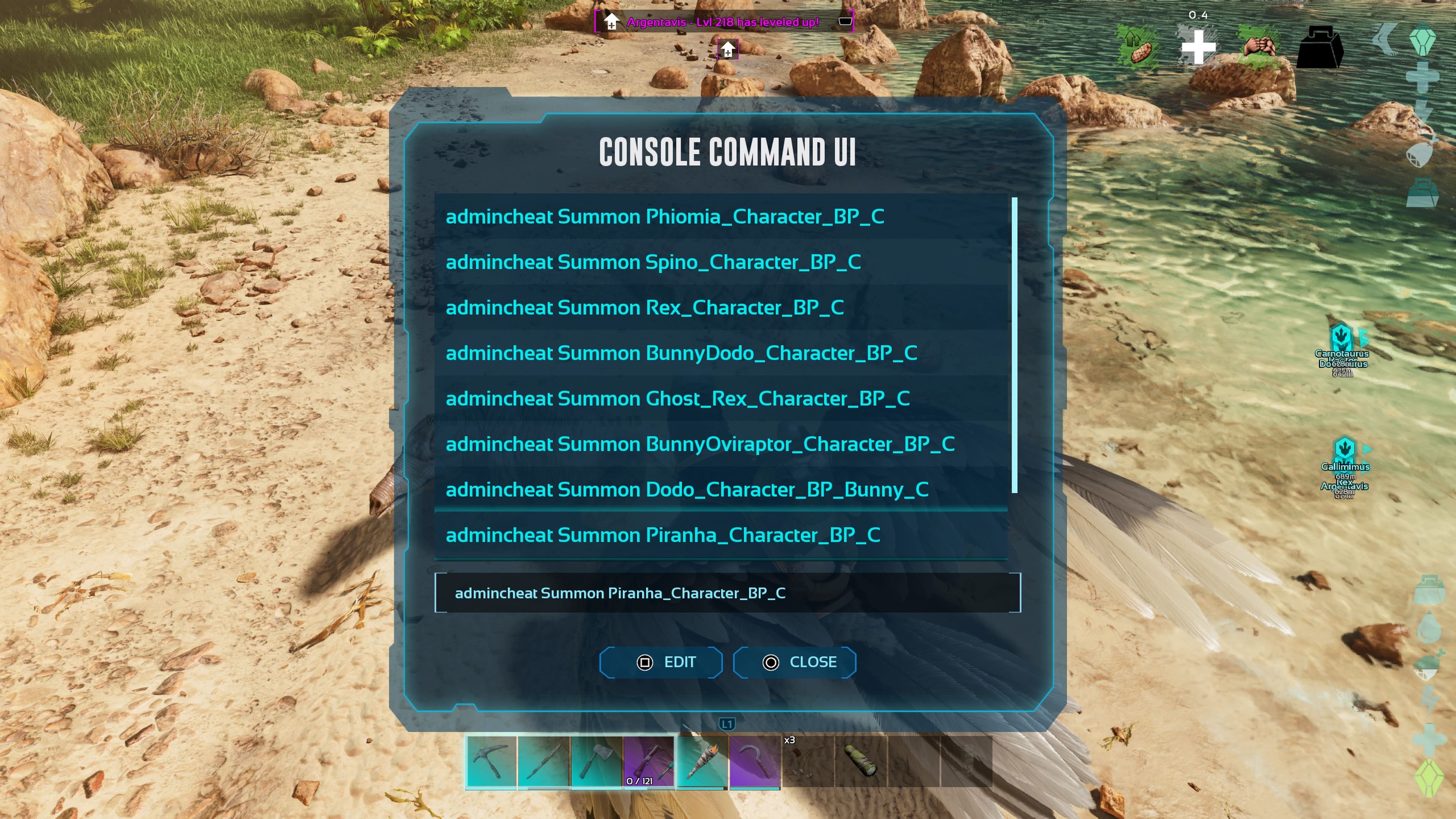
Before utilizing item IDs, it is vital to understand the syntax required to execute a spawn command. There are three primary methods used to bring items into the game world: GiveItemNum, GiveItem, and the most modern and widely used variation, GFI.
The GFI Command
The GFI (Get For Item) command is generally preferred because it uses shorthand text strings rather than long file paths or rigid numerical IDs. For example, instead of typing a 50-character directory path, a player can simply type GFI Wood 100 0 0 to receive 100 units of wood.
The syntax for GFI is as follows:
cheat gfi [ItemName] [Quantity] [Quality] [IsBlueprint]
- ItemName: A unique string identifying the item (e.g.,
Hatchet,MetalIngot). - Quantity: The number of items you wish to receive. Note that items with low stack limits (like heavy structures) may clutter the inventory if spawned in high numbers.
- Quality: A numerical value representing the item's tier (0 for Primitive, up to 20 for Ascendant).
- IsBlueprint: A boolean value (0 for the physical item, 1 for a crafting blueprint).
The GiveItemNum Command
This is the legacy method that relies on a specific numerical index. While simple, it is limited. Many items introduced in later DLCs, such as Extinction or Genesis, do not have dedicated numerical IDs and can only be accessed via the GFI command or full Blueprint paths.
The syntax for GiveItemNum is:
cheat GiveItemNum [ItemID] [Quantity] [Quality] [IsBlueprint]
The GiveItem (Blueprint Path) Command
This is the most precise but cumbersome method. It requires the full directory path within the game’s Unreal Engine 4 file structure. It is primarily used by modders and those who need to ensure they are spawning a very specific variant of an item that might share a shorthand GFI name with another object.
Enabling the Console and Administrative Access
To use item IDs, you must first access the command console. The method varies depending on the platform used in 2026:
- PC (Steam/Epic): Press the
Tabkey. Pressing it once opens a small command bar; pressing it twice opens a larger interface with a command history log. - Xbox: Pause the game and simultaneously press
LB + RB + X + Y. - PlayStation: Pause the game and simultaneously press
L1 + R1 + Square + Triangle.
On multiplayer servers, you must authenticate as an administrator by typing enablecheats [YourPassword]. Once authenticated, most commands must be prefixed with the word cheat. In single-player mode, the prefix is optional, but many veteran players use it by habit to ensure command execution.
Essential Item IDs for Survival and Construction
The following table lists the most frequently used item IDs in ARK: Survival Evolved. While thousands of IDs exist across various expansion packs, these resources and tools form the core of the game’s progression and administrative needs.
| Item Name | Numerical ID | GFI Code | Primary Use |
|---|---|---|---|
| Stone | 1 | Stone |
Core building resource |
| Metal Ingot | 74 | MetalIngot |
Advanced crafting and tools |
| Cementing Paste | 146 | CementingPaste |
Essential for polymer and structures |
| Polymer | 147 | Polymer |
Electronics and high-tier gear |
| Electronics | 148 | Electronics |
Powering late-game bases |
| Element | N/A | Element |
Fueling Tek Tier technology |
| Chitin | 151 | Chitin |
Early-game armor and paste |
| Obsidian | 145 | Obsidian |
Crafting polymer and magnifying glasses |
| Crystal | 144 | Crystal |
Optics, electronics, and water jars |
| Longneck Rifle | 132 | OneShotRifle |
High-damage ranged weapon |
| Simple Rifle Ammo | 140 | SimpleRifleBullet |
Ammo for Longneck Rifle |
| Pick (Metal) | 35 | MetalPick |
High-efficiency resource gathering |
| Hatchet (Metal) | 36 | MetalHatchet |
High-efficiency wood/stone gathering |
| Canteen | 309 | Canteen |
Advanced water storage |
| GPS | 311 | GPS |
Navigation and coordinate tracking |
| Tek Generator | N/A | TekGenerator |
Wireless power for Tek structures |
Advanced Spawn Parameters: Quality and Blueprints
One of the most powerful features of using ARK item IDs is the ability to manipulate item quality. In the standard game loop, players must find high-tier loot crates to obtain "Mastercraft" or "Ascendant" equipment. With console commands, these can be generated instantly.
The Quality Scale
When using the Quality parameter in the gfi or GiveItemNum commands, the game translates the number into a specific tier. While the scale is somewhat randomized within ranges, the general guide is:
- 0–2: Primitive (Grey)
- 3–6: Ramshackle (Green)
- 7–10: Apprentice (Blue)
- 11–15: Journeyman (Purple)
- 16–19: Mastercraft (Yellow)
- 20+: Ascendant (Cyan)
Setting the quality to 20 or higher will yield the maximum possible stats for armor, weapon damage, or saddle durability. Be cautious, as extremely high values (e.g., quality 100) can sometimes result in items with "wrapped" stats that may revert to lower values or cause client instability.
Spawning Blueprints
By changing the final digit of a command to 1, the game will give you a blueprint instead of the item itself. This is exceptionally useful for server administrators who want to reward players with the ability to craft high-tier gear multiple times, rather than simply handing them a single finished product.
Example: cheat gfi RexSaddle 1 20 1
This command grants one Ascendant Tyrannosaurus Saddle Blueprint. This allows a player to craft multiple high-armor saddles, provided they have the necessary resources.
Categorized Item Lists for Specialized Use
Tek Tier Technology
Tek items are the pinnacle of ASE's progression, often requiring boss kills to unlock. Administrators frequently use these IDs to test base defenses or set up "raid bases" for community events.
- Tek Replicator:
cheat gfi TekReplicator 1 0 0 - Tek Foundation:
cheat gfi TekFloor 1 0 0 - Tek Transmitter:
cheat gfi TekTransmitter 1 0 0 - Tek Turret:
cheat gfi TekTurret 1 0 0 - Tek Rifle:
cheat gfi TekRifle 1 0 0
Consumables and Kibble
In the current meta of 2026, efficient taming often relies on Extraordinary Kibble or specialized medical supplies.
- Extraordinary Kibble:
cheat gfi Kibble_Base_Special 1 0 0 - Medical Brew:
cheat gfi RespecSoup 1 0 0(Note: This is technically Mindwipe Tonic; for health, useHealSoup) - Narcotic:
cheat gfi Narcotic 100 0 0 - Sweet Vegetable Cake:
cheat gfi VeggieCake 10 0 0
Common Errors and Troubleshooting
Even experienced administrators encounter issues when using item IDs. Most problems stem from syntax errors or server-side restrictions.
"Command Not Found" or No Item Appearing
If you enter a command and nothing happens, the most common cause is the lack of administrative authentication. Ensure you have run the enablecheats command with the correct password. Furthermore, check for typos in the item string. The GFI command is not always case-sensitive, but it is highly sensitive to extra spaces or missing underscores.
Inventory Weight Issues
Spawning 1,000 units of Metal Ingots will instantly encumber most characters, preventing movement. If you need to spawn massive amounts of resources, it is recommended to use the cheat infinitestats command first, which prevents weight-based immobilization, or stand next to a storage container and use the cheat transferitems command if using a modded interface.
DLC-Specific Items
Items from expansion packs like Aberration or Genesis require the player to be on a map that supports those assets, or the server must have the corresponding DLC data loaded. If you attempt to spawn a "Hazard Suit" on the Island map and it fails, ensure the server configuration allows for "Foreign" item spawning.
Strategic Recommendations for Server Management
Using item IDs should be done with a clear strategy, especially on community servers. Indiscriminate use of spawn commands can ruin the survival loop and diminish player engagement.
- Recovery Only: Limit the use of item IDs to replacing gear lost to "ark-ing"—a community term for losing items due to falling through the world map or server crashes.
- Event Prizing: Use the blueprint parameter (
IsBlueprint = 1) to create high-value rewards for server-wide events, such as dodo fights or racing competitions. - Creative Building: Encourage the use of the
cheat givecreativedmodecommand for players who want to build purely for aesthetic purposes. This command automatically grants access to all crafting recipes and infinite resources without needing individual item IDs.
FAQ: Frequently Asked Questions
Can I get banned for using Item IDs in ARK?
No, using item IDs through console commands is a built-in feature of the game. You cannot be banned from ARK by the developers for using these commands in single-player or on a server where you have administrative access. However, using them on a public server where you are not an admin is impossible, as the console requires an admin password to execute "cheat" commands.
What is the difference between an Item ID and a Blueprint Path?
An item ID is a simple number or a shorthand name (GFI) used for quick spawning. A Blueprint Path is a long, specific file address (e.g., "Blueprint'/Game/PrimalEarth/CoreBlueprints/Resources/PrimalItemResource_Stone.PrimalItemResource_Stone'") that points directly to the asset in the game's code. Blueprint paths are more reliable for complex mods but much harder to type manually.
How do I spawn items from specific DLCs?
DLC items use the same GFI command structure. You simply need the specific string for that DLC item. For example, to spawn a Glowtail from Aberration, you would use a creature-specific command, but for a Hazard Suit, you use cheat gfi HazardSuit_Chest 1 0 0.
Is there a limit to how many items I can spawn at once?
While you can technically enter a quantity of 99999, your character's inventory has a slot limit (usually 300 slots). If you spawn more items than you have available slots, the excess items will either be deleted or dropped in a bag at your feet, which can cause significant server lag if the quantity is too high.
Why do some numerical IDs not work anymore?
As ARK: Survival Evolved expanded, the developers shifted away from the numerical ID system in favor of the more flexible Blueprint/GFI system. Items added after the initial launch (v248 and beyond) often lack a numerical ID entirely, making the GFI command the standard for modern gameplay.
As we move through 2026, the utility of ARK Survival Evolved item IDs remains high for the legacy community. Whether you are maintaining a private cluster or experimenting in single-player, these commands offer the ultimate level of control over the game's vast ecosystem. For those looking to further master the game, the next logical step is exploring creature spawn codes and color ID customization to fully personalize your prehistoric world.