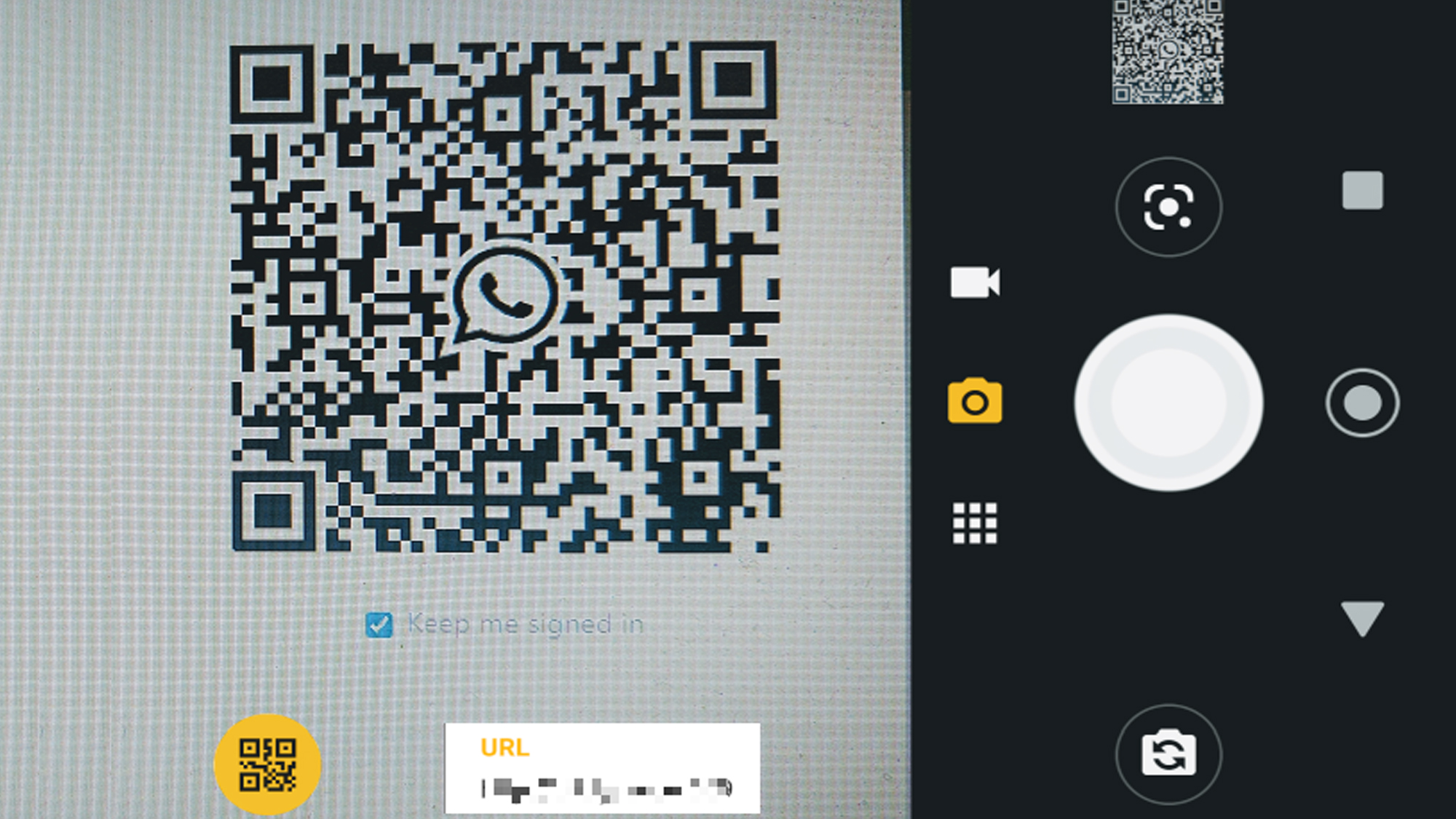
Quick Response (QR) codes became an indispensable digital bridge in 2018, seamlessly linking physical print materials to online resources, payment gateways, and multimedia content. Because early Android operating systems lacked native, automatic camera app scanning capabilities across all device manufacturers, users relied heavily on dedicated third-party utility apps. Choosing the right QR code reader required balancing scanning speed, interface simplicity, device resource consumption, and vital security features such as URL previewing to prevent malicious phishing redirection.
Understanding the Landscape of Android QR Code Readers in 2018
The year 2018 represented a pivotal transition period for mobile technology. While flagship smartphones from companies like Google and Samsung began introducing native scanner integration into their default camera applications, millions of users running older Android versions or budget hardware still required standalone applications. Furthermore, power users frequently turned to dedicated third-party apps for advanced features, such as batch scanning, historical log management, custom code creation, and enterprise-grade inventory tracking capabilities.
During this era, security emerged as a primary concern for mobile software developers and end users alike. Unlike standard hyperlinks displayed in an email, a QR code conceals its destination uniform resource locator (URL) behind a pixelated grid. Malicious actors quickly recognized this vulnerability, deploying fraudulent codes in public spaces that redirected unsuspecting users to credential-harvesting websites or automated malware-download vectors. Consequently, the best QR code readers of 2018 were those that prioritized transparent redirection prompts, allowing users to inspect the destination link before launching their web browsers.
1. QR Code Reader by TeaCapps
TeaCapps developed one of the most widely downloaded and universally praised utility applications for Android during the 2018 software ecosystem cycle. Known for its minimalist design philosophy and lightning-fast optical recognition algorithms, this app struck an ideal balance between performance and user accessibility.
Core Features and Performance Metrics
The primary advantage of the TeaCapps reader lay in its ability to process damaged, inverted, or poorly lit QR codes instantly. When a user launched the application, the viewfinder opened immediately without frustrating splash screens or promotional advertisements cluttering the interface. It supported all standard 1D and 2D barcode formats, including Data Matrix, Aztec, UPC, EAN, and Code 39, making it versatile enough for retail environments as well as consumer web browsing.
Security and Privacy Considerations
Security-conscious users favored TeaCapps because of its explicit safety verification protocols. Upon successfully decoding a link, the application presented a clear interstitial preview screen displaying the full target URL. Users had to manually tap the link to open it in their default browser, eliminating the risk of accidental drive-by downloads or malicious web redirections. Additionally, the app requested minimal system permissions, requiring only camera access for scanning and local storage access if users chose to export their scan history logs.
2. QR & Barcode Scanner by Gamma Play
Gamma Play’s offering stood out in 2018 as a powerhouse of utility features bundled inside a lightweight package. It catered specifically to users who required more than a simple point-and-shoot mechanism, offering robust data management and sharing capabilities.
Advanced Functionality and Usability
Beyond basic scanning, Gamma Play integrated a comprehensive history log that categorized scanned items by type, such as websites, contact cards, Wi-Fi networks, and geolocation coordinates. A particularly popular feature among everyday consumers was the Wi-Fi QR code connection protocol: scanning a sticker on a router automatically extracted the SSID and password credentials, prompting the device to connect instantly without manual typing.
Resource Efficiency and Monetization Model
Despite offering advanced features, the application maintained a remarkably small footprint on device random access memory (RAM) and internal storage. It ran smoothly even on entry-level Android devices running older system iterations like KitKat or Lollipop. The free tier was supported by unobtrusive banner advertisements that never interfered with the core scanning viewfinder, while a nominal in-app purchase removed ads entirely for enterprise or heavy professional users.
3. Barcode Scanner by ZXing Team
Long before commercial developers flooded the Google Play Store with proprietary scanner utilities, the open-source community relied heavily on the ZXing ("Zebra Crossing") project. Maintained by open-source contributors, this application remained a gold standard for purity, reliability, and absolute privacy in 2018.
The Open-Source Advantage
The defining characteristic of the ZXing Barcode Scanner was its commitment to user privacy. In an era where mobile applications frequently harvested and monetized user telemetry, location data, and contact lists, ZXing operated completely free of tracking scripts, unnecessary background services, and intrusive advertisements. The source code was entirely open for public audit, fostering immense trust among technology enthusiasts and enterprise security professionals.
Functional Limitations and Trade-offs
While its reliability and trustworthiness were unmatched, the interface reflected its utilitarian, developer-centric roots. The visual design was stark, lacking the polished, modern animations found in commercial competitors. Furthermore, it did not feature built-in code generation tools or cloud synchronization for history logs. For users who valued raw performance, zero permissions overhead, and ideological purity above aesthetic polish, ZXing remained an essential installation.
4. Kaspersky QR Scanner
As cybersecurity threats escalated across mobile platforms in 2018, prominent antivirus vendor Kaspersky Lab entered the utility market with a specialized tool designed specifically to mitigate web-based mobile threats.
Enterprise-Grade Security Integration
The Kaspersky QR Scanner differed fundamentally from standard reader applications by incorporating real-time cloud threat intelligence directly into the scanning pipeline. When a user scanned a code, the application instantly cross-referenced the destination URL against Kaspersky’s global database of known phishing sites, malware distributions, and fraudulent web portals.
Automated Threat Prevention
If the application detected a compromised or suspicious link, it immediately blocked the navigation attempt and displayed a prominent warning screen explaining the nature of the threat. This proactive defense mechanism proved invaluable for corporate environments, financial institutions, and everyday consumers navigating an increasingly dangerous digital threat landscape. While it consumed slightly more battery and data bandwidth due to its cloud-lookup requirement, the peace of mind it provided justified the resource cost for security-minded individuals.
5. QR Code Reader by Scan (Later Acquired by Scan.me)
Rounding out the top choices of 2018 was the application developed by Scan, a pioneer in mobile barcode technology. Known for its refined user interface and seamless cross-platform synchronization, it represented the pinnacle of consumer-friendly scanning software during this period.
Streamlined User Experience
The application boasted one of the smoothest auto-focus routines available on Android hardware. It could acquire and decode micro-QR codes and dense data matrices from a considerable distance, reducing the physical handling required by the user. The interface utilized intuitive gesture controls, allowing users to swipe through historical logs, clear old entries, or toggle the device flashlight with minimal friction.
Cloud Integration and Export Tools
Scan offered robust account synchronization, enabling users to back up their scan histories to a secure cloud profile and access them across multiple mobile devices. For professionals managing inventory or event ticketing, the app supported CSV and plain-text export functions, allowing scan logs to be emailed or transferred directly to spreadsheet software for further data processing.
| App Name | Developer | Primary Strength | Security Features | Ad / Monetization Model |
|---|---|---|---|---|
| QR Code Reader | TeaCapps | Speed and minimalist design | Manual URL preview prompt | Free with subtle banner ads |
| QR & Barcode Scanner | Gamma Play | Wi-Fi integration and history logs | Basic URL inspection | Free / Ad-free upgrade available |
| Barcode Scanner | ZXing Team | Open-source privacy and zero tracking | None (relies on user discretion) | 100% Free, open-source, ad-free |
| Kaspersky QR Scanner | Kaspersky Lab | Advanced malware and phishing defense | Real-time cloud threat blocking | Free security utility |
| QR Code Reader | Scan | Long-distance focus and cloud sync | Standard URL validation | Free with optional cloud tiers |
Evaluating and Selecting the Right Reader for Your Needs
Selecting the optimal QR code reader in 2018 depended heavily on individual use cases, device specifications, and personal privacy thresholds. Casual users who only scanned restaurant menus, promotional posters, or event tickets occasionally found that lightweight options like TeaCapps or Gamma Play provided the best balance of speed and convenience. Conversely, enterprise workers, field technicians, and privacy advocates prioritized the rigorous safety checks of Kaspersky or the transparent open-source architecture of ZXing.
When evaluating these applications, users had to consider several operational constraints unique to the 2018 Android ecosystem:
- Camera Hardware Limitations: Older devices suffered from slow autofocus speeds, making robust third-party software stabilization algorithms essential for successful decoding.
- Storage and Memory Constraints: Budget smartphones with limited internal storage benefited greatly from lightweight apps like ZXing that did not bloat system resources.
- Data Privacy Policies: Reviewing app permissions prevented unnecessary data harvesting, particularly regarding location access and contact list reading.
Frequently Asked Questions
Do I need a third-party app to scan QR codes on Android in 2018?
It depended on the specific smartphone model and manufacturer software. While newer flagship devices from brands like Google and Samsung began integrating native scanner functionality directly into their default camera apps, many older devices or custom skins required a dedicated third-party application from the Google Play Store to decode 2D barcodes.
Are QR code scanners safe to use, or can they steal my data?
While scanning a QR code itself cannot compromise a device, the destination URL can lead to phishing sites or malware downloads. Reputable reader apps protect users by displaying the full web address before opening it in a browser, allowing you to verify the link's legitimacy beforehand.
How do I prevent malicious QR code redirection?
The most effective defense strategy is using a security-focused scanner app—such as Kaspersky QR Scanner—or ensuring your standard reader is configured to show a URL preview prompt rather than automatically launching web links upon scanning.
Can these apps scan damaged or faded barcodes?
Yes, advanced optical recognition algorithms integrated into premium apps like TeaCapps and Scan utilize contrast enhancement and error-correction protocols to successfully decode partially obscured, scratched, or faded QR codes.
Do QR code readers require an active internet connection to function?
An internet connection is only required if the QR code links to an online destination, web page, or cloud-backed database lookup. Scanning codes that contain plain text, offline contact cards (vCards), or local Wi-Fi configuration credentials works entirely offline without cellular data or Wi-Fi.
Practical Next Actions
If you are currently managing legacy Android hardware or archiving historical software environments from the 2018 era, audit your installed utilities to ensure they match your operational security and performance requirements. Prioritize applications that maintain transparent URL previews and request only essential camera permissions. For ongoing digital safety, remain vigilant when scanning public QR codes affixed in high-traffic or unverified public environments.