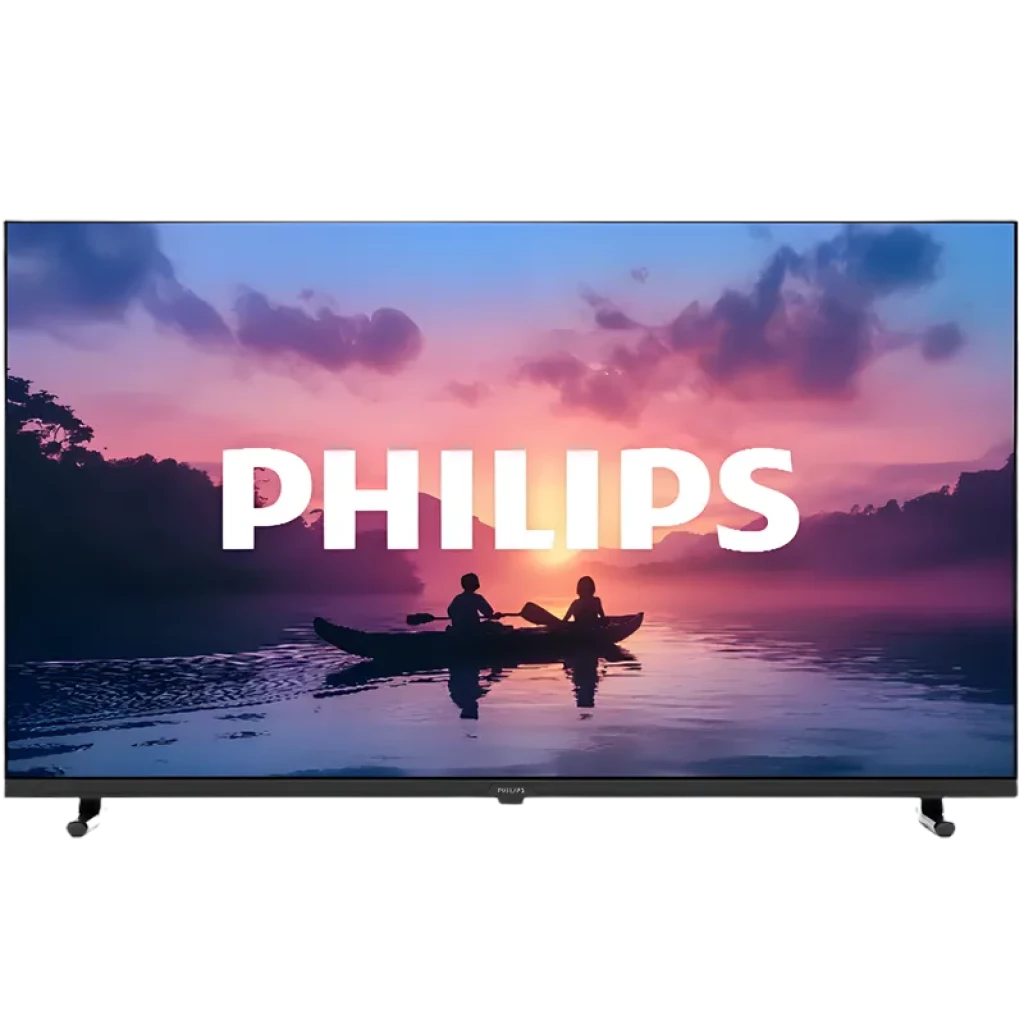
In 2026, the 32-inch Philips Smart TV remains a premier choice for secondary viewing spaces like bedrooms, kitchens, and home offices. These units combine compact dimensions with advanced features like the Titan OS or Google TV platforms, Full HD resolution, and, in premium models, Philips' signature Ambilight technology, providing a high-quality cinematic experience in a space-saving format.
The 32-inch television category has undergone a significant transformation. Once considered the "budget" tier with limited features, brands like Philips have elevated the 32-inch form factor to meet the demands of modern streaming and smart home integration. Whether you are looking for a screen to double as a monitor or a dedicated streaming station, understanding the current 2026 lineup is essential for making an informed purchase.
The Role of the 32-Inch Philips Smart TV in Modern Homes
As we move through 2026, the demand for massive 75-inch and 85-inch screens for primary living rooms continues, but a parallel trend has emerged: the "high-performance secondary screen." A 32-inch Philips Smart TV is no longer just a "cheap" option; it is a specialized tool for specific environments.
Why the 32-Inch Size Persists
The 32-inch diagonal (approximately 80 cm) is the "Goldilocks" size for viewing distances between three and five feet. In urban apartments or smaller rooms, a larger screen can become overwhelming and cause eye strain. Philips has optimized its 32-inch chassis to feature thinner bezels than ever before, meaning the physical footprint of a 2026 model is significantly smaller than a 32-inch set from a decade ago.
Placement and Versatility
Philips designs these units with versatility in mind. Most 32-inch models come with "slim-line" feet or center stands that fit on narrow dressers or countertops. Furthermore, the lightweight nature of these sets—usually under 10 pounds (4.5 kg)—makes them ideal for wall mounting using standard VESA brackets without requiring heavy-duty anchors.
Technical Specifications and Display Performance
When evaluating a 32-inch Philips Smart TV in 2026, the technical specifications are the primary differentiator between entry-level models and high-performance variants.
Resolution: HD Ready vs. Full HD
In the 2026 market, you will encounter two primary resolutions for 32-inch screens:
- HD Ready (720p/1366 x 768): Primarily found in the budget-conscious 5000 series. While suitable for basic cable TV or news, it lacks the sharpness required for high-end gaming or close-up viewing.
- Full HD (1080p/1920 x 1080): The standard for the 6000 and 7000 series. This resolution offers significantly higher pixel density, making text sharper and textures more detailed. For 2026, Full HD is highly recommended as most streaming services have moved their baseline quality to 1080p.
Image Processing: Pixel Plus HD and HDR
Philips utilizes its proprietary Pixel Plus HD engine even in smaller screens. This software-driven optimization improves contrast, sharpens edges, and reduces digital noise from low-bitrate streaming sources.
Furthermore, many 32-inch Philips models now support HDR10 and HLG (Hybrid Log-Gamma). While a 32-inch LED panel cannot reach the peak brightness of a high-end OLED, HDR support allows the TV to interpret metadata from services like Netflix or Disney+, resulting in better detail in the darkest and brightest parts of the image.
The Smart TV Ecosystem: Titan OS vs. Google TV
In 2026, Philips utilizes two distinct operating systems for its 32-inch range. The choice of OS significantly impacts the user interface and app availability.
Titan OS
Titan OS is the streamlined, European-centric platform that Philips (via TP Vision) has integrated across many of its mid-range models. It is an HTML5-based operating system designed for speed and simplicity.
- Pros: Extremely fast boot times, a clutter-free "home" screen, and native support for major global apps like YouTube, Prime Video, and Netflix.
- Cons: A smaller "niche" app library compared to Android-based systems.
Google TV
Found in the higher-end 32-inch configurations, Google TV offers the most comprehensive smart experience. It provides personalized recommendations based on your viewing history across all apps.
- Integration: Full access to the Google Play Store, built-in Chromecast, and Google Assistant voice control via the remote's microphone.
- Smart Home: Google TV models act as a hub for your "Home" ecosystem, allowing you to control smart lights or view Nest camera feeds directly on the 32-inch screen.
Ambilight: The Philips Signature
One of the most compelling reasons to choose a Philips 32-inch TV over competitors is Ambilight. In 2026, 3-sided Ambilight has become available on select "Performance Series" 32-inch models.
Ambilight uses a row of intelligent LEDs on the back of the TV to project light onto the wall behind the screen. This light changes color in real-time to match the content on the display. In a small room, this creates a much more immersive experience, effectively making the screen feel larger than 32 inches while reducing eye fatigue during nighttime viewing.
Connectivity and Hardware Interface
A common mistake when buying a small TV is overlooking the ports. Modern 32-inch Philips TVs are equipped to handle a variety of peripheral devices.
Port Standards in 2026
- HDMI 2.1 (eARC/VRR): Even on 60Hz panels, Philips has begun implementing HDMI 2.1 features. eARC (Enhanced Audio Return Channel) is crucial if you plan to connect a compact soundbar, as it allows for high-bitrate audio formats like Dolby Atmos pass-through.
- USB Media Playback: Standard USB 2.0 or 3.0 ports allow for the playback of local files or powering streaming sticks.
- Dual-Band Wi-Fi: Ensure the model supports 5GHz Wi-Fi (Wi-Fi 5 or 6) to prevent buffering when streaming high-definition content in rooms far from the router.
Comparison Table: 2026 Philips 32-Inch Series
| Feature | 5000 Series (Entry) | 6000 Series (Mid-Range) | 7000 Series (Premium) |
|---|---|---|---|
| Resolution | HD Ready (720p) | Full HD (1080p) | Full HD (1080p) |
| Smart OS | Titan OS (Lite) | Titan OS | Google TV |
| Ambilight | No | Optional (Select Models) | Yes (3-Sided) |
| HDR Support | Basic | HDR10 / HLG | HDR10 / HLG / Dolby Vision |
| HDMI Ports | 2 x HDMI 2.0 | 3 x HDMI 2.0 | 3 x HDMI 2.1 (eARC) |
| Voice Control | No | Works with Alexa | Google Assistant Built-in |
Audio Quality and External Sound Solutions
Small TVs are notorious for "thin" sound due to the physical limitations of their speakers. Philips addresses this in 2026 through specialized audio processing.
Incredible Surround and Clear Dialogue
Philips utilizes Incredible Surround and Clear Dialogue technology to boost the mid-range frequencies where human speech resides. This is particularly helpful in kitchens where background noise from appliances can drown out TV audio.
DTS Play-Fi Integration
Higher-end 32-inch models now feature DTS Play-Fi. This allows the TV to connect wirelessly to compatible speakers in other rooms or create a surround sound setup without running cables across the floor. If you have a Philips Soundbar elsewhere in the house, a 32-inch TV with Play-Fi can act as part of a synchronized whole-home audio system.
Setup and Optimization Guide
To get the most out of a new 32-inch Philips Smart TV, initial calibration is necessary. Out-of-the-box settings are often tuned for bright showrooms rather than cozy home environments.
Step 1: Physical Installation
If wall mounting, ensure the center of the screen is at eye level. For a 32-inch screen, this is usually about 40-42 inches from the floor when seated. Use the included spacers if the VESA mount interferes with the rear-firing speakers or Ambilight LEDs.
Step 2: Picture Mode Selection
Navigate to Settings > Picture > Picture Mode. For the most accurate colors, select "Filmmaker Mode" or "Movie." These modes disable aggressive "motion smoothing" which can make movies look like soap operas.
Step 3: Ambilight Calibration
If your model has Ambilight, go to the Ambilight menu and set the "Wall Color" setting. This adjusts the LED output to compensate for the color of your paint, ensuring that a "pure white" on screen results in a "pure white" glow on your wall, regardless of whether your wall is blue, beige, or grey.
Sustainability and Energy Efficiency
Philips, under the stewardship of TP Vision, has made significant strides in environmental responsibility by 2026. The 32-inch models are often the leaders in energy efficiency due to their smaller backlight arrays.
- Eco Mode: Philips TVs include an "Eco" setting that uses an ambient light sensor to dim the backlight in dark rooms, significantly reducing power consumption.
- Recycled Materials: The 2026 chassis designs incorporate a higher percentage of recycled plastics, and the packaging is now almost entirely plastic-free, using FSC-certified cardboard and soy-based inks.
- Longevity: Philips provides regular software security updates for its Google TV and Titan OS models, ensuring the "smart" features remain functional and secure for years, reducing the need for premature upgrades.
Frequently Asked Questions
Can I use a 32-inch Philips Smart TV as a computer monitor?
Yes, you can. However, it is highly recommended to choose a Full HD (1080p) model for this purpose. At a desk distance, the lower pixel density of a 720p screen will make text appear blurry. Ensure you set the picture style to "Monitor" or "Game" mode in the settings to disable post-processing and reduce input lag.
Does the 32-inch Philips TV support Netflix and Disney+?
Yes, both Titan OS and Google TV models come with native apps for Netflix, Disney+, YouTube, and Amazon Prime Video. On the remote control, you will typically find dedicated shortcut buttons for these services for instant access.
How do I update the software on my Philips Smart TV?
Most Philips TVs are set to "Auto-Update" by default. To check manually, go to Settings > Update Software > Check for Updates. Ensure your TV is connected to a stable Wi-Fi or Ethernet connection before starting the process.
Is Ambilight worth the extra cost on a small 32-inch screen?
In smaller rooms, Ambilight is arguably more effective than on large screens. Because the TV is often placed closer to walls in bedrooms or offices, the glow creates a soft "bias lighting" that makes the viewing experience much more comfortable in the dark and adds a premium aesthetic to the room.
What is the difference between Philips Saphi and Titan OS?
Saphi was Philips' older proprietary OS used in budget models before 2024. Titan OS is the 2026 successor, which is significantly faster, more stable, and features a better selection of localized streaming apps. If you are buying a TV in 2026, look for Titan OS or Google TV.
Final Recommendations for Buyers
Choosing the right 32-inch Philips Smart TV depends on your primary use case:
- For the Bedroom: Prioritize a model with 3-sided Ambilight and Google TV. The Ambilight serves as a great mood light, and Google TV’s personalized recommendations are perfect for late-night browsing.
- For the Kitchen: Look for the 6000 series with Titan OS. It boots up quickly and the "Clear Dialogue" audio settings help you hear the news or cooking shows over the sound of sizzling pans or running water.
- For a Student Dorm or Budget Office: The 5000 series provides the best value. While it may only be 720p, it offers the essential smart apps and a reliable display for casual viewing at an affordable price point.
Regardless of the model, a Philips 32-inch TV in 2026 offers a refined blend of European design, smart functionality, and display technology that punches well above its weight class in the compact television market.