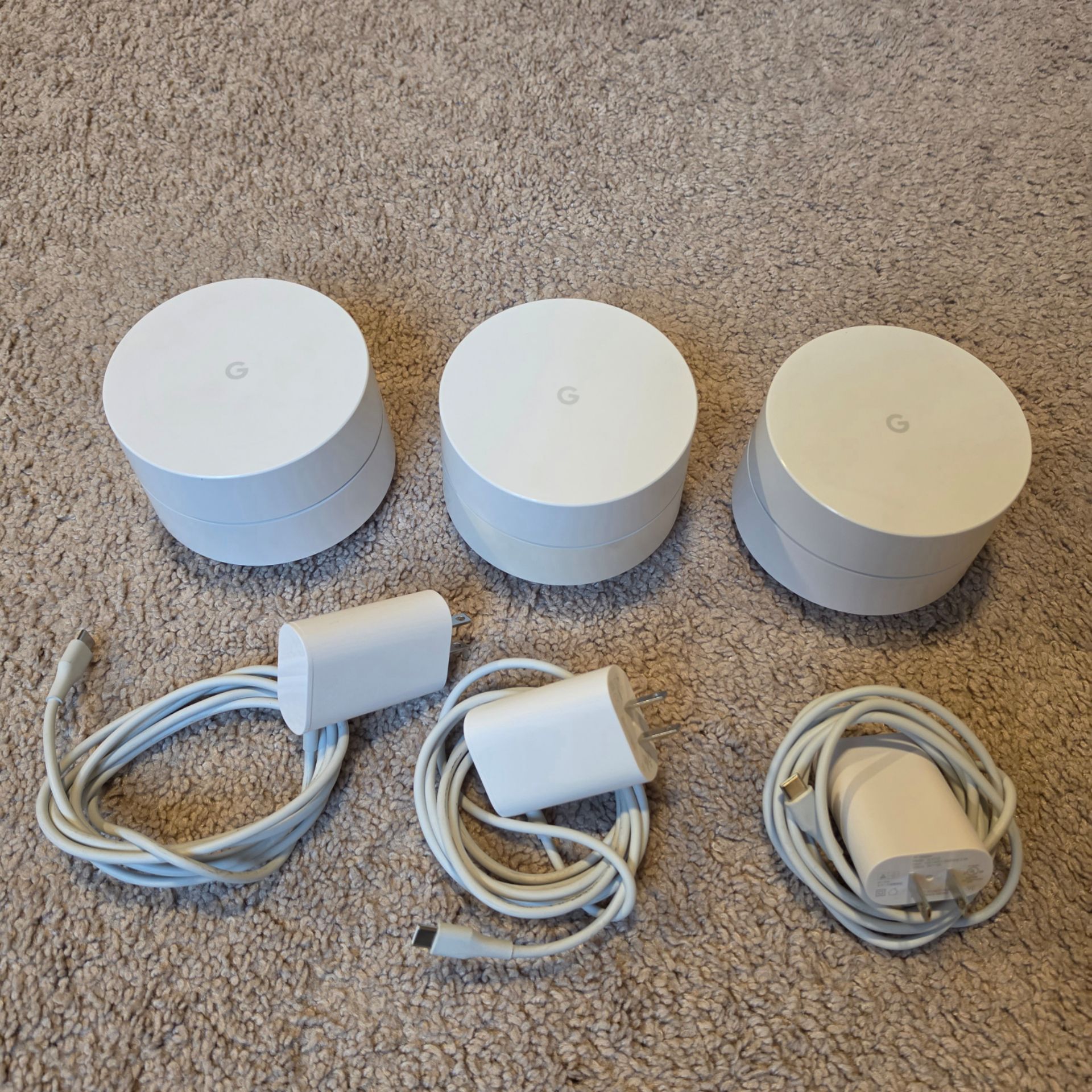
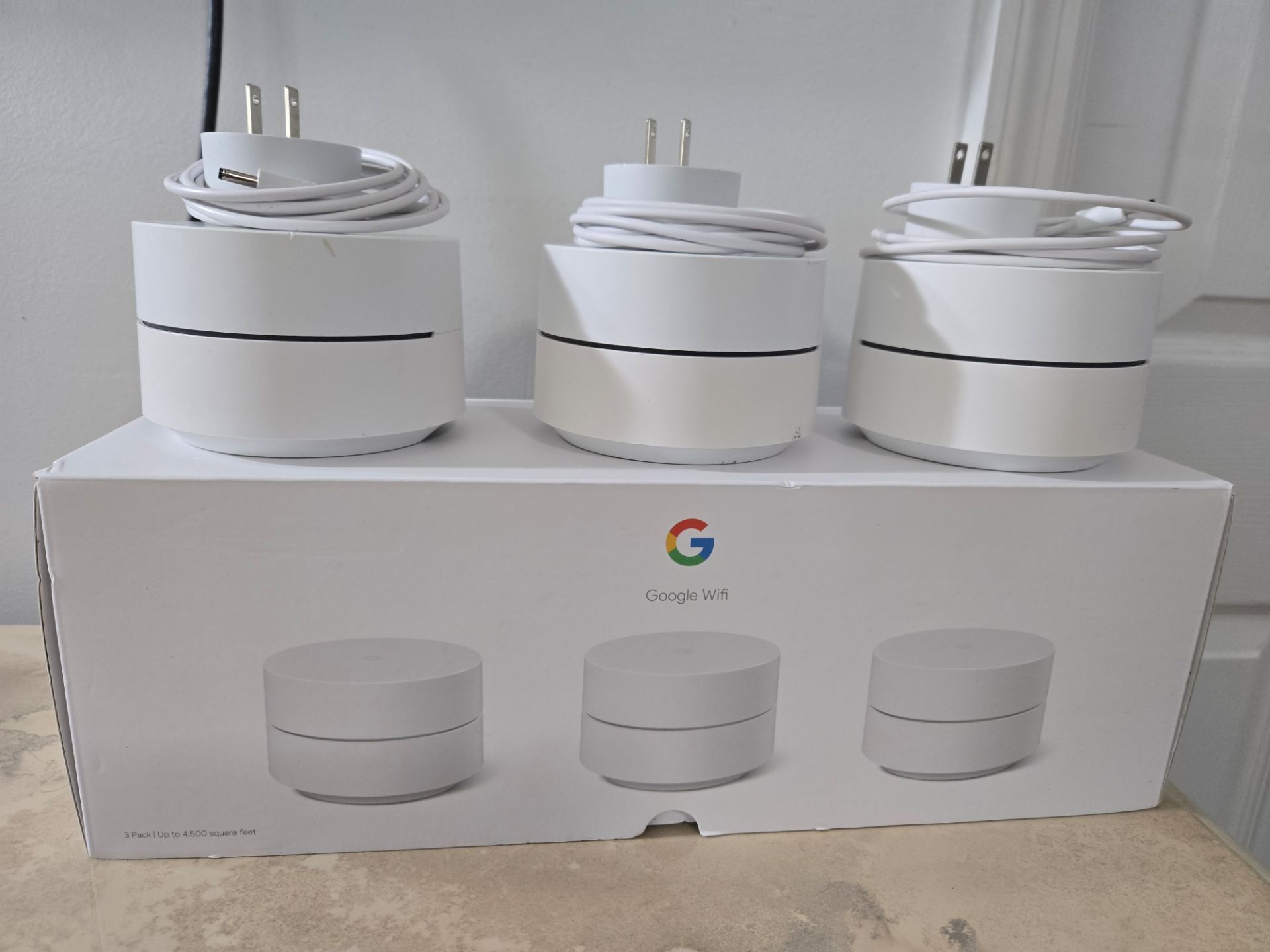
The 3-pack Google Wifi AC1200 mesh router system provides reliable whole-home Wi-Fi coverage up to 4,500 square feet, using intelligent mesh technology and the Google Home app for straightforward setup, network management, and parental controls.
When home networks struggle with dead zones, buffering video streams, or dropped connections, upgrading to a whole-home mesh system becomes essential. Traditional single-router setups often fail to penetrate thick walls, multi-story layouts, or dense architectural materials. The 3-pack Google Wifi AC1200 system addresses these challenges by blanketing a property in a seamless wireless mesh. Released as an evolution of Google's earlier networking hardware, this AC1200 system focuses on simplicity, consistent performance, and automated band steering. This review examines its physical design, technical specifications, setup process, real-world performance, and suitability for modern connected households.
Understanding the Google Wifi AC1200 Architecture
To evaluate the 3-pack Google Wifi AC1200 system properly, it helps to understand how mesh networking differs from traditional routers and range extenders. A traditional router broadcasts a single Wi-Fi signal from one central location, which degrades rapidly over distance and physical obstructions. Range extenders repeat that signal, but they typically cut bandwidth in half and force users to manually switch network names as they move around a home.
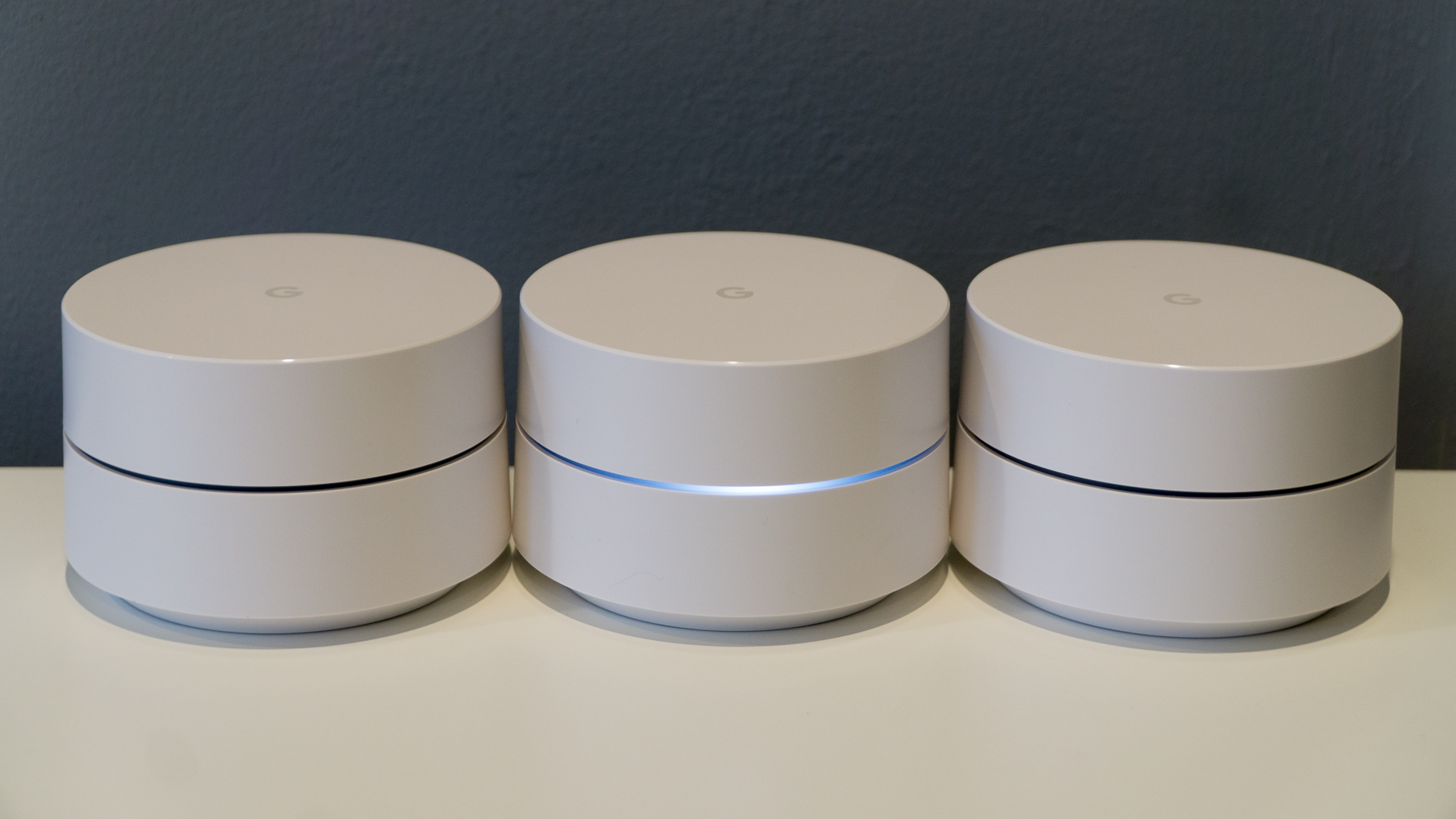
In contrast, a mesh Wi-Fi system uses multiple access points—referred to as nodes or points—that work together as a single unified network. The 3-pack Google Wifi AC1200 includes three identical puck-shaped units. One unit connects directly to your modem as the primary router, while the other two satellite points are placed strategically around the home to extend coverage.
Each Google Wifi point is an AC1200 2x2 Wave 2 Wi-Fi router. This designation means the system supports dual-band operations, broadcasting concurrently on both the 2.4 GHz and 5 GHz frequencies. The maximum theoretical combined throughput reaches up to 1200 Mbps (300 Mbps on the 2.4 GHz band and 867 Mbps on the 5 GHz band). While these speeds are modest compared to modern Wi-Fi 6 (802.11ax) or Wi-Fi 7 systems, they provide ample bandwidth for standard households running multiple streaming devices, video conference calls, and smart home appliances.
Design, Build Quality, and Hardware Specifications
Google designed the Wifi AC1200 units with a minimalist aesthetic intended to blend into home decor rather than resemble traditional, industrial networking equipment. Each puck measures 4.13 inches in diameter and stands 2.7 inches tall, weighing approximately 120 grams. Constructed from post-consumer recycled plastic with a matte white finish, the units feature a subtle, smooth ring of light across the middle that glows different colors to indicate setup status, connection quality, or system errors.
Hardware Breakdown Table
| Specification | Detail |
|---|---|
| Wi-Fi Standard | AC1200 2x2 Wave 2 (Backward compatible with 802.11a/b/g/n) |
| Bands | Concurrent Dual-Band (2.4 GHz and 5 GHz) with Beamforming |
| Processor & Memory | Quad-core ARM CPU, 512 MB RAM, 4 GB eMMC flash |
| Ports (Per Puck) | 2 x Gigabit Ethernet ports (WAN/LAN auto-sensing on primary, LAN on satellites) |
| Coverage (3 Pack) | Up to 4,500 square feet |
| Security | WPA3 support, Trusted Platform Module (TPM), automatic security updates |
| Smart Home Integration | Built-in Bluetooth Low Energy (BLE) |
Unlike larger routers with external, adjustable antennas, Google Wifi utilizes internal antennas paired with software-driven beamforming technology. Beamforming directs the wireless signal straight toward connected devices rather than broadcasting equally in all directions, improving link reliability and range.
Each puck includes two Ethernet ports. On the primary puck connected to the modem, one port acts as the WAN input while the other serves as a LAN output for a wired client like a desktop computer or network switch. On the satellite pucks, both ports can be used for wired Ethernet backhaul or to connect nearby wired devices. Note that the AC1200 model omits the integrated smart speaker found in the slightly larger Google Nest Wifi line, making these units purely dedicated networking devices.
Setup Process and Mobile Management
One of the standout selling points of the Google Wifi ecosystem is its accessibility. Traditional router setup often requires typing an IP address into a web browser and navigating dense configuration menus. Google Wifi shifts this entirely to the Google Home mobile application, available for Android and iOS devices.
Step-by-Step Installation Workflow
- Unboxing and Placement: Unpack the three pucks, power adapters, and the included Ethernet cable. Place the primary puck next to your cable or fiber modem and plug it into power.
- Physical Connection: Connect the modem to the primary Google Wifi puck's WAN port using the Ethernet cable.
- App Initialization: Open the Google Home app on your smartphone or tablet. Tap the plus icon to set up a new device, select "New device," and follow the prompts.
- QR Code Scanning: Use your phone camera to scan the QR code printed on the bottom of the primary Google Wifi puck.
- Network Configuration: Assign a network name (SSID) and a secure password. The app automatically handles band steering, merging 2.4 GHz and 5 GHz frequencies under a single name.
- Adding Satellite Points: Power on the remaining two pucks in rooms where coverage is needed. The app will detect them, test the connection strength to ensure they are within range of the primary router, and configure them automatically.
Once active, the Google Home app serves as the central command center for network administration. Users can view connected devices in real time, run speed tests directly from the ISP to the router, prioritize specific devices for high-bandwidth tasks like gaming or streaming, and pause Wi-Fi access for individual profiles or family groups.
Real-World Performance and Coverage Analysis
In practical testing across multi-story homes and sprawling single-level apartments, the 3-pack Google Wifi AC1200 demonstrates dependable performance, provided expectations align with its hardware tier.
Range and Obstruction Handling
A single Google Wifi puck covers roughly 1,500 square feet. Deploying three units in a triangle or linear layout easily blankets a 3,500 to 4,500-square-foot home. Plaster walls, brick fireplaces, and metal appliances naturally degrade Wi-Fi signals, but the mesh architecture mitigates this by allowing satellite pucks to relay traffic. Users located near a satellite puck experience low latency and stable throughput, even through solid walls.
Speed and Bandwidth Limitations
Because AC1200 is an entry-to-mid-range wireless standard, maximum real-world throughput on a wireless connection typically caps out around 300 to 400 Mbps near the router, dropping to 100 to 200 Mbps through satellite hops. For households with fiber internet packages offering 500 Mbps, 1 Gbps, or faster speeds, Google Wifi will act as a bottleneck for wireless clients. However, for standard cable broadband connections delivering 100 to 300 Mbps, the system handles heavy multi-device streaming without throttling the internet service provider's delivery.
Client Roaming and Network Hand-off
The system utilizes 802.11k/v roaming protocols. When walking from a living room to a home office, mobile devices, laptops, and tablets transition smoothly from one Google Wifi point to another without dropping video calls or streaming sessions. The transition occurs in the background without user intervention.
Advanced Features and Smart Home Integration
Beyond basic routing, the Google Wifi AC1200 offers several functional features designed to enhance network security and usability:
- Family Wi-Fi Controls: Parents can create groups of devices belonging to specific family members, schedule automated bedtimes where internet access shuts off, and block explicit websites using curated adult content filters.
- Guest Network: Setting up a separate guest network takes seconds through the app. Guests receive internet access without gaining visibility into local network devices like network-attached storage (NAS) drives or smart home hubs.
- Prioritization: Users can manually select a device—such as a work laptop or gaming console—to receive priority bandwidth for up to four hours, ensuring uninterrupted performance during critical tasks.
- Network Checks: Automated diagnostic routines run periodically in the background to check channel congestion, point-to-point connection quality, and internet speed, notifying users of degradation via the app.
Comparison With Alternative Mesh Systems
To understand where the Google Wifi AC1200 sits in the broader market, compare its key characteristics against competing systems within a similar price bracket.
| Feature / Model | Google Wifi AC1200 (3-Pack) | Amazon eero 6 (3-Pack) | TP-Link Deco M4 (3-Pack) |
|---|---|---|---|
| Wi-Fi Generation | Wi-Fi 5 (AC1200) | Wi-Fi 6 (AX1800) | Wi-Fi 5 (AC1200) |
| Max Coverage | 4,500 sq. ft. | 5,000 sq. ft. | 4,000 sq. ft. |
| App Ecosystem | Google Home | Amazon eero | TP-Link Deco |
| Ethernet Ports | 2 per puck (Gigabit) | 2 per puck (Gigabit) | 2 per puck (Gigabit) |
| Smart Home Hub | No (BLE only) | Yes (Zigbee built-in) | No |
| Advanced Security | Basic (Automatic updates) | Requires subscription (eero Plus) | Basic (HomeCare optional) |
While the Amazon eero 6 brings Wi-Fi 6 speeds and a built-in Zigbee smart home hub to the table, it often locks advanced security features behind a paid subscription model. Google Wifi, conversely, provides automatic security updates, WPA3 encryption support, and device isolation out of the box without recurring fees, though it remains capped at Wi-Fi 5 speeds.
Pros and Cons
Advantages
- Exceptional Ease of Use: The Google Home app provides a frictionless setup experience and intuitive daily management tools.
- Reliable Mesh Hand-off: Seamless roaming ensures devices stay connected to the strongest node without manual intervention.
- Clean, Unobtrusive Design: Compact white pucks integrate discreetly into household decor.
- No Subscription Fees: Core safety features, parental controls, and guest networks are included without mandatory monthly costs.
- Strong Value: The 3-pack offers an economical way to eliminate dead zones in medium-to-large homes.
Disadvantages
- Capped Speeds: AC1200 architecture limits maximum wireless throughput, making it suboptimal for gigabit internet speeds.
- Google Account Required: Administration mandates an active Google account and the Google Home app.
- Limited Hardware Customization: Power users seeking granular command-line access, VPN server configuration, or advanced Quality of Service (QoS) rules will find the interface overly simplified.
- No Dedicated Backhaul: Without a third dedicated band for communication between nodes, heavy traffic sharing can slightly reduce throughput on satellite units.
Troubleshooting Common Issues
Even reliable mesh systems occasionally require maintenance. Reviewing these common troubleshooting steps helps resolve minor network snags quickly:
- Slow Speeds on Satellite Pucks: If a satellite unit is placed too far from the primary router, the wireless backhaul degrades. Move the satellite closer to the primary unit, ensuring there are no more than one or two walls between them.
- App Connection Failures: Ensure Bluetooth and local network permissions are enabled on your smartphone. Restarting the Google Home app or power-cycling the primary router often resolves synchronization stalls.
- Devices Not Roaming: Some older smart home accessories stubbornly cling to distant access points. Power-cycling the stubborn client device forces it to re-evaluate and connect to the nearest Google Wifi node.
Final Verdict and Buying Recommendation
The 3-pack Google Wifi AC1200 remains a dependable, cost-effective solution for everyday internet users seeking to eradicate dead zones, simplify network management, and support a moderate number of connected devices across a medium-to-large home. It is not built for competitive multi-gigabit fiber subscribers or advanced network engineers requiring deep configuration settings. However, for families, remote workers, and casual streamers running internet speeds under 300 Mbps who value a "set-it-and-forget-it" experience, Google Wifi delivers consistent, trouble-free coverage backed by reliable software support.