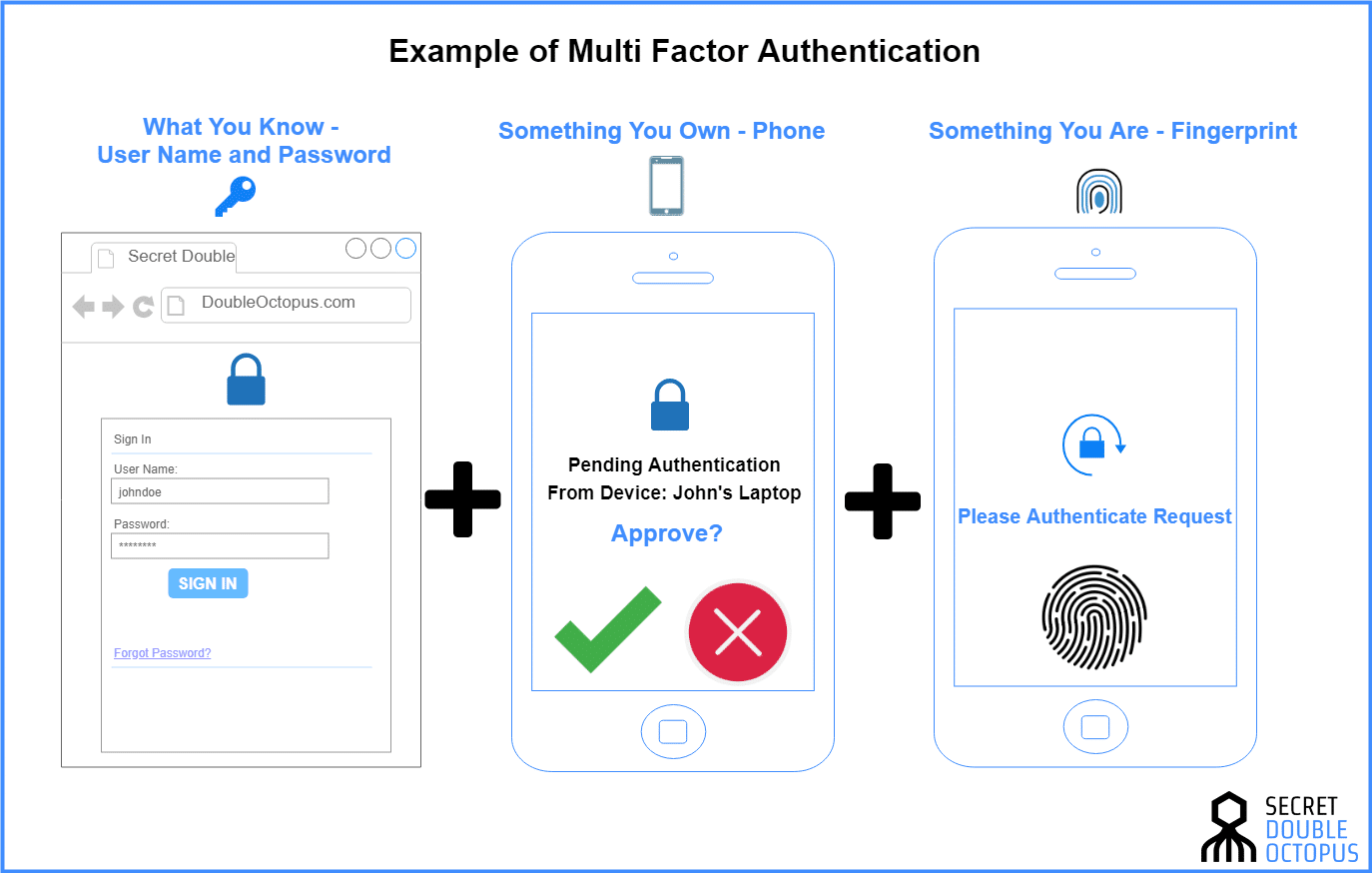
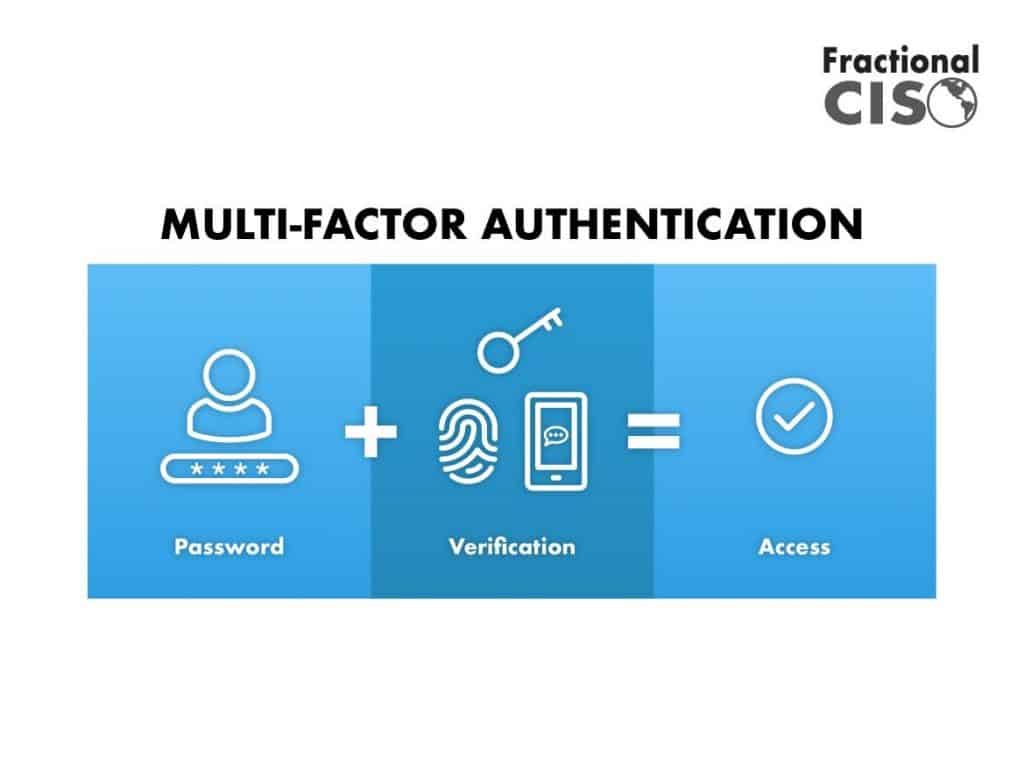
A 2-factor authentication device balances security and convenience by adding a mandatory secondary verification layer—such as a physical security key, hardware token, or trusted mobile device—that thwarts remote credential theft while remaining fast and frictionless to use during everyday digital logins.
In an era defined by sophisticated phishing campaigns, credential stuffing attacks, and widespread data breaches, relying solely on traditional username and password combinations is no longer a viable security strategy. Organizations and individuals alike are turning to multi-factor authentication (MFA) to protect sensitive accounts. However, a persistent tension exists within identity and access management: the trade-off between maximizing security and maintaining user convenience. Overly complex security protocols often lead to user fatigue, workarounds, or decreased productivity, while lax security exposes systems to catastrophic breaches. Deploying the right 2-factor authentication (2FA) device is the definitive bridge across this divide, ensuring that accounts remain virtually impervious to remote compromise without demanding cumbersome friction at every login prompt.
Understanding the Security vs. Convenience Dilemma in Authentication
The fundamental challenge of modern digital access control lies in balancing risk mitigation with operational efficiency. Security professionals often refer to the "security-convenience tradeoff," a sliding scale where increasing protective measures typically introduces friction for the end user.
High Security <-----------------------------> High Convenience [Hardware Keys / FIDO2] [Push Notifications] [SMS / Passwords]
When authentication mechanisms are too cumbersome—such as manually typing lengthy cryptographic seed codes or navigating complex multi-step prompts multiple times a day—users inevitably seek shortcuts. Conversely, frictionless systems that rely only on weak secrets are easily exploited by automated bots and targeted social engineering.
To resolve this dilemma, modern authentication architecture seeks to eliminate reliance on human-memorized secrets entirely. Passwords can be guessed, phished, or stolen via keyloggers; 2FA devices alter this dynamic by introducing possession-based or biometric factors that cannot be easily replicated or intercepted across a network. Achieving the ideal balance means selecting a device that provides cryptographic proof of identity with a single physical gesture, such as a tap or a biometric scan.
Types of 2 Factor Authentication Devices
Not all 2FA devices function identically. Understanding the technical mechanics, security posture, and usability profile of each option is critical for determining the right fit for personal or enterprise deployment.
Hardware Security Keys (FIDO2 / WebAuthn)
Hardware security keys—such as YubiKeys or Google Titan keys—represent the gold standard of modern authentication. These small USB, NFC (Near Field Communication), or Bluetooth-enabled devices rely on public-key cryptography.
- Security Posture: Immune to phishing. The device cryptographically binds the authentication session to the specific origin URL of the website being accessed. Even if a user visits a convincing phishing replica site, the hardware key will refuse to sign the authentication challenge because the domain does not match.
- Convenience Profile: Extremely high speed for daily use. Users simply insert the key or tap it against their phone or laptop. No codes need to be read, memorized, or typed.
- Limitations: Requires physical possession. If lost, backup keys or administrative recovery processes must be used.
Time-Based One-Time Password (TOTP) Hardware Tokens
Standalone hardware tokens, such as RSA SecurID fobs or small keychain displays, generate a rotating six-digit code every 30 to 60 seconds based on a pre-shared secret key and the current time.
- Security Posture: Significantly stronger than SMS messages, as codes cannot be intercepted via telecommunication vulnerabilities. However, they are still theoretically vulnerable to sophisticated, real-time adversary-in-the-middle (AiTM) phishing proxies that capture the code at the moment of entry.
- Convenience Profile: Moderate. Users must visually read a numeric code from a small screen and accurately transcribe it into the login prompt.
- Limitations: Hardware tokens can run out of battery over several years, drift out of time synchronization, and lack the cryptographic domain-binding features of FIDO2 keys.
Smartphones and Companion Authenticator Apps
Smartphones running applications like Google Authenticator, Microsoft Authenticator, or Authy are the most widely adopted 2FA devices globally, functioning as software-based tokens or push-notification receivers.
- Security Posture: Good baseline security, particularly when utilizing push notifications that display contextual details (such as a matching number or geographic map) before approval. However, smartphones are multi-purpose devices connected to the internet, exposing them to malware, device theft, and operating system vulnerabilities.
- Convenience Profile: High accessibility. Most users already own a smartphone, eliminating the need to purchase or carry specialized hardware. Push notifications allow for one-tap approvals.
- Limitations: Vulnerable to SIM-swapping attacks (if tied to SMS recovery or carrier accounts) and device compromise if the phone lacks a strong lock screen PIN or biometric protection.
Comparative Analysis of 2FA Device Categories
| Authentication Device Type | Primary Technology | Phishing Resistance | Convenience Level | Cost & Accessibility | Best Use Case |
|---|---|---|---|---|---|
| USB/NFC Security Keys | FIDO2 / WebAuthn | Absolute (Domain-bound) | High (Single Tap) | Moderate ($20–$60 per key) | High-value accounts, enterprise admin access, paranoid security profiles |
| Authenticator Apps (Smartphones) | TOTP / Push Notifications | Moderate (Vulnerable to AiTM) | High (Ubiquitous hardware) | Free software / High device cost | General enterprise workforce, consumer applications, daily web services |
| Dedicated Hardware Tokens | Synchronized TOTP | Low-to-Moderate | Moderate (Manual typing) | High (Enterprise licensing/hardware) | Legacy corporate environments, air-gapped systems |
| SMS / Voice Call Verification | Telecom Signaling (SS7) | None (Highly vulnerable) | High (No app required) | Free / Included with carrier | Low-risk consumer accounts only (Discouraged) |
Evaluating Security Risks: Why SMS and Basic TOTP Fall Short
To understand why modern security guidelines heavily advocate for advanced hardware devices, one must examine the vulnerabilities plaguing legacy 2FA methods, specifically SMS text messages and voice calls.
SMS-based verification was a groundbreaking advancement when introduced, but telecommunication infrastructure is inherently insecure. SS7 (Signaling System 7) protocol vulnerabilities allow malicious actors to intercept text messages or execute SIM-swapping attacks—a technique where social engineering or insider threats trick mobile carriers into transferring a victim's phone number to a rogue SIM card controlled by the attacker. Once successful, the attacker receives all incoming 2FA text messages, bypassing the secondary security layer entirely.
Furthermore, traditional TOTP codes delivered via apps are susceptible to adversary-in-the-middle (AiTM) phishing kits. In an AiTM attack, a sophisticated proxy site sits between the victim and the legitimate service. When the victim enters their username, password, and TOTP code into the fake site, the proxy instantly relays that information to the real service, logging the attacker in and capturing session cookies.
FIDO2-compliant hardware security keys completely neutralize these threats. Because the cryptographic handshake requires the browser and the hardware key to verify the exact cryptographic domain name, a phishing site cannot trick the key into signing a challenge meant for a different URL.
Operational Factors in Balancing Security and Convenience
Implementing a 2FA device strategy across an individual workflow or an enterprise organization requires careful planning regarding user onboarding, lifecycle management, and recovery protocols.
User Onboarding and Friction Reduction
The success of any authentication deployment hinges on user adoption. If a security measure is too difficult to configure, users will resist it or find unauthorized workarounds.
- Clear Documentation: Provide step-by-step visual guides for registering devices.
- Self-Service Enrollment: Allow users to register their hardware keys or authenticator apps through a secure IT portal without requiring direct administrative intervention.
- Parallel Rollouts: Allow a grace period where users can transition from legacy methods to hardware keys without experiencing immediate lockout.
Device Lifecycle and Redundancy
Hardware devices can be lost, damaged, or stolen. A robust authentication framework must account for device failure without compromising overall security posture.
- Primary and Backup Keys: Best practices dictate registering at least two hardware keys per user—a primary key carried on a keychain and a secure backup key stored in a safe location at home or in an office vault.
- Administrative Emergency Access: Establish secure, audited break-glass procedures for IT administrators to assist users who lose all authentication tokens.
- Conditional Access Policies: Implement risk-based authentication rules. For example, a user logging in from a recognized corporate laptop on a trusted office network may only require standard verification, while a login attempt from a novel device or foreign location triggers stepped-up cryptographic challenges.
Best Practices for Deploying and Using 2FA Devices
Maximizing the effectiveness of your authentication devices requires adhering to established cybersecurity guidelines and maintaining vigilant operational habits.
- Prioritize FIDO2 / WebAuthn Standards: Whenever a service supports hardware security keys, make them your primary authentication method. They offer the highest protection-to-friction ratio available.
- Eliminate SMS Fallbacks: Where security policy permits, disable SMS-based 2FA recovery options completely. If an account falls back to SMS, the entire security chain is weakened to the security level of the telecommunications carrier.
- Secure Your Recovery Codes: When setting up a new account or 2FA device, platforms typically generate emergency scratch codes. Print these codes or store them in an encrypted, zero-knowledge password manager rather than saving them in plain text on your desktop.
- Enforce Multi-Device Policies for Enterprises: For business environments, mandate that employees register both a primary hardware token and a secondary approved authenticator app to ensure business continuity during device loss.
- Regularly Audit Account Access: Periodically review the list of trusted devices and active sessions connected to your critical cloud services, revoking permissions for legacy hardware or unrecognized browsers.
Conclusion
Securing digital accounts no longer requires sacrificing user experience or productivity. By moving away from vulnerable, friction-heavy legacy methods like SMS and embracing modern 2FA devices—particularly FIDO2-compliant hardware security keys and context-aware authenticator apps—individuals and organizations can achieve a resilient security posture. Striking the right balance relies on deploying possession-based cryptographic tools that make secure behavior effortless, ultimately neutralizing credential theft while keeping digital workflows seamless and efficient.