Goodnotes 6 remains a premier digital note-taking application for iPad users, offering a sophisticated blend of natural handwriting feel, AI-powered assistance, and robust organizational tools. It excels in converting the iPad into a versatile digital notebook for students, professionals, and creative planners through its seamless Apple Pencil integration.
The Evolution of Digital Note-Taking on iPad
Since its inception, Goodnotes has consistently set the standard for what a handwriting-first application should achieve on the iPad. As we navigate 2026, the app has matured from a simple PDF annotation tool into a comprehensive productivity ecosystem. The transition from the beloved Goodnotes 5 to the current Goodnotes 6 brought about significant shifts in how users interact with their digital ink, introducing structural changes to the user interface and the underlying technology.
The primary appeal for iPad users has always been the "ink engine." Goodnotes utilizes a proprietary vector-based engine that ensures your handwriting remains crisp regardless of how far you zoom in. This technical foundation is crucial for those using an iPad Pro with ProMotion technology, as it minimizes latency and makes the experience of writing on glass feel remarkably close to writing on high-quality paper. For users in 2026, this reliability is the baseline upon which all other features are built.
Core Handwriting and Creative Tools
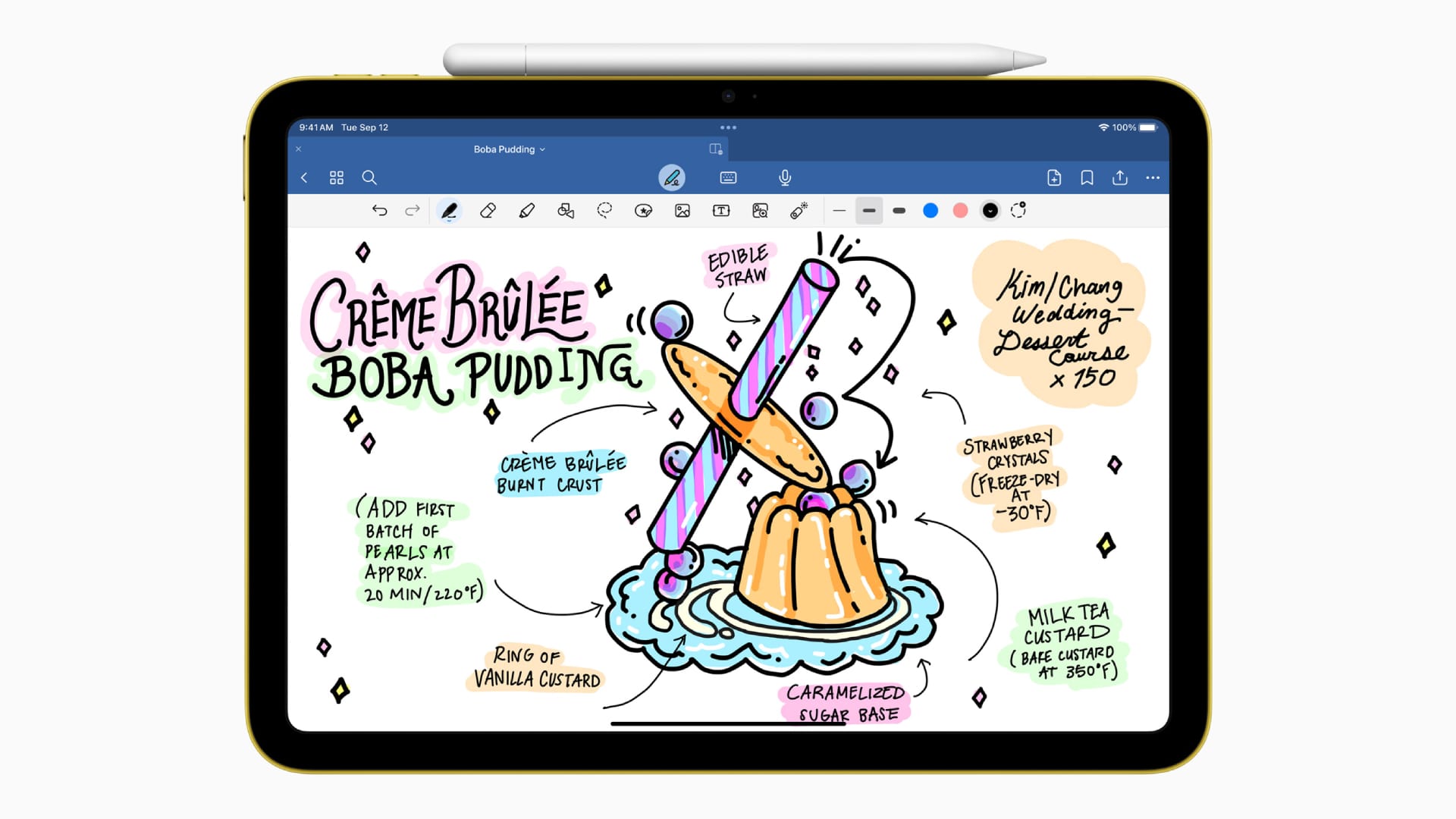
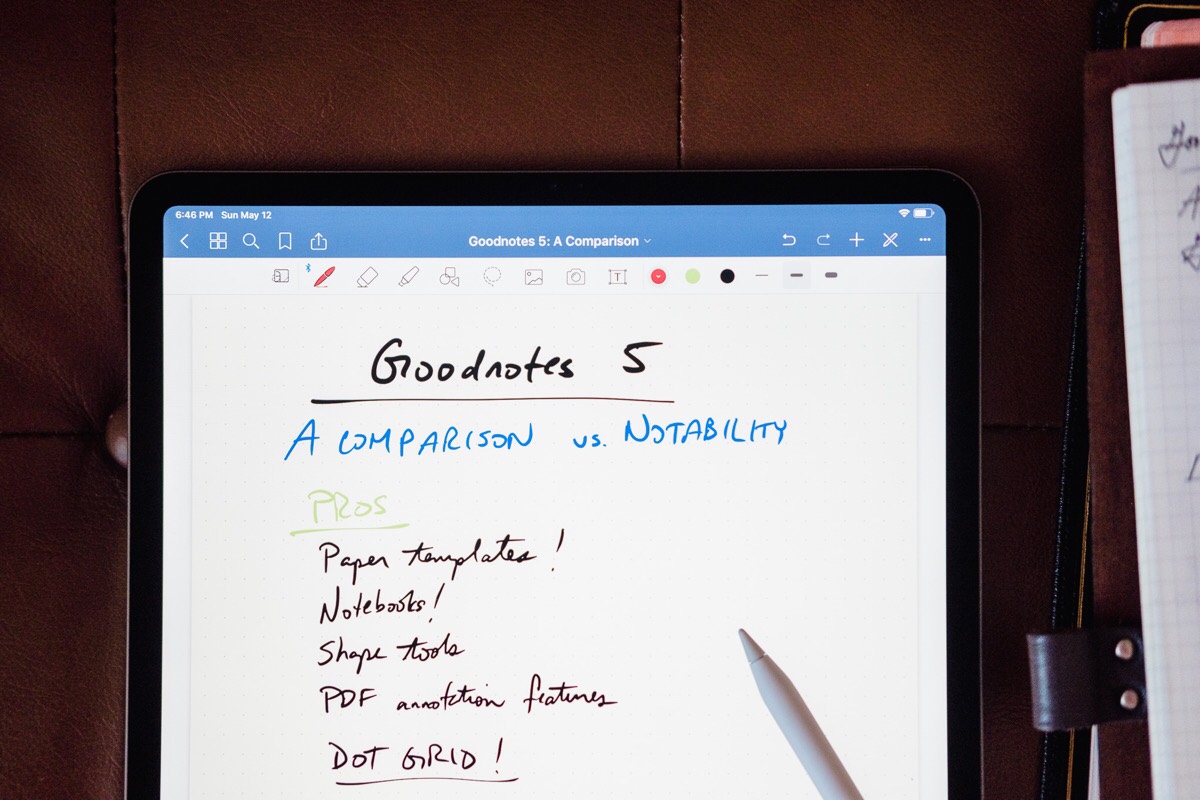
The heart of the Goodnotes experience lies in its toolbar, which has been refined over years of user feedback. For the iPad user, the interaction between the Apple Pencil and these tools is the most critical aspect of the daily workflow.
Precision Pen Tools
Goodnotes offers three primary pen types: the Fountain Pen, the Ball Pen, and the Brush Pen.
- The Fountain Pen is pressure-sensitive, allowing for elegant calligraphy and varied line weights, making it a favorite for those who take pride in their handwriting aesthetics.
- The Ball Pen provides a uniform line thickness, ideal for quick technical notes or diagrams where consistency is more important than flair.
- The Brush Pen is highly sensitive to both pressure and tilt, catering specifically to artistic users who want to add headers or illustrations to their notes.
Shape Recognition and the Lasso Tool
One of the standout features that simplifies digital note-taking is the automatic shape recognition. By holding the pen down at the end of a stroke, a hand-drawn circle, square, or triangle snaps into a perfect geometric shape. This is indispensable for students drawing graphs or professionals creating flowcharts.
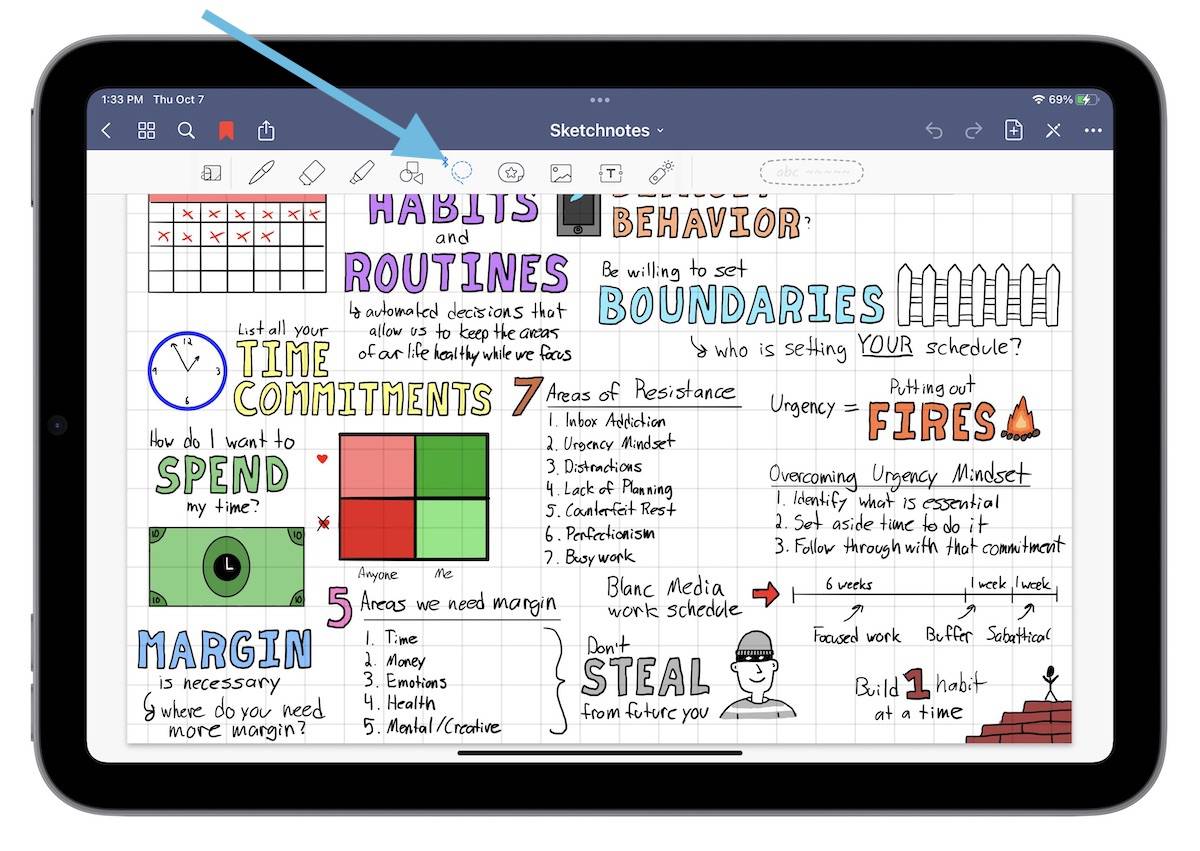
The Lasso tool remains the most powerful organizational asset. It allows users to select handwriting, images, or text boxes to resize, recolor, or move them across the page. In 2026, the Lasso tool has become even more intelligent, allowing for "selective" picking where you can choose to move only the handwriting while leaving the background images untouched.
AI Integration: Handwriting Spellcheck and Math Assistance
In the current landscape of 2026, artificial intelligence is no longer a gimmick but a core component of the Goodnotes experience. Goodnotes 6 was a pioneer in bringing generative AI to the handwriting space, and these features have only become more refined.
Handwriting Spellcheck and Autocomplete
Goodnotes 6 introduced the ability to check the spelling of your handwritten words. Using a custom-trained model, the app can identify a misspelled word and suggest a correction in your own handwriting style. This maintains the visual consistency of your notes while ensuring professional accuracy. For users who struggle with legibility or speed, the "Word Complete" feature predicts the word you are writing, allowing you to tap and finish the stroke instantly.
Interactive Exam Practice and Math Conversion
For the academic community, the math conversion tools are a significant draw. The app can recognize complex handwritten equations and convert them into LaTeX-coded text, which is the industry standard for scientific documents. Furthermore, the "AI Math Assistance" can identify errors in a handwritten calculation, highlighting where a student may have missed a step in an algebraic sequence. This makes the iPad not just a surface for writing, but a tutor for STEM subjects.
Organization, Folders, and Document Management
A common pitfall for digital note-takers is the "digital junk drawer" effect, where files become impossible to find. Goodnotes mitigates this through a multi-level folder hierarchy that mimics a traditional desktop filing system but is optimized for touch.
Notebooks and Covers
Users can create individual notebooks with customizable covers and paper templates. Whether you need Cornell notes for a lecture, a dotted grid for bullet journaling, or specialized staff paper for music composition, the library of templates is vast. In 2026, the ability to import custom PDF templates remains a cornerstone feature, allowing the "Digital Planner" community to thrive by selling and using intricate, hyperlinked planners.
Global Search and OCR
The Optical Character Recognition (OCR) in Goodnotes is exceptionally powerful. It indexes every word you write by hand, as well as text within imported PDFs and images. If you search for a specific keyword from a meeting six months ago, the app will highlight the exact handwritten line where that word appears. This search capability extends to the iPad's system-wide Spotlight search, making document retrieval nearly instantaneous.
Comparison of Goodnotes 6 vs. Competitors
To understand if Goodnotes is the right choice for your iPad, it is helpful to see how it stacks up against its primary rivals: Notability and Apple Notes.
| Feature | Goodnotes 6 | Notability | Apple Notes |
|---|---|---|---|
| Primary Input | Handwriting/Stylus | Handwriting/Audio | Text/Handwriting |
| Organization | Folders & Subfolders | Dividers & Subjects | Folders & Tags |
| Search | Handwritten OCR | Handwritten OCR | Handwritten OCR |
| Audio Recording | Linked to strokes | Linked to strokes | Basic Recording |
| AI Features | Handwriting Spellcheck | AI Summaries | Basic Apple Intelligence |
| Pricing (2026) | Subscription or One-time | Subscription Only | Free with iCloud |
| Platform Sync | iCloud (iOS/Mac/Win) | iCloud (iOS/Mac) | iCloud (Apple Only) |
The Digital Marketplace and Customization
A unique aspect of the Goodnotes ecosystem is the "Marketplace." This in-app store allows creators to sell digital stationery, including stickers, planner templates, and educational covers. For the iPad user, this transforms the app from a utility into a personalized creative space.
The marketplace has matured significantly by 2026, featuring collaborations with major stationery brands. Users can purchase digital versions of famous paper types or specialized "Elements" (reusable digital stickers) that help in color-coding notes or decorating a digital journal. This community-driven aspect is one reason why Goodnotes maintains a higher retention rate than more utilitarian apps like Apple Notes.
Cross-Platform Accessibility and Syncing
While this review focuses on the iPad experience, the modern professional often works across multiple devices. Goodnotes 6 utilizes iCloud for seamless syncing between iPad, iPhone, and Mac. If you take notes on your iPad during a seminar, those notes are available on your MacBook for review by the time you reach your desk.
Furthermore, Goodnotes has expanded its reach to Windows and Android. While the iPad version remains the "gold standard" due to the hardware-software optimization, the cross-platform compatibility ensures that users are not strictly locked into the Apple ecosystem if they use a PC for work. The web-viewer feature also allows users to share a "read-only" link to their notebooks, facilitating collaboration without requiring the recipient to own the app.
Pricing Models and Long-term Value
As of 2026, Goodnotes 6 offers two primary pricing paths, a decision that was initially controversial but has since stabilized the app's development.
- The Annual Subscription: This provides access to all features, including the full suite of AI tools and cross-platform syncing. It is generally the preferred choice for students who want the latest updates and marketplace perks.
- The One-Time Purchase: For users who prefer to own their software, this option covers the current version (v6) for life on Apple devices. However, it often excludes some of the cloud-heavy AI features and the ability to use the app on Windows or Android.
For most iPad users, the one-time purchase offers the best value-to-cost ratio, especially if they plan to stay within the Apple ecosystem for several years.
Practical Limitations and Considerations
No review is complete without addressing the limitations. Despite its strengths, Goodnotes 6 is not the perfect tool for every scenario.
- Text Formatting: While it supports text boxes, it is not a word processor. If you need to write a 10-page typed essay with complex formatting, Microsoft Word or Pages is a better choice.
- Battery Drain: The heavy use of the Apple Pencil combined with the vector engine and AI processing can be taxing on the iPad’s battery, particularly on older iPad Air or base model iPad units.
- Learning Curve: The sheer number of icons and sub-menus in the toolbar can be overwhelming for a new user. It takes a few days of consistent use to master the "Elements" tool and the various gesture controls.
Troubleshooting and Common User Questions
To help you get the most out of the application, here are some common queries resolved.
FAQ
Can I convert my old Goodnotes 5 notebooks to Goodnotes 6? Yes, the transition is seamless. When you upgrade to Goodnotes 6, the app performs a one-time migration of your entire library. Your folders, pen settings, and handwriting remain intact. You also have the option to toggle back to the version 5 interface in the settings if you prefer the older aesthetic, though you will lose access to version 6 exclusive features like AI spellcheck.
Does Goodnotes 6 support the Apple Pencil Pro features? As of 2026, Goodnotes fully supports "Squeeze" and "Barrel Roll" gestures on the Apple Pencil Pro. Squeezing the pencil can bring up a quick-action palette to switch tools without touching the screen, while the barrel roll allows for precise rotation of the Brush Pen and highlighter tips.
How does the audio recording feature work? The audio recording tool is synced to your handwriting. If you record a lecture while taking notes, you can tap on a specific word later, and the app will play back exactly what was being said at the moment you wrote that word. This is a vital feature for students and journalists.
Is my data private when using AI features? Goodnotes has stated that the AI processing for handwriting spellcheck is designed to be as privacy-conscious as possible. While some data is processed to improve the model, users can opt-out of data sharing in the settings. For highly sensitive corporate work, users can disable the AI features entirely to ensure all data remains localized to their iCloud account.
Can I collaborate on a notebook in real-time? Yes, Goodnotes supports "Share to Collaborate." By sending a link to another Goodnotes user, both of you can write on the same document simultaneously. This is useful for group projects or shared "whiteboard" brainstorming sessions, though it does require an active internet connection.
Final Recommendation: Is Goodnotes Right for You?
If you are an iPad user who prioritizes the feeling of writing and the ability to organize complex thoughts visually, Goodnotes 6 is the best investment you can make in 2026. It strikes a nearly perfect balance between traditional note-taking and futuristic digital features.
For students, the combination of PDF annotation, AI math help, and audio syncing makes it an essential academic tool. For professionals, the OCR search and clean organizational structure ensure that meeting notes are never lost. While users who primarily type their notes might find more value in an app like Bear or Obsidian, those who live and breathe the Apple Pencil will find no better home for their ideas than Goodnotes.
To get started, download the app from the App Store and try the three-notebook free trial to familiarize yourself with the interface before committing to a purchase.