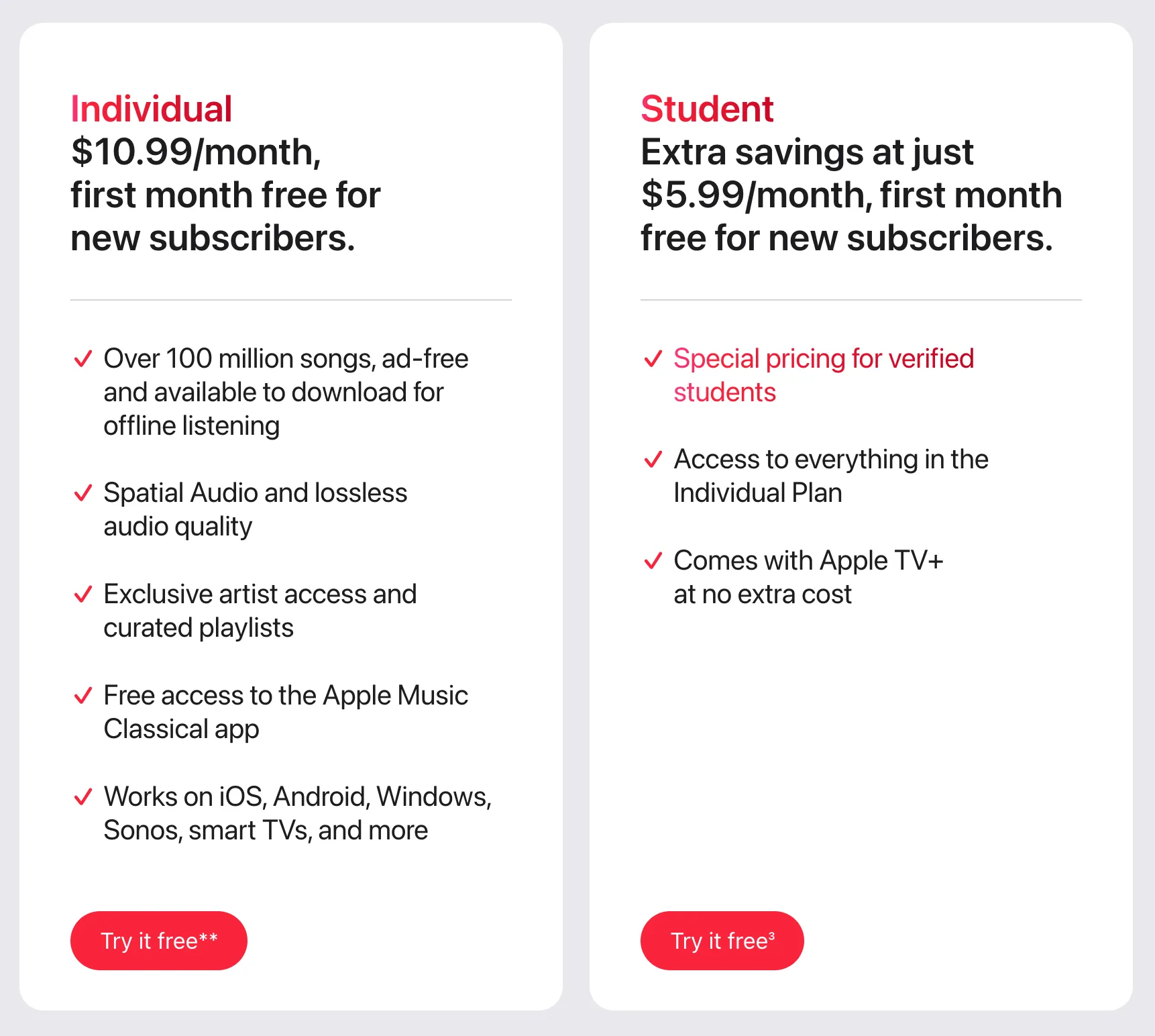
The Apple Music student discount provides eligible university students with a premium subscription at a significantly reduced monthly rate compared to the standard individual plan. In 2026, the specific cost is $5.99 per month in the United States, which includes full access to the Apple Music library, ad-free listening, and typically bundles an Apple TV+ subscription at no additional cost.
Understanding the Apple Music Student Pricing Structure
Navigating subscription costs requires a clear distinction between standard retail pricing and promotional tiers. Apple Music maintains a tiered strategy to accommodate different user needs, with the student discount serving as a key pillar in their market retention strategy for the younger demographic.
The standard Individual plan for Apple Music in 2026 is priced at $11.99 per month. By choosing the Student plan, you are effectively cutting your monthly expenditure by 50%. It is important to note that this is not a permanent discount but a time-bound benefit tied to your academic status.
What Your Monthly Fee Covers
When you pay your $5.99 monthly fee, you are not merely purchasing access to a streaming catalog. The package includes:
- Full Library Access: Over 100 million songs and 30,000 playlists, available for both streaming and offline playback.
- Apple TV+ Membership: A significant value-add is the inclusion of Apple’s streaming service, which would otherwise cost a separate monthly fee for individual subscribers.
- Lossless and Spatial Audio: Access to high-resolution audio formats without additional "audiophile" tier surcharges, which are often found in competing services.
- Ad-Free Experience: No interruption in music playback, a stark contrast to the ad-supported tiers offered by many other digital service providers.
Eligibility Requirements: Who Qualifies?
Not every student is automatically eligible for the discounted rate. Apple utilizes a verification service called UNiDAYS to confirm academic status. To qualify for the student rate, you must be enrolled in a degree-granting university or college.
The Verification Process
The system operates on a digital validation loop. When you sign up, you will be redirected to the UNiDAYS portal. You will be required to:
- Provide Institutional Email: Most systems prioritize a ".edu" email address, though other institutional domains may be accepted depending on the region.
- Authenticate via Portal: You may be asked to log into your university’s student portal (SSO) to confirm current enrollment.
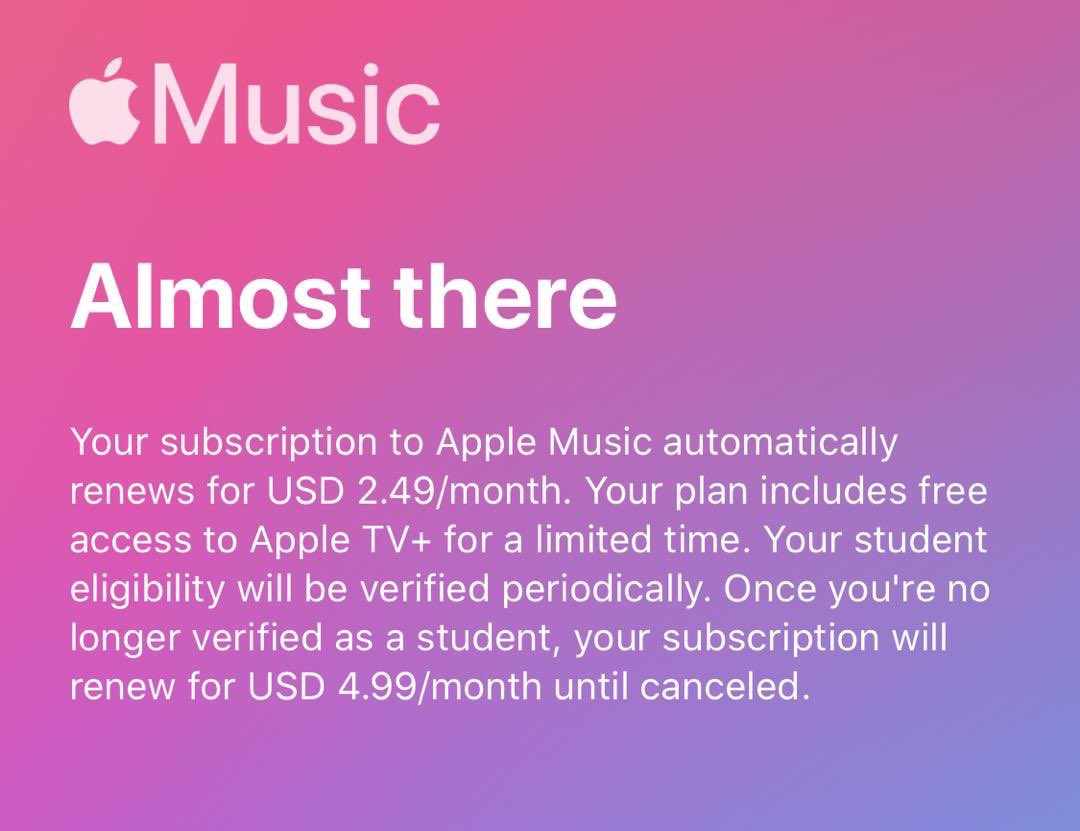
- Re-verification: Your status is not verified once for a lifetime. You must re-verify your student status periodically—usually once every 12 months—to maintain the discounted rate. If you graduate or cease enrollment, the system will eventually flag your status, and your subscription will automatically roll over to the standard individual monthly price.
Comparison of Subscription Plans
To understand the fiscal impact of your choice, it is helpful to view the student plan against other available options in 2026. The following table illustrates the cost-benefit breakdown for a single user.
| Plan Type | Monthly Cost (USD) | Includes Apple TV+ | Enrollment Requirement |
|---|---|---|---|
| Student | $5.99 | Yes | Verified University Enrollment |
| Individual | $11.99 | No | None |
| Family | $19.99 | Yes | Up to 6 Family Members |
Note: The Family plan offers the best per-person value if you have five or six individuals sharing the cost, but the Student plan remains the most cost-effective option for a solitary user who meets the academic requirements.
Potential Hidden Costs and Regional Variability
While the $5.99 price point is standard for the United States, users should be aware of factors that can impact their bottom line.
Regional Price Adjustments
If you are accessing the service outside of the United States, the currency and the base price will differ. Apple adjusts its student pricing based on local economic conditions and regional market competition. Always check your local Apple Music settings page rather than relying on US-based forums, which may cite incorrect local pricing.
The Impact of Taxes
The advertised price of $5.99 is the base cost. Depending on your state or local jurisdiction, sales tax or digital service taxes may be applied to your monthly bill. This can result in a final charge that is slightly higher than the $5.99 headline figure. Check your monthly invoice in your Apple ID purchase history to see the exact breakdown of taxes charged in your specific area.
Managing Your Subscription Status
A common pain point for students is the "price shock" that occurs when they graduate. Because the subscription is tied to your status, the transition from student to professional can lead to a sudden doubling of your monthly streaming cost.
Proactive Subscription Management
- Calendar Reminders: Set a recurring reminder for your annual re-verification date. This ensures you do not miss a notification and accidentally lapse into the standard individual plan rate.
- Transitioning Plans: If you realize you no longer qualify, consider if you want to remain on an individual plan or if transitioning to a Family plan with friends or family members might yield a better overall financial result.
- Billing Cycles: Remember that if you change your plan, the new rate typically applies to the next billing cycle. Ensure you manage these changes a few days before your renewal date to avoid pro-rated complications.
Troubleshooting Common Verification Issues
If you encounter errors during the signup process, the bottleneck is almost always within the UNiDAYS verification window, not Apple's billing system.
- The "Institution Not Found" Error: If your school is not listed, you may be unable to verify. Contact the UNiDAYS support team directly. Ensure you are using the full, official name of your institution.
- Email Issues: If you are using a personal email address, the system will likely reject your application. Always use the email address provided to you by your university registrar.
- Session Timeouts: The verification portal can be sensitive to browser privacy settings. If the page fails to load or loops indefinitely, try disabling ad-blockers or using a different browser/incognito window.
Frequently Asked Questions
Does the Apple Music student discount expire?
Yes. The discount is valid for a maximum of 48 months (4 years) of post-secondary study. After this period, or after you cease being a student, you will no longer be eligible for the discounted rate.
Can I share the Apple Music student plan with my family?
No. The student discount is strictly for a single user. If you have family members who want to use the service, you would need to upgrade to the Apple Music Family plan, which does not allow for a student-level discount per user.
Do I get the same features as a standard subscriber?
Yes. There are no "stripped-down" features in the student plan. You receive the exact same audio quality, offline listening capabilities, and feature set as a standard individual subscriber.
What happens if I forget to re-verify?
If you fail to complete the annual verification by the deadline, your subscription will automatically migrate to the Individual plan at the standard rate. You will be notified via email before this happens, giving you time to provide your updated enrollment information.
Is the student discount available for high school students?
Generally, no. The program is designed for students enrolled in degree-granting universities and colleges. High school students typically do not meet the criteria set by the verification service.
Final Recommendation: Steps to Get Started
If you are currently enrolled in higher education, securing the student discount is a straightforward process that provides immediate financial relief. Start by visiting the Apple Music website or opening the app on your device. Navigate to the subscription management section, select the "Student" plan, and follow the link to the verification portal.
Before you begin, ensure you have your university login credentials or your student-issued email address ready. By taking the time to verify your status today, you ensure that you are paying the lowest possible price for a comprehensive streaming experience throughout the remainder of your academic career. If you find your situation changing, monitor your annual re-verification dates carefully to maintain control over your monthly subscriptions.