Protecting a home computer from spyware requires a dedicated security solution that combines real-time system monitoring, robust web filtering, and proactive behavior-based detection to stop covert surveillance programs before they compromise sensitive personal data.
Spyware remains one of the most persistent and insidious threats facing home users. Unlike high-profile ransomware that announces itself with a locked screen and a payment demand, spyware operates in the shadows. It records keystrokes, logs browsing habits, captures credentials, and silently transmits personal information to third parties without the user's knowledge. For households sharing computers or managing personal finances, banking details, and private communications online, standard built-in defenses are often insufficient. Choosing the right spyware protection involves understanding how modern surveillance software infiltrates home systems, evaluating the capabilities of top security suites, and configuring defense mechanisms to maintain privacy without sacrificing system performance.
Understanding the Spyware Threat Landscape for Home Users
To effectively combat spyware, home users must first understand what spyware is and how it differs from traditional viruses and malware. Spyware is broadly defined as malicious software designed to enter a device, gather data about the user or organization, and forward it to an external entity without explicit consent.
In a residential environment, spyware typically enters systems through several common vectors:
- Bundled Software: Free downloads, freeware utilities, or cracked applications that install hidden tracking modules alongside the requested program.
- Drive-by Downloads: Visiting compromised or malicious websites that automatically exploit browser vulnerabilities to download tracking scripts and keyloggers.
- Phishing and Social Engineering: Deceptive emails, fraudulent pop-ups, or malicious links that trick users into installing remote access tools (RATs) or rogue diagnostic utilities.
- Malvertising: Legitimate-looking online advertisements embedded with malicious code that execute upon loading.
The modern threat landscape also includes legal commercial software, often referred to as grayware, pup (Potentially Unwanted Program), or stalkerware. Stalkerware is consumer-grade monitoring software marketed for parental control or employee oversight but frequently installed secretly on family members' devices to track location, messages, and calls. Comprehensive spyware protection must be capable of detecting and removing not only traditional malicious code but also unauthorized administrative tools and intrusive tracking utilities.
Core Features of Effective Spyware Protection
When evaluating security software for home use, distinguishing marketing claims from technical capabilities is essential. A robust anti-spyware tool relies on specific architectural features to provide comprehensive defense across Windows, macOS, and mobile devices.
1. Real-Time Behavioral Monitoring
Traditional antivirus software relies on signature-based detection, comparing files against a database of known malware hashes. Because spyware frequently changes its code (polymorphism) to evade detection, signature matching alone is inadequate. Effective spyware protection utilizes behavioral analysis, monitoring processes in real time for suspicious activities, such as unprompted attempts to access the webcam, unauthorized modifications to the system registry, or unexpected background data transfers to unknown IP addresses.
2. Advanced Web Filtering and Phishing Protection
Prevention is significantly more effective than remediation. The best security suites incorporate browser extensions and network filters that block access to known malicious domains, phishing sites, and exploit kits before a payload can be delivered to the local machine. This includes scanning encrypted HTTPS traffic for hidden surveillance scripts and malicious redirects.
3. Dedicated Privacy Shields
Home users often store sensitive documents, financial spreadsheets, and personal photographs on local drives. Specialized spyware tools include privacy guards that lock down sensitive directories, restrict unauthorized applications from accessing input devices like microphones and webcams, and clear browsing artifacts, tracking cookies, and session tokens upon browser closure.
Comparing Top Spyware Protection Solutions for Home Networks
Selecting the right software depends on system architecture, user expertise, and budget. The market features a wide spectrum of solutions, ranging from lightweight dedicated scanners to comprehensive all-in-one internet security suites.
| Security Solution | Primary Focus | Key Spyware Features | System Impact | Best Suited For |
|---|---|---|---|---|
| Malwarebytes Premium | Remediation & Real-Time Defense | Anti-spyware, anti-malware, anti-exploit, web protection | Low | Users needing strong secondary defense against hidden trackers |
| Bitdefender Total Security | Comprehensive Multi-Layer Defense | Webcam protection, safe banking, advanced behavioral monitoring | Very Low | Households seeking an all-in-one suite with minimal performance drag |
| Windows Security | Operating System Integration | Core isolation, cloud-delivered protection, smart screen | Negligible | Budget-conscious users practicing disciplined browsing habits |
| Kaspersky Premium | Privacy & Identity Protection | Privacy cleaner, secure connection VPN, webcam/mic blocker | Moderate | Users prioritizing advanced financial transaction security |
While built-in tools like Windows Security have evolved significantly and offer adequate baseline protection, dedicated security suites provide deeper heuristic analysis and specialized privacy shields tailored to catch sophisticated commercial tracking tools and keyloggers that standard utilities might overlook.
Evaluating System Performance and False Positives
A common frustration for home users is security software that consumes excessive system resources or triggers frequent false positives, flagging legitimate applications as spyware. When testing and deploying security solutions, balance must be maintained between strict enforcement and operational usability.
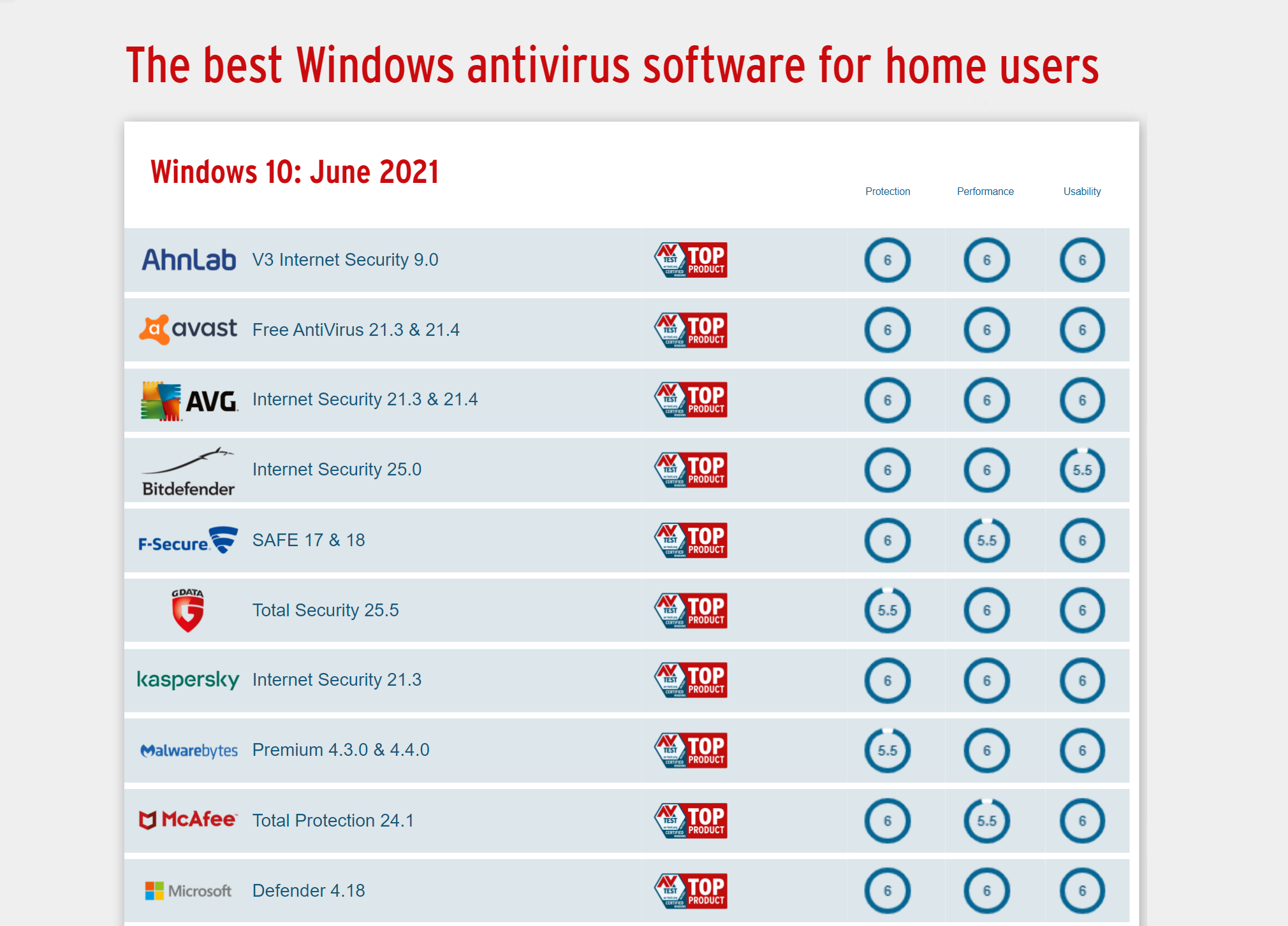
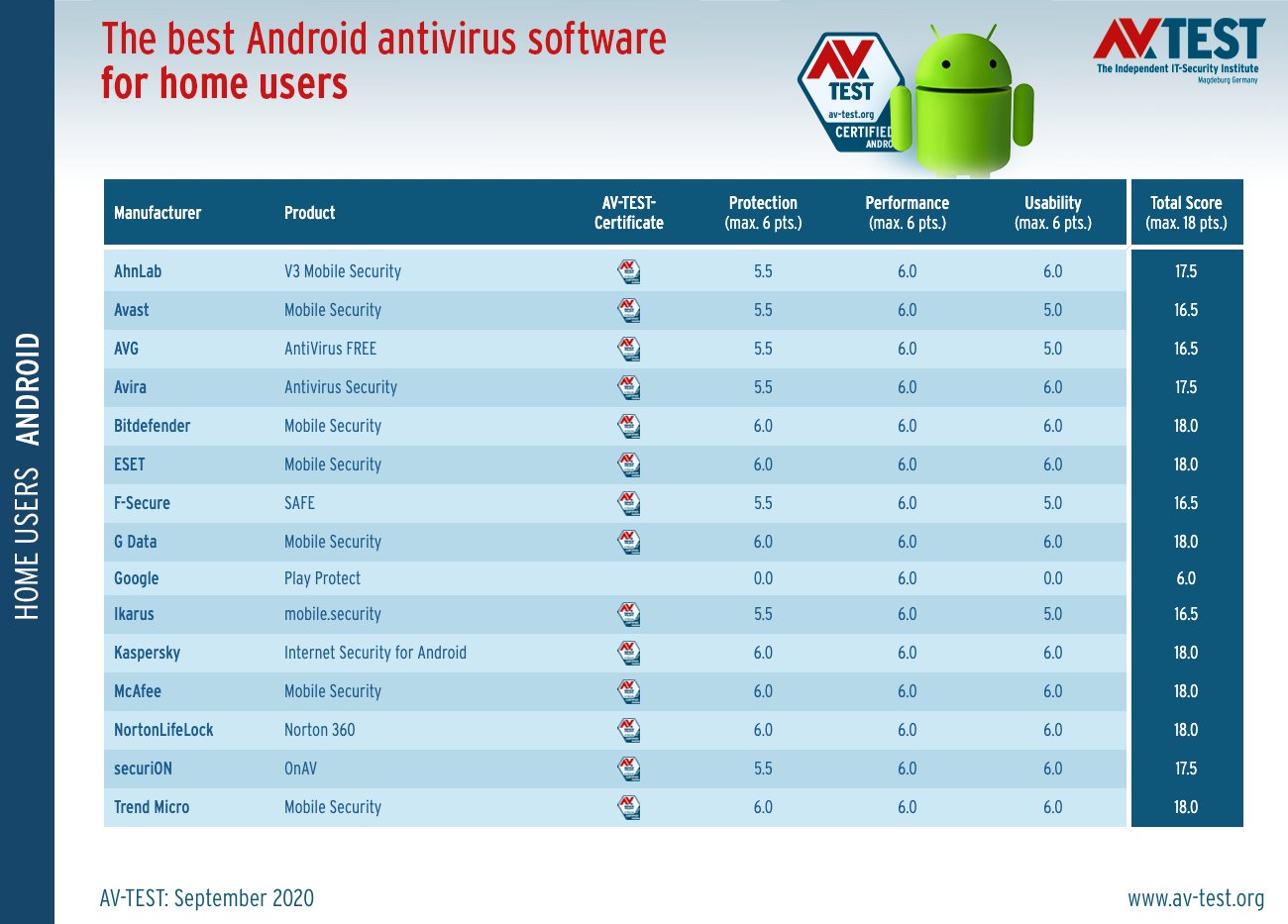
High-performance spyware protection operates quietly in the background without causing noticeable lag during gaming, video streaming, or intensive office tasks. Users should review independent testing laboratories like AV-Test and AV-Comparatives to verify how specific products score in performance categories.
False positives occur when heuristic engines flag safe programs due to unusual behavior, such as a custom utility modifying registry keys. Reliable security products provide clear quarantine management interfaces, allowing users to safely inspect flagged items, restore legitimate files, and submit false positives to the vendor for analysis without compromising system integrity.
Best Practices for Maintaining a Spyware-Free Home Environment
Deploying security software is only the first step in maintaining digital hygiene. Technical defenses must be paired with consistent user habits to create a resilient security posture across all household devices.
- Keep Operating Systems and Applications Updated: Software vendors patch vulnerabilities regularly. Enable automatic updates for operating systems, web browsers, third-party plugins, and IoT devices to close vectors exploited by spyware installers.
- Exercise Caution with Software Downloads: Avoid downloading freeware or cracked software from unverified torrent sites or third-party repositories. Always download applications directly from official developer websites.
- Implement Principle of Least Privilege: Configure separate user accounts on shared home computers. Restrict children or guests to standard user accounts rather than administrator accounts to prevent unauthorized software installations.
- Utilize Multi-Factor Authentication (MFA): Even if keylogging spyware manages to capture a password, MFA adds an essential secondary barrier—such as an authenticator app token or hardware key—that prevents unauthorized access to online accounts.
Troubleshooting and Remediation Steps for Infected Systems
If a home user suspects that a device has been compromised by spyware, systematic remediation is necessary to ensure the system is completely cleansed.
- Disconnect from the Network: Immediately isolate the infected machine from the internet (unplug the Ethernet cable or disable Wi-Fi) to prevent the spyware from exfiltrating additional data or downloading secondary payloads.
- Boot into Safe Mode: Restart the operating system in Safe Mode (or Safe Mode with Networking if definition updates are required) to prevent persistent spyware processes from launching during startup.
- Run an Offline Scan: Utilize a reputable bootable rescue disk or an advanced second-opinion scanner like Malwarebytes or HitmanPro to perform a thorough deep scan of the drive.
- Change Credentials: Once the system is verified clean, change all critical passwords (email, banking, social media, shopping accounts) from a secure, uncompromised device, and ensure MFA is active across all services.
- Monitor Financial and Personal Accounts: Review bank statements, credit reports, and account activity logs closely over the subsequent weeks to detect any fraudulent activity resulting from prior data exposure.
Frequently Asked Questions
Do home users need paid spyware protection, or is built-in Windows Security enough?
Built-in tools like Windows Security provide robust baseline protection against common malware and basic threats. However, paid security suites often offer superior behavioral monitoring, dedicated anti-phishing web filters, webcam privacy shields, and specialized tools designed to detect stealthy spyware, adware, and PUPs that slip past standard defenses.
How can I tell if my computer has spyware installed?
Common indicators of a spyware infection include sudden performance degradation, unexplained pop-up advertisements, unexpected browser homepage changes, new toolbars installed without consent, rapid battery drain on laptops, and unusually high network activity when no applications are actively running.
Will anti-spyware software slow down my home computer?
Modern security software is engineered to minimize system overhead. While deep scans utilize CPU resources, real-time protection modules are optimized to run quietly in the background. Choosing a lightweight solution ensures maximum protection without degrading daily computer performance.
Can spyware infect smartphones and tablets used at home?
Yes, mobile devices are frequent targets for spyware, particularly intrusive stalkerware or malicious apps sideloaded from unofficial app stores. Installing a reputable mobile security application and avoiding suspicious links in text messages protects smartphones and tablets from similar surveillance tactics.
What is the difference between adware and spyware?
Adware focuses on displaying unwanted advertisements to generate revenue for developers, often tracking browsing habits to serve targeted ads. Spyware is more invasive, specifically designed to covertly harvest sensitive personal data, passwords, and private communications without user consent. Many modern security tools treat both categories as high-priority threats.
Conclusion and Next Action
Protecting your home network from covert surveillance requires a combination of proactive security software, disciplined browsing habits, and regular system audits. Begin by assessing your current security posture: ensure your operating system is fully updated, verify that a reliable real-time security suite is active on all household devices, and educate family members on safe download and browsing practices to maintain a private, secure digital environment.