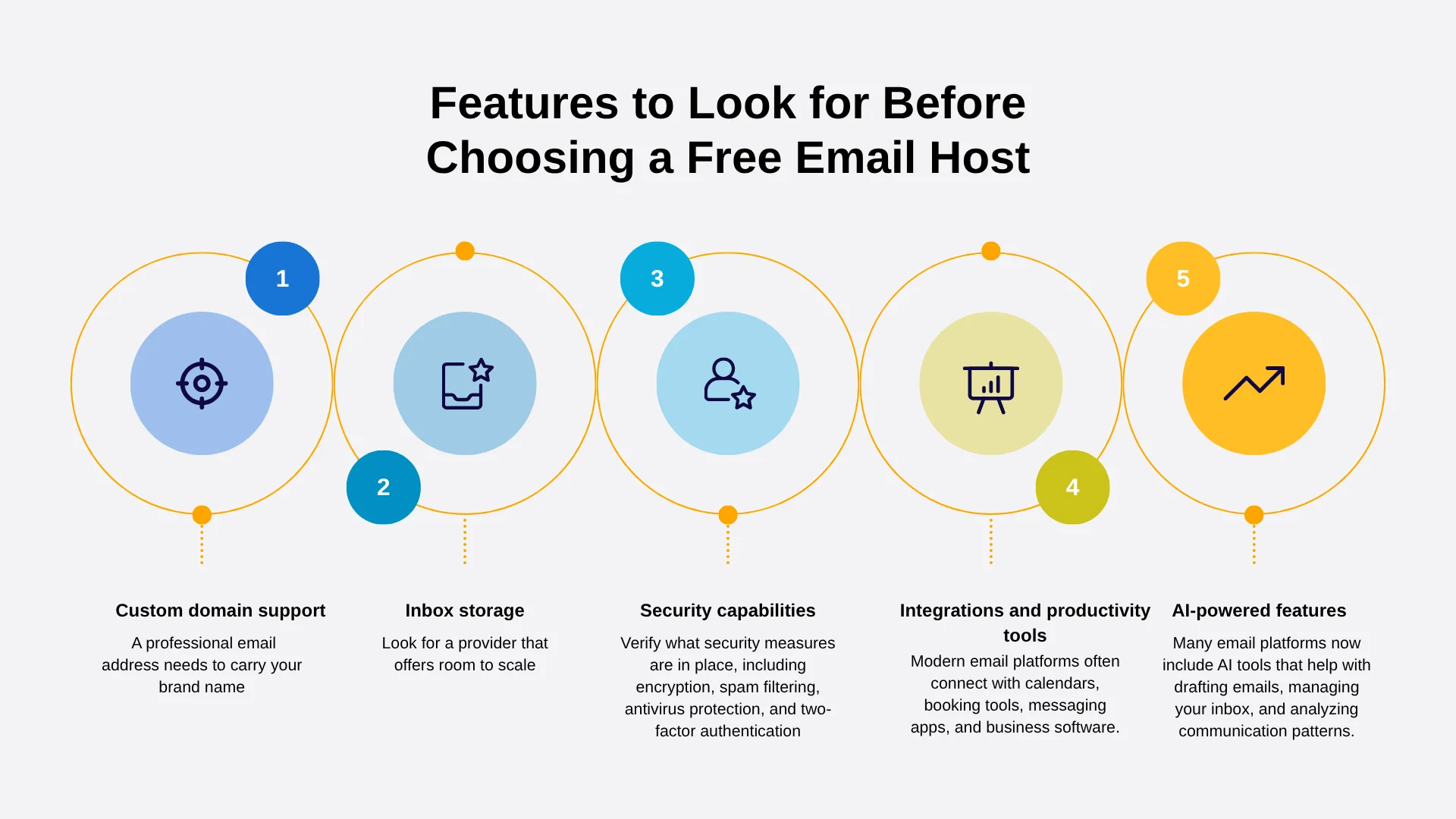
Choosing the best domain email hosting requires evaluating infrastructure reliability, storage capacity, custom domain integration, security protocols like SPF, DKIM, and DMARC, and pricing scalability to ensure professional communication and seamless message delivery.
Selecting a professional email hosting provider is a critical milestone for any business, creator, or organization operating online. Relying on a free consumer email address for professional correspondence can erode trust and signal a lack of credibility to clients, partners, and customers. Transitioning to a custom domain email address—such as name@yourbusiness.com—solves this problem, but finding the right provider among dozens of options can feel overwhelming.
Evaluating domain email hosting requires looking past flashy marketing claims and examining the underlying architecture, security compliance, administrative control, and total cost of ownership. Whether you are migrating an established organization or launching a brand-new project, understanding how to systematically evaluate options ensures that your communications remain secure, accessible, and resilient.
1. Evaluate Reliability, Uptime Guarantees, and Performance
The foundation of any enterprise-grade or professional communication channel is uncompromised availability. When evaluating domain email hosting, uptime is not merely a convenience metric; it dictates whether your organization can conduct day-to-day operations without disruption.
Understanding Service Level Agreements (SLAs)
A reliable hosting provider should offer a financially backed Service Level Agreement (SLA) guaranteeing a minimum uptime percentage, typically set at 99.9% or 99.99%. An SLA provides contractual accountability, offering service credits if the provider fails to meet their uptime commitments. However, reading the fine print is essential: check whether scheduled maintenance windows are excluded from uptime calculations and how historical outage data is reported.
Infrastructure Redundancy and Data Centers
High availability relies on robust data center redundancy. Look for providers that utilize geo-redundant data centers. If a primary server farm encounters a hardware failure, power outage, or network disruption, traffic should seamlessly failover to a secondary location without dropping incoming messages or delaying outbound mail.
Global Delivery Speed and Synchronization
Performance also encompasses how quickly messages synchronize across devices via protocols like Internet Message Access Protocol (IMAP) or proprietary desktop and mobile clients. Delays in push notifications or slow synchronization can hinder productivity for distributed teams. Furthermore, evaluate whether the provider’s mail servers maintain strong reputation metrics with major global mailbox providers like Gmail, Microsoft, and Yahoo to prevent your messages from being misclassified as spam.
2. Prioritize Core Security Features and Compliance Standards
In an era of sophisticated phishing campaigns, business email compromise (BEC), and ransomware attacks, email security is non-negotiable. The best domain email hosting solutions implement robust native protections and give administrators granular control over security policies.
Essential Authentication Protocols
Any reputable email host must support and simplify the implementation of foundational email authentication standards:
- Sender Policy Framework (SPF): A DNS text record that lists the IP addresses and subnets authorized to send email on behalf of your domain.
- DomainKeys Identified Mail (DKIM): A cryptographic signature added to outgoing headers that verifies the email was genuinely sent by the domain owner and has not been altered in transit.
- Domain-based Message Authentication, Reporting, and Conformance (DMARC): A policy framework that uses SPF and DKIM to determine the authenticity of an email message and specifies how receivers should handle failures (e.g., quarantine or reject).
Encryption in Transit and at Rest
Ensure the provider enforces Transport Layer Security (TLS) for all incoming and outgoing mail streams to prevent eavesdropping while messages travel across the internet. Additionally, investigate whether emails stored on the provider's servers are protected by encryption at rest, which safeguards data should physical storage drives be compromised.
Spam Filtering and Malware Detection
Advanced threat protection (ATP) is vital for intercepting zero-day malware, malicious attachments, and targeted social engineering attacks before they reach an employee's inbox. Evaluate the provider’s automated spam filters, quarantine management tools, and administrative reporting dashboards, which allow security teams to audit threat logs and refine filtering rules.
3. Analyze Storage Limits and Mailbox Scalability
Storage requirements evolve rapidly as attachments accumulate, archives grow, and organizations scale. Choosing a host with rigid storage caps or prohibitive upgrade structures can create operational bottlenecks down the line.
Per-User vs. Shared Storage Pools
Providers structure storage allocations in distinct ways:
- Per-User Limits: Each mailbox receives a fixed amount of storage (e.g., 50 GB, 100 GB, or unlimited). This model provides predictable quotas for individual team members.
- Pooled Storage: The organization purchases a total pool of storage (e.g., 1 TB) that can be distributed dynamically among users based on actual consumption.
Attachment Sizes and Archiving Capabilities
Examine the maximum allowable size for individual incoming and outgoing attachments. Standard limits often hover around 25 MB to 50 MB, which may prove restrictive for creative agencies, legal practices, or engineering firms exchanging large media files or design assets. For industries subject to strict regulatory oversight, verify whether the host offers automated email archiving, compliance logging, and legal hold features to retain messages securely over mandatory retention periods.
Scalability and Licensing Flexibility
As your team expands, adding new mailboxes should be a frictionless administrative process. Review the provider’s tier structures to ensure you can upgrade individual users to higher plans with advanced features without being forced to migrate the entire organization’s infrastructure.
4. Review Administrative Controls and Integration Ecosystems
Managing domain email hosting requires administrative oversight, ranging from user provisioning and permission management to third-party software integrations.
Administrative Consoles and User Management
A centralized, intuitive admin panel is essential for onboarding new employees, resetting credentials, revoking access for departing personnel, and enforcing organizational security policies like Multi-Factor Authentication (MFA). Look for solutions that support single sign-on (SSO) and directory integration (such as LDAP or Active Directory sync) for streamlined user lifecycle management.
Ecosystem and Productivity Suite Integration
Email rarely operates in a vacuum; it is typically paired with calendar management, cloud storage, document collaboration, and video conferencing tools.
| Hosting Provider Category | Typical Ecosystem Offerings | Best Suited For |
|---|---|---|
| Productivity Suites | Integrated calendar, cloud storage, office apps, video meetings | Growing businesses requiring full office collaboration |
| Dedicated Email Hosts | Streamlined mail, basic calendar, high customizability, lower cost | Budget-conscious users focused strictly on professional mail |
| Web Hosting Bundles | Control panel (cPanel/Plesk), basic webmail, shared server environment | Low-volume sites, personal projects, small local blogs |
Evaluating whether your email host integrates natively with your existing productivity suite or if it requires complex third-party bridging will save significant administrative overhead.
5. Calculate Total Cost of Ownership and Support Quality
Pricing transparency and reliable technical support directly impact the long-term sustainability of your email hosting choice.
Unpacking the True Cost
When assessing pricing models, look beyond introductory promotional rates that spike significantly upon renewal. Calculate the total cost of ownership (TCO) by factoring in:
- Per-user monthly or annual licensing fees.
- Additional costs for advanced security add-ons or expanded storage.
- Domain registration or DNS management fees (if applicable).
- Migration assistance costs, especially if transferring thousands of legacy emails and folder hierarchies from an old provider.
Evaluating Technical Support Channels
When mail delivery fails or accounts are locked out, rapid access to knowledgeable support is vital. Investigate whether the provider offers 24/7 technical assistance via live chat, telephone, or ticketing systems. Review community forums, independent user reviews, and SLA response times to gauge whether support engineers possess the technical depth required to resolve complex routing, DNS, or authentication issues promptly.
Feature Comparison Matrix
To help visualize how different classes of domain email hosting stack up against key criteria, review the comparison matrix below.
| Evaluation Criteria | Dedicated Productivity Suites | Standalone Email Hosts | Web Hosting Bundled Email |
|---|---|---|---|
| Uptime Reliability | Very High (99.9%–99.99%) | High (99.9%) | Variable (Depends on web server) |
| Security & DMARC | Advanced native controls | Robust standard protocols | Basic, often requires manual setup |
| Storage Capacity | Generous (50GB to Unlimited) | Moderate (10GB to 50GB) | Restricted by hosting plan limits |
| Support Quality | 24/7 enterprise ticketing/chat | Dedicated support teams | General web hosting support |
| Ecosystem Depth | Comprehensive office suite | Focused communication tools | Minimal or none beyond webmail |
Frequently Asked Questions
What is the difference between webmail and domain email hosting?
Webmail is simply the user interface used to access your emails via a web browser. Domain email hosting refers to the underlying mail server infrastructure that routes, stores, and secures messages sent to and from your custom domain (e.g., @yourcompany.com). You can access domain email hosting through various webmail clients, desktop applications, or mobile apps.
Can I host my domain email with a different provider than my website?
Yes. Your domain's email delivery is controlled by MX (Mail Exchange) records in your DNS settings, while your website is pointed via A records. This allows you to host your website with one provider while leveraging a specialized enterprise provider for your domain email hosting.
How do SPF, DKIM, and DMARC protect my domain?
These three DNS records work in tandem to prevent spammers and cybercriminals from spoofing your domain name. SPF specifies authorized sending servers, DKIM cryptographically signs messages to verify integrity, and DMARC instructs receiving mail servers on how to handle emails that fail these authentication checks, protecting your brand reputation.
What should I do if my domain emails are going to spam folders?
First, ensure that your SPF, DKIM, and DMARC records are correctly configured in your DNS manager. Next, check your sending IP and domain reputation against major blacklists. Avoid using spam trigger words in your copy, maintain a clean subscriber or contact list, and encourage recipients to move your messages from spam to their primary inbox to train filtering algorithms.
Is migrating existing emails to a new host difficult?
Migration complexity depends on the volume of data and the tools provided. Most reputable domain email hosts offer automated migration tools or migration guides using IMAP sync, allowing you to transfer historical emails, contacts, and folder structures from your old provider to the new inbox with minimal downtime.
Final Recommendations and Next Actions
Selecting the best domain email hosting requires balancing your operational needs against security, scalability, and budget. Begin by auditing your organization's current mailbox count, storage consumption, and security requirements. Next, shortlist providers that offer robust uptime SLAs, seamless DNS configuration for SPF, DKIM, and DMARC, and responsive 24/7 support. Prioritize a solution that scales fluidly alongside your growth, ensuring reliable, professional communication for every message you send.