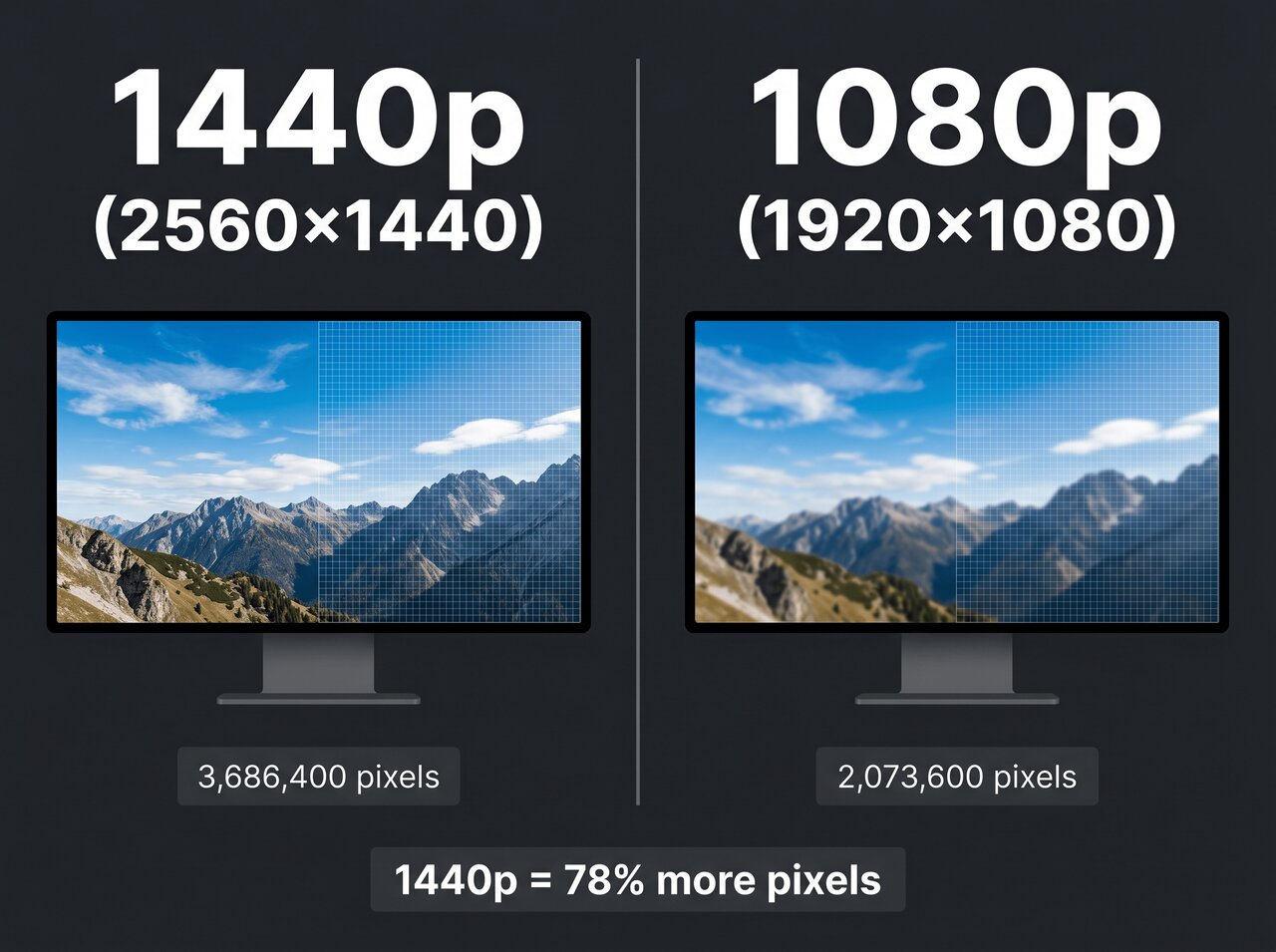
In the current display market, 1440p (Quad HD) is the definitive winner for most users, offering a 77% increase in pixel density over 1080p. While "2K" is often used as a marketing synonym for 1440p, technically 2K refers to a narrower 2048 x 1080 resolution. For gaming and productivity, 1440p provides the ideal balance of sharp visuals and high performance.
The Persistent Confusion: Defining 1440p and 2K
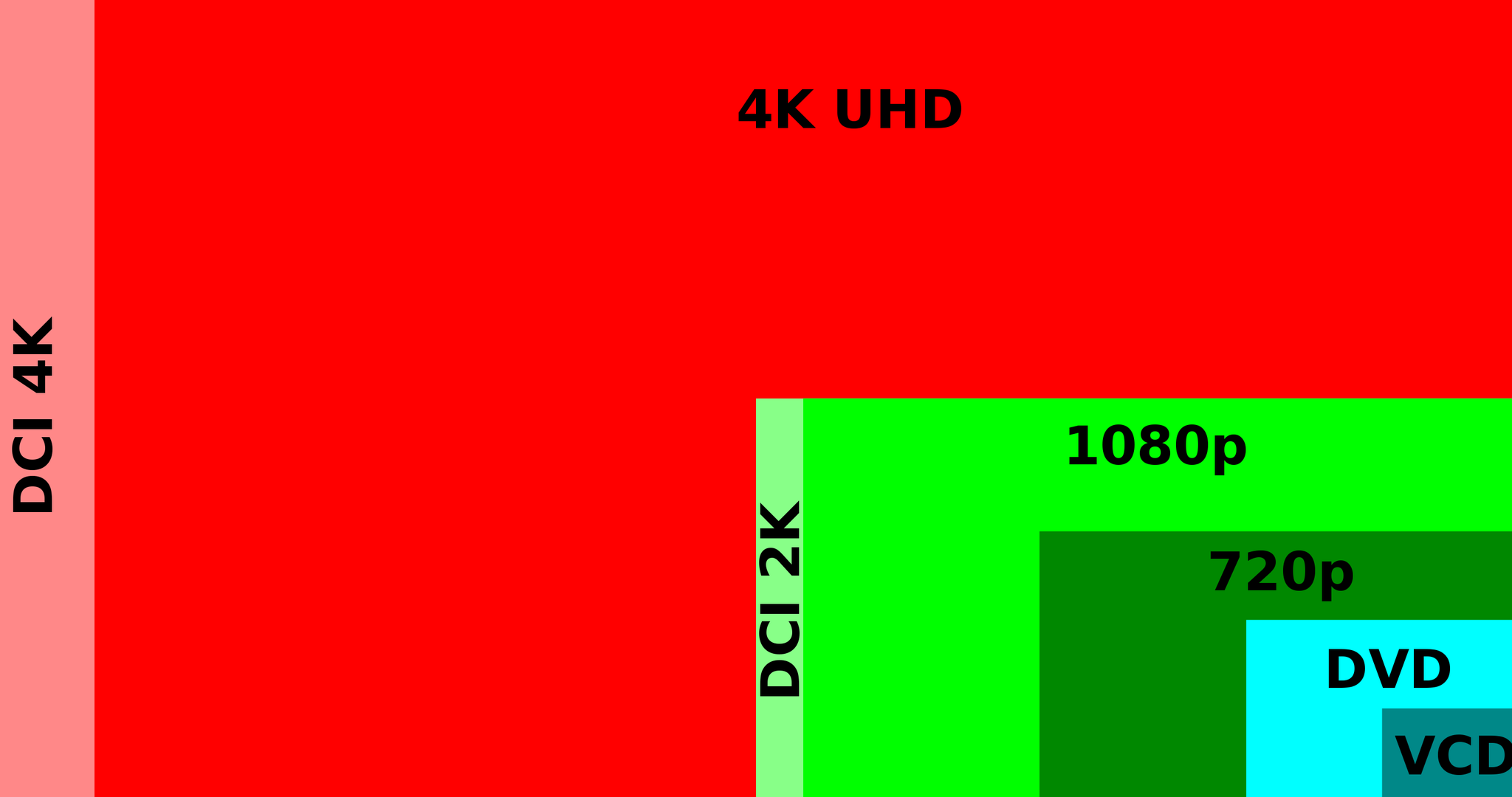
To understand which resolution "wins," we must first resolve a decade-long naming controversy that still plagues the tech industry in 2026. The term 2K originated in the digital cinema industry, standardized by the Digital Cinema Initiatives (DCI). In professional contexts, 2K refers to a resolution of 2048 x 1080. This is essentially a slightly wider version of standard Full HD (1080p).
Conversely, 1440p, also known as QHD (Quad High Definition), refers to a resolution of 2560 x 1440. The "Quad" prefix signifies that it has four times the total pixels of 720p. In the consumer monitor market, manufacturers began using "2K" as a shorthand for 1440p to make it sound like a logical step toward 4K. However, from a technical standpoint, 1440p is significantly higher in fidelity than true 2K.
When you are shopping for a monitor today, "2K" is almost always marketed to mean 1440p. If you are a professional video editor or working in film, however, the distinction remains critical. For the remainder of this guide, we will treat 1440p as the primary subject, as it is the resolution most users are actually looking for when they search for "2K" displays.
Technical Specifications and Pixel Density
The "win" for any resolution depends heavily on Pixel Density, measured in Pixels Per Inch (PPI). This metric determines how sharp an image looks at a specific viewing distance. A higher resolution on a small screen results in high PPI, while the same resolution on a massive screen can look "blocky" or pixelated.
The 27-Inch Sweet Spot
As of 2026, the 27-inch monitor remains the industry standard for 1440p. At this size, 1440p delivers approximately 108 PPI. This is widely considered the "sweet spot" for the human eye at a standard desk distance (about 20 to 30 inches). At 108 PPI, text is crisp, and individual pixels are virtually indistinguishable without a magnifying glass.
If you were to use a 1080p (or "True 2K") resolution on a 27-inch panel, the PPI drops to about 81. This results in "screen door effect," where the gaps between pixels become visible, making images look soft and text look jagged. This is why 1440p is the mandatory upgrade for anyone moving beyond a 24-inch display.
Total Pixel Count Comparison
To visualize the jump in quality, consider the total number of pixels your Graphics Processing Unit (GPU) must render:
- 1080p (FHD): 2,073,600 pixels
- True 2K (DCI): 2,211,840 pixels
- 1440p (QHD): 3,686,400 pixels
- 4K (UHD): 8,294,400 pixels
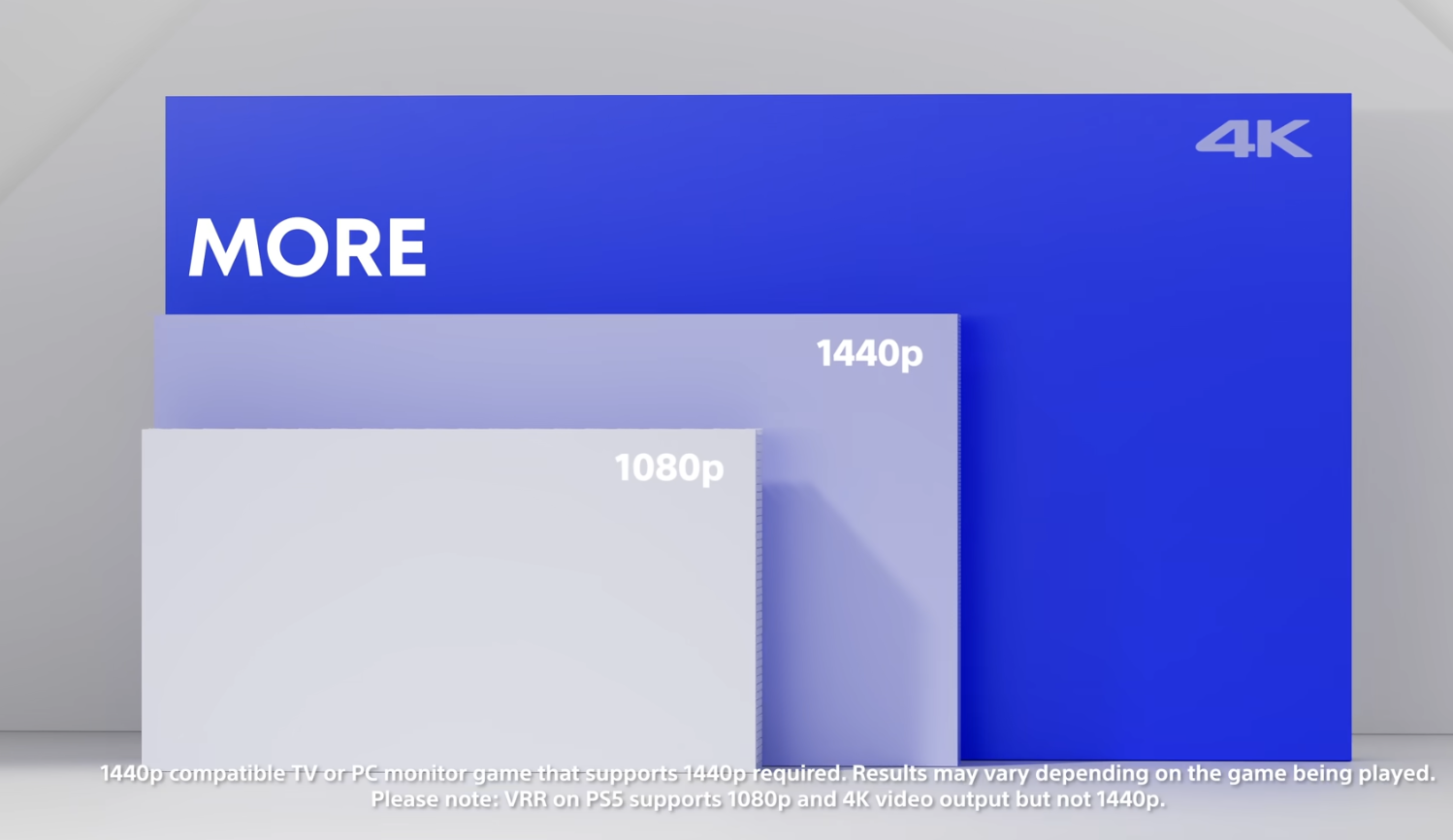
1440p requires the GPU to push about 1.6 million more pixels than 1080p. While this is a significant jump, it is nowhere near as taxing as 4K, which requires rendering over 8 million pixels. This middle-ground positioning is why 1440p is the dominant choice for high-refresh-rate gaming.
Gaming Performance in 2026: The High-Frame-Rate Era
In 2026, gaming is no longer just about resolution; it is about the marriage of clarity and fluid motion. With the current generation of GPUs, such as the NVIDIA RTX 50-series and AMD RX 8000-series, 1440p has become the "high performance" baseline.
Refresh Rates and Esports
For competitive players in titles like Counter-Strike 3 or Apex Legends, 1440p at 240Hz or 360Hz is the current gold standard. In previous years, competitive players stuck to 1080p to maximize frames. However, modern display controllers and DisplayPort 2.1 standards have made it possible to run 1440p at extremely high refresh rates without significant input lag.
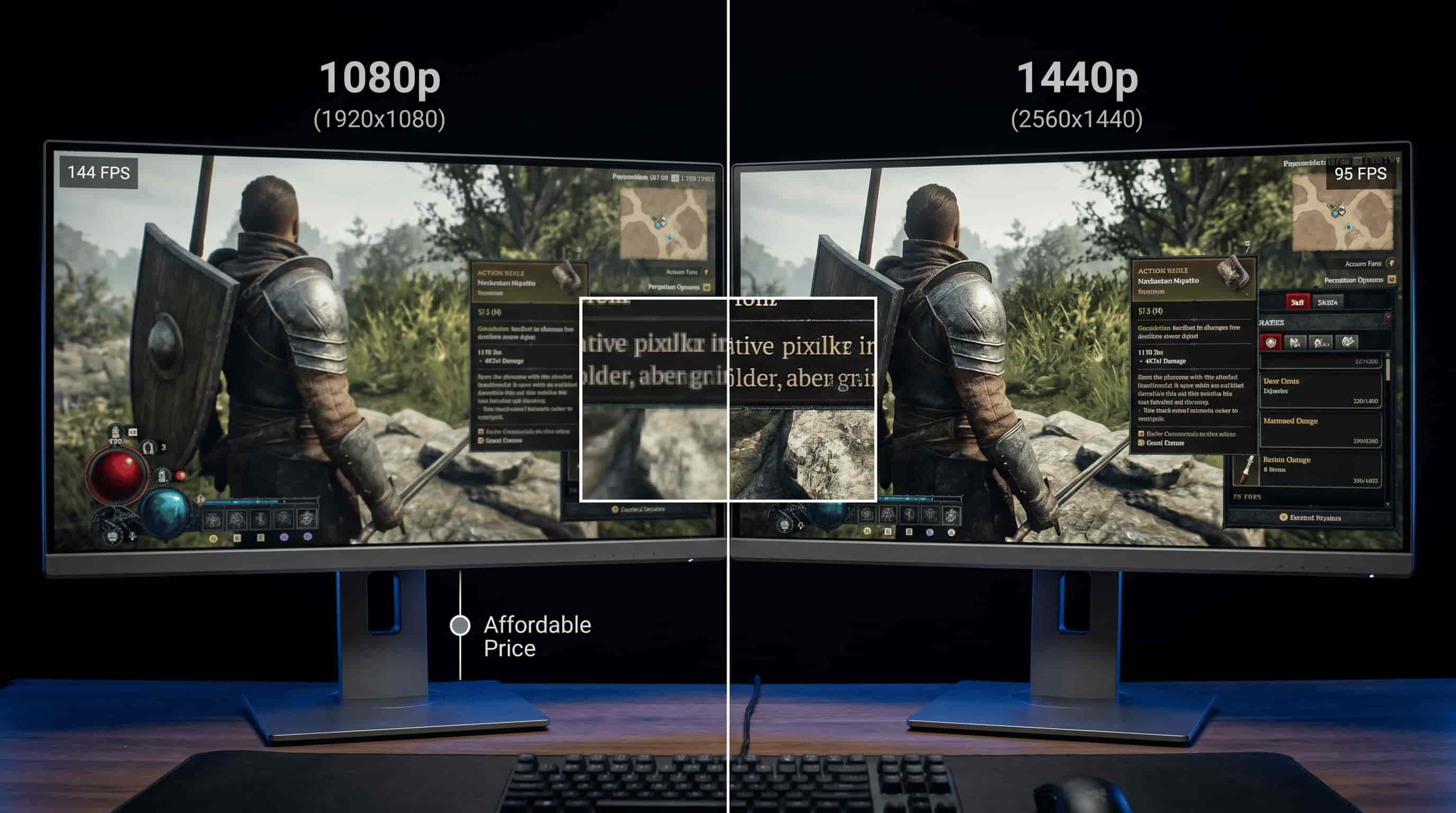
The benefit of 1440p in gaming isn't just aesthetic. The increased resolution allows for better long-distance visibility. In battle royale games or tactical shooters, a single pixel at 1080p might represent an enemy's head at a distance; at 1440p, that same enemy is rendered with more detail, making them easier to track and hit.
AAA Immersive Gaming
For cinematic titles, 1440p allows for incredible detail without the extreme hardware cost of 4K. With technologies like DLSS 4.0 and FSR 4.0, 1440p displays can use AI upscaling to provide an image that looks nearly identical to native 4K while maintaining frame rates above 100 FPS. This "perceptual 4K" experience on a 1440p native panel is often the most cost-effective way to enjoy modern graphics.
Productivity and Professional Workflow
Beyond gaming, 1440p offers a massive advantage for office work, coding, and creative suites. The primary benefit here is Screen Real Estate.
Multi-Window Efficiency
A 1440p monitor provides roughly 33% more horizontal and vertical space than a 1080p monitor. In practical terms, this means you can comfortably fit two full-sized web browsers or Word documents side-by-side without them feeling cramped. For software developers, this extra vertical space allows for more lines of code to be visible simultaneously, reducing the need for constant scrolling.
Creative Precision
For photo and video editors, 1440p is the entry-point for professional work. While 4K is preferred for final color grading and 4K video editing, 1440p provides enough detail to manage complex timelines in Adobe Premiere or high-resolution canvases in Photoshop. When paired with 2026’s affordable OLED or Mini-LED panels, 1440p monitors offer exceptional contrast ratios and color accuracy that "True 2K" or 1080p panels usually lack in the consumer segment.
Comparison Table: 1440p vs. 2K vs. 4K
| Feature | 1080p (Full HD) | True 2K (DCI) | 1440p (QHD) | 4K (Ultra HD) |
|---|---|---|---|---|
| Pixel Resolution | 1920 x 1080 | 2048 x 1080 | 2560 x 1440 | 3840 x 2160 |
| Total Pixels | ~2.07 Million | ~2.21 Million | ~3.69 Million | ~8.29 Million |
| Aspect Ratio | 16:9 | 1.90:1 | 16:9 | 16:9 |
| Ideal Screen Size | 21–24 Inches | Professional Only | 27–32 Inches | 27–43 Inches |
| GPU Requirement | Entry-Level | Entry-Level | Mid-Range | High-End |
| Primary Use Case | Budget/Esports | Cinema Production | Gaming/Productivity | Media/Creative |
Hardware Requirements and Prerequisites
Switching to a 1440p "2K" setup in 2026 requires more than just buying a new screen. You must ensure your entire ecosystem supports the increased bandwidth.
- Cable Standards: To run 1440p at high refresh rates (144Hz+), you should use DisplayPort 1.4 or 2.1. While HDMI 2.0 can handle 1440p at 144Hz, you generally need HDMI 2.1 for HDR and higher refresh rates found on modern OLED monitors.
- GPU Memory (VRAM): In 2026, modern games at 1440p often consume between 8GB and 12GB of VRAM, especially with high-resolution texture packs. If your GPU has only 6GB of VRAM, you may experience "stuttering" or texture pop-in at 1440p.
- CPU Bottlenecks: As you increase resolution, the load shifts more toward the GPU. However, to hit ultra-high frame rates (240FPS+) at 1440p, you still need a competent processor, such as a Ryzen 7 or Core i7 from the last two generations.
Cost Analysis: Value for Money in 2026
The price-to-performance ratio of 1440p is currently at an all-time high. In the 2026 market, 1440p IPS monitors with 165Hz refresh rates are priced as entry-level "gaming" gear, often found for under $200.
The mid-range market has shifted toward OLED and QD-OLED technology at 1440p. These monitors, ranging from $400 to $700, offer near-instant response times and infinite contrast. While 4K OLEDs exist, they often cost twice as much and require a GPU that costs upwards of $1,000 to drive effectively. This makes 1440p the most fiscally responsible choice for enthusiasts who want high-end display technology without the "4K Tax."
Common Mistakes and Troubleshooting
When moving to a 1440p or "2K" setup, users often encounter a few recurring issues:
- Improper Scaling: Windows sometimes defaults to 125% or 150% scaling at 1440p. While this makes text larger, it can reduce the effective screen real estate. Most users prefer 100% scaling on a 27-inch 1440p monitor to maximize workspace.
- Using Old Cables: Reusing an old HDMI cable from a 1080p setup can limit your refresh rate to 60Hz. Always use the cable provided with the monitor or verify it is rated for High Speed (HDMI 2.1) or DisplayPort 1.4.
- Bandwidth Limitations: If you are using a laptop dock, ensure the dock supports 1440p output. Many older USB-C "travel" docks are limited to 4K 30Hz or 1080p 60Hz, which will result in a blurry or laggy experience on a 1440p panel.
FAQ
Is 1440p the same as 2K?
Technically, no. In the professional cinema world, 2K is 2048 x 1080. However, in the consumer electronics market, "2K" has become a common marketing term for 1440p (2560 x 1440). If you see a gaming monitor labeled as 2K, it is almost certainly a 1440p display.
Can a GPU designed for 1080p run 1440p?
It depends on the age of the GPU. Most mid-range cards from the last 4-5 years can output 1440p for desktop tasks and light gaming. However, for modern AAA titles in 2026, you will need a card with at least 8GB-10GB of VRAM to maintain stable frame rates at 1440p.
Is 1440p worth it on a 24-inch monitor?
While 1440p on a 24-inch screen provides incredible sharpness (about 122 PPI), most users find the text too small to read without software scaling. The industry consensus is that 1440p is best suited for 27-inch to 32-inch displays, where the pixel density remains high but the physical size is large enough for comfortable viewing.
Does 1440p look better than 4K for gaming?
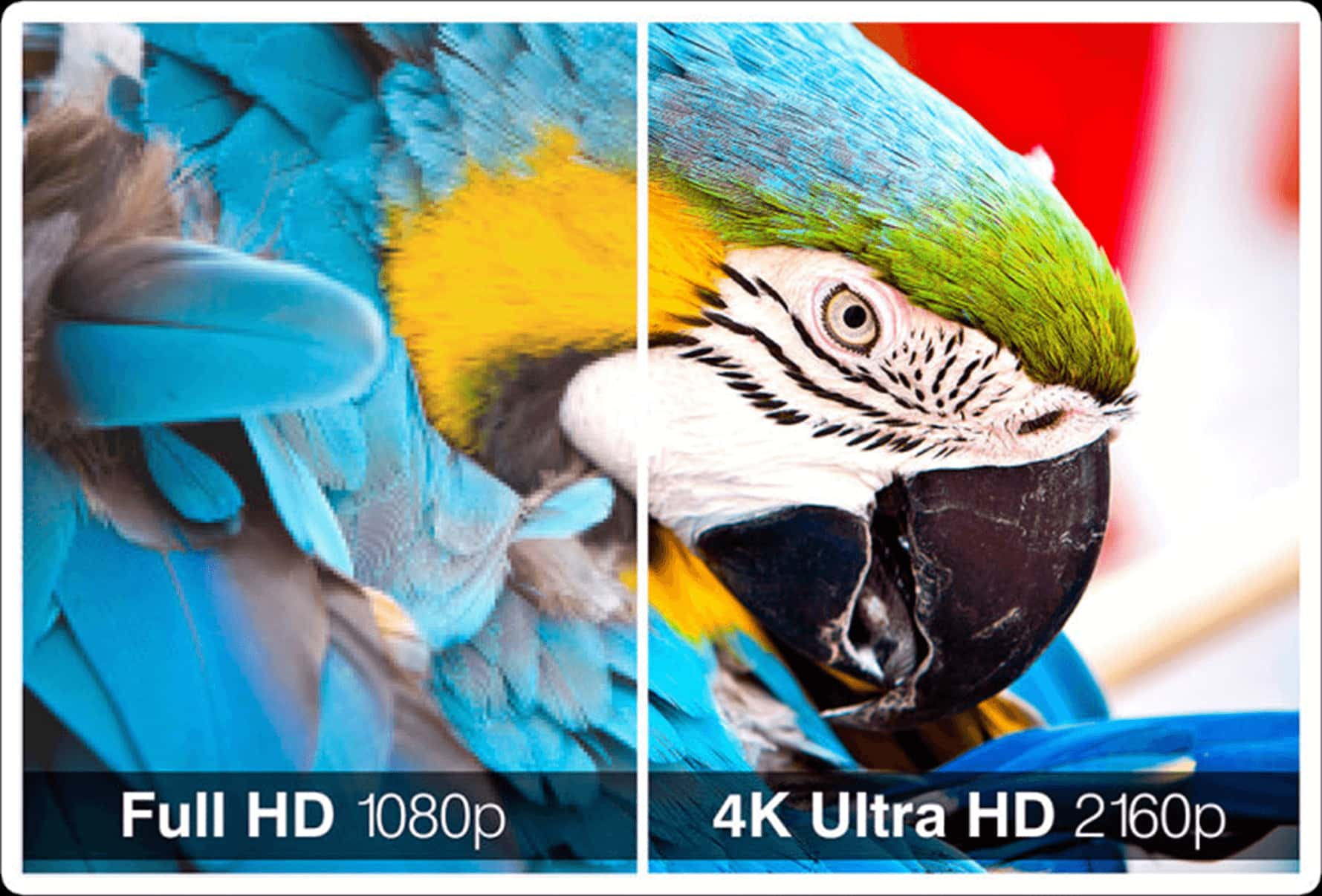
No, 4K is objectively sharper. However, many gamers prefer 1440p because it allows for much higher frame rates. A smooth 144Hz 1440p experience is generally considered superior to a choppy 60Hz 4K experience, making 1440p the "performance winner" for most gamers.
Can I run 1440p on a PS5 or Xbox Series X?
Yes. Both the PlayStation 5 and Xbox Series X (and their 2026 iterations/pro models) fully support native 1440p output. This is an excellent middle ground for console players using a desk setup rather than a living room TV.
Final Verdict: Which One Wins for You?
The "winner" depends entirely on your primary activity and your budget.
- Choose 1440p (QHD) if you are a gamer or office professional using a 27-inch or 32-inch monitor. It is the current "sweet spot" for performance, price, and clarity. In 2026, it offers the best path to high-refresh-rate OLED gaming without requiring a flagship GPU.
- Choose "True 2K" (DCI) only if you are working in professional film production or digital cinema where that specific aspect ratio and resolution are required for DCI compliance.
- Choose 1080p only for budget-constrained builds or 24-inch screens where cost is the primary factor.
For the vast majority of users in 2026, 1440p is the clear victor, offering a substantial upgrade in every measurable category over standard HD while remaining more attainable and performant than 4K.