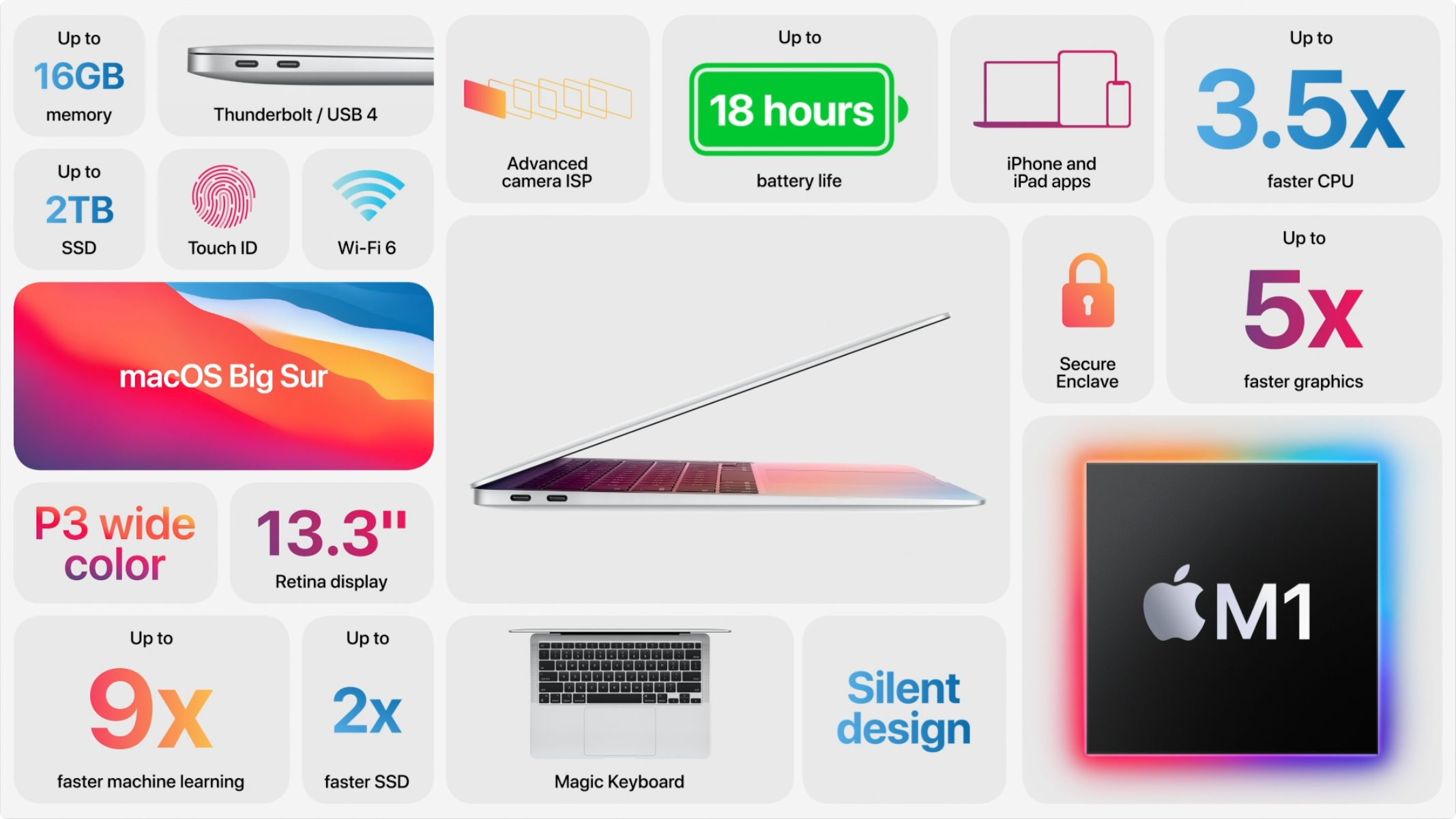
The Apple M1 chip, introduced in 2020 as Apple’s first custom silicon for Mac, is a system-on-a-chip (SoC) that integrates the CPU, GPU, Neural Engine, and memory into a single package. By utilizing a unified memory architecture and 5-nanometer process technology, it significantly improved power efficiency and performance for laptops and desktops, effectively bridging the gap between mobile and desktop computing.
The Foundation of Apple Silicon: What is a System-on-a-Chip?
To understand the M1, one must first understand the fundamental shift from traditional x86 architecture (used by Intel and AMD) to the ARM-based Apple Silicon. In a conventional computer setup, the central processing unit (CPU), graphics processing unit (GPU), random access memory (RAM), and input/output controllers are typically spread across the motherboard.
The M1 departs from this by integrating these distinct components onto a single die. This “System-on-a-Chip” design drastically reduces the physical distance signals must travel. When data does not have to move across a complex motherboard bus, latency drops, and power consumption is slashed. The M1 was designed with a specific focus on "performance per watt," ensuring that tasks requiring intensive computation—such as video rendering or software compiling—do not drain the battery as quickly as they did on previous Intel-based Mac models.
Deep Dive into the M1 Architecture
The M1 is built on a 5-nanometer process node, allowing for an incredibly high transistor density. With 16 billion transistors packed into a single chip, Apple was able to include specialized hardware for almost every common computing task.
The CPU: Efficiency Meets Performance
The M1 features an 8-core CPU consisting of four "Performance" cores and four "Efficiency" cores.
- Performance Cores: These are designed for single-threaded tasks where speed is paramount. They handle heavy workloads like gaming, code compilation, or professional audio editing.
- Efficiency Cores: These handle background tasks, such as checking emails, syncing data, or managing system processes. Because they require significantly less power, they keep the machine cool and extend battery life during light usage.
The Integrated GPU
One of the most notable aspects of the M1 is its integrated graphics unit. With up to 8 GPU cores (some lower-tier models feature 7), the M1 provides massive graphical throughput without the need for a discrete graphics card. This integration benefits from the unified memory architecture, allowing the GPU to access the same data pool as the CPU instantaneously.
The Neural Engine
The 16-core Neural Engine is a dedicated hardware block for machine learning. It is capable of performing 11 trillion operations per second. This component powers features like real-time image processing in Final Cut Pro, voice recognition for Siri, and advanced object detection in Photos, offloading these complex tasks from the CPU and GPU.
Unified Memory Architecture (UMA)
Traditional computers use separate memory pools for the CPU and the GPU. The M1 utilizes a Unified Memory Architecture (UMA), which allows all components on the chip to access the same high-bandwidth, low-latency memory.
In a standard system, moving data between system RAM and video RAM creates a bottleneck. Because the M1 has a single, unified pool, the system does not need to copy data between different memory banks. This architecture is the primary reason why an M1 Mac with 8GB or 16GB of RAM often outperforms a similarly spec’d traditional PC; the "effective" speed of the memory is much higher because there is no overhead from data duplication or transfer.
Technical Specifications Summary
The table below outlines the core specifications of the standard Apple M1 chip.
| Feature | Specification |
|---|---|
| Process Technology | 5nm (nanometer) |
| Total Transistors | 16 Billion |
| CPU Cores | 8 (4 Performance, 4 Efficiency) |
| GPU Cores | 7 or 8 (model dependent) |
| Neural Engine | 16-core |
| Unified Memory Support | Up to 16GB |
| Memory Bandwidth | Up to 68.25 GB/s |
Operational Impact: Real-World Performance
When the M1 was released, the most immediate impact users noticed was thermal management. Because the chip is so efficient, many M1 devices, such as the MacBook Air, were designed without internal fans. This meant the devices could operate in complete silence.
For power users, the "Rosetta 2" translation layer was a critical technical component. Since the M1 uses an ARM-based instruction set (ARM64), it cannot natively run software written for Intel (x86-64) chips. Rosetta 2 translates Intel-based applications into ARM-based instructions automatically. While there is a slight overhead during the initial launch, the performance remains high enough that most users do not distinguish between native and translated applications in their daily workflow.
Common Misconceptions and Limitations
Despite its efficiency, the M1 is not a replacement for high-end workstation hardware that requires expandable memory or massive GPU clusters.
- Memory Ceiling: The base M1 is limited to 16GB of unified memory. For users who work with massive datasets or 8K video timelines, this can be a limitation compared to the M1 Pro, Max, or Ultra variants that followed.
- Expansion: Because the memory and storage are soldered onto the chip or the board next to it, there is no way to upgrade these components after purchase. Prospective buyers must decide on their memory and storage requirements at the point of sale.
- Peripheral Support: While the M1 supports Thunderbolt/USB 4, the number of total external displays natively supported by the standard M1 chip is generally limited to one (excluding multi-monitor setups facilitated by DisplayLink adapters).
Choosing the Right Hardware for Your Needs
In 2026, the M1 remains a highly capable chip for general productivity, web development, and content creation. If you are choosing hardware, consider your specific bottleneck:
- General Computing: If your work involves browsers, office suites, and light media, the base 8GB model is sufficient.
- Creative Work: If you are editing photos or moderate 4K video, opting for the 16GB unified memory upgrade is strongly recommended to prevent memory swapping.
- Advanced Professional Work: If your workflow involves 3D rendering, machine learning training, or high-bitrate video editing, you may find that the entry-level M1 lacks the necessary GPU cores and memory bandwidth provided by newer M-series "Pro" or "Max" chips.
Frequently Asked Questions
Is the Apple M1 chip compatible with all Mac software?
Yes, thanks to Rosetta 2. Almost all legacy x86-64 Mac apps run on the M1. Native ARM64 applications offer better performance and battery life, but the compatibility layer ensures that older software remains usable.
Can I upgrade the RAM on my M1 Mac?
No. The unified memory is integrated directly into the M1 SoC package. You must select the desired memory configuration at the time of purchase as it cannot be changed later.
Why does the M1 use less power than Intel chips?
The M1 uses an ARM architecture, which relies on a reduced instruction set computing (RISC) design. This design requires fewer transistors for common tasks, leading to less heat generation and lower electricity consumption.
Does the M1 support Windows?
It does not support native "Boot Camp" installations of Windows, as that requires an x86 processor. However, it can run Windows through virtualization software like Parallels Desktop, which translates the x86 code to run on the ARM architecture.
How does the M1 compare to the M2 or M3?
The M2 and M3 chips represent later generations with higher clock speeds, more GPU cores, and additional media engine hardware. While the M1 is still excellent for daily tasks, the newer chips provide measurable improvements for video encoding, gaming, and complex multi-threaded workloads.
Next Actions
If you are currently using an M1 device and experiencing sluggishness, first check your "Memory Pressure" in the Activity Monitor. If the graph is yellow or red, your system is swapping data to the SSD, which is the primary cause of performance loss. To resolve this, close memory-intensive applications like web browsers with many tabs or background video renderers. For prospective buyers, prioritize the 16GB RAM configuration to ensure your machine remains viable for several more years of software updates.