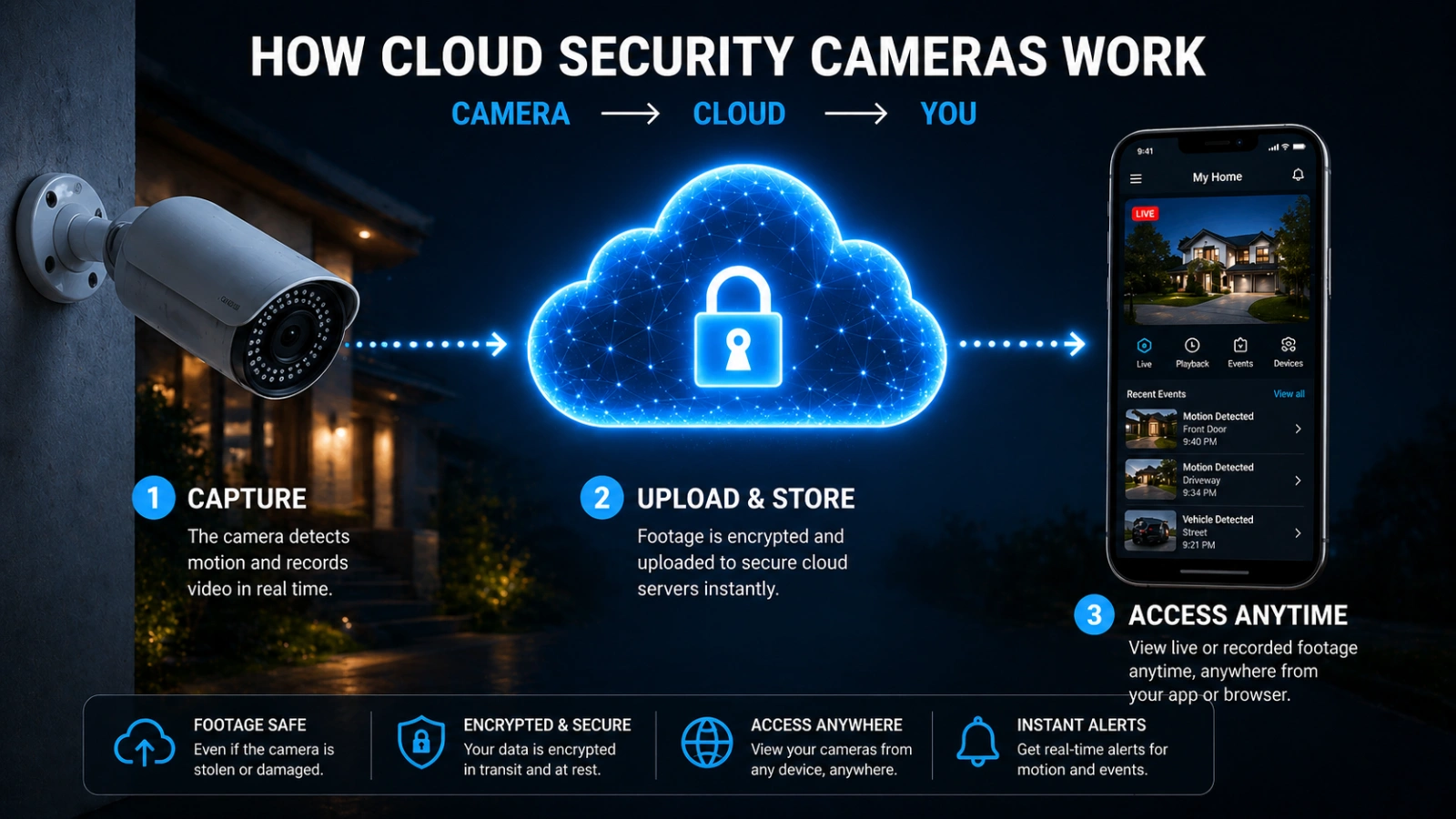
In 2026, 1080p cloud security cameras remain the primary entry point for reliable home surveillance, offering a practical balance between visual clarity and data efficiency. While higher resolutions exist, 1080p provides sufficient detail for most residential needs—such as identifying faces at short range or monitoring pets—while keeping cloud subscription costs and internet bandwidth usage manageable.
The landscape of home security has evolved significantly by 2026. While 4K and 8K cameras have captured the high-end market, the "1080p" (Full HD) standard has matured into a highly optimized, AI-enhanced tier of hardware. Choosing a single 1080p cloud camera requires understanding not just the resolution, but how the ecosystem—storage, artificial intelligence, and hardware constraints—impacts its real-world performance.
The Technical Reality of 1080p in 2026
To understand your options, you must first understand what 1080p signifies in the current year. A 1080p image consists of 1920 x 1080 pixels, totaling roughly 2.1 million pixels per frame. In 2026, the quality of these pixels is vastly superior to those of a decade ago due to improvements in CMOS (Complementary Metal-Oxide-Semiconductor) sensor technology and light sensitivity.
Sensor Quality vs. Resolution
A common misconception is that all 1080p cameras are equal. However, a camera with a larger 1/2.7-inch sensor will capture significantly more light than a cheaper model with a 1/4-inch sensor. This results in clearer night vision and less "noise" in the image. When evaluating 1080p options, looking at the aperture (e.g., f/1.6 or f/2.0) is often more important than the resolution itself, as a wider aperture allows for better performance in low-light conditions without relying heavily on grainy digital amplification.
The Role of H.265 and H.266 Compression
In 2026, almost all reputable cloud cameras have transitioned from the older H.264 compression standard to H.265 (HEVC) or the newer H.266 (VVC). This is critical for cloud-based systems. These compression methods allow 1080p video to be transmitted and stored using 50% to 70% less bandwidth than in previous years. This means your home network remains responsive even if you have a 1080p camera streaming continuously to the cloud.
Primary 1080p Cloud Camera Options
When selecting a single 1080p unit, the market is generally divided into three categories based on power and connectivity.
1. Hardwired Indoor/Outdoor Cameras
These are the "set and forget" options. Because they have a constant power source, they often offer 24/7 continuous recording to the cloud, rather than just event-based clips.
- Pros: No battery anxiety; supports "Pre-roll" (capturing the seconds before motion is detected).
- Best For: High-traffic areas like front porches or main living rooms.
2. Battery-Powered Wireless Models
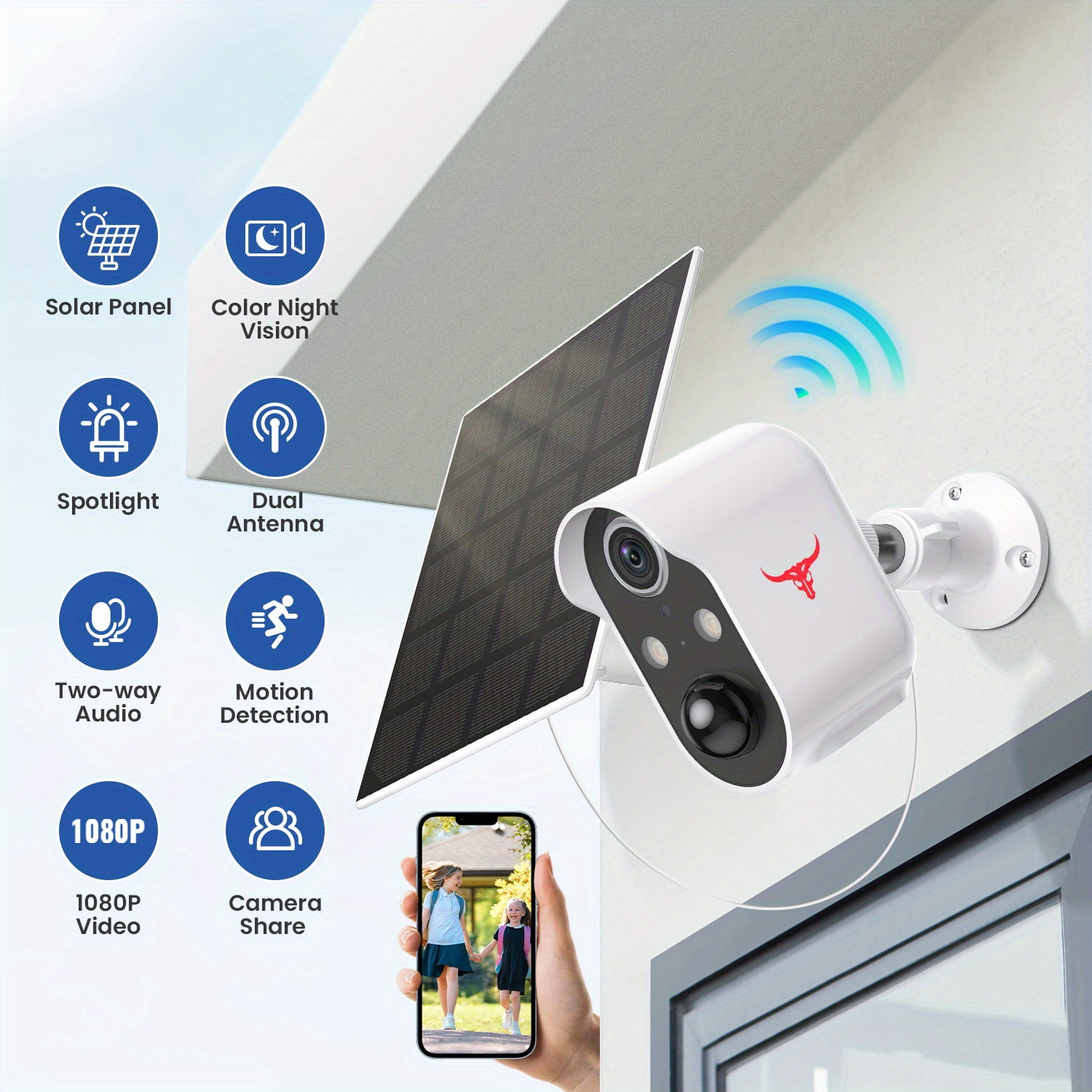
These units rely on internal rechargeable batteries and usually connect via Wi-Fi. In 2026, many of these models feature integrated mini-solar panels to extend battery life indefinitely.
- Pros: Easiest installation; can be placed anywhere within Wi-Fi range.
- Best For: Remote corners of a property, rental units, or areas where running wires is impossible.
3. Pan-Tilt-Zoom (PTZ) 1080p Models
A PTZ camera allows the user to remotely rotate the lens. While many 1080p cameras have a fixed wide-angle lens (usually between 110° and 160°), PTZ models can cover a full 360-degree field of view.
- Pros: Eliminates blind spots with a single camera.
- Best For: Large open-plan rooms or expansive backyards.
Cloud Storage Models and Subscription Limits
The "Cloud" aspect of these cameras is where most users face their biggest decisions and limitations. By 2026, the industry has largely moved toward "AI-as-a-Service" models.
Event-Based vs. Continuous Recording
Most 1080p cloud plans distinguish between event-based recording (clips triggered by motion) and CVR (Continuous Video Recording).
- Event-Based: Often included in basic subscriptions (ranging from $3 to $5 per month per camera). The camera only uploads video when its AI detects a person, pet, or vehicle.
- Continuous (CVR): Can cost $10 to $20 per month. This is a heavy lift for home Wi-Fi and is often the primary technical limit for users with slower upload speeds.
AI Processing Limits
Modern 1080p cameras perform "Edge AI" processing, meaning the camera itself determines if a moving object is a human or a swaying tree branch. However, more advanced features—like facial recognition or "familiar face" alerts—often happen in the cloud. This requires an active subscription. Without it, you may be limited to basic motion alerts that don't distinguish between a burglar and a neighborhood cat.
Comparison of 1080p Cloud Camera Categories (2026)
| Feature | Wired 1080p Camera | Battery/Solar 1080p | PTZ 1080p Camera |
|---|---|---|---|
| Primary Power | AC Adapter / PoE | Internal Battery / Solar | AC Adapter |
| Recording Mode | Continuous or Event | Event-based only | Continuous or Event |
| Typical Latency | 1–2 seconds | 2–5 seconds | 1–3 seconds |
| Key Limitation | Requires nearby outlet | Trigger delay (latency) | Mechanical wear over time |
| Ideal Use | 24/7 Front Door Security | Trees, Gates, Detached Sheds | Monitoring entire backyards |
Technical Limits and Constraints
While 1080p is a versatile standard, it has distinct boundaries that users must respect to avoid dissatisfaction.
1. The Digital Zoom Limitation
The most significant limit of a 1080p camera is its inability to maintain clarity during digital zoom. Unlike optical zoom (which uses physical lenses), digital zoom simply enlarges the existing pixels. If you attempt to zoom in on a license plate 50 feet away on a 1080p feed, the image will likely become "pixelated" or blocky. For identification purposes, 1080p is generally effective only within a 15-to-20-foot radius.
2. Bandwidth and "Upload Choke"
Even with H.265 compression, a 1080p stream requires a stable upload speed (not download speed). A single 1080p camera streaming at high quality typically needs between 1.5 Mbps and 4 Mbps of dedicated upload bandwidth. If your ISP provides limited upload speeds (common in many DSL or basic cable packages), your camera may experience "stuttering" or reduced resolution during peak hours.
3. Dependency on Internet Connectivity
The "Cloud" is both a feature and a limitation. If your internet goes down, most 1080p cloud cameras lose their primary function. While some models in 2026 include a microSD card slot for "local backup" during outages, the ability to receive real-time alerts or view live feeds is entirely dependent on your router and ISP.
4. Privacy and Data Sovereignty
Cloud storage involves sending your private home video to a server owned by a corporation (e.g., Amazon, Google, or Arlo). While end-to-end encryption (E2EE) is standard in 2026 for most major brands, users are still limited by the privacy policies of the provider. If a provider changes their terms or experiences a data breach, your footage could theoretically be at risk.
Installation and Optimization for 1080p Systems
To get the most out of a 1080p cloud camera, placement and configuration are more important than they would be for a higher-resolution 4K unit.
Positioning for Maximum Identification
Since you cannot rely on zooming in later, you must place the camera where the subjects will naturally pass close to the lens. For a 1080p doorbell or porch camera, the ideal height is approximately 5 to 7 feet. This angle ensures you capture facial features rather than just the tops of heads.
Managing Wi-Fi Interference
The 2.4 GHz Wi-Fi band is often crowded with other smart home devices. In 2026, if your 1080p camera supports the 5 GHz or 6 GHz (Wi-Fi 6E/7) bands, use them. These frequencies offer more "lanes" for data, reducing the lag time between a motion event and the notification appearing on your phone.
Lighting Considerations
1080p sensors perform best when they aren't fighting extreme contrast. Avoid pointing the camera directly at the sun or a bright streetlamp. If the camera is monitoring a dark area, ensure it has high-quality Infrared (IR) LEDs or, better yet, a built-in spotlight to enable "Color Night Vision." Color night vision in 1080p provides much better forensic evidence (e.g., the color of a suspect's jacket) than standard black-and-white IR.
Legal and Regulatory Compliance
Before deploying a cloud security camera, users must be aware of local surveillance laws, which have become more stringent by 2026.
- Audio Recording: In many jurisdictions, recording audio without consent is a more serious legal violation than recording video. Most cloud cameras allow you to disable the microphone in the app settings.
- Public Space Privacy: Ensure your 1080p camera is not aimed directly into a neighbor’s window or private backyard. Many modern apps allow you to set "Privacy Zones" that black out specific areas of the frame before the video is even uploaded to the cloud.
- Data Retention Laws: Certain regions (such as the EU under updated GDPR frameworks) have specific rules on how long cloud footage can be stored. Most cloud providers now allow you to set auto-delete timers for 7, 30, or 60 days.
Frequently Asked Questions
Does 1080p provide enough detail to see license plates?
Generally, no. A 1080p camera can only capture a legible license plate if the car is moving slowly and is within 10 to 15 feet of the lens. For reliable license plate recognition at a distance, a 4K camera or a specialized LPR (License Plate Recognition) camera is usually required.
How much data does a 1080p cloud camera use per month?
This depends on how much motion occurs. For an event-based camera in a low-traffic area, it might use 10 GB to 30 GB per month. However, a 1080p camera set to 24/7 continuous cloud recording can consume 150 GB to 300 GB per month, which may trigger data caps on some home internet plans.
Are there any "free" cloud storage options for 1080p cameras in 2026?
Truly free cloud storage has become rare. Most brands that previously offered free 7-day rolling storage have transitioned to paid models. However, some brands still offer a "Lite" tier that provides 12-second clips with a cooldown period between recordings at no cost.
Can 1080p cameras be hacked?
Any device connected to the internet carries a risk. To mitigate this, ensure your camera supports Two-Factor Authentication (2FA) and End-to-End Encryption (E2EE). In 2026, most major security breaches are the result of weak passwords rather than flaws in the cloud architecture itself.
Is 1080p obsolete compared to 2K or 4K?
No. 1080p remains the "sweet spot" for many users because it requires less storage space and less internet bandwidth. For indoor use or monitoring a small apartment, 1080p is more than sufficient. 4K is often "overkill" for these scenarios and can lead to unnecessary subscription costs.
Final Recommendation
If you are looking for a cost-effective, reliable way to monitor your home in 2026, a 1080p hardwired cloud camera with AI person detection is the optimal choice for most users. It provides enough detail for basic security while ensuring your internet connection isn't overwhelmed by massive video files. Before purchasing, verify your ISP's upload speed and choose a camera brand that offers a cloud subscription plan that fits your long-term budget.