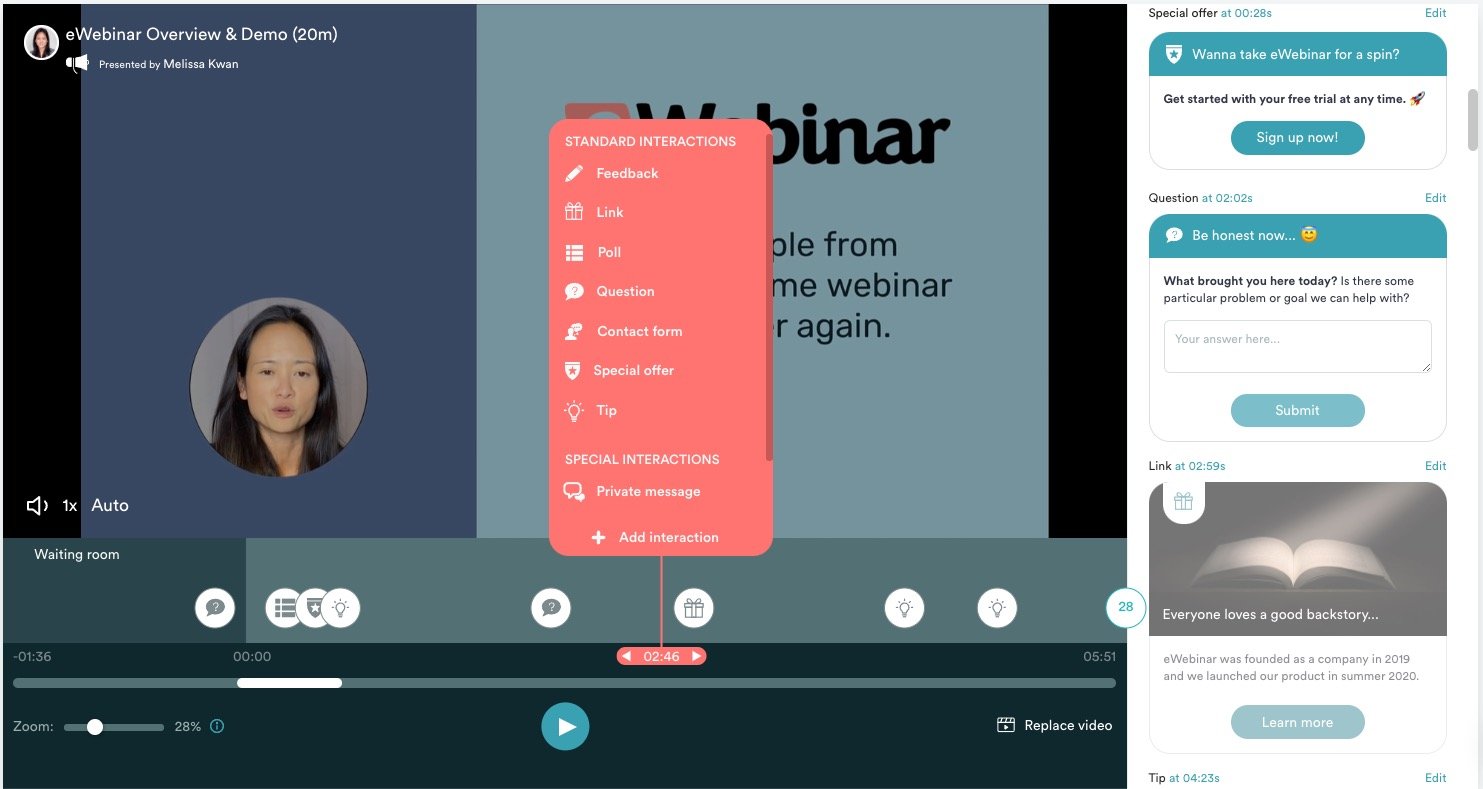
Choosing the right online webinar platform depends on your specific goals, audience size, interactive needs, and budget. Whether you are hosting automated marketing funnels, interactive corporate training sessions, or large-scale virtual summits, different software options excel in unique areas like attendee capacity, analytics, streaming stability, and built-in monetization features.
Selecting the right online webinar platform can make the difference between a high-converting, highly engaging virtual event and a technical disaster. Modern webinar software has evolved far beyond basic video conferencing tools, offering sophisticated CRM integrations, automated email workflows, live polling, breakout rooms, and robust analytics dashboards.
Navigating the market requires evaluating your primary use case. Are you a marketer looking to drive automated sales funnels? Are you an educator requiring breakout rooms and attendance tracking? Or are you an enterprise organization needing ultra-low latency and custom branding? This analysis examines the five top online webinar platforms on the market, detailing their core strengths, limitations, ideal use cases, and structural differences.
Understanding Your Webinar Requirements
Before committing to a software provider, you must outline your technical and operational requirements. Many organizations fail with webinar software because they choose a platform based solely on price, only to discover later that it lacks essential features like automated replay scheduling, custom branding, or sufficient attendee caps.
Scale and Attendee Capacity
Consider the size of your average audience and your growth projections. Platforms typically tier their pricing based on live attendee limits. A platform that comfortably handles 100 participants for a boutique consulting firm will collapse or incur heavy overage fees when hosting a product launch for 3,000 attendees. Furthermore, examine whether the platform charges based on registration numbers or concurrent live attendees.
Interactivity vs. Broadcast Mode
Webinars generally fall into two structural categories: meeting-style rooms where everyone can unmute, and broadcast-style rooms where presenters speak to a muted, viewing-only audience. Marketing webinars typically require broadcast mode with controlled chat, Q&A moderation, and targeted CTAs (Call to Actions). Collaborative workshops, on the other hand, require breakout rooms, digital whiteboards, and multi-host permissions.
Integration and Automation Ecosystem
Standalone webinar tools are rarely used in a vacuum. They must communicate seamlessly with your CRM, email service provider (ESP), and payment gateways. If you rely on automated marketing funnels—where registrants receive customized email sequences based on whether they attended live or watched the replay—native integrations with tools like HubSpot, ActiveCampaign, or Salesforce are non-negotiable.
The 5 Best Online Webinar Platforms Compared
The following platforms represent the industry leaders across various categories, balancing feature sets, reliability, and cost.
1. Demio: Best for Marketing and Automated Funnels
Demio is built from the ground up for marketers, course creators, and agencies who prioritize ease of use and automated conversion workflows. Unlike legacy tools that require complex plugin installations, Demio operates entirely within modern web browsers without requiring downloads for attendees.
Core Features
- Browser-Based Access: Attendees join instantly via a web link, reducing drop-off rates caused by software friction.
- Automated and Hybrid Webinars: Seamlessly blend pre-recorded video with live chat engagement to run evergreen sales funnels.
- Interactive Engagement Tools: Built-in features include public and private chat, featured Q&A panels, clickable handouts, and timed calls-to-action that pop up directly on the screen.
- Detailed Analytics: Track attendance duration, engagement scores, and conversion metrics down to the individual user level.
Limitations
Demio is less suited for large-scale enterprise town halls that require hundreds of interactive webcams or complex multi-room structural setups. Its participant caps also make it less economical for massive public broadcasts compared to dedicated streaming solutions.
2. WebinarJam: Best for Large-Scale Sales Presentations
WebinarJam is a heavyweight contender engineered specifically for high-stakes sales pitches, product launches, and massive live audiences. It is designed to handle up to 5,000 attendees in a single room, depending on the chosen pricing tier, making it a favorite among high-volume infopreneurs and coaches.
Core Features
- Massive Capacity: Supports thousands of live participants with stable streaming infrastructure.
- Active-Offer Injections: Presenters can push buy buttons, limited-time discount codes, and order forms directly onto the attendee's screen during the broadcast.
- Panic Button: If a presenter experiences a technical failure or disconnects, the panic button instantly reroutes the live room to a backup room without dropping the audience.
- Extensive Simulation Options: Allows you to play pre-recorded videos that look and feel entirely live to the audience.
Limitations
The user interface can feel cluttered and complex compared to more minimalist competitors. Additionally, WebinarJam relies heavily on its companion software, EverWebinar, if you want to run completely automated, evergreen sessions without manual intervention.
3. Zoom Webinars: Best for Familiarity and Corporate Training
Zoom has become a ubiquitous household name, and Zoom Webinars (officially known as Zoom Events and Webinars) leverages that universal brand familiarity to deliver reliable, structured broadcast capabilities for corporate environments.
Core Features
- High User Familiarity: Because most professionals already use Zoom Meetings, the learning curve for both hosts and attendees is virtually nonexistent.
- Flexible Roles: Easily manage panelists, alternative hosts, and attendees with strict permission controls.
- Robust Integrations: Connects effortlessly with standard enterprise software stacks, including Marketo, Eloqua, and Eventbrite.
- Production Controls: Features high-definition video, virtual backgrounds, studio lighting effects, and integrated live transcription.
Limitations
Zoom Webinars can become expensive, as pricing scales steeply based on attendee capacity tiers. Furthermore, while functional for marketing, Zoom's aesthetic and marketing-specific automation tools (such as native multi-step email nurturing sequences) are less robust than platforms designed exclusively for sales conversion.
4. Livestorm: Best for Browser-Based Collaboration and Analytics
Livestorm positions itself as a browser-first video engagement platform designed for modern marketing teams, customer success departments, and remote recruitment agencies. It emphasizes clean design, data privacy compliance (GDPR), and comprehensive event management.
Core Features
- Zero Downloads Required: Fully browser-based for both hosts and attendees across desktop and mobile devices.
- End-to-End Event Management: Includes built-in registration pages, customizable email touchpoints, live engagement widgets, and automated replay distribution.
- Powerful API and Webhooks: Highly customizable for developer teams looking to build bespoke event experiences or sync data into proprietary internal databases.
- Multilingual Capabilities: Supports localization for global teams and international audiences.
Limitations
Livestorm's free tier is strictly limited in duration and attendee count, and its paid plans can become costly for organizations running high-frequency daily webinars with large audiences.
5. GoToWebinar: Best for Reliability and Enterprise Compliance
GoToWebinar is one of the oldest and most established names in the webinar industry. Known for its rock-solid stability and rigorous security protocols, it remains a staple for financial institutions, healthcare providers, and large enterprise corporations.
Core Features
- Enterprise-Grade Reliability: Built on mature infrastructure designed to minimize downtime and dropped streams during high-stakes presentations.
- Comprehensive Reporting: Generates deep analytical reports on attendee engagement, source tracking, and long-term campaign performance.
- Source Tracking: Easily track which marketing channels or partner links generated the highest-converting registrations.
- Automated Recordings: Automatically records and stores sessions in the cloud for immediate post-event publishing.
Limitations
The user interface and design templates feel dated compared to newer, sleeker competitors like Demio and Livestorm. Setup workflows can also feel rigid and bureaucratic, requiring more clicks to achieve simple configuration tasks.
Feature Comparison Matrix
| Platform | Best For | Max Attendees (Typical) | Browser-Based? | Key Advantage |
|---|---|---|---|---|
| Demio | Marketing & Automated Funnels | Up to 1,000+ | Yes | Frictionless browser access and clean marketing workflows. |
| WebinarJam | High-Volume Sales Pitches | Up to 5,000 | Yes / App | Panic button backup and aggressive in-stream sales offers. |
| Zoom Webinars | Corporate Training & Scale | Up to 50,000+ | App / Browser | Universal brand familiarity and enterprise ecosystem. |
| Livestorm | Collaboration & Analytics | Varies by Tier | Yes | Robust API, GDPR compliance, and end-to-end management. |
| GoToWebinar | Secure Enterprise Broadcasts | Up to 3,000+ | App / Browser | Battle-tested stability and deep source-tracking reports. |
Key Considerations for Choosing Your Platform
Evaluating these platforms requires looking past surface-level marketing claims and examining how the software fits into your day-to-day operational workflow.
1. Cost Versus Return on Investment (ROI)
Webinar software pricing varies drastically. Entry-level tiers may cost between $30 and $60 per month, while enterprise tiers can scale past several hundred dollars monthly. Calculate your potential ROI: if a platform's automated sales features or superior conversion tools help you close just one extra high-ticket client per month, the software pays for itself.
2. Registration Page Customization
Your webinar funnel begins long before the live room opens. Examine the landing page builders included with each platform. Some tools offer basic, rigid templates where you can only change the text and header image. Others provide fully customizable drag-and-drop builders or seamless integrations with dedicated landing page builders like Leadpages or Unbounce.
3. Mobile Responsiveness
A significant percentage of webinar attendees will join via a smartphone or tablet, especially for B2C presentations or fitness and lifestyle coaching. Test how the registration pages, live chat, polls, and video streams perform on mobile devices before locking into an annual contract.
Frequently Asked Questions
What is the difference between an automated webinar and a live webinar?
A live webinar happens in real-time with presenters broadcasting live video and interacting with incoming chat messages. An automated webinar (sometimes called an evergreen webinar) plays a pre-recorded video file that is scheduled to launch at specified times, while utilizing simulated or automated live chat features to maintain audience engagement.
Do webinar attendees need to download software to join?
Most modern webinar platforms, such as Demio and Livestorm, operate entirely via web browsers like Google Chrome, Safari, or Microsoft Edge, requiring no downloads. However, some traditional enterprise platforms may still prompt attendees to download a lightweight browser extension or desktop application.
How do I choose between Zoom Meetings and Zoom Webinars?
Zoom Meetings are designed for multi-way collaboration where all participants can share audio, video, and screens. Zoom Webinars are designed for broadcast environments where designated hosts and panelists present to a passive, viewing-only audience with structured Q&A moderation.
Can I monetize my online webinars?
Yes. Many platforms integrate directly with payment processors like Stripe or PayPal, allowing you to charge for ticket registrations. Alternatively, marketers use free webinars as top-of-funnel lead magnets to pitch high-end consulting, digital courses, or software subscriptions.
What happens if my internet disconnects during a live webinar?
Platform reliability varies. Tools like WebinarJam feature automatic backup systems (such as the panic button) that keep the virtual room alive or switch presenters seamlessly. It is always recommended to have a co-host located in a different geographical area with a secondary internet connection to take over if the primary host drops.
Conclusion and Next Action
Selecting the best online webinar platform requires aligning your technical requirements with your core business model. If your focus is automated marketing funnels and clean user experiences, Demio or Livestorm offer exceptional browser-based value. For massive sales pitches with aggressive in-stream offers, WebinarJam is tailored for the job. If your organization requires corporate security and universal user familiarity, Zoom Webinars or GoToWebinar remain dependable industry standards.
Your immediate next step is to map out your projected attendee volume, list your required CRM integrations, and sign up for a 14-day free trial on your top two platform choices to test their live studio environments firsthand.