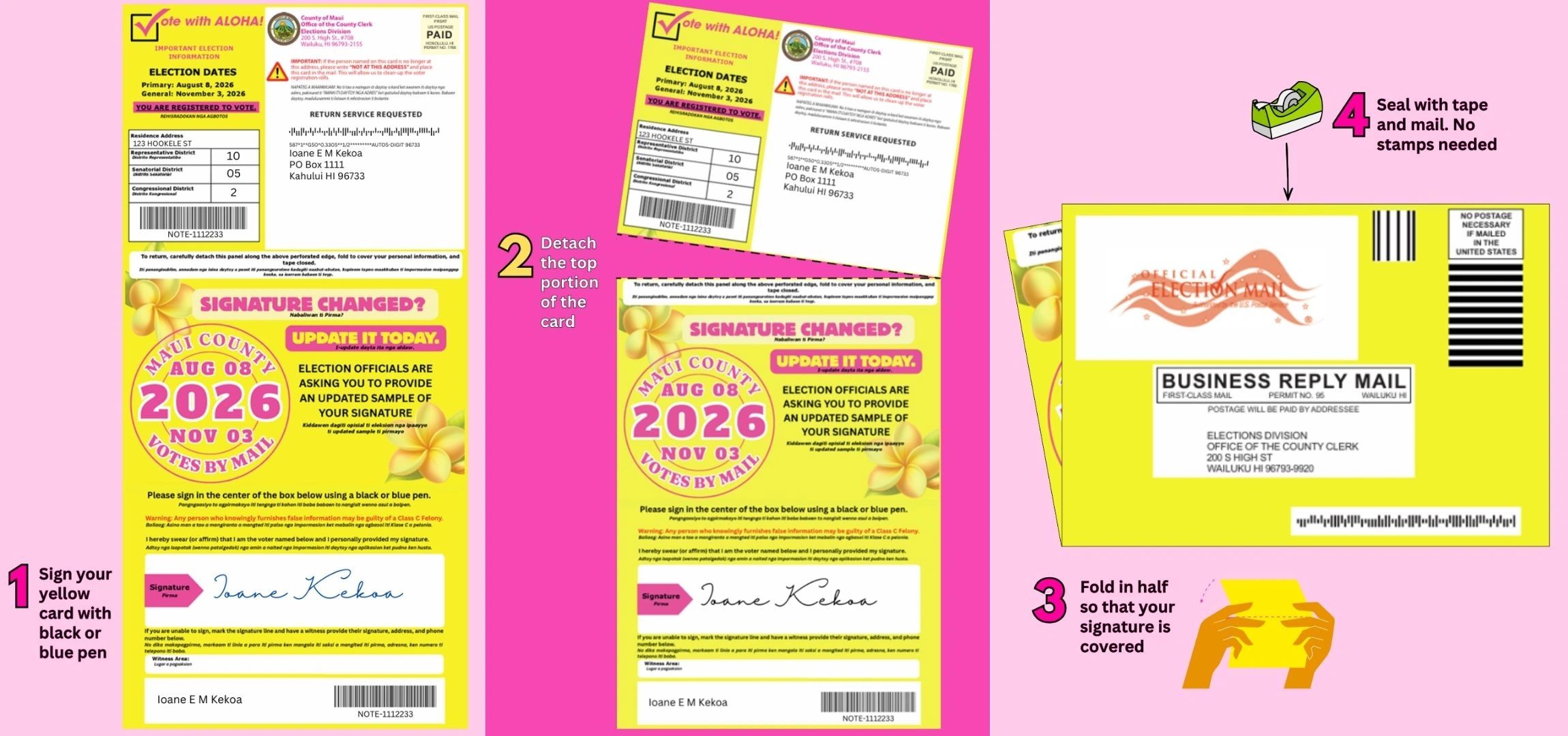
To register to vote or update your registration details using a PDF form in 2026, you can download the official National Mail Voter Registration Form from the U.S. Election Assistance Commission (EAC) or obtain a state-specific voter application PDF via Vote.gov. After completing, printing, physically signing, and mailing the PDF to your local election office, election administrators process your file and issue an official voter registration card.
Understanding Voter Registration PDF Forms vs. Official Voter Cards
When searching for a voter registration card PDF, voters often conflate two distinct documents: the voter registration application form (a downloadable PDF used to apply or update voter records) and the voter registration card or certificate (an official document issued by election administrators confirming registration status).
Voter Journey: Application to Official Card
- Download & Fill PDF Application Form
- Print, Sign & Mail to Local Election Office
- Local Officials Process & Mail Official Card
The application form acts as the legal instrument to collect required citizenship declarations, personal identity credentials, and physical residence details. Federal law under the National Voter Registration Act of 1993 (NVRA) established standardized voter registration mechanisms across the United States, mandating that states accept national mail-in registration applications under specific federal guidelines.
Once your completed application PDF is processed and verified by your municipal, county, or state election authority, election officials generate your official voter registration card. This physical or digital card includes essential voting information:
- Voter Identification Number: A unique identifier assigned by your state or county election registry.
- Assigned Precinct and Polling Place: The designated location where you cast your ballot on Election Day.
- Voting Districts: Your local legislative, congressional, school board, and municipal voting districts.
- Political Party Affiliation: Your registered party status (crucial for participating in closed primary elections).
While the initial application form is readily downloadable as a PDF, the official voter registration card itself is produced by local government bodies after processing your application. However, many state voter self-service portals now allow registered voters to download a PDF copy or verification certificate of their active voter status directly from their account dashboard.
Where to Download Official 2026 Voter Registration PDF Forms
Downloading voter registration forms from official government repositories protects your personal identifiable information (PII) and ensures you are using legally valid, current application templates.
1. The National Mail Voter Registration Form (EAC)
The U.S. Election Assistance Commission (EAC) maintains the official National Mail Voter Registration Form. This PDF form can be used by residents of most U.S. states to register for the first time, report a change of name, update a residential or mailing address, or register with a political party.
The EAC provides this national PDF in over 15 languages, including English, Spanish, Chinese, Vietnamese, Tagalog, Korean, Khmer, Arabic, French, and Hindi. The document contains specific state-by-state instructions detailing unique eligibility criteria, identification requirements, and mailing addresses for local election authorities.
2. State-Specific Voter Registration PDF Applications
Most state Secretaries of State or State Boards of Elections offer state-specific voter registration PDFs. These documents are tailored precisely to state election laws and often feature streamlined instructions for voters residing within that jurisdiction. For instance:
- California: Provides printable voter registration application PDFs in multiple languages through the California Secretary of State portal.
- Texas: Offers a downloadable voter registration application PDF, though state law requires the completed form to be printed, hand-signed, and physically delivered or mailed to the voter's County Voter Registrar.
- Florida: Offers the Florida Voter Registration Application in downloadable PDF format for mail submission.
- New York: Provides downloadable paper applications through the New York State Board of Elections.
3. Central Federal Portal (Vote.gov)
Voters unsure of their state's specific portal can use Vote.gov, managed by the U.S. General Services Administration (GSA) in partnership with the EAC. Selecting your state or territory directs you directly to the correct state-sanctioned downloadable PDF forms or legitimate online registration portals.
| Source Authority | Form Type | Primary Advantage | Best Used For |
|---|---|---|---|
| U.S. Election Assistance Commission (EAC) | National Mail Voter Registration Form (PDF) | Standardized federal form available in 15+ languages; includes comprehensive state-by-state rules. | Out-of-state residents, non-English speakers, uniform national applications. |
| State Election Offices (Secretary of State) | State Voter Registration Application (PDF) | Formatted specifically for local county processing; tailored state ID fields. | Direct submission within home state; specific county clerk routing. |
| State Voter Self-Service Portals | Voter Status Certificate / Proof of Registration (PDF) | Immediate digital generation of active registration credentials. | Verifying current registration status or showing proof of address. |
Step-by-Step Guide: Filling Out and Submitting the PDF Form
To ensure your voter registration application is processed without delay for 2026 primary and midterm elections, follow these technical steps:
Step 1: Verify General Eligibility Requirements
Before filling out the PDF, ensure you meet the legal thresholds for voter registration under state and federal law:
- You are a U.S. citizen (by birth or naturalization).
- You meet your state’s residency requirements (typically living in your county/state for a specified period prior to an election).
- You will be at least 18 years old on or before Election Day (many states allow 17-year-olds to pre-register if they turn 18 by General Election Day).
- You are not currently serving a sentence for a felony conviction (rules vary widely by state regarding voting rights restoration).
- You have not been declared mentally incompetent by a court of law with voting rights specifically revoked.
Step 2: Download and Open the PDF Form
Download the official application form directly from an authoritative .gov website. Open the document in a standard, secure PDF reader such as Adobe Acrobat Reader, Preview, or an updated web browser. Avoid utilizing third-party web converters or unauthorized mobile applications that may collect or cache personal data.
Step 3: Complete Personal Information Fields
Fill out all interactive text fields clearly. If filling out the PDF by hand after printing, use black or blue ink and write in block capital letters.
Required Fields Checklist:
- Check Box: U.S. Citizen declaration (Yes/No)
- Check Box: Age declaration (Will be 18 by Election Day)
- Full Legal Name: Last, First, Middle, Suffix
- Complete Residential Address (Street number, Name, Apt/Unit, City, State, Zip Code)
- Note: P.O. Boxes cannot be used as physical residential addresses.
- Mailing Address (If different from physical residence, e.g., P.O. Box, College Dorm, APO/FPO)
- Date of Birth (MM/DD/YYYY format)
- Contact Phone Number and Email Address (Optional in many states, but useful for election officials to resolve discrepancies)
Step 4: Supply Required Identification Details
Under the federal Help America Vote Act (HAVA) of 2002, voters registering by mail must provide identification details on their application form:
- Driver’s License / State ID Number: Provide your current, valid state-issued driver's license number or state identification card number.
- Social Security Number: If you do not possess a state-issued driver's license or state ID card, you must provide the last four digits of your Social Security Number (SSN4).
- No Issued ID Number: If you have neither a state ID nor an SSN, check the appropriate box indicated in your state's instructions on the form. Local officials will assign a unique identification number to your record.
Step 5: Declare Political Party Affiliation
If you live in a state with closed primary elections, you must select a political party affiliation on the PDF form to vote in that party's primary contests. Voters who register as "Independent," "Unaffiliated," or non-declared may be restricted to voting exclusively on non-partisan ballot measures and non-partisan races during primary elections, depending on state legislation.
Step 6: Print, Sign, and Date the Application
This step is critical: Most jurisdictions require a handwritten physical signature ("wet signature") on paper registration forms.
Digital, typed, or computer-generated signatures attached to a printed PDF application will generally cause your form to be rejected by local election officials.
- Print the completed PDF document on standard 8.5 x 11-inch white paper.
- Sign your legal signature by hand in the designated box using black or blue ink.
- Date the application using the current date (MM/DD/YYYY).
- By signing, you attest under penalty of perjury that all provided statements are true and correct under law.
Signature Rule Summary:
| ALLOWED | REJECTED |
|---|---|
| ✓ Blue or Black Ink Handwritten Signature | ✗ Typed Text Names (e.g., Arial font) |
| ✓ Physical Mark with Ink Pen | ✗ Digital Image Stamps / Pasted JPEGs |
| ✓ Verified Online Signature via DMV (When using official state web portal) | ✗ Standard Stylus Drawings on Unapproved Third-Party PDF Web Applications |
Step 7: Address and Mail the Package
Review the state-specific instruction pages included at the back of the National Mail Voter Registration Form PDF or on your state’s downloadable application. Locate the mailing address for your specific county clerk, local registrar of voters, or State Board of Elections. Place the signed document in a stamped envelope and mail it directly to that local government office.
State Identification Rules and HAVA Requirements for Mail Applicants
Understanding identity verification rules is crucial when registering via a printed PDF form rather than an in-person visit to a government facility.
The Help America Vote Act (HAVA) Directives
When you submit a voter registration application PDF by mail for the first time in a jurisdiction and have not previously voted in a federal election in that jurisdiction, federal law mandates identity verification. If local officials cannot automatically verify your state driver's license number or SSN4 against state motor vehicle or Social Security administration databases, you must present proof of identity.
To prevent processing delays, first-time mail applicants can include a clear photocopy of one of the following documents alongside their signed PDF form in the mailing envelope:
- Current and Valid Photo Identification:
- State-issued driver's license or non-driver ID card
- U.S. Passport or Passport Card
- U.S. Military Identification Card
- Government employee photo ID card
- Proof of Current Residential Address (showing your full legal name and current street address):
- Current utility bill (gas, electric, water, waste)
- Bank statement
- Government check or benefit check
- Paycheck or official pay stub
- Other official government document
Address Confidentiality Exceptions
Many states administer Address Confidentiality Programs (ACP) designed to protect victims of domestic violence, stalking, sexual assault, or human trafficking, as well as certain law enforcement officials. Participants in these programs are generally exempted from listing their physical street residential address on publicly accessible voter registration applications and receive specialized instructions for submitting registration PDF forms confidentially.
How to Get a Digital Proof or Replacement Voter Registration Card
If you have already registered to vote and simply need a replacement card or proof of active voter status, you may not need to fill out a brand-new voter registration application.
- Locate Official State/County Voter Portal
- Log In Using Identity Verification Details (Full Name, Date of Birth, SSN4 / Driver's License)
- Navigate to Registration Status
- Select "Generate PDF Proof of Registration / Voter Card"
- Download & Print Official Document
Accessing Digital Voter Verification PDF Documents
Most states provide online self-service voter portals managed by the Secretary of State or county elections division. Through these portals, voters can log in using their legal name, date of birth, and identification number to access their voter dashboard.
Features of these online self-service dashboards often include:
- Downloadable Status Certificates: A downloadable PDF document confirming your active voter status, voting address, precinct assignment, and party registration.
- Digital Voter Cards: A printable PDF formatted to be cut and folded into a wallet-sized voter registration card.
- Sample Ballots: Customized PDF sample ballots tailored to your precinct prior to active elections.
To check your official registration status and locate your state's self-service portal, consult the National Association of Secretaries of State voter look-up portal at NASS Can I Vote.
2026 Voter Registration Deadlines and Submission Guidelines
Timeliness is essential when submitting voter registration applications prior to scheduled elections. Federal and state laws dictate mandatory deadline windows preceding primary, special, and general elections.
Registration Deadline Categories
State registration deadlines generally fall into three distinct regulatory models:
- Strict Advance Deadlines (15 to 30 Days Prior to Election Day): States like Texas, Florida, and Georgia mandate that mail-in application PDFs must be postmarked or received by local election authorities 28 to 30 days before an election to be eligible for that election cycle.
- Flexible Advance Deadlines (10 to 14 Days Prior): States like New York or North Carolina allow mail-in registrations closer to the election date.
- Same-Day Voter Registration / Election Day Registration (EDR): Over 20 states plus Washington, D.C., permit eligible citizens to register to vote in person on Election Day or during early voting periods. However, even in EDR states, submitting a mail-in PDF application in advance reduces waiting times at voting centers.
Timeline to Election Day (2026 Midterm Cycle Example):
| 30 Days Out | 15 Days Out | Election Day |
|---|---|---|
| Deadline for strict postmark states (e.g., TX, FL, GA) | Final postmark window for flexible states (e.g., NY, NC) | Same-Day Registration in eligible EDR states |
Postmark Rules vs. Receipt Rules
When submitting your registration PDF by mail, pay careful attention to whether your state requires your application to be postmarked by the deadline or received by the election office by the deadline.
- Postmark Date: The official stamp applied by the United States Postal Service (USPS) indicating the date the envelope entered the mail stream. If your state uses a postmark standard, mailing the envelope on or before the deadline day satisfies the legal requirement.
- Receipt Date: The physical date and time the election office receives the document. If your state enforces a receipt deadline, mailing the PDF several days early is essential to account for mail transport times.
Common Mistakes That Cause PDF Registration Delays or Rejections
Election administrators process millions of voter applications during federal midterm election years. Incomplete or incorrectly formatted paper forms are routinely set aside for manual review or rejected. Avoiding common errors ensures your registration is approved promptly.
1. Omitting Mandatory Eligibility Checkboxes
At the very top of both the EAC National Form and state PDF forms, voters must explicitly check boxes answering whether they are U.S. citizens and whether they will meet the age requirement by Election Day. Failing to check these boxes—even if you fill out the rest of the form completely—will cause the application to be flagged as incomplete.
2. Listing a P.O. Box as a Physical Residence
Voting precincts are assigned based on your precise physical residential location. A P.O. Box, rural route box, or commercial mail receiving agency address cannot be used as your physical residence. If you receive mail at a P.O. Box, enter your actual residential street address in the "Home Address" field and list your P.O. Box in the separate "Mailing Address" section.
3. Digital or Computer-Generated Signatures
Unless you are completing a fully digital application directly through your state DMV/Secretary of State authenticated online system, printing a PDF and typing your name in a script font, inserting a JPEG image of a signature, or using a basic PDF markup drawing tool will result in rejection. The document must bear a physical ink signature made after printing.
4. Missing Identification Numbers
If you possess a valid state driver's license or state non-driver ID, you must supply that number on the form. Leaving this field blank when state records indicate you hold an ID triggers identity verification failures. Only provide the last four digits of your SSN if you do not have a state-issued driver's license or state ID card.
5. Sending the PDF to the Wrong Address
A common administrative mistake is mailing the completed form to federal agencies (such as the EAC, Federal Election Commission, or U.S. Capitol) or to state government headquarters instead of the designated county or municipal election office. Review the state instructions section of the PDF thoroughly to find the specific mailing address of your county registrar or municipal clerk.
Frequently Asked Questions About Voter Registration PDF Forms
Can I email or upload a completed voter registration PDF form to my election office?
In most jurisdictions, no. Standard voter registration application PDFs must be printed, hand-signed, and physically mailed or delivered in person. A few states provide secure digital document upload portals for specific voter services, but standard PDF forms emailed as regular attachments are generally not accepted due to electronic signature and identity verification statutes. Check your specific state election office guidelines via Vote.gov for local digital options.
Is a printed voter registration card accepted as voter ID at the polling place?
This depends entirely on your state's voter identification laws. In states with strict photo ID requirements (such as Texas, Georgia, or Wisconsin), a voter registration card (paper or digital PDF) is not accepted as valid polling place identification because it lacks a photograph. In states with non-photo ID requirements or flexible identity rules, a voter registration card or official government registration certificate is frequently accepted as valid proof of identity or residency.
What should I do if my state has special instructions on the EAC form?
The National Mail Voter Registration Form PDF contains a detailed section dedicated to individual state instructions. You must read your state's section carefully before completing the form. Certain states (such as New Hampshire or Wyoming) have specific statutory limitations regarding mail-in registration applications or require supplemental affidavit forms under local state election codes.
Can I fill out the PDF form on a computer or smartphone before printing it?
Yes. You can type your personal information into the fillable form fields of the PDF using a computer, tablet, or smartphone. However, after entering your details into the form fields, you must print the physical document on paper, sign it by hand in ink, and mail the hard copy to your local election official.
How long does it take to receive an official voter registration card in the mail?
Processing times vary depending on the county workload and proximity to election deadlines. Typically, local election administrators process valid mail-in PDF applications within two to four weeks. Once processed, your official paper voter registration card or certificate is mailed to your listed residential or mailing address via USPS First-Class Mail. If you have not received confirmation within 30 days, contact your county elections clerk to verify your status.
Next Steps to Finalize Your Registration
To ensure your voter status is active for the 2026 election cycle:
- Download the Verified Form: Access the official EAC National Mail Voter Registration Form PDF or your state's voter registration application via Vote.gov.
- Complete All Mandatory Fields: Verify that citizenship checkboxes, residential details, dates of birth, and state ID or SSN4 credentials are fully entered.
- Sign in Ink: Print the document and apply a handwritten physical signature and current date.
- Mail Early: Identify your specific county clerk or voter registrar address from the form instructions and mail your package well ahead of your state's 2026 registration deadline.
- Track Your Application: Visit NASS Can I Vote two to three weeks after mailing to confirm your active status and view your printable registration records online.