The Intuit 1099 e-file service is an online platform designed to help businesses and self-employed individuals prepare, print, and electronically file Form 1099-NEC and other information returns with the IRS and state tax agencies while securely distributing copies to recipients.
Managing contractor payments and tax compliance is a critical responsibility for businesses of all sizes. When the tax season arrives, companies that hire independent contractors, freelancers, or unincorporated vendors must issue accurate information returns, such as Form 1099-NEC, to both the Internal Revenue Service (IRS) and the contractors themselves. Failing to meet these reporting obligations or missing filing deadlines can result in severe financial penalties from federal and state tax authorities. To streamline this process, financial software ecosystem providers offer dedicated compliance tools. This overview examines the operational mechanics, features, structural requirements, pricing models, and practical considerations associated with utilizing the Intuit 1099 e-file service for tax preparation and electronic submission.
Understanding the Intuit 1099 E-File Service and Its Purpose
The primary objective of the Intuit 1099 e-file service is to bridge the gap between internal accounting records and regulatory compliance requirements. Operating within the broader Intuit ecosystem—which includes products like QuickBooks Online, QuickBooks Desktop, and standalone tax portals—this service allows businesses to pull vendor payment data directly, validate taxpayer identification numbers, and submit official forms electronically without requiring physical paper filing or manual postage.
For businesses utilizing QuickBooks, the e-file service integrates directly with the platform's expense and vendor tracking mechanisms. This integration minimizes the risk of manual transcription errors, ensuring that the amounts reported on the 1099 forms match the actual disbursements recorded throughout the fiscal year. Beyond mere data entry, the service handles the multi-step fulfillment process required by federal regulations: electronic transmission to the IRS, state-specific reporting where applicable, and generation of recipient copies via secure electronic delivery or physical mail services.
Core Features and Functionality
A comprehensive e-file solution must address every phase of the information return lifecycle. The Intuit 1099 e-file service incorporates several distinct features aimed at simplifying tax season workflows for administrators, bookkeepers, and small business owners.
Data Import and Integration
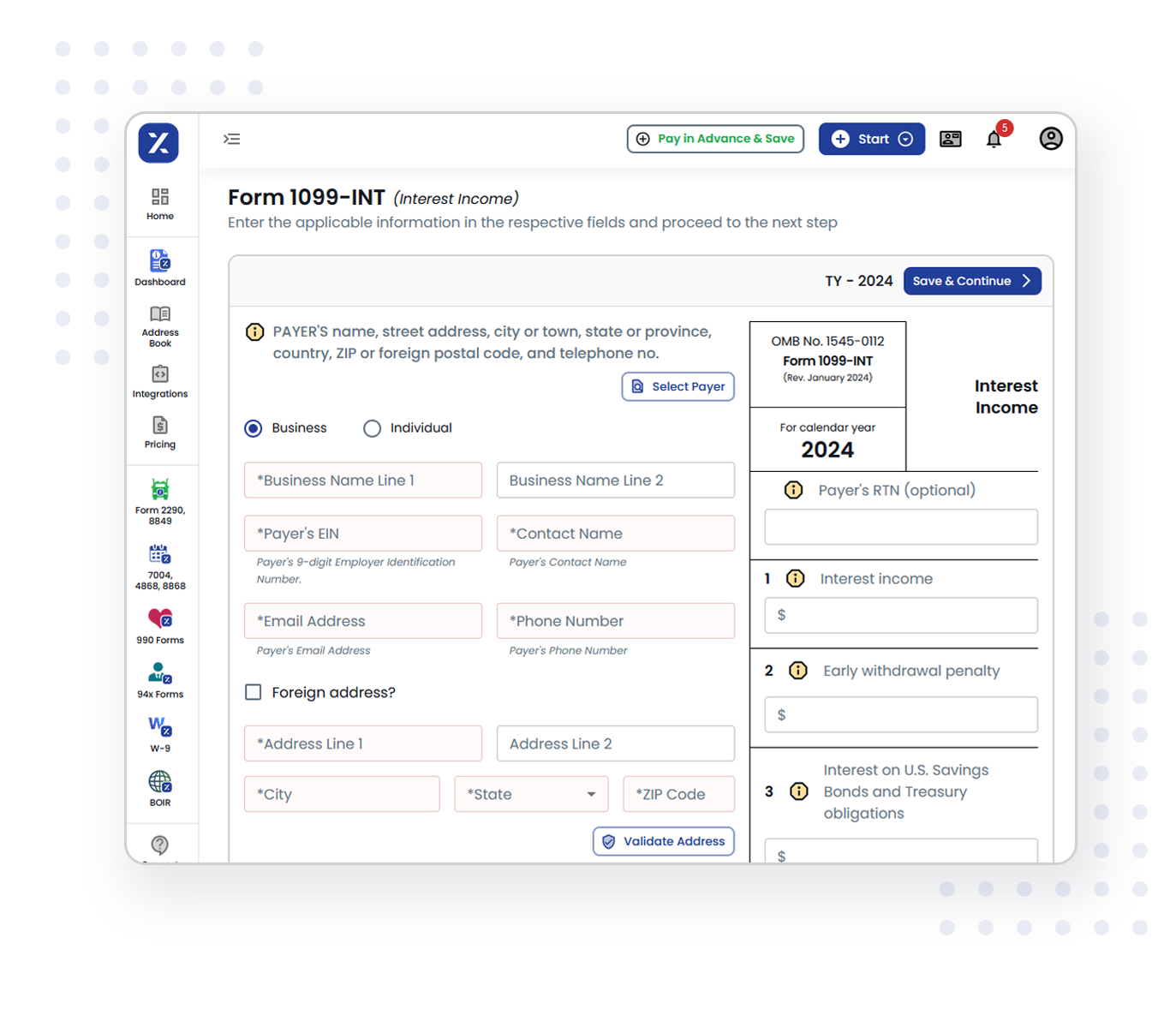
Manually typing dozens or hundreds of contractor names, addresses, and taxpayer identification numbers is time-consuming and prone to human error. The Intuit platform allows users to pull vendor details directly from their existing QuickBooks database. If the business tracks payments outside of QuickBooks or utilizes a standalone version of the service, data can typically be imported using structured templates or entered through guided user interfaces.
Taxpayer Identification Number (TIN) Verification
Before a 1099 form is submitted to the IRS, verifying that the contractor's name matches their Social Security Number (SSN) or Employer Identification Number (EIN) is essential to avoid IRS mismatch notices (such as CP210 notices). The service often incorporates validation checks to cross-reference entered identifiers against known formats and database rules, helping catch discrepancies before the filing deadline.
Multi-Channel Fulfillment Options
Fulfilling 1099 obligations requires distributing copies to multiple parties. The Intuit service generally supports a three-pronged fulfillment model:
- IRS and State Electronic Filing: Direct transmission of data files in the required format (such as the IRS Filing Information Returns Electronically, or FIRE, system equivalent) to federal and participating state agencies.
- Recipient Electronic Delivery: Sending secure digital access links to contractors so they can download their tax forms online.
- Print and Mail Services: For contractors who prefer or require physical documentation, the service can print official red-copy forms and mail them via the United States Postal Service on behalf of the business.
Eligibility, Prerequisites, and System Requirements
Before initiating an e-file campaign using the Intuit platform, users must satisfy specific technical and administrative prerequisites. Ensuring these foundations are in place prevents workflow interruptions during peak filing periods.
Account and Software Prerequisites
Users must have an active Intuit account, which may be tied to a paid QuickBooks subscription or registered as a standalone tax service account. Depending on the chosen workflow, users need administrative permissions within their company file to authorize tax form processing and authorize payments for filing fees.
Information Gathering
Accurate filings depend on complete data collection prior to starting the e-file wizard. Businesses must collect and verify the following information for every contractor who received payments meeting or exceeding the statutory reporting threshold ($600 for Form 1099-NEC in most jurisdictions):
- Legal business name or individual name.
- Correct mailing address.
- Federal tax classification (Sole Proprietor, LLC, Corporation, Partnership, etc.).
- Valid TIN (SSN or EIN), typically collected via IRS Form W-9 at the time of onboarding.
- Exact annual compensation paid via non-employee compensation channels.
Technical Environment
Because the service operates via cloud-based infrastructure, users need a stable broadband internet connection and a modern web browser. Pop-up blockers and strict firewall settings should be adjusted if they interfere with document preview generation or payment gateway interactions.
Step-by-Step Operational Workflow
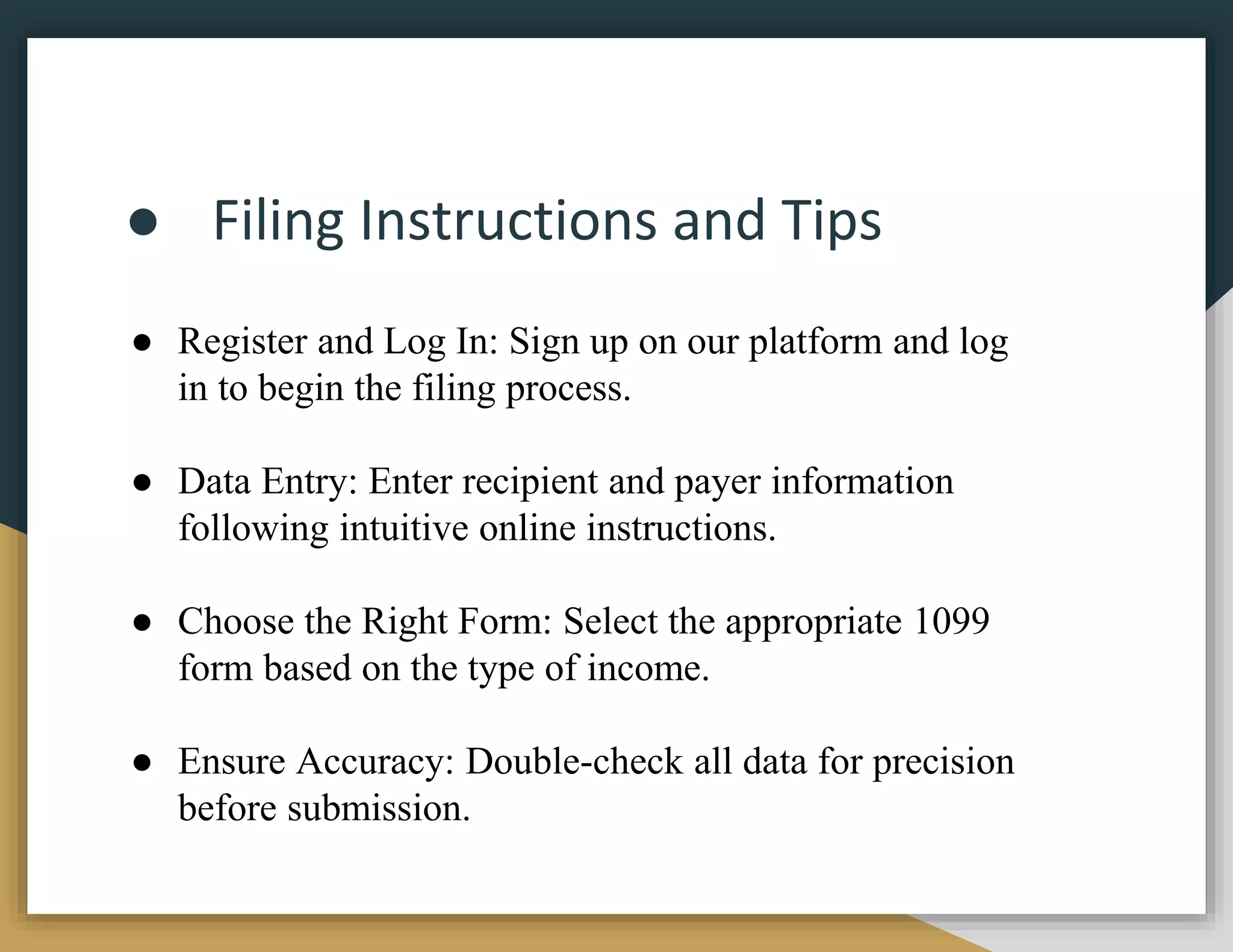
Executing an e-file campaign through the platform follows a structured sequence. Understanding this progression helps administrators allocate adequate time and resources ahead of statutory deadlines.
- Review and Reconciliation: Before launching the 1099 tool, reconcile general ledger accounts, verify vendor totals, and ensure all contractor payments made via cash, check, or direct deposit are fully accounted for. Payments made through third-party settlement networks (like credit cards or PayPal) are generally excluded from 1099-NEC reporting because those platforms issue Form 1099-K.
- Launch the 1099 Wizard: Navigate to the tax or vendor section within the QuickBooks dashboard or standalone Intuit portal and select the option to prepare 1099 forms.
- Verify Vendor Data: Review the pre-populated list of contractors. Update any missing addresses, incorrect tax identifiers, or misclassified payment totals.
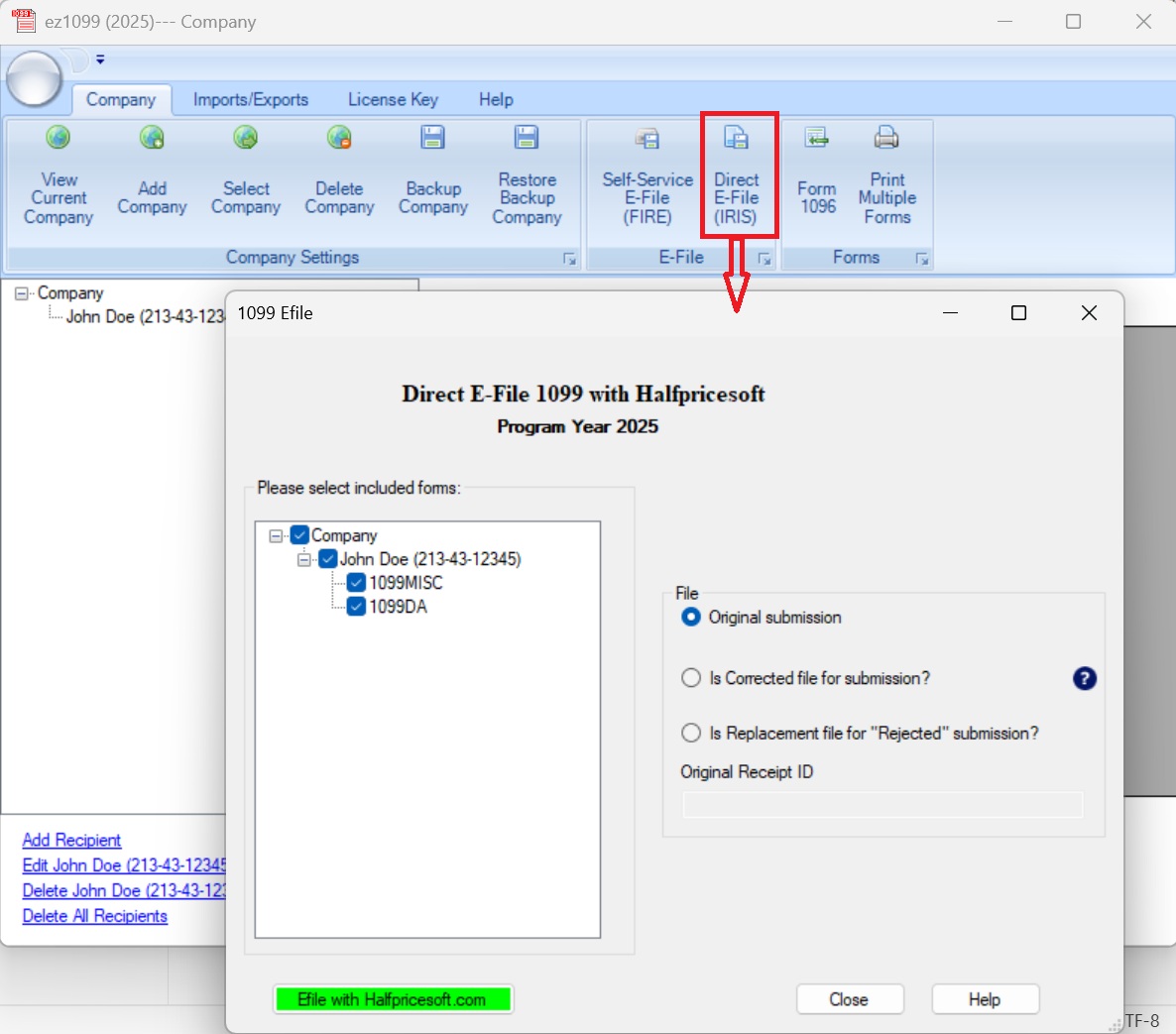
- Select Fulfillment Preferences: Choose how forms will be delivered to recipients (electronic vs. mail) and confirm whether state filing is required based on the business and contractor locations.
- Review Summary and Pricing: Examine the final cost breakdown based on the number of forms and chosen fulfillment services. Authorize payment using a stored credit card or approved billing method.
- Submit and Track: Submit the batch. Monitor the status dashboard for confirmation of IRS acceptance and fulfillment completion.
| Feature / Aspect | Intuit 1099 E-File Service | Manual Paper Filing |
|---|---|---|
| Data Source | Direct import from accounting software or structured templates | Manual transcription from ledger books or spreadsheets |
| IRS Submission | Electronic transmission via secure API channels | Physical mailing of Red Copy A forms with Form 1096 |
| Recipient Delivery | Automated electronic links and/or outsourced print-and-mail | Manual stuffing, labeling, and stamping of envelopes |
| Error Correction | Digital correction workflows and status tracking | Amended paper filings requiring distinct procedural steps |
| Time Investment | Low to moderate (primarily review and verification) | High (printing, sorting, matching, mailing) |
Cost Considerations and Pricing Structure
The financial investment required for the Intuit 1099 e-file service typically follows a tiered or per-form pricing model rather than being included entirely in base software subscriptions. While QuickBooks subscription tiers may grant access to the preparation interface, actual electronic filing, state reporting, and recipient mail delivery usually incur per-form fees.
Administrators should review current pricing schedules directly within their account dashboard prior to submission, as rates can vary based on whether the user selects basic electronic transmission or comprehensive print-and-mail bundles. Factoring these costs into annual tax preparation budgets prevents unexpected expenses, particularly for businesses managing large rosters of independent contractors.
Comparison with Alternative Filing Methods
Businesses evaluating the Intuit e-file service often weigh it against alternative approaches to tax compliance. Understanding these alternatives helps contextualize the platform's value proposition.
Manual Paper Filing vs. Intuit E-Filing
Manual filing involves purchasing official red-copy IRS forms, printing them using aligned printers, filling out a summary Form 1099-Smry / 1096, and mailing packages to both the government and recipients. While this method avoids per-form software fees, it introduces substantial labor overhead, increases the likelihood of printing alignment errors, and delays confirmation of receipt. The Intuit e-file service automates transmission and provides digital audit trails, trading a minor financial cost for significant time savings and reduced compliance risk.
Third-Party Specialized Tax Services
Dedicated third-party compliance platforms (such as Tax1099, Track1099, or e-FileMyForms) offer similar electronic filing capabilities. While some standalone platforms may feature lower per-form pricing structures for high-volume filers, they often lack the native, real-time accounting integration found within the Intuit QuickBooks ecosystem. Businesses deeply embedded in QuickBooks generally find that maintaining their vendor data within the same software environment reduces data migration errors.
Operational Limitations and Common Pitfalls
Even with advanced automation tools, tax filing can be compromised by procedural oversights. Recognizing common pitfalls helps users maintain strict compliance standards.
Outdated Vendor Information
The most frequent cause of filing rejection or subsequent IRS correspondence is incorrect vendor data—specifically mismatched names and TINs. Relying on unverified verbal information rather than a signed Form W-9 often leads to IRS processing errors.
Missing Deadlines
Federal statutory deadlines for issuing Form 1099-NEC to recipients and filing with the IRS typically fall in early-to-mid January of the year following the tax year. Waiting until the final day to begin the e-file process can create operational bottlenecks if system support lines experience high traffic volumes or if data reconciliation uncovers discrepancies.
Misunderstanding Form Types
Filing the incorrect form—such as submitting a 1099-NEC when a 1099-MISC is required, or vice versa—creates administrative complications. Administrators should review current IRS instructions to ensure payments are categorized correctly according to their economic nature (e.g., non-employee compensation vs. rent or prize winnings).
Frequently Asked Questions
Which specific tax forms are supported by the Intuit e-file service?
The service primarily supports Form 1099-NEC (Nonemployee Compensation) and Form 1099-MISC (Miscellaneous Information), along with other common information returns depending on the specific software tier and seasonal updates. Users should verify form availability within their dashboard interface before beginning preparation.
Do I need a paid QuickBooks subscription to use the service?
While many users access the e-file features directly through QuickBooks Online or QuickBooks Desktop accounts, standalone options or specific portal workflows may exist. However, the deepest data integrations are optimized for active QuickBooks subscribers.
How does the service handle state-level 1099 filing requirements?
Many states require information returns independent of the federal submission. The Intuit service includes state e-filing capabilities for participating jurisdictions where state reporting is mandated, automatically routing data based on the business and contractor state fields.
What happens if the IRS rejects a submitted 1099 form?
If the IRS rejects a filing due to validation errors (such as an invalid TIN or mismatched name), the Intuit platform typically provides a notification detailing the reason for rejection. The user can then correct the error within the system and resubmit the corrected form.
Are physical recipient copies mailed automatically?
Physical mailing is an optional fulfillment selection. If a user chooses the print-and-mail bundle, Intuit prints and dispatches the recipient copies via postal mail. If the electronic delivery option is selected, secure digital links are sent instead.
Conclusion and Next Actions
The Intuit 1099 e-file service provides a structured, automated pathway for businesses striving to meet federal and state tax reporting obligations. By integrating vendor payment data directly from accounting software, validating information fields, and offering flexible multi-channel fulfillment, the platform reduces the friction traditionally associated with tax season compliance. To prepare effectively, administrators should audit their vendor databases, collect signed Form W-9 documents, verify taxpayer identification numbers early, and review current platform pricing schedules well in advance of statutory filing deadlines.