17hats is an all-in-one client relationship management platform designed specifically for solopreneurs, freelancers, and small business owners who need to automate lead capture, client communication, scheduling, and invoicing within a single workspace. This overview examines its core modules, operational workflows, pricing structures, and primary benefits to help you determine if it fits your business model.
Introduction to 17hats and the Solopreneur Workflow
Managing a micro-business often means juggling multiple software subscriptions—one tool for email marketing, another for scheduling, a third for invoicing, and a spreadsheet to track leads. This fragmented approach creates administrative overhead and increases the risk of dropped leads or missed deadlines. 17hats addresses this challenge by consolidating essential business operations into a unified platform.
The primary search intent behind a "17hats crm overview" is to understand whether this platform can replace a patchwork of tools and streamline daily administrative tasks. Unlike enterprise-focused systems like Salesforce or HubSpot, which cater to large sales teams with complex hierarchies, 17hats is engineered for the solo operator. It focuses heavily on automation, project pipelines, and repeatable workflows tailored to service-based professionals such as photographers, coaches, consultants, designers, and event planners.
Core Modules and Feature Set
To evaluate 17hats effectively, it is necessary to examine how its individual features integrate to form a cohesive ecosystem. The platform organizes its functionality into several distinct modules that correspond to the lifecycle of a client project.
Lead Capture and Contact Management
The client journey begins the moment a potential customer expresses interest. 17hats provides customizable lead capture forms that can be embedded directly into external websites or shared via standalone landing pages. When a prospect fills out a form, the system automatically creates a new contact profile and triggers a designated workflow.
The contact database stores all communication history, attached documents, associated invoices, and project notes. This centralized view eliminates the need to cross-reference email inboxes with accounting software. You can segment contacts, track their status in the pipeline, and view their historical interactions with your brand at a glance.
Automated Workflows
One of the platform's defining capabilities is its automation engine, known simply as Workflows. A workflow in 17hats is a sequence of automated actions triggered by a specific event, such as a lead submitting an inquiry form or an invoice being paid.
For example, when a new photography client books a session, a workflow can automatically:
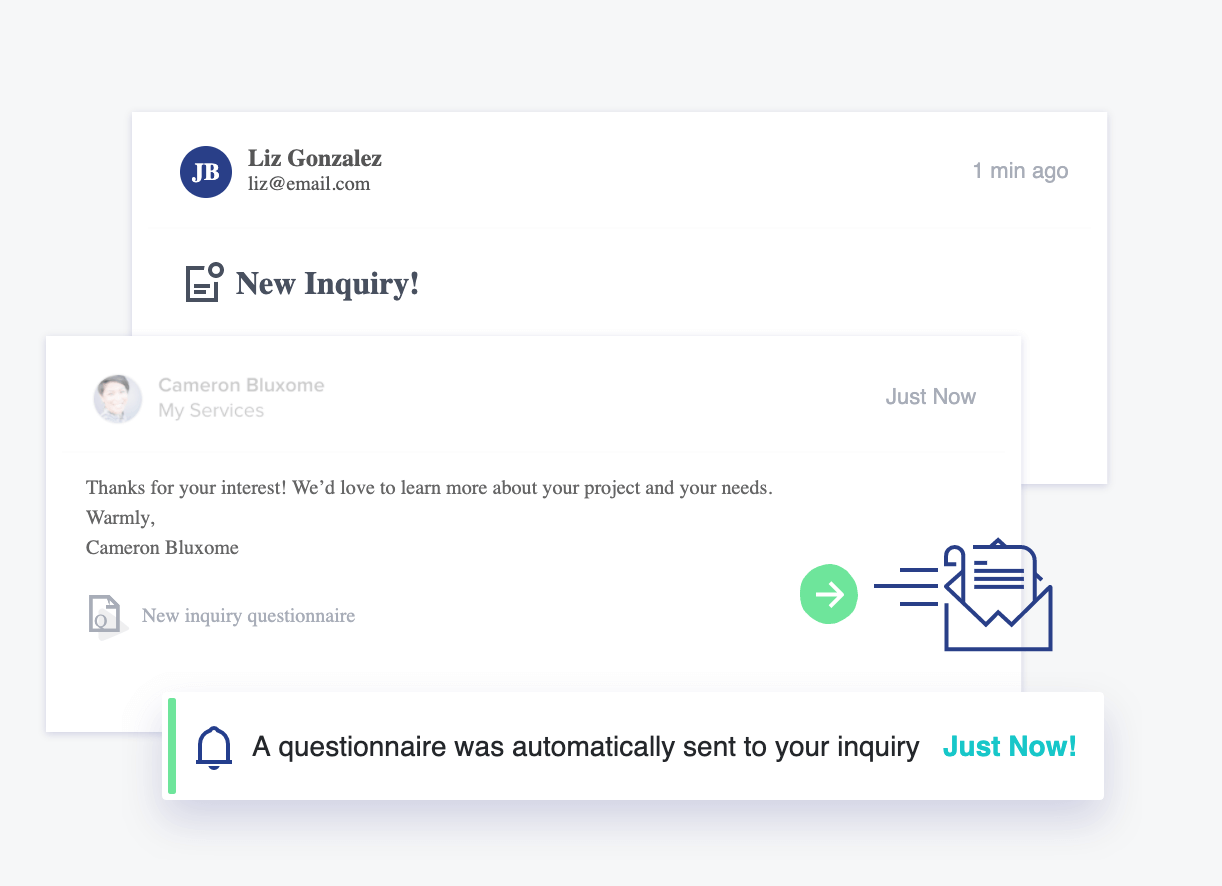
- Send a welcome email containing a questionnaire.
- Wait three days, then send a reminder if the questionnaire is uncompleted.
- Schedule an automated reminder 48 hours before the shoot date.
- Generate and send a final gallery delivery email and review request after the project concludes.
By automating these routine touchpoints, service providers can maintain consistent client communication while reclaiming hours of manual administrative time each week.
Scheduling and Calendar Integration
Scheduling meetings and discovery calls can involve extensive back-and-forth communication. 17hats features an integrated online scheduler that allows clients to book time slots based on your real-time availability. You can set specific booking rules, buffer times between appointments, and availability windows for different service types.
The scheduler syncs with external calendars, such as Google Calendar or Apple Calendar, ensuring that double bookings are prevented. Furthermore, automated confirmation emails, calendar invites, and SMS reminders can be dispatched immediately upon booking to reduce no-show rates.
Document Management: Quotes, Contracts, and Invoices
Service-based businesses rely heavily on legally binding agreements and structured billing. 17hats streamlines this phase of the client lifecycle through linked documents:
- Quotes: Present pricing packages and service options to prospects. Once a quote is accepted, the system can automatically transition the prospect into an active project.
- Contracts: Utilize legally vetted templates or custom agreements that clients can sign digitally. The platform stores executed contracts securely within the client's file.
- Invoices: Generate professional invoices tied directly to project milestones or payment schedules. Clients can pay via integrated payment gateways like Stripe, Square, or PayPal.
The true efficiency of this module lies in its continuity. A quote can seamlessly convert into a contract, which in turn generates an invoice without requiring manual data re-entry.
17hats Pricing Structure and Tier Analysis
Understanding the financial commitment required for software adoption is essential. 17hats structures its pricing around subscription tiers that vary based on billing frequency and feature access. Unlike platforms that charge per user, 17hats plans are designed primarily for single operators, though team collaboration features are available on higher tiers or via add-ons.
| Plan Tier | Billing Cycle | Primary Inclusions | Best Suited For |
|---|---|---|---|
| Monthly Plan | Month-to-Month | Full CRM access, automation, scheduling, invoicing, and document signing. | Businesses testing the platform or operating seasonally. |
| Annual Plan | Billed Annually | All core features at a reduced effective monthly rate, priority support access. | Established solopreneurs committed to long-term operational efficiency. |
| Multi-Brand Add-on | Annual / Monthly | Allows management of multiple business entities from a single login. | Freelancers running distinct service brands or side ventures. |
Note: Pricing promotions and feature inclusions are subject to change. Consult the official 17hats pricing page for current rates and promotional periods.
Operational Workflows: Step-by-Step Implementation
Transitioning to a new CRM requires a structured approach to data migration and workflow setup. Implementing 17hats effectively involves several sequential phases:
- Account Setup and Branding: Configure your business profile, upload company logos, connect custom domain names for client-facing portals, and integrate payment gateways (Stripe, Square, or PayPal).
- Calendar and Email Sync: Connect your primary business email and calendar to ensure scheduling links reflect accurate availability and outbound emails originate from your domain.
- Template Creation: Draft standard email templates, contract agreements, questionnaire forms, and quote layouts. Establishing these assets early accelerates future project setup.
- Data Import: Export existing client contact lists from spreadsheets or legacy CRM platforms into CSV format, then map and import them into the 17hats database.
- Workflow Building: Construct your primary client pipelines and automated sequences. Test each workflow using a dummy client account to verify that triggers and delays function as expected.
Platform Comparisons: 17hats vs. Alternatives
When evaluating CRM solutions, it helps to understand how 17hats compares to other popular platforms in the freelance and small business ecosystem.
- 17hats vs. HoneyBook: Both platforms target creative solopreneurs and service providers. 17hats is frequently praised for its robust workflow automation and flexibility in managing complex, multi-step projects. HoneyBook is often noted for its modern interface, mobile app usability, and integrated financial reporting features.
- 17hats vs. Dubsado: Dubsado offers deeper customization options for document design, CSS styling, and complex conditional workflows, making it popular among advanced users who require granular control. 17hats provides a more structured, template-driven approach that many users find faster to set up and deploy.
- 17hats vs. ActiveCampaign / HubSpot: While ActiveCampaign and HubSpot offer advanced marketing automation and enterprise sales pipeline tracking, they lack native, integrated contract signing and project-based invoicing designed specifically for micro-service businesses. Those platforms require third-party integrations to achieve what 17hats offers natively.
Advantages and Limitations
A balanced evaluation requires acknowledging both the strengths and constraints of the platform.
Pros
- All-in-One Consolidation: Replaces separate tools for scheduling, invoicing, contracts, and email marketing.
- Robust Automation Engine: Saves significant administrative hours through trigger-based workflows.
- Financial Tracking: Clear visibility into project revenue, paid invoices, and outstanding balances.
- Dedicated Support: Responsive customer service and an active user community providing workflow templates.
Cons
- Learning Curve: Setting up intricate workflows and custom templates requires an initial time investment.
- Mobile App Limitations: While mobile access exists for basic tasks, complex workflow creation and document editing are best performed on a desktop browser.
- Design Customization: Client-facing documents are functional and professional, but offer less advanced visual customization compared to dedicated design tools.
Frequently Asked Questions
Is 17hats suitable for service businesses outside of photography?
Yes. While the platform gained early traction among photographers, its modular architecture accommodates coaches, virtual assistants, interior designers, copywriters, consultants, and event planners. Any business that guides clients through a repeatable service pipeline can utilize the system effectively.
Can I migrate my existing client data into 17hats?
Yes. 17hats supports CSV data imports. You can export client contact lists from spreadsheets, email clients, or legacy software, map the data fields (such as name, email, phone, and address), and upload them directly into your contact database.
Does 17hats support team members or multiple users?
The core platform is optimized for solopreneurs. However, higher-tier plans and add-ons allow you to add team members, assign specific permissions, and collaborate on projects, making it viable as a micro-agency grows.
How secure is client payment and contract data?
17hats utilizes industry-standard encryption protocols for data transmission and storage. Payments are processed through secure, PCI-compliant third-party gateways like Stripe, Square, and PayPal, ensuring that sensitive credit card information is never stored directly on 17hats servers.
Can clients access a dedicated portal to view their documents?
Yes. Clients receive access to a secure, branded portal where they can view outstanding quotes, sign contracts, complete questionnaires, pay invoices, and review the history of their project files in one centralized location.
Conclusion and Next Actions
17hats provides a comprehensive administrative backbone for solopreneurs seeking to eliminate software fragmentation and automate routine client management tasks. By consolidating lead capture, scheduling, contracts, invoicing, and workflow automation into a single interface, it allows service providers to focus on core revenue-generating work.
To determine if the platform aligns with your operational needs, map out your current client onboarding process on paper. Identify where bottlenecks occur—such as manual invoice follow-ups or delayed contract signing—and test those specific scenarios during a trial period to evaluate how effectively the system streamlines your workflow.