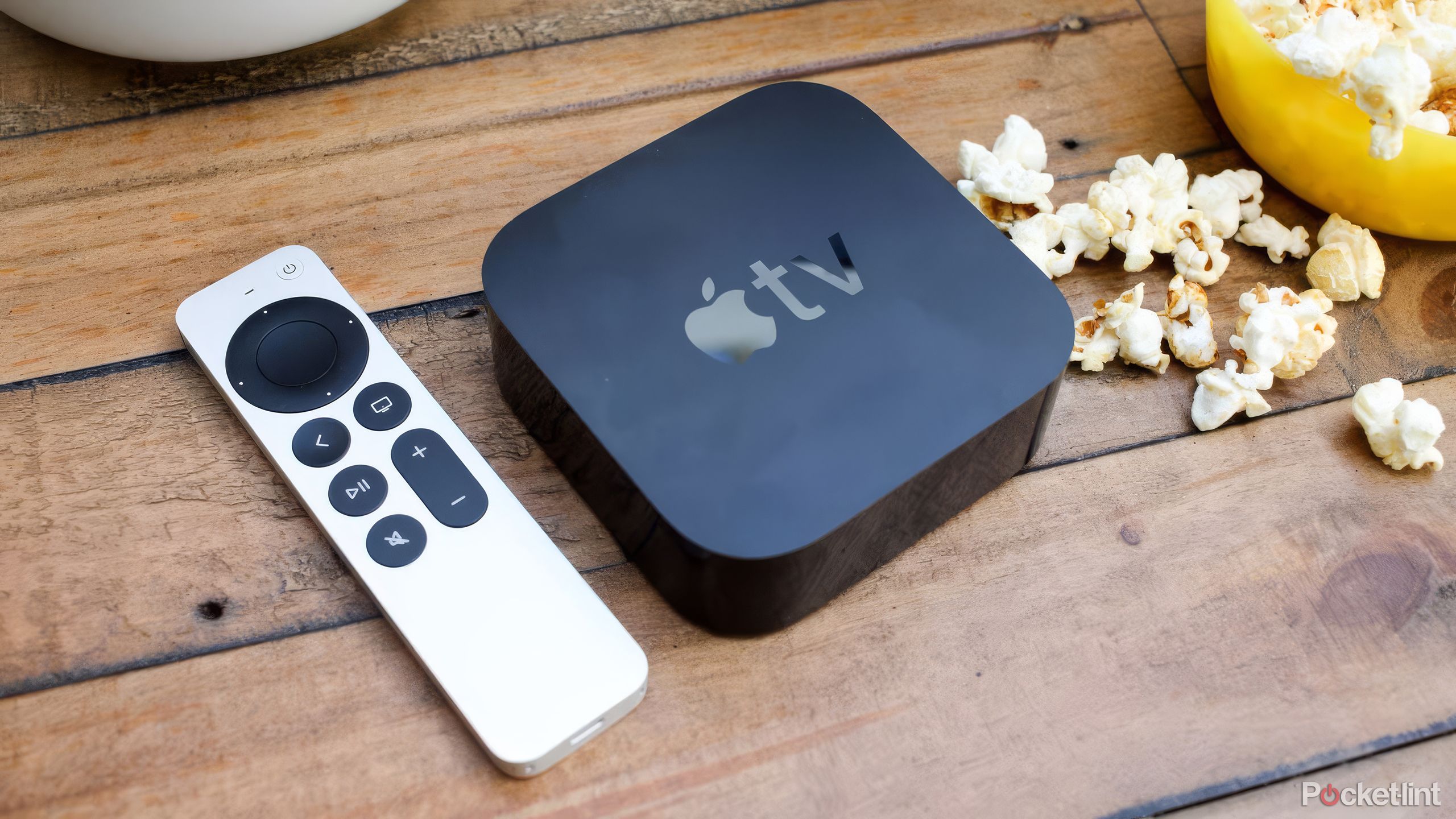
Accessing free films on Apple TV involves navigating a diverse ecosystem that combines ad-supported streaming, platform-exclusive rewards, and integrated third-party content. While Apple TV is primarily known as a premium transactional and subscription service, the application functions as a central hub for various free-to-access media sources that do not require a monthly subscription fee. Users can leverage the Apple TV app on various devices to stream movies and specials through ad-supported channels, limited-time promotional offers, and free tiers provided by integrated streaming services.
Understanding the Apple TV Ecosystem
The term "Apple TV" serves a dual purpose in the current digital landscape, often leading to user confusion. First, it refers to the hardware, specifically the Apple TV 4K or Apple TV HD set-top boxes. Second, it refers to the Apple TV app, which is a software application available on Apple hardware, smart TVs, gaming consoles, and streaming sticks.
When searching for free films, the focus must be on the Apple TV app rather than the hardware. The app acts as an aggregator, pulling content from various sources. To find free content, you are essentially looking for either free ad-supported streaming television (FAST) services integrated into the interface or specific films offered at no cost by digital retailers, including the Apple TV Store itself.
Methods for Accessing Free Content
1. Ad-Supported Integrated Apps
The most reliable way to watch free movies via the Apple TV app is by linking third-party streaming services that utilize an ad-supported model. When you open the Apple TV app, you can browse movies that are available on platforms like Pluto TV, Tubi, or Freevee.
Because the Apple TV app aggregates these services, you may see a film listed in your search results that is marked as "Free" or available via a partner app. When you click play, the Apple TV app launches the corresponding third-party application. Ensure that you have these free services installed on your device, as the Apple TV app requires the specific provider's application to handle the playback and ad-delivery mechanisms.
2. Limited-Time Promotional Offers
Apple occasionally rotates promotional content on the Apple TV Store. While these are not permanent libraries, Apple sometimes offers specific films or curated collections for free to promote new series, celebrate cultural events, or highlight specific directors. These offers typically appear in the "Store" tab within the Apple TV app. It is advisable to check the banners at the top of the Store section periodically, as these "free for a limited time" promotions are often time-sensitive and geographically restricted.
3. Network-Specific Free Tiers
Many major content providers and networks maintain free libraries within their own apps, which are discoverable through the Apple TV app's "Channels" and "Apps" sections. By downloading these standalone apps—such as those from public broadcasters or specific film distributors—you can access their rotating catalog of free, ad-supported movies. The Apple TV app will often display this content as part of its "Up Next" queue once you have installed the respective apps, allowing for a seamless transition between paid and free content.
Comparison of Access Methods
The following table outlines the primary pathways to accessing no-cost films through the Apple TV ecosystem.
| Method | Requirement | Typical Experience |
|---|---|---|
| Integrated FAST Apps | App Installation | Ad-supported; library changes monthly |
| Store Promotions | Apple ID | Limited-time; no ads |
| Network Free Tiers | Account Sign-up | Ad-supported; high-quality selection |
| Trial Offers | Payment Method on File | Subscription-based; requires cancellation |
Prerequisites for Optimal Access
To successfully utilize these options in 2026, you must ensure your environment is configured correctly. First, verify that your Apple ID is active and that your device is running the latest version of the operating system (tvOS, iOS, or iPadOS). Apple frequently updates the Apple TV app interface, and older versions may lose the ability to deep-link into third-party streaming providers.
Second, ensure that your device has sufficient storage to house the third-party apps (like Tubi or Freevee) that deliver the free movies. Even if you are streaming, the app shell itself requires local storage. Finally, check your privacy and tracking settings. Because much of the free content on these platforms is subsidized by targeted advertising, your device's tracking permissions may affect your ability to launch or stream content from certain third-party providers.
Troubleshooting Common Access Issues
Users often report that a film listed as "free" within the Apple TV interface fails to play. This is usually due to regional restrictions or expired partnerships. If a film is listed as free but directs you to a subscription prompt, it is likely that the license for the free ad-supported version has expired, or the specific provider is no longer offering that title for free in your current jurisdiction.
If the "Play" button simply redirects you to the App Store, you likely lack the necessary third-party application. Installing the required service—such as Pluto TV or a network-specific app—usually resolves this. Always ensure that you are signed into your Apple ID, as the app uses your account location to verify which streaming rights apply to you. If the content is not available in your region, the Apple TV app will generally hide the option or prevent the stream from initiating.
Frequently Asked Questions
Does Apple TV+ include free movies?
No, Apple TV+ is a subscription-based service. While it offers original films and series, it does not function as a free, ad-supported service. Any content marked with the "TV+" logo requires an active subscription.
Can I find permanent free movies in the Apple TV Store?
The Apple TV Store primarily functions as a transactional marketplace for rentals and purchases. Permanent free movies are rare, though short-form content and promotional samplers are occasionally released.
Why do I see ads on movies that aren't marked as "Free"?
If you are watching content through an integrated third-party app (like an ad-supported tier of a streaming service), you will see advertisements regardless of whether the Apple TV app displays the content. The ads are served by the provider of the film, not by Apple.
Are there regional restrictions for free movies?
Yes. Digital content rights are strictly regulated by territory. A movie available for free on a specific service in the United States may be behind a paywall or unavailable in other regions due to licensing agreements held by the content distributors.
How do I stop the Apple TV app from suggesting paid content?
While you cannot entirely remove the "Store" integration, you can focus on the "Library" or "My TV" tabs to view only the content you own or subscribe to. You can also prioritize your "Up Next" queue to exclude paid-only services by removing those apps from your device.
Next Steps for Users
To begin accessing free film content today, start by navigating to the "Apps" tab within your Apple TV application. Search for and install major ad-supported streaming providers. Once installed, log into these apps once to ensure your credentials are linked. Return to the main Apple TV app, and you will find that your search results now incorporate these services. For the best experience, periodically check the "Store" section of the app during holidays or major industry events, as these are the most common times for promotional, limited-time access to higher-quality films.