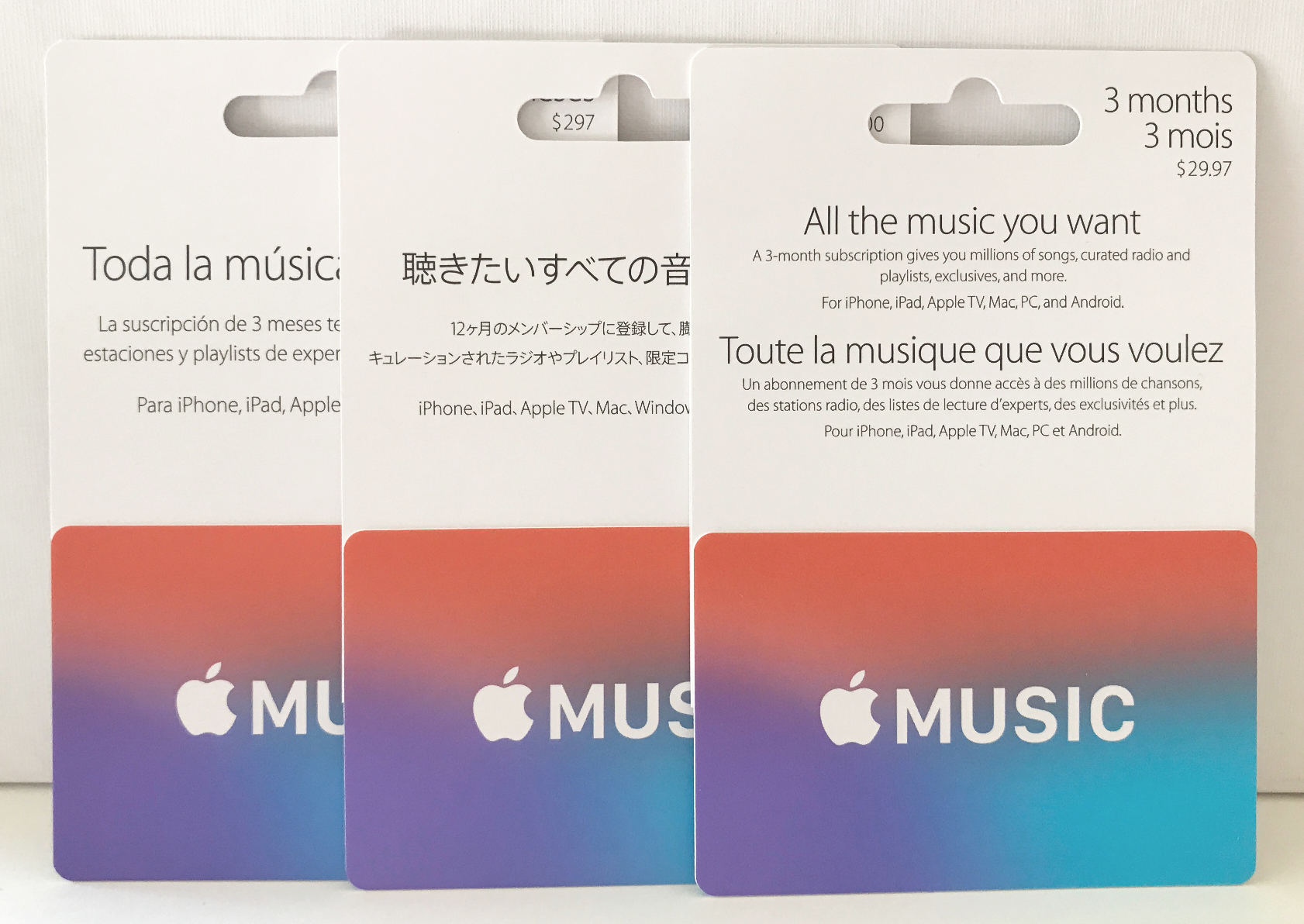
Apple Music gift cards provide a versatile method for purchasing subscriptions, media, and digital services within the Apple ecosystem. By functioning as a prepaid credit mechanism, these cards allow recipients to manage their own Apple Account balances, enabling them to apply funds toward Apple Music memberships, App Store downloads, iCloud+ storage upgrades, or hardware purchases via the Apple Store. This flexibility eliminates the need for direct credit card sharing while ensuring that users maintain autonomy over their digital spending habits and service preferences.
Understanding the Functionality of Apple Gift Cards
In the current digital landscape of 2026, it is essential to distinguish between the various types of credit Apple issues. Historically, Apple provided "App Store & iTunes" cards and "Apple Music" branded cards. Today, these have been consolidated into the unified "Apple Gift Card." When you purchase an Apple Gift Card, you are effectively pre-loading an Apple Account with a specific monetary value.
This balance is tied to the user's Apple ID. Once redeemed, the funds remain in the account until they are exhausted. The primary appeal of this system is its cross-platform utility. A gift card intended for music listening can just as easily be used to buy a productivity application, rent a high-definition movie, or pay for an extra 2TB of iCloud+ cloud storage. Because the funds are stored in the account, they act as a universal currency for Apple’s proprietary services.
Prerequisites for Using Apple Music Gift Cards
To successfully utilize a gift card, both the purchaser and the recipient must navigate a few technical and administrative requirements.
For the Purchaser
- Source Authenticity: Always purchase cards from reputable retailers or directly from the official Apple online storefront to avoid compromised codes.
- Region Matching: Apple Account balances are region-locked. If you purchase a gift card in the United States, it cannot be redeemed in a foreign Apple ID account. Ensure the card’s currency and region match the recipient's country of residence.
For the Recipient
- Active Apple ID: A valid, functional Apple ID is required.
- Device Compatibility: The recipient must have a compatible device—such as an iPhone, iPad, Mac, or PC with iTunes—to redeem the code.
- Internet Connectivity: An active internet connection is necessary to link the code to the Apple servers and update the account balance.
Step-by-Step Redemption Process
Redeeming an Apple Gift Card is a streamlined process designed to minimize friction. Depending on the hardware, the steps may vary slightly, but the logic remains consistent.
On iPhone or iPad
- Open the App Store app.
- Tap the profile photo or the sign-in button at the top of the screen.
- Select Redeem Gift Card or Code.
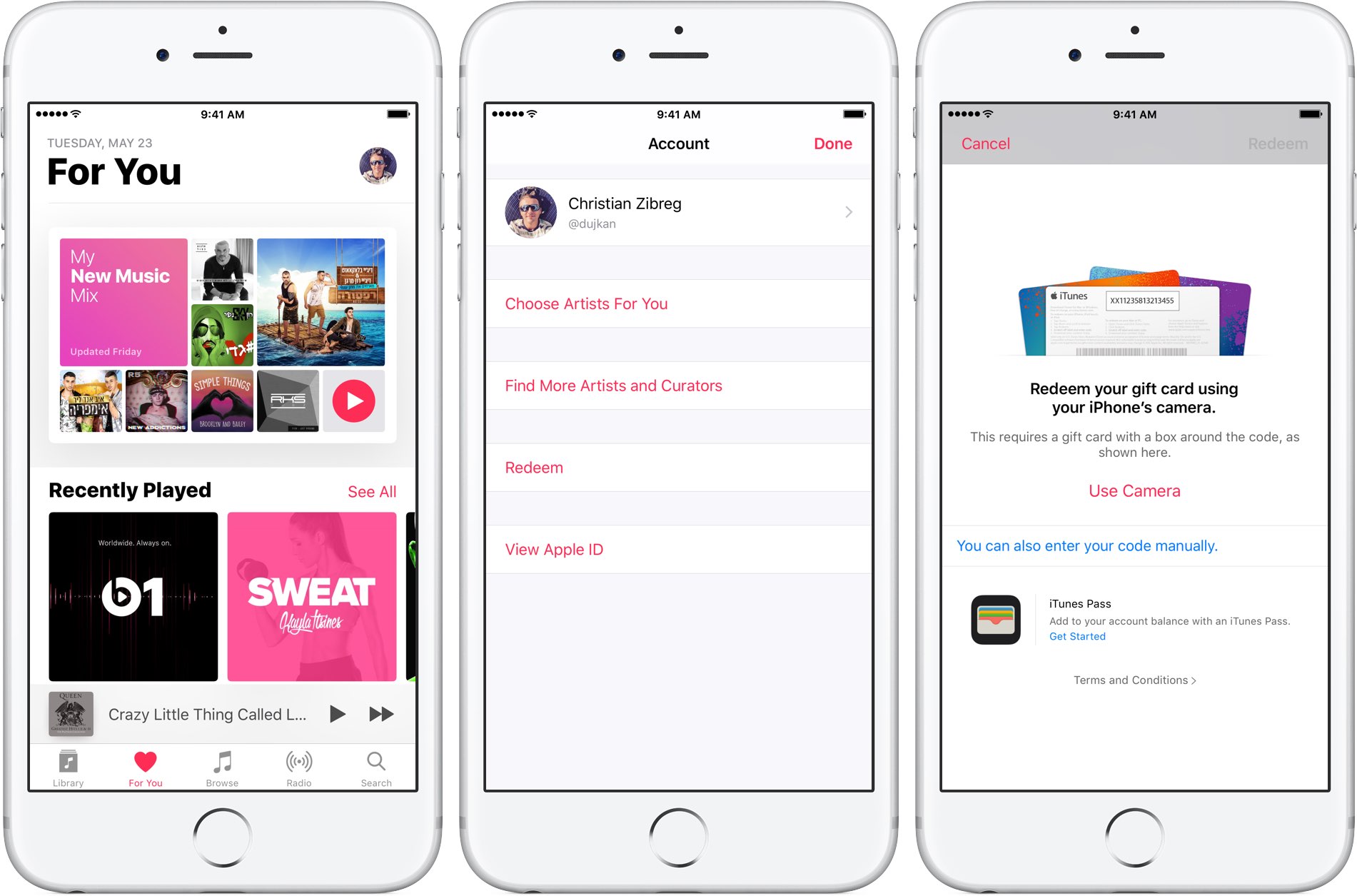
- If using a physical card, tap Use Camera to scan the code, or enter the 16-digit code manually.
- Tap Redeem. The funds will be credited to your Apple Account balance immediately.
On a Mac
- Open the App Store.
- Click the profile name or image at the bottom of the sidebar.
- Click Redeem Gift Card.
- Enter the code manually or use your Mac's camera to scan the card.
Once the redemption is complete, the balance will automatically be the primary payment method for all future transactions until the funds are depleted. This is particularly useful for users who prefer to set a "budget" for their digital entertainment.
Comparing Gift Cards to Alternative Payment Methods
Choosing between a gift card and a traditional credit or debit card involves weighing convenience against financial control.
| Feature | Apple Gift Card | Credit/Debit Card |
|---|---|---|
| Budget Control | Finite; prevents overspending | Potentially unlimited |
| Recurring Billing | Deducted from balance | Charged automatically |
| Privacy | No bank statements | Visible on bank statements |
| Flexibility | Entire Apple ecosystem | Specific to chosen service |
| Security | Minimal risk of fraud | Higher risk if card details leaked |
As shown in the table, the gift card offers a "sandbox" approach to spending. For younger users or those wary of recurring charges, the gift card ensures that once the balance reaches zero, the subscription or purchase cycle halts until further credit is added. This provides a level of security that credit cards cannot match, as there is no sensitive banking information attached to the Apple ID.
Troubleshooting Common Issues
Despite the simplicity of the system, users may occasionally encounter errors. Understanding how to resolve these quickly is key to maintaining a smooth experience.
Code Not Valid
If you receive an error stating the code is not valid, first double-check for typos. It is easy to confuse characters like "O" and "0" or "I" and "1." If the code remains invalid, verify that the card has been properly activated at the point of sale. Cards that were not activated by the retailer at the time of purchase will not function.
Region Mismatch
The most common point of failure is attempting to redeem a card in a region different from the one in which it was issued. Apple’s systems are strictly region-locked for financial compliance and currency exchange reasons. If you inadvertently purchased an incorrect regional card, you must contact the retailer where the card was bought to request a return or exchange, as Apple Support cannot convert regional balances.
Balance Not Reflecting
If you have redeemed a code but do not see the updated balance, try signing out of the App Store or iTunes and signing back in. This forces the device to re-sync with Apple’s servers and should display the updated credit.
Managing Subscription Cycles with Gift Card Balances
A common misunderstanding is that gift cards can only be used for one-off purchases. In reality, they are an excellent tool for managing recurring Apple Music subscriptions.
If your Apple Account balance has sufficient funds, Apple will prioritize using those funds to cover the monthly subscription fee over any credit card on file. This allows users to "pre-pay" for months or years of service. For example, by redeeming a $100 gift card, a user can cover ten months of a standard individual subscription.
When the balance falls below the amount required for the next monthly payment, Apple will use the gift card balance until it runs out and then charge the secondary payment method on file for the remainder. This hybrid approach ensures that services are not interrupted due to a sudden lack of balance.
Safety and Security Considerations
In 2026, digital fraud remains a concern. Apple consistently advises users never to provide gift card codes to unknown parties. Scammers often pressure victims to pay for debts, taxes, or services using gift cards.
Important Notice: Apple gift cards can only be used for purchases at the Apple Store, App Store, and for services like Apple Music, iCloud+, and Apple TV+. They cannot be used to pay for non-Apple products, utility bills, or bail, and they cannot be redeemed for cash or cash equivalents. If you are ever asked to provide a code over the phone or email to settle a debt, it is a definitive sign of fraud.
Best Practices for Gifting
When gifting an Apple Music card, consider the target audience. For digital natives, a digital gift card sent via email is instant and environmentally friendly. For younger recipients or those who appreciate a tangible gift, a physical card retains the ceremonial aspect of gifting.
Regardless of the format, always include a note explaining that the card is not exclusive to music. Mentioning that the credit can be used for "upgrading apps, buying movies, or expanding iCloud storage" increases the utility of the gift, ensuring the recipient gets the maximum value out of their balance.
Frequently Asked Questions
Can I use my Apple Gift Card to pay for a Family Sharing subscription?
Yes. If you are the family organizer, your Apple Account balance will be used to pay for the shared subscription fees. If you are a member of a family group, your individual Apple Account balance will be used for your own purchases before any charges are billed to the family organizer's payment method.
Do Apple Gift Cards expire?
No, Apple Gift Cards do not have an expiration date. Once the balance is added to your Apple Account, it remains available until it is spent. There are no maintenance fees for dormant accounts.
Can I transfer my Apple Account balance to another person?
No, you cannot transfer your Apple Account balance to another person's Apple ID. Once a gift card is redeemed, the credit is locked to the account that performed the redemption.
What happens if I have a remaining balance on my account?
The remaining balance stays in your account indefinitely. You can use it for your next purchase, whether that is a song, an app, or an Apple Music monthly fee. You do not need to "top off" the balance until you decide to make a purchase that exceeds your available credit.
Can I use an Apple Gift Card to buy a new iPhone?
Yes, Apple Gift Cards are redeemable for hardware and accessories on the Apple website and at physical Apple Store locations. If the cost of the device exceeds your balance, you can pay the remainder using another accepted payment method.
Final Recommendation
To maximize the benefits of Apple Music gift cards, treat them as a high-liquidity asset within the Apple ecosystem. They are most effective when used to manage recurring subscription costs or to set strict boundaries on digital entertainment spending. For those who enjoy the Apple ecosystem, purchasing gift cards during seasonal sales or promotional periods can also provide a marginal savings benefit compared to standard direct-billing methods. Ensure that you always keep your digital codes private and verify the region before purchase to ensure seamless integration into your Apple Account.