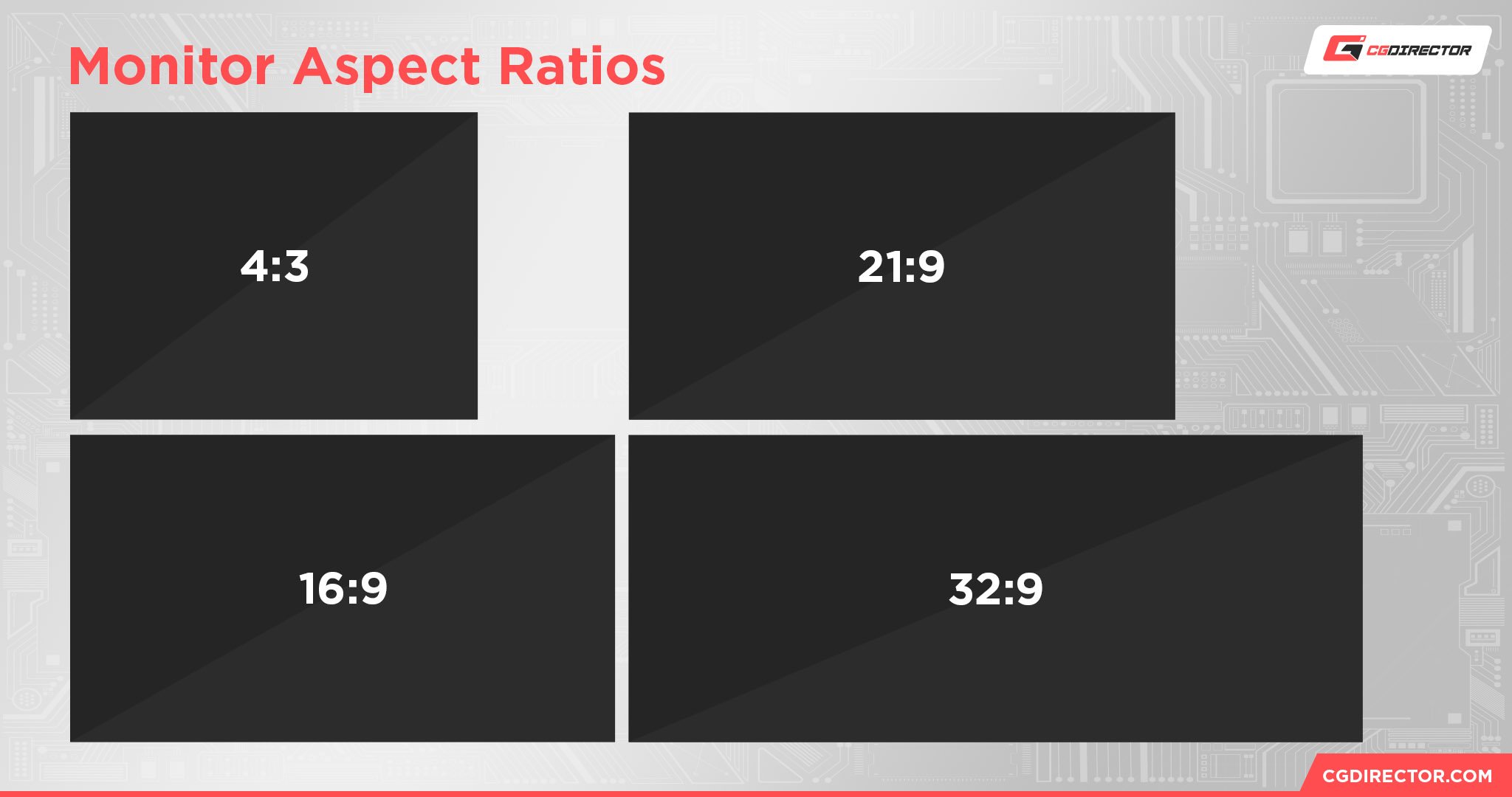
The 1440x1080 resolution is a high-definition format with a native 4:3 aspect ratio. While it matches the vertical pixel count of standard 1080p (1920x1080), it is narrower horizontally. It is primarily used today by competitive gamers to create a "stretched" field of view and was historically the dominant storage standard for HDV camcorders.
Understanding the Fundamentals of 1440x1080
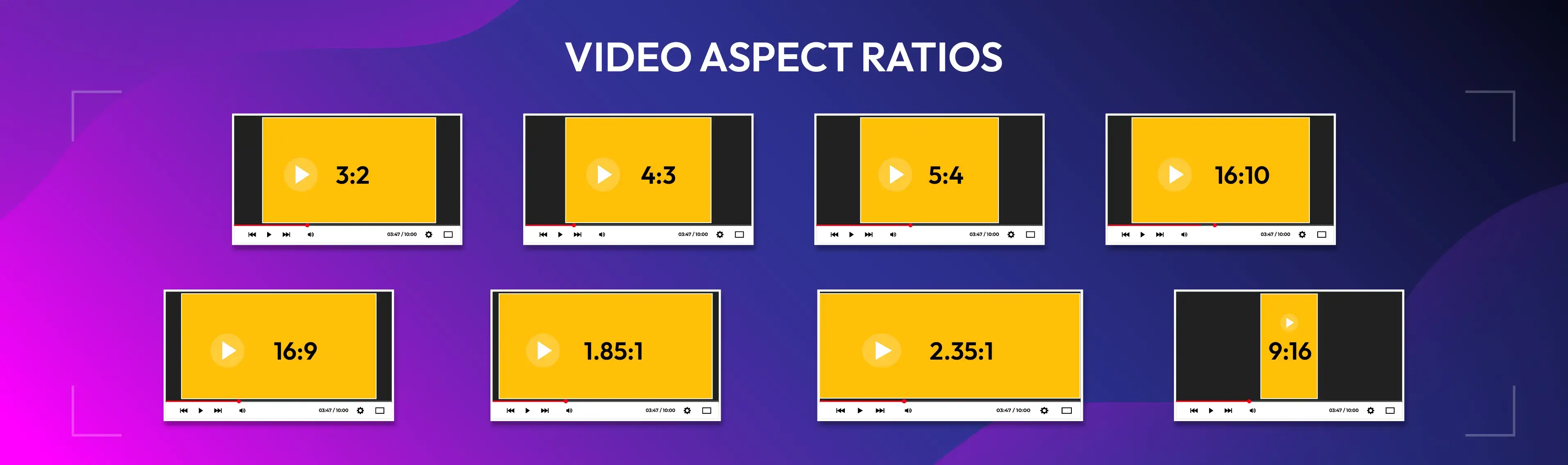
To understand the 1440x1080 resolution, one must first look at the mathematical relationship between the horizontal and vertical pixel counts. When you divide 1440 by 1080, the result is 1.333, which corresponds exactly to the 4:3 aspect ratio. This ratio was the standard for television and computer monitors for decades before the industry-wide shift to 16:9 widescreen formats.
In the modern digital landscape of 2026, 1440x1080 occupies a unique niche. It is technically a "High Definition" resolution because it meets the 1080-line vertical threshold, yet it does not conform to the "Full HD" (FHD) 1920x1080 standard that most consumers associate with 1080p. Instead, it offers a square-pixel 4:3 experience or a "thin-raster" anamorphic 16:9 experience, depending on how the pixels are interpreted by the hardware and software.
The Math: Pixel Count and Density
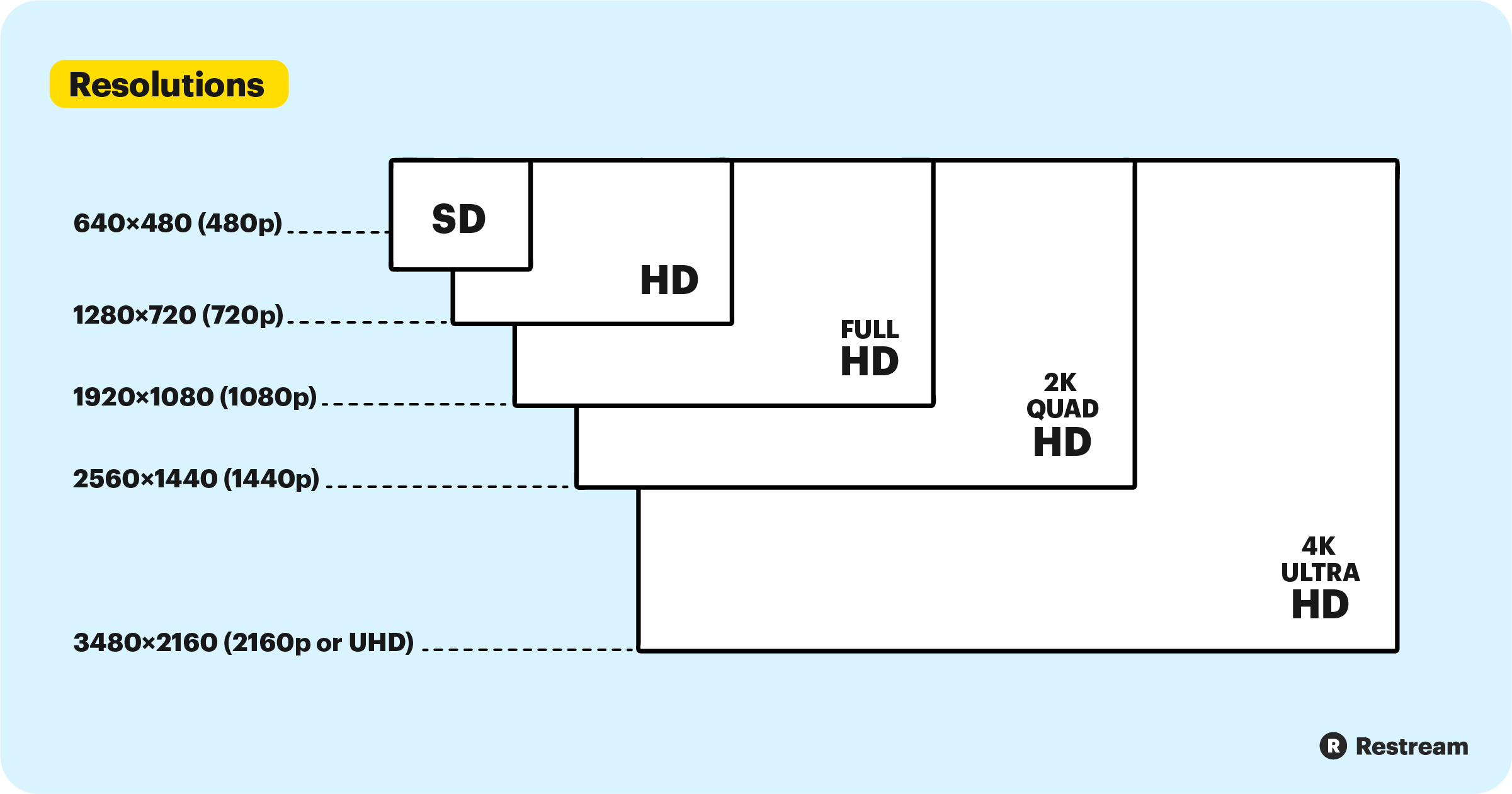
A standard 1920x1080 display contains 2,073,600 pixels. In contrast, a 1440x1080 frame contains 1,555,200 pixels. This represents approximately a 25% reduction in total pixel count. In professional video editing and gaming, this reduction is significant because it lowers the processing overhead required to render or encode each frame, while still maintaining the crisp vertical detail of a 1080p image.
The Dual Identity of 1440x1080
The most confusing aspect of 1440x1080 is that it can represent two different visual shapes depending on the Pixel Aspect Ratio (PAR).
1. Native 4:3 (Square Pixels)
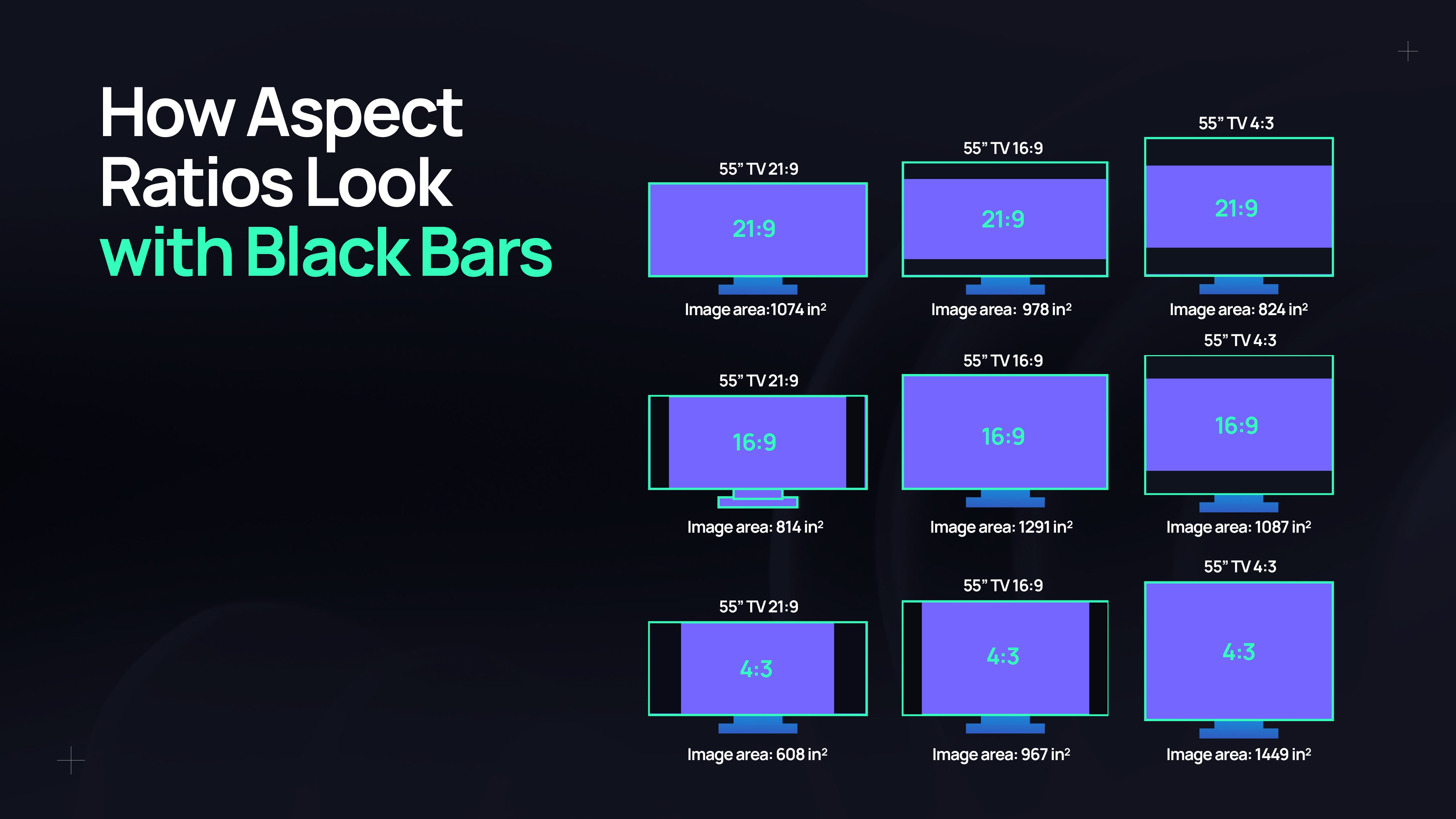
When 1440x1080 is used with a PAR of 1.0 (square pixels), the image appears as a traditional "box" shape. This is how the resolution is used in modern competitive gaming. On a standard 16:9 monitor, this resolution will either display with black bars on the sides (pillarboxing) or be stretched horizontally to fill the entire screen.
2. Anamorphic 16:9 (Non-Square Pixels)
Historically, in the era of HDV (High Definition Video) tape-based cameras, 1440x1080 was used as a compressed way to store 16:9 widescreen footage. By using non-square pixels with a PAR of 1.33, the 1440 horizontal pixels were stretched during playback to fill a 1920-pixel wide space. This allowed cameras to record "High Definition" video while saving 25% of the data bandwidth, which was necessary for the hardware limitations of the early 2000s.
1440x1080 in Competitive Gaming
In 2026, the most frequent encounter with 1440x1080 is within the tactical shooter community, specifically in titles like Counter-Strike 2, Valorant, and Apex Legends. Players often refer to this as a "Stretched Resolution."
Why Gamers Choose 1440x1080
Competitive players often eschew the native 1920x1080 resolution of their monitors in favor of 1440x1080 for several strategic reasons:
- Enlarged Character Models: When a 4:3 resolution like 1440x1080 is stretched to fit a 16:9 monitor, everything on the screen becomes wider. This makes enemy player models appear physically larger on the screen. While this does not change the actual "hitbox" in the game's engine, many players find it easier to track and aim at a visually wider target.
- Performance Gains: Because the GPU only has to render 1.55 million pixels instead of 2.07 million, frame rates (FPS) generally increase. In high-stakes gaming, maintaining a frame rate that matches or exceeds the monitor's refresh rate (e.g., 240Hz or 360Hz) is vital for minimizing input lag.
- Vertical Fidelity: Unlike lower 4:3 resolutions (such as 1024x768 or 1280x960), 1440x1080 maintains the full 1080p vertical detail. This results in a much sharper image that allows players to see long-distance targets more clearly than they would on lower-resolution "stretched" settings.
- Focus and Peripheral Vision: Some players argue that the narrower field of view (FOV) provided by a 4:3 ratio helps them focus on the center of the screen, reducing distractions from the peripheral edges of a widescreen display.
Implementing 1440x1080 on Modern Hardware
Most monitors do not list 1440x1080 as a native option. To use it, users typically must create a Custom Resolution through their graphics driver software (NVIDIA Control Panel, AMD Software: Adrenalin Edition, or Intel Graphics Command Center).
To achieve the "stretched" look, the user must set their scaling mode to "Full Screen" rather than "Aspect Ratio." This instructs the GPU or the monitor to ignore the native 4:3 proportions and force the pixels to fill the 16:9 panel.
Historical Context: The HDV Standard
The 1440x1080 resolution was a cornerstone of the HDV (High Definition Video) format, which was established by a consortium of manufacturers including Sony, JVC, Canon, and Sharp.
When the industry moved from Standard Definition (DV) to High Definition, storage media (like MiniDV tapes) lacked the speed and capacity to handle uncompressed 1920x1080 video easily. The solution was the 1440x1080 thin-raster format. By recording 1440 pixels horizontally and assigning a flag that told players to stretch them by a factor of 1.33, manufacturers could deliver a 1080i or 1080p experience using MPEG-2 compression.
Even today, when digitizing old tapes or working with legacy broadcast archives, technicians must be careful to distinguish between "Square Pixel" 1440x1080 and "Anamorphic" 1440x1080. Misidentifying the PAR results in an image that looks either too skinny or too fat.
Technical Comparison Table
The following table compares 1440x1080 against other common resolutions found in professional and gaming environments.
| Resolution | Aspect Ratio | Total Pixels | Common Use Case |
|---|---|---|---|
| 1280 x 720 | 16:9 | 921,600 | Standard HD, Streaming |
| 1280 x 960 | 4:3 | 1,228,800 | Competitive Gaming (Legacy Stretched) |
| 1440 x 1080 | 4:3 | 1,555,200 | High-Fidelity Stretched Gaming / HDV |
| 1920 x 1080 | 16:9 | 2,073,600 | Full HD (FHD) Standard |
| 2560 x 1440 | 16:9 | 3,686,400 | Quad HD (QHD) / 1440p Gaming |
Hardware and Display Compatibility
Using 1440x1080 requires an understanding of how modern LCD and OLED displays handle non-native resolutions. Unlike old CRT (Cathode Ray Tube) monitors, which could natively adjust their electron beams to different resolutions, modern panels have a fixed grid of pixels.
Scaling and Input Lag
When you send a 1440x1080 signal to a 1920x1080 monitor, a "scaling" process must occur. This can be handled in two ways:
- Display Scaling: The monitor's internal hardware takes the signal and stretches it. Some monitors do this very quickly, while others introduce several milliseconds of input lag.
- GPU Scaling: The graphics card performs the stretch and sends a "container" signal (usually 1920x1080) to the monitor. For most gamers in 2026, GPU scaling is preferred as modern graphics cards (RTX 40/50-series or RX 7000/8000-series) can perform this task with virtually zero added latency.
The "Blur" Factor
Because 1440x1080 does not have a 1:1 pixel mapping on a 1080p or 1440p monitor, the image will always be slightly blurrier than the native resolution. However, because 1440x1080 shares the same 1080-pixel vertical count as a standard 1080p monitor, the vertical blur is non-existent. The "softness" only occurs horizontally, which many competitive players actually find beneficial for smoothing out aliased (jagged) edges.
Common Myths and Misconceptions
Myth 1: 1440x1080 is "2K"
There is frequent confusion between 1440x1080 and 2560x1440 (often called 1440p). They are entirely different. 1440x1080 is a 4:3 resolution where 1440 is the width. In 2560x1440, 1440 is the height. 2560x1440 has more than double the total pixels of 1440x1080.
Myth 2: Stretched Resolution Increases Hitbox Size
As mentioned earlier, stretching the image does not change the game's code. A bullet that misses in 1920x1080 will still miss in 1440x1080. However, because the target appears wider on your screen, your brain may find it easier to align the crosshair with the visual representation of the target.
Myth 3: It's Only for Old Computers
While 1440x1080 does improve FPS, it is used by pro players with the most powerful PCs in the world. For them, it is not about "making the game playable," but about maximizing the speed and visual "readability" of the game state.
Frequently Asked Questions
Is 1440x1080 better than 1920x1080?
"Better" depends on the objective. For cinematic media consumption and general productivity, 1920x1080 (16:9) is superior because it matches the native shape of most modern content and screens. For competitive gaming, 1440x1080 is often preferred for the visual benefits of the stretched 4:3 aspect ratio and the slight boost in frame rates.
Why do I see black bars when using 1440x1080?
By default, most graphics drivers preserve the aspect ratio of the signal. Since 1440x1080 is 4:3 and your monitor is 16:9, the driver adds black bars (pillarboxing) to prevent distortion. To remove these, you must change the scaling mode in your GPU control panel (NVIDIA, AMD, or Intel) to "Full Screen."
Does 1440x1080 affect my mouse sensitivity?
When you stretch a 4:3 resolution to a 16:9 screen, your horizontal sensitivity will feel faster than your vertical sensitivity because the cursor is covering more physical distance on the monitor for the same amount of mouse movement. Some players adjust their "m_yaw" settings in games like Counter-Strike to compensate, though many experts recommend simply getting used to the feel to maintain muscle memory.
Can I use 1440x1080 on a 4K monitor?
Yes, you can use 1440x1080 on a 4K (3840x2160) monitor. However, because a 4K monitor has a much higher pixel density, the image will appear significantly blurrier than it would on a native 1080p monitor unless you use high-quality integer scaling or AI-upscaling features provided by modern GPUs.
Is 1440x1080 still used in professional video?
In 2026, it is rarely used for new productions, as most workflows have moved to native 4K or 8K square-pixel formats. However, it remains vital for archival work and for editors working with legacy HDV footage. In these cases, the 1440x1080 footage is usually interpreted or "upscaled" to a standard 1920x1080 square-pixel timeline.
Recommendation for Users
If you are a competitive gamer looking for an edge, 1440x1080 is highly recommended over lower 4:3 resolutions like 1280x960. It provides the same "stretched" character models while significantly improving clarity, making it easier to spot enemies at long distances. Ensure you use GPU scaling to minimize input latency.
If you are a video editor or content creator, only use 1440x1080 if you are working with legacy HDV sources. If you are creating new content, stick to standard square-pixel resolutions (1920x1080, 2560x1440, or 3840x2160) to ensure maximum compatibility across all modern playback devices.