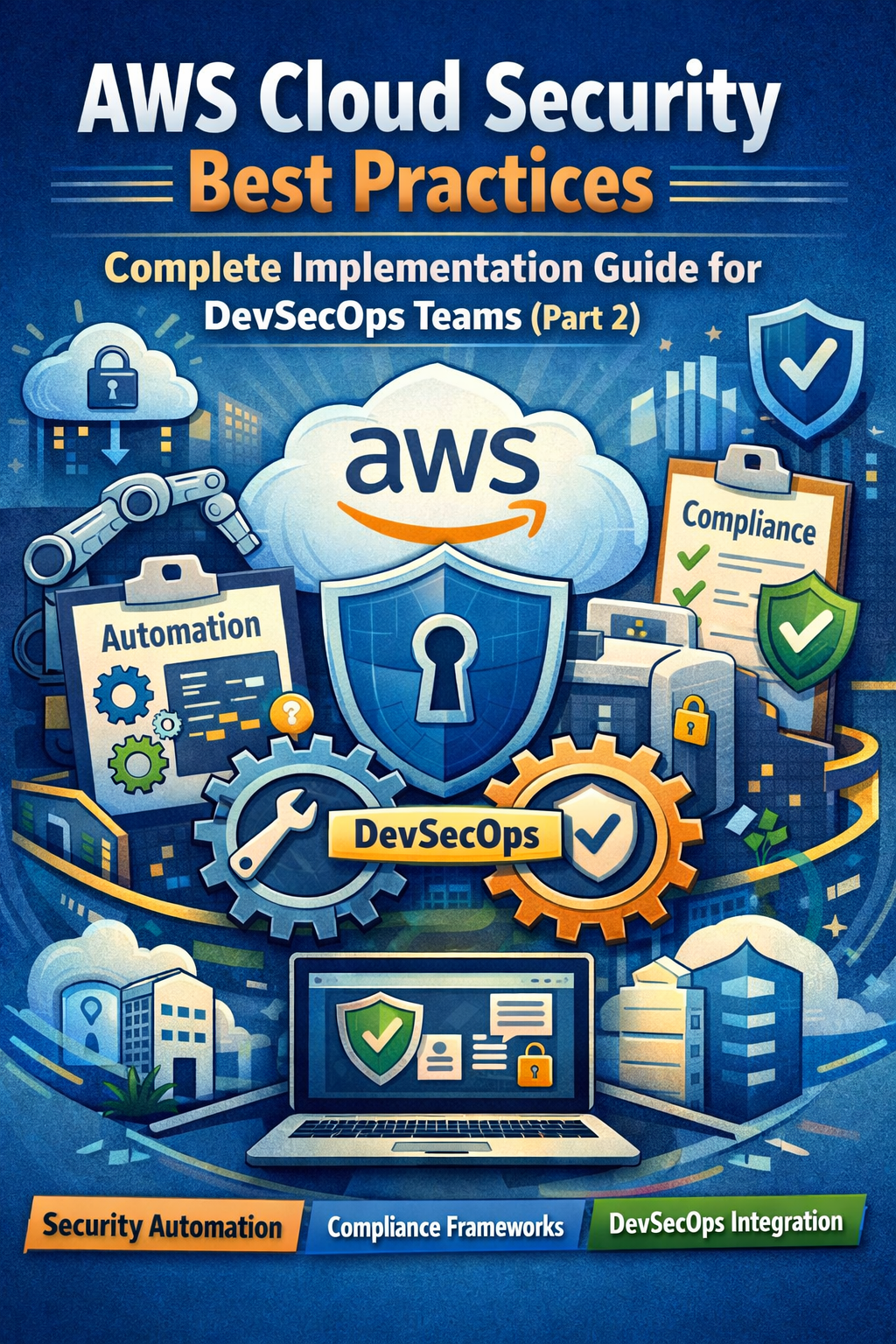
Applying the right AWS security best practices for CloudFormation involves implementing least-privilege IAM roles for stack execution, utilizing dynamic references for secrets management, and enforcing "Policy as Code" through automated scanning tools. By integrating proactive validation into your CI/CD pipeline, you ensure that infrastructure is secure by design before any resources are provisioned.
AWS CloudFormation has long been the backbone of Infrastructure as Code (IaC) within the Amazon Web Services ecosystem. As we navigate the cloud landscape in 2026, the complexity of cloud environments has scaled, making the security of these templates more critical than ever. A single misconfiguration in a CloudFormation template can lead to widespread vulnerabilities, such as exposed S3 buckets, overly permissive security groups, or unencrypted databases. To mitigate these risks, organizations must adopt a holistic security strategy that spans the entire lifecycle of a CloudFormation stack—from initial authoring to long-term maintenance.
The Foundation of CloudFormation Security: IAM and Least Privilege
The most critical security layer for CloudFormation is Identity and Access Management (IAM). When you deploy a stack, CloudFormation requires permissions to create, modify, or delete the resources defined in your template. By default, CloudFormation uses the permissions of the user or role that initiates the stack operation. However, this often leads to "permission creep," where users are granted excessive rights just to ensure their templates deploy successfully.
Implementing CloudFormation Service Roles
Instead of relying on user-level permissions, the gold standard in 2026 is to use CloudFormation Service Roles. A service role is an IAM role that you associate with a stack, allowing CloudFormation to assume that role to manage resources. This provides a clean separation of concerns: the developer only needs permission to call CloudFormation and pass the specific role (iam:PassRole), while the role itself contains the narrow set of permissions required to build the infrastructure.
When designing these roles, avoid using the AdministratorAccess managed policy. Instead, perform a "dry run" or use IAM Access Analyzer to identify the specific actions required for the resources in your template. If your stack only creates an S3 bucket and an SQS queue, your service role should only have s3:CreateBucket and sqs:CreateQueue permissions.
Restricting Template Access with IAM Policies
Beyond the execution role, you must secure who can interact with the CloudFormation service itself. Use IAM condition keys to restrict stack operations. For example, you can use the cloudformation:TemplateUrl condition to ensure that users can only deploy templates from a trusted, version-controlled S3 bucket. This prevents "shadow IT" deployments where developers might attempt to launch unvetted templates from their local machines.
Secrets Management and Parameter Security
Hardcoding sensitive information—such as database passwords, API keys, or private certificates—directly into CloudFormation templates is one of the most common and dangerous security failures. Templates are often stored in version control systems and are visible in the AWS Management Console, meaning any hardcoded secret is essentially public knowledge within the organization.
Leveraging Dynamic References
In 2026, the use of Dynamic References is the mandatory approach for handling sensitive data. CloudFormation supports dynamic references for AWS Secrets Manager and SSM Parameter Store. Instead of typing a password into your template, you reference the secret's ARN or name.
For example, when defining an AWS::RDS::DBInstance, you should use the following syntax for the password:
{{resolve:secretsmanager:MyDatabaseSecret:SecretString:password}}.
This approach ensures that the actual secret value never appears in the template, the CloudFormation logs, or the resource metadata. Furthermore, using Secrets Manager allows for automated secret rotation without requiring a manual update to the CloudFormation template.
The Role of NoEcho
If you must pass sensitive information as a parameter to a template (though this is discouraged in favor of Secrets Manager), always set the NoEcho property to true. This prevents the parameter value from being displayed in the describe-stacks output or the AWS Console. However, be aware that NoEcho does not encrypt the value; it only hides it from view in specific interfaces. The value is still stored in the stack's metadata, which is why dynamic references to Secrets Manager remain the superior choice.
Shifting Left: Static Analysis and Template Validation
Security should not be an afterthought that occurs after a stack is deployed. "Shifting left" means integrating security checks into the development phase. By the time a CloudFormation template reaches the production environment, it should have already passed multiple automated security gates.
Utilizing CFN-Lint and CFN-Guard
CFN-Lint is an essential tool that validates your CloudFormation templates against the official AWS resource specification. It catches syntax errors and basic configuration mistakes. However, for deeper security enforcement, AWS CloudFormation Guard (cfn-guard) is the industry standard.
CloudFormation Guard is an open-source policy-as-code tool that allows you to write rules to validate your templates. For example, you can write a rule that mandates all S3 buckets must have PublicAccessBlockConfiguration enabled or that all RDS instances must have StorageEncrypted set to true. By running cfn-guard in your CI/CD pipeline, you can automatically fail builds that do not meet your organization's security baseline.
Third-Party Scanning Tools
In addition to native AWS tools, many organizations use third-party static application security testing (SAST) tools for IaC, such as Checkov or Terrascan. These tools come with hundreds of pre-defined policies based on industry benchmarks like CIS (Center for Internet Security). They provide a "second pair of eyes" and often offer remediation suggestions, making it easier for developers to fix security flaws early in the cycle.
Protecting Critical Resources with Stack Policies
Accidental deletion or modification of a production database or a critical network component can be just as damaging as a security breach. CloudFormation provides Stack Policies to prevent such occurrences.
A Stack Policy is a JSON document that defines which actions can be performed on designated resources during a stack update. By default, anyone with permission to update the stack can update all resources in that stack. When you apply a Stack Policy, all resources are protected by default, and you must explicitly allow updates to specific resources.
For instance, you can create a policy that allows updates to EC2 instances but denies any Update:Replace or Delete actions on an RDS instance. This ensures that even if a developer modifies the template, CloudFormation will block the update if it threatens the integrity of the database.
Monitoring, Auditing, and Drift Detection
Security is a continuous process, not a one-time configuration. Once a stack is deployed, you must monitor it for unauthorized changes and ensure it remains in its desired state.
Enabling Drift Detection
"Drift" occurs when the actual configuration of a resource differs from the configuration defined in the CloudFormation template. This usually happens when someone makes manual changes via the AWS Console or CLI—a practice often referred to as "ClickOps." Drift is a significant security risk because it means your infrastructure no longer matches your audited security baseline.
In 2026, automated Drift Detection should be scheduled regularly. CloudFormation can detect drift for most resource types. If drift is detected, you should have a process in place to either revert the manual changes or update the CloudFormation template to reflect the new, approved state.
Integrating with AWS CloudTrail and Config
Every action taken by CloudFormation is logged in AWS CloudTrail. Auditing these logs allows you to see who initiated a stack update, what parameters were used, and whether the operation was successful. Furthermore, AWS Config should be used to monitor the compliance of resources created by CloudFormation. While cfn-guard checks the template before deployment, AWS Config checks the actual resources in real-time, providing a redundant layer of security enforcement.
Comparative Overview of CloudFormation Security Tools
The following table summarizes the primary tools used to secure CloudFormation deployments and their specific roles in the security lifecycle.
| Tool Name | Primary Function | Lifecycle Phase | Key Security Benefit |
|---|---|---|---|
| IAM Service Roles | Least-privilege execution | Deployment | Prevents over-privileged stack operations. |
| AWS Secrets Manager | Secret storage/rotation | Runtime | Eliminates hardcoded credentials in templates. |
| CFN-Guard | Policy as Code enforcement | Pre-deployment | Prevents non-compliant resources from being created. |
| Stack Policies | Resource protection | Post-deployment | Prevents accidental deletion of critical assets. |
| Drift Detection | Configuration auditing | Operations | Identifies manual, unauthorized infrastructure changes. |
| AWS CloudTrail | API activity logging | Operations | Provides a forensic trail for all stack actions. |
Network Security Best Practices within Templates
When defining network infrastructure in CloudFormation, security must be "baked in" to the resource definitions.
- Restrictive Security Groups: Never use
0.0.0.0/0in your security group ingress rules unless the resource is a public-facing load balancer. Always reference specific CIDR blocks or other security group IDs to create a tiered network architecture. - Private Subnets for Databases: Ensure that sensitive resources like RDS instances or ElastiCache clusters are placed in private subnets with no direct route to the internet. Use NAT Gateways or PrivateLink for necessary outbound connectivity.
- VPC Endpoint Enforcement: Instead of communicating with AWS services over the public internet, use VPC Endpoints (Interface or Gateway). You can define these in your CloudFormation templates to ensure that data traffic remains within the AWS network backbone.
Multi-Account Security with CloudFormation StackSets
For large organizations using AWS Organizations, CloudFormation StackSets is the preferred method for deploying security baselines across multiple accounts and regions. StackSets allow you to define a central template—containing IAM roles, VPC configurations, or Config rules—and deploy it to hundreds of accounts simultaneously.
When using StackSets, ensure that you use "service-managed permissions." This allows StackSets to automatically deploy the security baseline whenever a new account is added to an Organizational Unit (OU). This "secure by default" onboarding process is essential for maintaining a consistent security posture in complex, multi-account environments.
Common Pitfalls to Avoid
Even with the best tools, certain common mistakes can undermine your CloudFormation security:
- Ignoring Metadata: Be careful with the
Metadatasection of your resources. Information stored here is often easily accessible via theDescribeStackResourcesAPI and should never contain sensitive data. - Over-reliance on Default Values: CloudFormation resources often have default properties that are not optimized for security (e.g., S3 buckets not being encrypted by default in older resource versions). Always explicitly define security properties rather than relying on defaults.
- Neglecting Cross-Stack References: If you export values from one stack to be used in another, be aware that you cannot delete the exporting stack until all importing stacks are deleted. This can lead to "zombie" stacks that remain in your environment because they are too difficult to decommission, increasing your attack surface.
FAQs
Should I use AWS Secrets Manager or SSM Parameter Store for CloudFormation?
While both are useful, AWS Secrets Manager is preferred for sensitive data like passwords or API keys because it supports automated rotation and has more robust integration for dynamic references in CloudFormation. SSM Parameter Store is excellent for non-sensitive configuration data (like AMI IDs or environment names).
How do I prevent CloudFormation from deleting my database if I delete the stack?
You should use the DeletionPolicy attribute. Setting DeletionPolicy: Retain on critical resources like RDS instances or S3 buckets ensures that AWS will keep the resource even if the CloudFormation stack is deleted. This provides a safety net against accidental data loss.
Can CloudFormation automatically fix security issues?
CloudFormation itself does not "fix" issues; it simply executes the template you provide. However, you can use AWS Config "Remediation" actions. If AWS Config detects a non-compliant resource created by CloudFormation, it can trigger an AWS Systems Manager (SSM) Automation document to correct the configuration automatically.
Is hardcoding an IAM policy in a template a bad practice?
Hardcoding the logic of a policy is fine, but hardcoding specific ARNs or User IDs is not. Use CloudFormation intrinsic functions like !Sub or !GetAtt to dynamically inject resource ARNs. This makes your templates more portable and reduces the risk of referencing the wrong (or an insecure) resource.
How does "Shift Left" security apply to CloudFormation?
"Shift Left" means moving security checks to the earliest possible stage of development. For CloudFormation, this involves running linters (CFN-Lint) and policy checkers (CFN-Guard) on a developer's machine or within a Git hook, long before the code is ever pushed to a deployment pipeline.
Final Recommendations for 2026
To successfully apply the right AWS security best practices for CloudFormation, you must transition from treating security as a checklist to treating it as code. Start by securing your execution environment with least-privilege IAM roles and protecting your data with dynamic references to Secrets Manager. Implement automated validation using CloudFormation Guard to enforce organizational standards across every template.
As a next action, perform a security audit of your existing stacks using the Drift Detection feature. Identify any resources that have moved away from their intended configuration and bring them back into alignment. Moving forward, ensure that no CloudFormation template is deployed without passing through an automated CI/CD pipeline that includes mandatory security linting and policy enforcement.