To run the Apache HTTP Server efficiently in 2026, your system requires a compatible Unix-like or Windows operating system, a minimum of 1 GB of RAM for low-traffic environments, and at least 200 MB of disk space for the binary files. Production-grade deployments typically demand multi-core CPUs, 4 GB to 16 GB of RAM, and essential software dependencies including the Apache Portable Runtime (APR), PCRE for regular expressions, and OpenSSL for encrypted traffic.
Understanding the Versatility of Apache HTTP Server
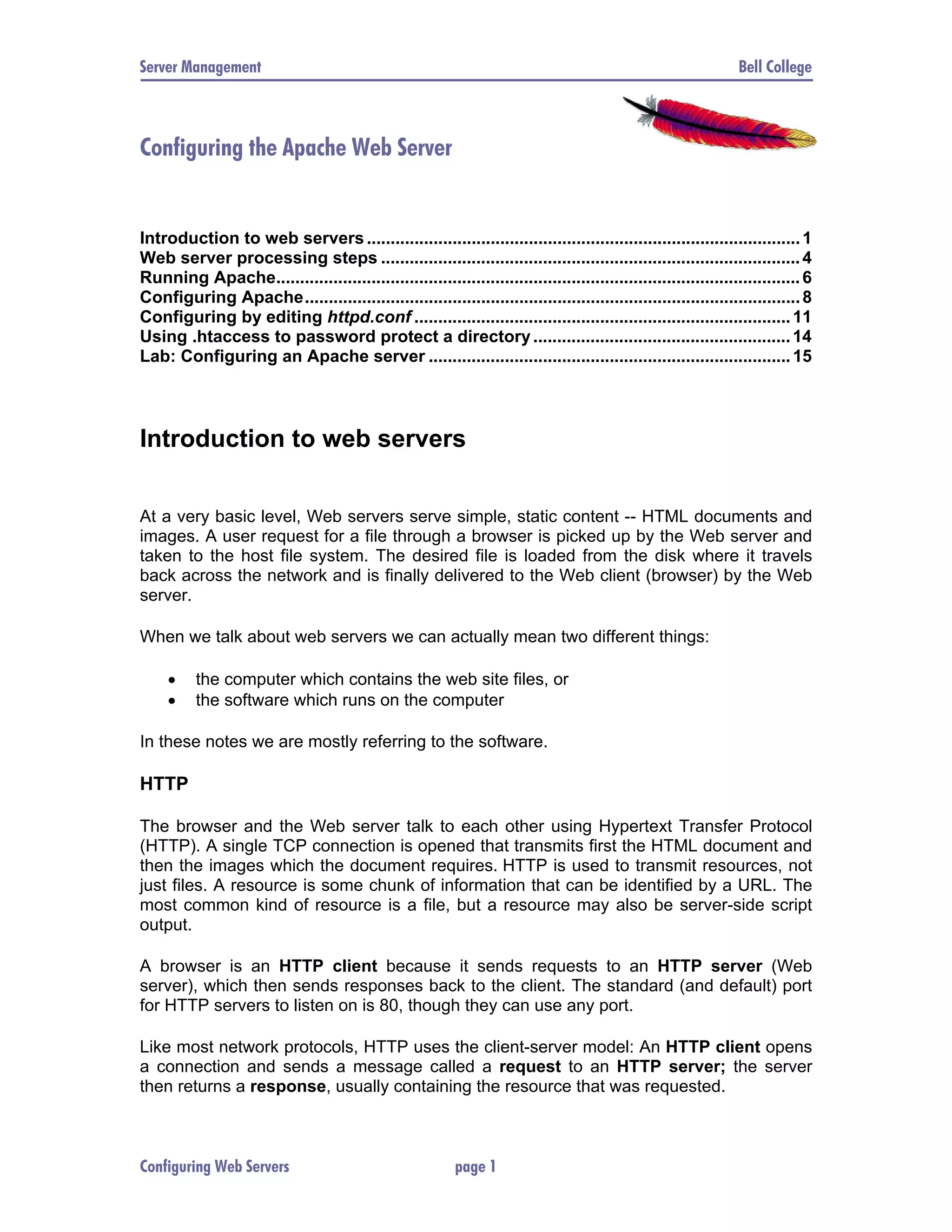
The Apache HTTP Server remains a cornerstone of global web infrastructure. Even as we navigate through 2026, its modular architecture and robustness make it a preferred choice for everything from small personal blogs to massive enterprise clusters. However, "requirements" for Apache are not a single set of static numbers; they are a spectrum that shifts based on your specific use case, the volume of incoming requests, and the complexity of the content being served.
When discussing Apache server requirements, we must distinguish between the bare minimums needed to execute the daemon and the practical resources required to maintain high availability and low latency under load. A server merely "running" is different from a server "performing."
Hardware Requirements: From Development to Production
Hardware selection is the foundation of your Apache environment. While Apache is famously lightweight in its "out-of-the-box" state, the modules you enable and the traffic you receive will dictate your hardware needs.
Central Processing Unit (CPU)
Apache utilizes Multi-Processing Modules (MPMs) to handle incoming requests. In 2026, the choice of CPU is less about raw clock speed and more about core count and threading efficiency.
- Minimum: A single-core processor (2.0 GHz+) is sufficient for development or very low-traffic internal tools.
- Recommended: A quad-core CPU or higher. For modern production environments, processors supporting the latest instruction sets (like AVX-512) help accelerate encryption and compression tasks handled by modules like
mod_sslandmod_deflate. - The "Why": Each incoming connection, especially when using the
preforkorworkerMPMs, consumes CPU cycles. If you are serving dynamic content via PHP (mod_php or PHP-FPM) or Python, the CPU becomes the primary bottleneck as it processes script logic before Apache can send the response.
Random Access Memory (RAM)
RAM is often the most critical hardware factor for Apache. Each process or thread spawned by Apache consumes a slice of system memory.
- Minimum: 1 GB of RAM. This is enough for the OS and a basic Apache instance serving static files.
- Recommended: 8 GB to 16 GB for standard production servers.
- The "Why": Apache's memory consumption is tied to the
MaxRequestWorkersdirective. If each process takes 50 MB of RAM and you allow 100 workers, you need 5 GB of RAM just for Apache. If the system runs out of physical RAM and begins "swapping" to the disk, performance will plummet, often leading to a "denial of service" state where the server is too slow to respond to anyone.
Disk Space and I/O Performance
The space required for the Apache binaries is negligible (less than 200 MB), but the storage subsystem's performance is vital.
- Storage Space: At least 10 GB of free space to accommodate logs, which can grow rapidly in high-traffic environments.
- Disk Type: Solid State Drives (SSD) or NVMe drives are mandatory for 2026 production standards.
- The "Why": While static files are often cached in RAM by the OS, initial reads and heavy logging require high I/O throughput. If your disk cannot keep up with the write requests for
access.loganderror.log, the entire server can hang.
Operating System Compatibility
Apache is highly portable, but the underlying Operating System (OS) determines which MPMs are available and how efficiently the server handles system calls.
Linux and Unix-like Systems
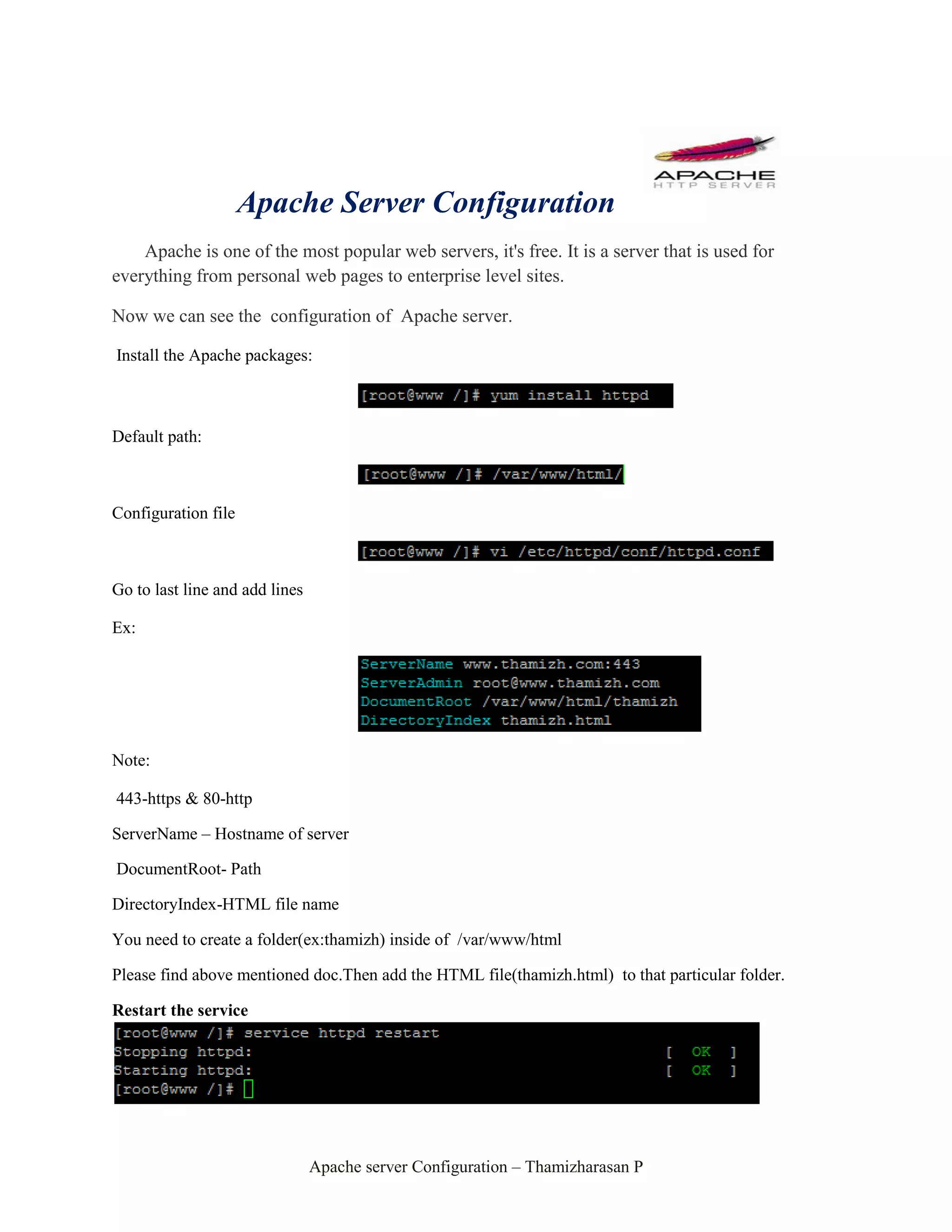
Linux remains the native-feeling environment for Apache. Distributions like Ubuntu 24.04/26.04 LTS, Red Hat Enterprise Linux 9/10, and Debian 12/13 provide the most stable experience.
- Kernel Version: A modern kernel (6.x or higher in 2026) is recommended to take advantage of advanced networking features like
io_uring, which can significantly improve asynchronous I/O performance for web servers. - Permissions: You must have
rootaccess (orsudoprivileges) to bind Apache to the standard web ports (80 and 443).
Microsoft Windows
Apache runs on Windows through a dedicated port. While historically considered less performant than the Linux version, the Windows port is highly stable for 2026.
- Supported Versions: Windows Server 2022, Windows Server 2025, and Windows 10/11 (for development).
- Architecture: Always use the 64-bit (x64) version of Apache on Windows to access more than 4 GB of RAM per process and for better integration with modern hardware.
Critical Software Dependencies
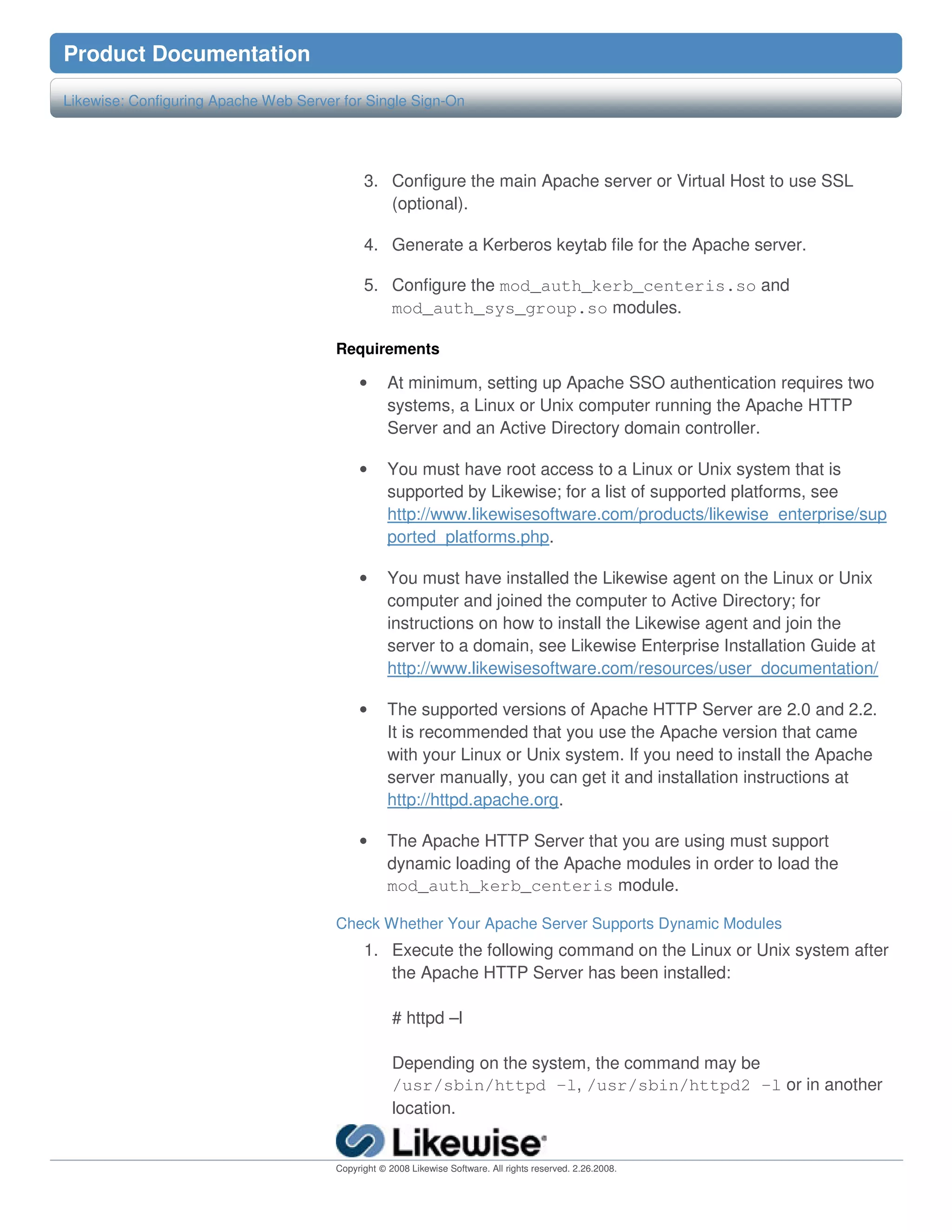
If you are compiling Apache from source—a common practice for performance tuning—you must meet several software prerequisites. Even when using package managers (like apt or dnf), these libraries are working behind the scenes.
1. Apache Portable Runtime (APR) and APR-Util
The APR is a library of code that makes Apache work identically across different operating systems. It handles low-level tasks like file I/O, network sockets, and shared memory.
- Requirement: You generally need APR version 1.7 or higher.
- Source: apr.apache.org
2. Perl Compatible Regular Expressions (PCRE)
Apache uses PCRE for powerful pattern matching in configuration directives, most notably in mod_rewrite.
- Requirement: PCRE2 is the modern standard. Older PCRE 8.x versions are increasingly deprecated.
- The "Why": Without PCRE, you cannot use complex URL redirection or conditional configuration blocks based on browser headers.
3. OpenSSL
To serve content over HTTPS (which is mandatory in 2026), Apache requires the OpenSSL library and the mod_ssl module.
- Requirement: OpenSSL 3.0 or higher is necessary to support TLS 1.3 and modern cipher suites.
- Hardware Acceleration: Ensure your CPU supports AES-NI to reduce the computational cost of encryption.
4. Compilers and Build Tools
If building from source, you need a functional build environment.
- Linux:
gcc,make, andautoconf. - Windows: Visual Studio C++ build tools (the specific version depends on the Apache binary version you are targeting).
Networking and Security Requirements
An Apache server cannot exist in a vacuum. It requires a specific network environment to be reachable and secure.
IP Address and DNS
While Apache can run on a dynamic IP via DDNS, a Static IPv4 or IPv6 address is standard for production. This ensures that your Domain Name System (DNS) records remain valid without constant updates. In 2026, ensure your server environment is "IPv6-ready," as many networks now prioritize or exclusively use IPv6.
Port Availability
By default, Apache requires access to:
- Port 80 (HTTP): Used for initial connections and redirects to secure sites.
- Port 443 (HTTPS): The primary port for secure web traffic.
- Firewall Configuration: You must configure your OS firewall (like
ufworfirewalld) and any cloud-provider security groups to allow inbound traffic on these ports.
Security Modules
To meet 2026 security standards, the following software-level configurations are considered "requirements" for public-facing servers:
- Mod_Security: A web application firewall (WAF) module that inspects incoming requests for malicious patterns.
- Mod_Evasive: Helps mitigate small-scale Distributed Denial of Service (DDoS) and brute-force attacks.
Comparison of Apache Configuration Scopes
The following table outlines how requirements scale from a small personal project to an enterprise-level deployment.
| Feature | Development / Small Blog | Standard Business Site | High-Traffic Enterprise |
|---|---|---|---|
| CPU Cores | 1 Core | 2 - 4 Cores | 8+ Cores |
| RAM | 1 GB - 2 GB | 4 GB - 8 GB | 16 GB - 64 GB+ |
| Storage Type | Standard SSD | NVMe SSD | RAID-protected NVMe |
| Traffic Handling | < 100 concurrent users | 1,000 - 5,000 concurrent | 10,000+ concurrent |
| Primary MPM | event or prefork |
event |
event with Load Balancer |
| SSL/TLS | Basic (Let's Encrypt) | Standard (DV/OV) | High-assurance (EV/Wildcard) |
| Backup Requirement | Weekly Manual | Daily Automated | Real-time Replication |
Scaling Requirements: Beyond a Single Server
In 2026, many "Apache server requirements" actually refer to the architecture surrounding the server. For very high-traffic sites, the requirement shifts from "one big server" to "multiple smaller servers."
Load Balancing
When a single Apache instance can no longer meet CPU or RAM requirements despite vertical scaling, a Load Balancer (like HAProxy or a cloud-native solution) becomes a requirement. This allows you to distribute traffic across several Apache nodes.
Caching Layers
To reduce the load on Apache, implementing a caching layer like Varnish or a Content Delivery Network (CDN) is often a prerequisite for performance. This ensures that Apache only handles requests that cannot be served from a cache, significantly lowering the hardware specs needed for the origin server.
Containerization (Docker/Kubernetes)
Running Apache in a container requires understanding resource limits. In a Kubernetes environment, you must define "Requests" and "Limits" for CPU and RAM. A common mistake is setting these limits too low, causing the Apache pod to be killed (OOMKilled) during traffic spikes.
Common Pitfalls and Troubleshooting
Even if you meet all the hardware and software requirements, configuration errors can lead to failure.
- Missing Header Files: When compiling, users often have the library (e.g., OpenSSL) but not the "development" headers (e.g.,
openssl-devorlibssl-dev). Without these, the./configurescript will fail. - Incompatible MPMs: On Windows, only the
winntMPM is available. Trying to configureworkeroreventon a Windows build will result in startup errors. - Port Conflicts: If another service (like Nginx or a legacy IIS instance) is already using Port 80, Apache will fail to start. Always use
netstat -tulpn(on Linux) to check for port occupancy. - SELinux/AppArmor Restrictions: On distributions like RHEL or Ubuntu, security frameworks may prevent Apache from reading files outside of
/var/www/htmlor binding to non-standard ports, even if you are running as root.
Frequently Asked Questions
Can I run Apache on a Raspberry Pi in 2026?
Yes, Apache is highly efficient on ARM architecture. A Raspberry Pi 4 or 5 with 4 GB of RAM is an excellent environment for learning, local development, or hosting lightweight internal dashboards. However, it is not recommended for high-concurrency public websites due to SD card I/O limitations.
Does Apache require a database like MySQL?
No, Apache itself does not require a database. It is a web server designed to serve files. However, many applications that run on Apache (like WordPress or Drupal) do require a database. If you host the database on the same server, you must double your RAM requirements to account for both services.
Is Apache or Nginx better for low-resource servers?
Nginx is generally more memory-efficient when serving static files because of its asynchronous, event-driven architecture. However, Apache's event MPM has closed this gap significantly. Apache remains the better choice if you require .htaccess support or specific modules not available in Nginx.
How much bandwidth does an Apache server need?
Bandwidth is not a "server requirement" in the sense of hardware, but it is a functional requirement. For a standard site, 100 Mbps is usually plenty. For media-heavy sites, a 1 Gbps or 10 Gbps uplink is necessary to prevent network congestion from bottlenecking the CPU.
What version of Apache should I use in 2026?
You should always use the latest stable release of the 2.4.x branch (e.g., 2.4.62 or higher). While Apache 2.4 has been the standard for years, frequent minor updates address security vulnerabilities and introduce support for newer protocols like HTTP/3.
Final Recommendation
Before deploying Apache, evaluate your traffic expectations. For a standard professional website in 2026, start with a virtual private server (VPS) featuring 2 vCPUs, 4 GB of RAM, and 40 GB of NVMe storage running Ubuntu 24.04/26.04 LTS. This setup provides enough overhead for OS tasks, Apache's memory footprint, and the processing of dynamic scripts while maintaining a buffer for traffic surges. Always ensure you have OpenSSL 3.0+ installed to provide the security your users expect.