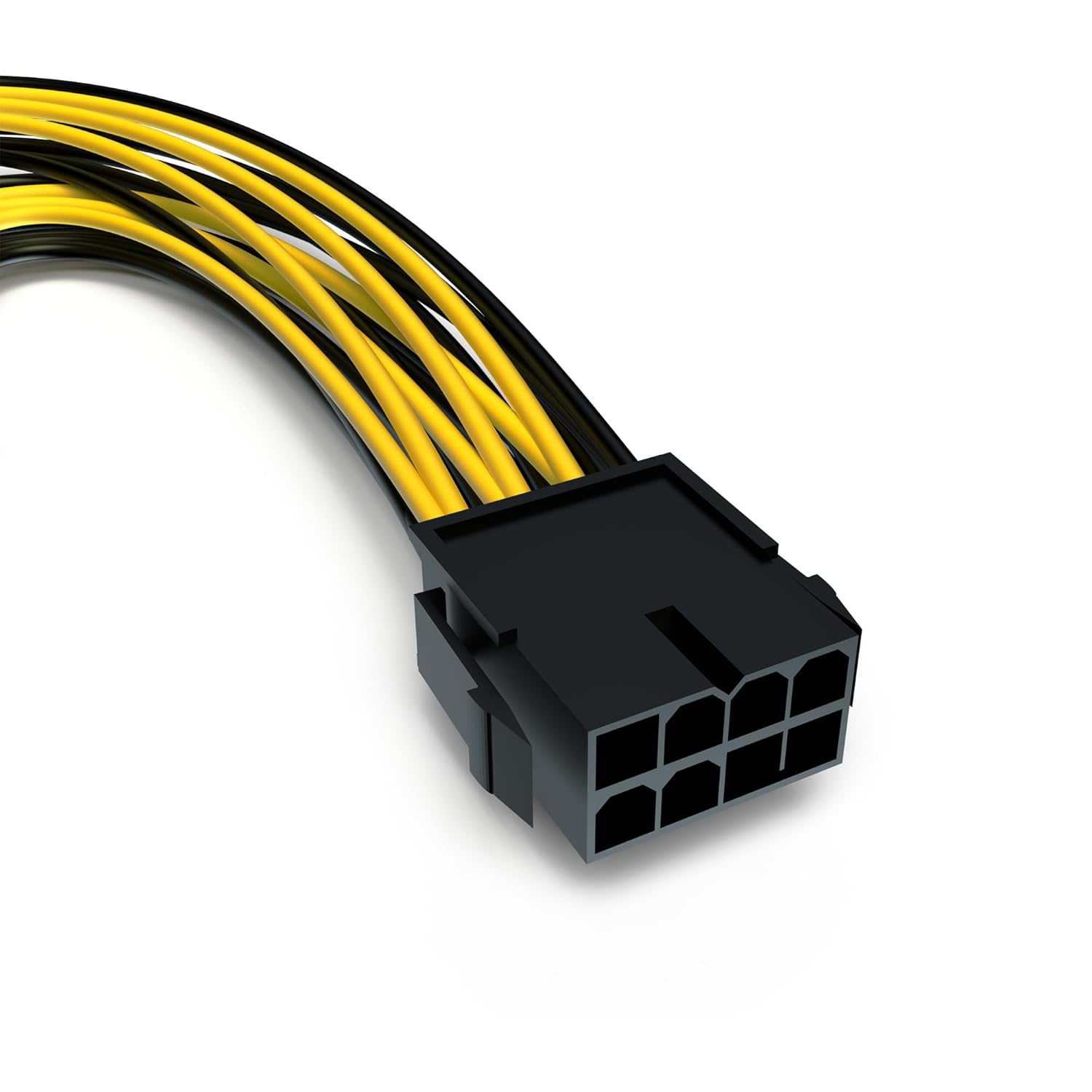
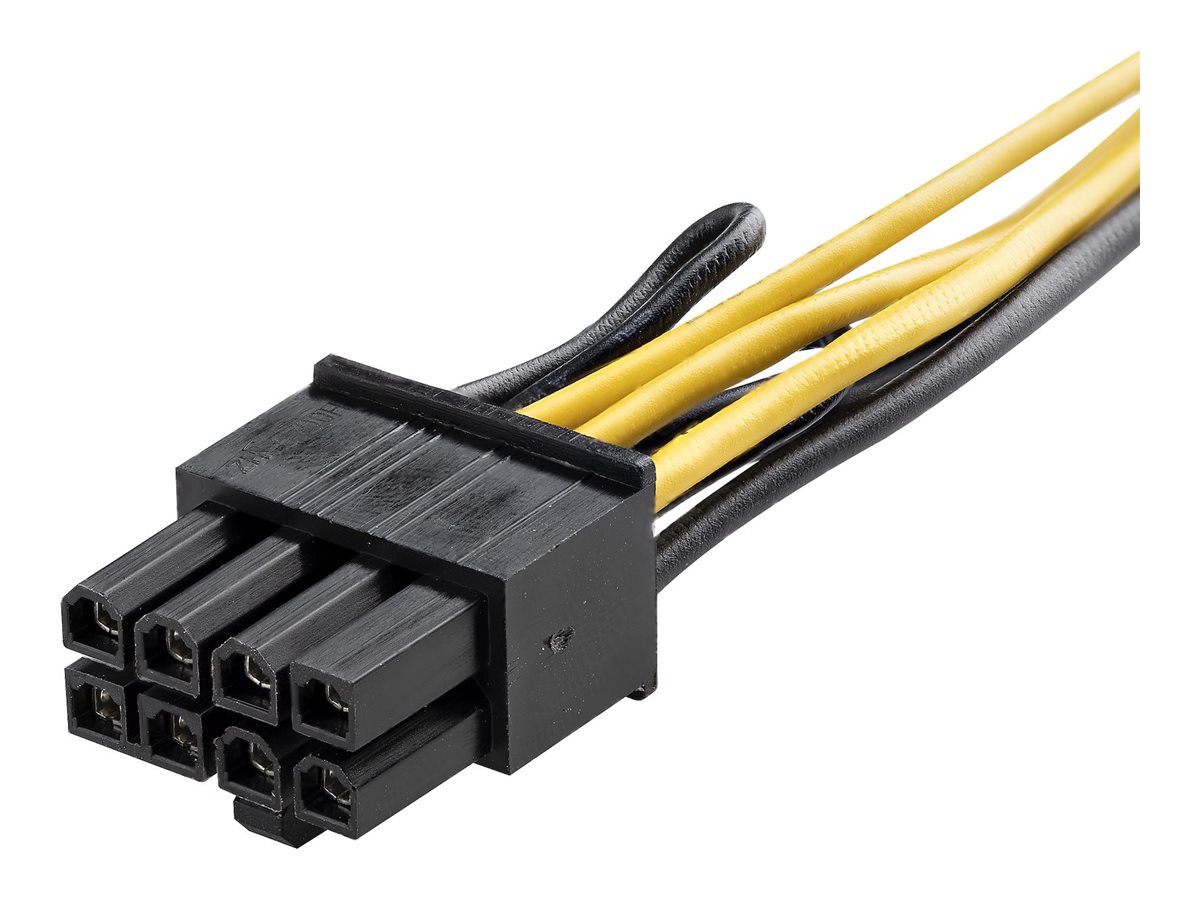
The 1 PCIe 8-pin power connector is a standard interface used to deliver dedicated auxiliary electrical power from a computer power supply unit (PSU) to internal hardware components, most notably dedicated graphics processing units (GPUs). Capable of supplying up to 150 watts of direct current, this connector plays a critical role in system stability, hardware performance, and safe power distribution across modern desktop computers.
Introduction to PCIe Power Delivery
Modern computing architectures demand significantly more electrical energy than what a standard motherboard slot can safely provide on its own. While a traditional PCIe x16 slot is designed to supply up to 75 watts of power directly to an installed expansion card, high-performance graphics cards, specialized computational accelerators, and professional video editing hardware frequently exceed this threshold. To bridge this energy gap, the Peripheral Component Interconnect Special Interest Group (PCI-SIG) and power supply manufacturers established standardized auxiliary power connectors.
Among these standards, the 8-pin PCI Express power connector stands as one of the most widely adopted interfaces in desktop computer building. Understanding its pinout configuration, electrical capacity, and compatibility requirements is essential for anyone assembling, upgrading, or troubleshooting a desktop computer system. Whether dealing with mid-range gaming rigs or older high-end workstations, recognizing how this connector interacts with a power supply and a graphics card prevents hardware damage and ensures optimal system performance.
Physical Design and Pinout Configuration
At first glance, the 1 PCIe 8-pin power connector closely resembles a standard 8-pin EPS CPU power connector, but they are electrically and mechanically distinct. Attempting to force an EPS CPU cable into a graphics card power socket can cause severe electrical damage. The PCIe version features a distinct arrangement of square and rounded plastic pins to prevent incorrect insertion.
The standard 8-pin PCIe power layout consists of three 12-volt positive supply pins and five ground (return) pins. Interestingly, of the five ground pins, one functions as a sense pin—often referred to as Sense0—which the graphics card uses to detect whether an auxiliary cable is physically plugged in and capable of delivering power.
| Pin Number | Signal Name | Description |
|---|---|---|
| Pin 1 | +12V | 12-Volt Positive Power Supply |
| Pin 2 | +12V | 12-Volt Positive Power Supply |
| Pin 3 | +12V | 12-Volt Positive Power Supply |
| Pin 4 | Sense0 | Ground-referenced presence detection line |
| Pin 5 | Ground | Common Ground Return |
| Pin 6 | Ground | Common Ground Return |
| Pin 7 | Ground | Common Ground Return |
| Pin 8 | Ground | Common Ground Return |
The physical housing also incorporates a locking plastic latch on top. This latch secures the connector firmly into the matching receptacle on the graphics card, preventing accidental disconnection caused by system vibrations, movement, or thermal expansion. Users must depress this plastic tab fully when unplugging the cable to avoid breaking the retention mechanism or damaging the socket.
Electrical Specifications and Power Delivery Limits
According to the official PCI-SIG specifications, a single 8-pin PCIe power cable is rated to deliver a maximum of 150 watts of electrical power safely. Combined with the 75 watts supplied by the motherboard's PCIe slot, a component requiring up to 225 watts of total power can be supported using a single 8-pin connection.
This 150-watt rating is determined by the American Wire Gauge (AWG) standards of the wires used in the cable harness, the current-carrying capacity of the individual metal terminals inside the plastic housing, and the trace routing on the power supply printed circuit board. Standard computer power supplies typically utilize 18 AWG wire for these cables, which is engineered to handle the thermal load and electrical current without excessive voltage drop or overheating.
Exceeding these safety margins by utilizing unauthorized splitters or drawing excessive current through substandard adapters can lead to thermal runaway, melted plastic insulation, connector degradation, or potential fire hazards. Therefore, respecting the 150-watt design limit of a single 8-pin connector is vital for system safety.
Evolution from 6-Pin to 8-Pin Connectors
To fully understand the 8-pin connector, it helps to examine its predecessor: the legacy 6-pin PCIe power connector. The older 6-pin standard was introduced to supply up to 75 watts of auxiliary power. As graphics processors grew in complexity, thermal output, and energy consumption, 75 watts from the slot plus 75 watts from a single 6-pin connector—totaling 150 watts—became insufficient for flagship hardware.
To accommodate higher power draws without completely reinventing the cabling infrastructure, the 8-pin connector was introduced. Engineers added two additional ground pins to the existing 6-pin design. While these extra pins do not carry additional 12-volt lines, they provide a lower resistance return path and act as ground references that signal to the graphics card that a higher-capacity power source is connected, authorizing the GPU to draw up to 150 watts instead of the legacy 75-watt limit.
This design choice led to the creation of the ubiquitous "6+2 pin" modular cable connector found on nearly all modern power supplies. A 6+2 pin connector features a main block of six pins with a detachable two-pin segment tethered to the side. When combined, they form a standard 8-pin connector; when separated, the two-pin section hangs loose, allowing the connector to fit older graphics cards that only require a 6-pin input.
Common Mistakes and Installation Guidelines
Incorrect handling of PCIe power cables remains a frequent cause of hardware instability, system boot failures, and component damage. Avoiding common pitfalls ensures a smooth building process and extends the lifespan of computer hardware.
- Confusing EPS and PCIe Cables: Never plug a CPU 8-pin (EPS) cable into a graphics card, and vice versa. While some modern modular power supplies utilize smart pin layouts on the PSU side, the component-end pinouts are entirely different and can short-circuit delicate GPU components.
- Using Low-Quality Molex Adapters: Avoid cheap, uncertified adapters that convert old 4-pin Molex connectors or SATA power cables into 8-pin PCIe power. These alternatives often cannot handle the sustained electrical current required by modern hardware, leading to melted wiring.
- Incomplete Latching: Ensure the plastic locking tab clicks securely into place. A partially inserted connector creates high electrical resistance at the contact points, generating localized heat that can permanently fuse or melt the plastic housing.
- Daisy-Chaining High-Draw Cards: When powering demanding graphics cards that require multiple 8-pin connectors, avoid using a single "pigtailed" cable (one cable split into two 8-pin ends) if possible. Using two separate independent cables running directly from the power supply distributes the electrical load more evenly and reduces strain on the wiring.
Troubleshooting Power and Stability Issues
When a computer system experiences unexpected shutdowns, graphical artifacts, or refuses to post video output after installing a new component, the PCIe power connection is often a primary suspect. Systematically diagnosing these issues saves time and prevents unnecessary hardware replacements.
First, power down the system completely and disconnect the main AC power cord from the wall outlet. Open the computer chassis and visually inspect every 8-pin connection at both the graphics card and the power supply (if using a fully or semi-modular unit). Ensure the connectors are pushed in straight and that no wires are pinched or pulled taut.
Next, verify that the power supply unit possesses sufficient wattage to support the entire system load, including the CPU, storage drives, cooling fans, and the graphics card. A power supply that trips its over-current protection (OCP) or over-power protection (OPP) will immediately shut the system down when the GPU attempts to draw peak power during gaming or benchmark workloads. Utilizing dedicated monitoring software to track 12-volt rail stability under load can also reveal voltage sag or power delivery inconsistencies.
Frequently Asked Questions
Can I plug a 6-pin PCIe cable into an 8-pin graphics card port?
In many cases, plugging a 6-pin connector into an 8-pin slot will physically fit if the keying allows it, but it is generally not recommended or supported by modern hardware. A 6-pin connection only authorizes up to 75 watts of auxiliary power, whereas an 8-pin port expects up to 150 watts. Many graphics cards will refuse to boot or display an error message on screen if they detect an incomplete power configuration.
What is the difference between a CPU 8-pin and a PCIe 8-pin cable?
While both feature eight physical pins, their internal wiring configurations are inverted. The CPU 8-pin (also known as an EPS12V connector) delivers power to the motherboard voltage regulator modules for the processor, whereas the PCIe 8-pin delivers 12-volt power directly to expansion cards. Swapping these connections can damage your motherboard or graphics card.
Is a 6+2 pin connector just as safe as a solid 8-pin connector?
Yes. A 6+2 pin connector is electrically identical to a molded, solid 8-pin connector when joined together. The split design is merely a manufacturing accommodation to provide backward compatibility with older hardware that requires a 6-pin connection, without requiring users to purchase separate cables.
Can a single 8-pin PCIe cable power an entire graphics card?
A single 8-pin PCIe cable can supply up to 150 watts, which, combined with the 75 watts from the motherboard slot, supports components drawing up to 225 watts. If a graphics card requires more than 225 watts, it will feature multiple power inputs (such as two 8-pin ports or a combination of 8-pin and newer 12VHPWR connections), all of which must be connected simultaneously for the card to operate safely.
Why do some power supplies have two 8-pin connectors on a single cable?
This configuration is known as a daisy-chained or "pigtailed" cable. It allows a single wire harness running from the power supply to service graphics cards requiring two power connectors. While convenient and entirely suitable for moderate-draw GPUs, high-end enthusiast graphics cards performing under heavy sustained loads perform best with separate, dedicated cables running directly from individual ports on the power supply.