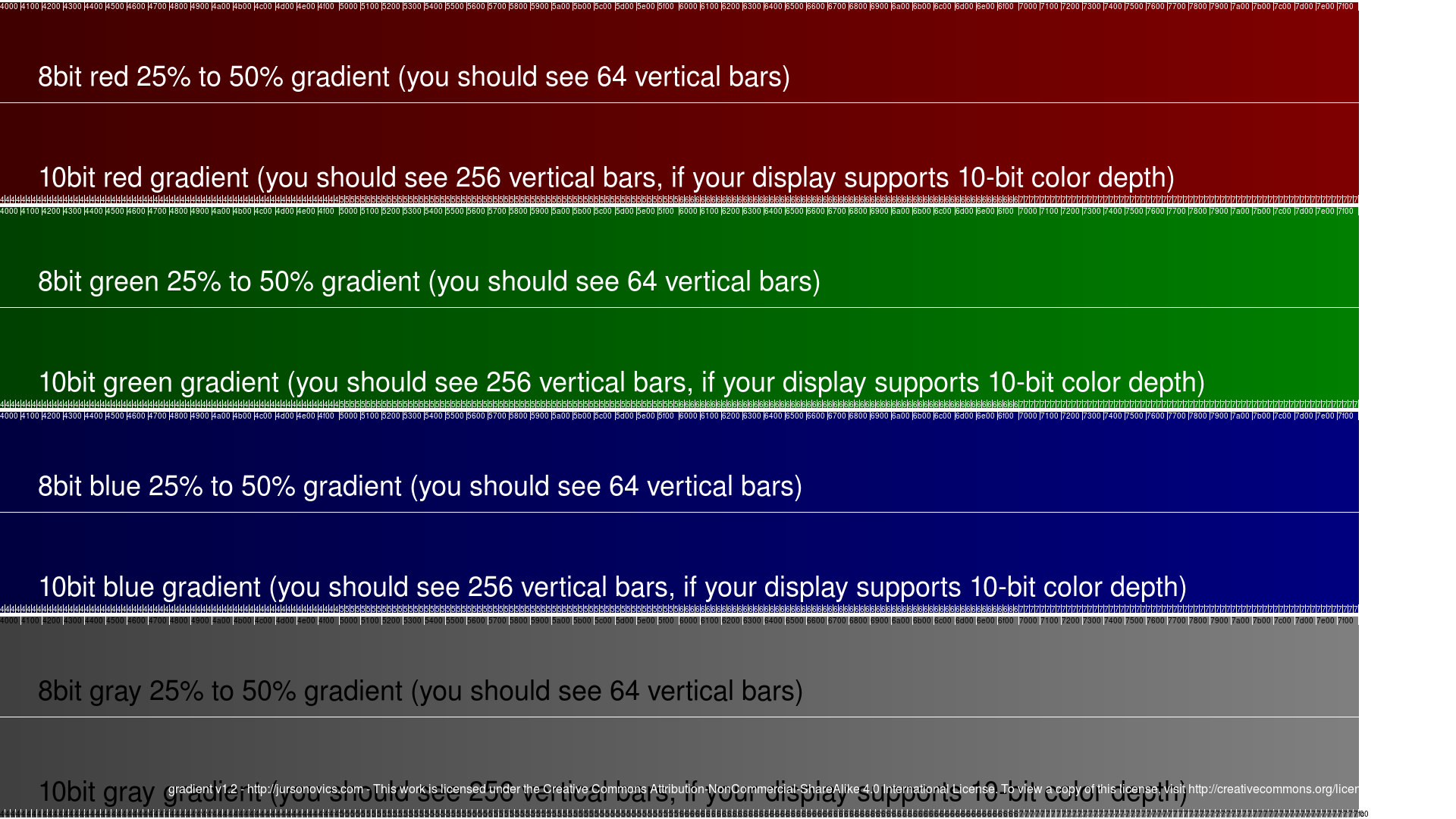
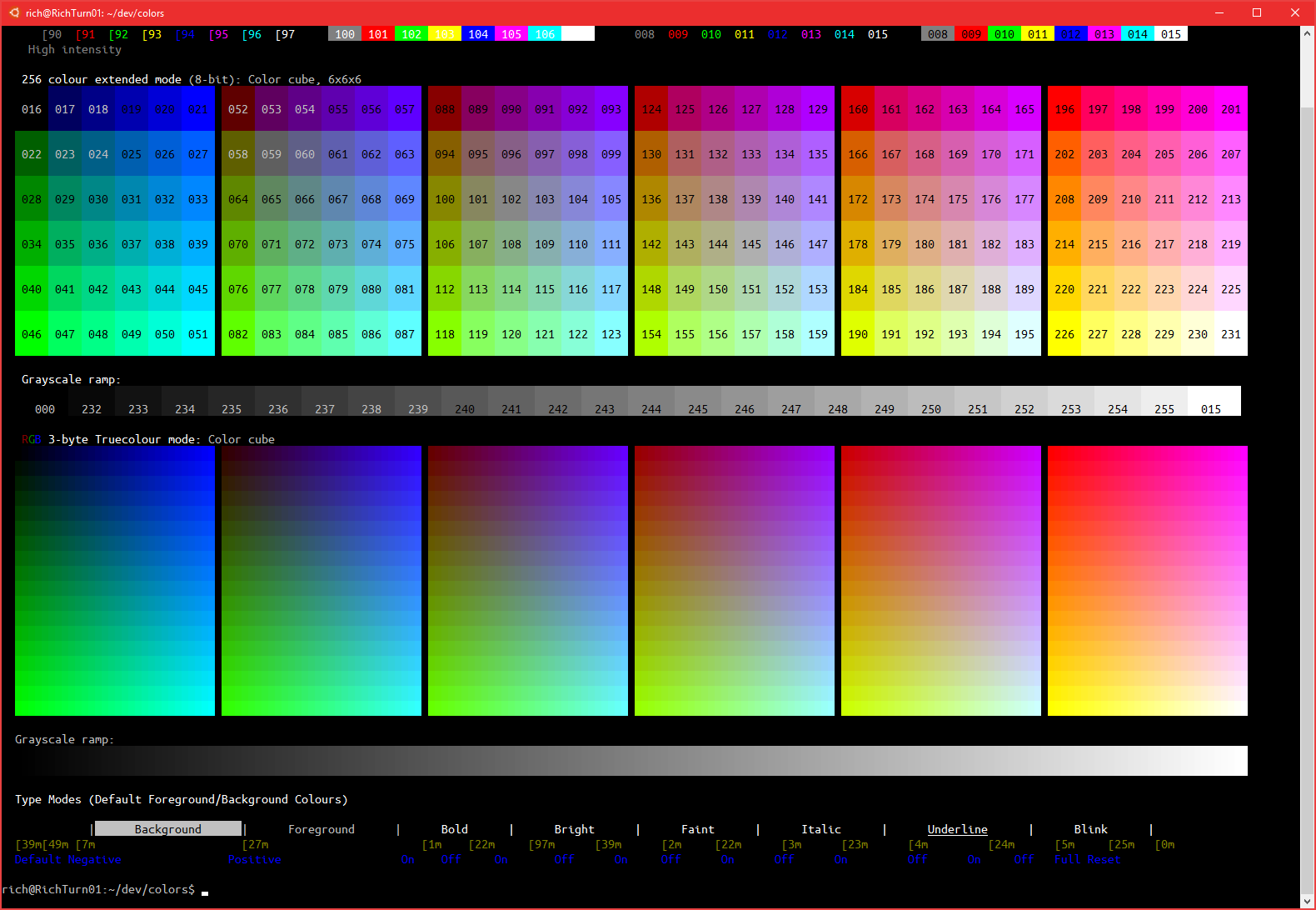
A 10-inch display with 8-bit color depth provides 256 distinct shades per RGB channel, delivering 16.77 million native colors across a compact screen. Widely utilized in tablets, embedded hardware, portable monitors, and industrial interfaces, these panels balance crisp color reproduction, modest bandwidth requirements, and efficient power consumption without needing heavy 10-bit processing.
Technical Foundations: What 8-Bit Color Means on a 10-Inch Panel
Color depth, or bit depth, defines how much precise color information a display panel can process and reproduce for every individual pixel. On a 10-inch display, color depth dictates the smoothness of gradients, the accuracy of photographic rendering, and the absence of visual artifacts such as posterization or color banding.
When a display is specified as an 8-bit color panel, each of the three primary color channels—Red, Green, and Blue (RGB)—is allocated 8 bits of data per pixel:
$$\text{Shades per channel} = 2^8 = 256$$
$$\text{Total color space} = 256 \times 256 \times 256 = 16,777,216 \text{ colors}$$
This 16.77 million color range is the universal standard for Standard Dynamic Range (SDR) content across sRGB and Rec. 709 color spaces. On a 10-inch diagonal screen, having true 8-bit capability ensures that subtle tonal shifts—such as a gradient background in a graphic user interface (GUI) or shading in digital art—render cleanly without harsh stepped transitions.
- 8-Bit Color Signal Pipeline
- GPU / Host Processor
- 8 Bits Red / 256 Levels
- 8 Bits Green / 256 Levels
- 8 Bits Blue / 256 Levels
- Result: 16.77 Million Colors
- GPU / Host Processor
True 8-Bit vs. 6-Bit + FRC (Dithering)
Not all 10-inch displays advertised as "16.7 million colors" feature native 8-bit liquid crystal or OLED sub-pixel arrays. Hardware manufacturers frequently utilize two distinct implementations to achieve an 8-bit color output:
- Native 8-Bit Panels: The display driver integrated circuit (DDIC) and the physical liquid crystal cell drivers natively manage 256 discrete voltage steps per sub-pixel. This yields true, flicker-free rendering of all 16.77 million tones.
- 6-Bit + FRC (Frame Rate Control): The physical panel natively supports only 6 bits per channel (64 shades per channel, totaling 262,144 physical colors). To simulate the missing shades, the display controller rapidly alternates a pixel between two adjacent color states across consecutive frames (temporal dithering).
While 6-bit + FRC panels are less expensive to manufacture, native 8-bit 10-inch displays are preferred for color-critical applications, medical diagnostic handhelds, and fine digital illustration. Temporal dithering on lower-quality 6-bit panels can produce subtle visual noise or subtle flicker visible to sensitive users at close viewing distances.
Screen Geometry, Resolution, and Pixel Density
The physical size of a display interacts directly with its pixel count to determine visual sharpness, known as pixels per inch (PPI). A 10-inch class panel (which encompasses diagonal measurements typically ranging from 9.7 inches to 10.5 inches) is manufactured in several standard resolution configurations.
- 10.1" Diagonal Display Geometry (16:10 Aspect Ratio)
- Width: ~8.5 inches
- Height: ~5.3 inches
Common 10-Inch Display Resolutions and Densities
- WSVGA ($1024 \times 600$ pixels): Found primarily in legacy industrial Human-Machine Interfaces (HMIs) and basic budget hardware. At roughly 118 PPI, individual pixels are visible, but 8-bit color ensures smooth color transitions despite the low resolution.
- WXGA ($1280 \times 800$ pixels): Standard for mid-tier embedded touchscreens, smart home controllers, and entry-level Linux single-board computer (SBC) kits. Delivers ~149 PPI.
- Full HD / WUXGA ($1920 \times 1200$ pixels): The sweet spot for modern 10.1-inch Android tablets, portable external monitors, and field service devices. At ~224 PPI, text is crisp, and 8-bit color rendering shines in video playback and photo inspection.
- 2.5K / Quad HD ($2560 \times 1600$ or $2880 \times 1800$ pixels): Used in premium handheld tablets and high-end graphic displays. Exceeding 300 PPI, these panels combine high pixel density with 8-bit or simulated 10-bit color pipelines for retinally sharp graphic presentation.
Panel Technologies Used in 10-Inch Displays
The underlying panel substrate dictates viewing angles, contrast ratios, and response times. When paired with 8-bit color depth, each panel technology yields distinct performance characteristics.
In-Plane Switching (IPS) LCD
IPS is the most prevalent technology in quality 10-inch 8-bit displays. Liquid crystals align horizontally, allowing wide $178^\circ$ viewing angles in both horizontal and vertical axes. IPS 8-bit panels offer accurate color tracking across the spectrum, making them ideal for field instruments, portable secondary screens, and tablet computers. Modern IPS panels achieve contrast ratios between $1000:1$ and $1500:1$.
Organic Light-Emitting Diode (OLED) & AMOLED
OLED technology eliminates the traditional LED backlight by using self-emissive sub-pixels. An 8-bit 10-inch OLED panel can turn individual sub-pixels off completely, achieving infinite contrast ratios ($1,000,000:1$ or higher) and true blacks. Because color volume is preserved even at low brightness settings, an 8-bit OLED screen often looks visually superior to an 8-bit IPS screen, offering richer saturation and faster response times ($<1\text{ ms}$).
Twisted Nematic (TN) LCD
TN panels align liquid crystals perpendicular to the glass substrate. While inexpensive and fast, 10-inch TN displays almost exclusively use 6-bit native depth (sometimes paired with spatial dithering). They suffer from severe color shifts when viewed from extreme vertical angles. TN panels are rarely specified when true 8-bit color fidelity is required.
Vertical Alignment (VA) LCD
VA panels align liquid crystals vertically, blocking backlight leakage effectively to yield native contrast ratios of $3000:1$ to $4000:1$. While offering deeper blacks than IPS, 10-inch VA screens are less common in mobile form factors due to minor color shifting when viewed off-axis compared to IPS panels.
Hardware Interfaces and Bus Architecture
Connecting an 8-bit 10-inch display panel to a mainboard, system-on-chip (SoC), or graphics card requires sufficient interface bandwidth to drive $16.77\text{ million}$ colors at high frame rates (typically $60\text{ Hz}$ or higher).
- Common Controller Hardware Stack
- Host SoC / GPU
- MIPI DSI Interface: 10" Direct-Drive Tablet Panel
- LVDS Interface: 10" Industrial HMI Module
- eDP / HDMI: 10" Portable Monitor Board
- Host SoC / GPU
MIPI DSI (Mobile Industry Processor Interface Display Serial Interface)
MIPI DSI is the primary internal interface for 10-inch smartphone and tablet panels. It uses high-speed differential signaling lanes (typically 2 to 4 lanes) to pass raw pixel data directly from an ARM processor or mobile SoC to the display driver IC. 8-bit RGB data is transmitted using the RGB888 format (24 bits total per pixel), minimizing pin count and electromagnetic interference (EMI).
LVDS (Low-Voltage Differential Signaling)
LVDS is widely deployed in industrial 10-inch display modules. To transmit 8-bit color, an LVDS bus uses 4 differential data pairs plus 1 clock pair per channel (single-link LVDS) or 8 data pairs plus 2 clock pairs (dual-link LVDS). Industrial designs specify either JEIDA or VESA bit mappings to arrange the 8 bits of color data across the transmission serial clock cycles.
eDP (Embedded DisplayPort)
eDP is used in thin laptops, premium 10-inch convertibles, and advanced embedded display solutions. Based on the VESA DisplayPort standard, eDP supports high bandwidth across fewer wire pairs, effortlessly handling 8-bit and 10-bit signals at resolutions above $1920\text{ x }1200$ alongside embedded power management protocol channels.
HDMI and DisplayPort (External Display Controllers)
Standalone 10-inch portable monitors incorporate an internal scalar bridge board (e.g., Realtek or MStar display controllers) that converts standard HDMI or DisplayPort signals into MIPI DSI or eDP to drive the 8-bit panel directly.
Technical Comparison: Color Depth Architectures
The following table compares the physical, operational, and visual characteristics of different panel color implementations commonly found in 10-inch display configurations:
| Feature / Specification | 6-Bit Native | 6-Bit + FRC (Dithering) | Native 8-Bit | Native 10-Bit (or 8-Bit + FRC) |
|---|---|---|---|---|
| Direct Color Capacity | 262,144 colors | 262,144 hardware | 16,777,216 colors | 1,073,741,824 colors |
| Addressable Colors | 262,144 | ~16.2 to 16.7 million | 16.77 million | 1.07 billion |
| Bits Per Channel (R,G,B) | 6-6-6 | 6-6-6 + Temporal Step | 8-8-8 | 10-10-10 |
| Visual Artifacts | Noticeable color banding | Minor noise/flicker | None (smooth gradients) | Ultra-smooth (HDR grade) |
| Bandwidth Requirement | Lowest (18-bit color) | Low (18-bit interface) | Moderate (24-bit color) | High (30-bit color) |
| Typical Panel Type | Budget TN / Basic LCD | Entry IPS / TN | Quality IPS / OLED | High-end OLED / Pro IPS |
| Primary Use Cases | Simple gauge displays | Consumer budget tablets | Field gear, medical, tablets | Color grading, HDR video |
| Relative Module Cost | Low | Low-Medium | Medium | High |
Applications and Industry Implementations
Portable Secondary Monitors
10-inch portable monitors operate as compact second screens for laptops, server racks, and field diagnostics. An 8-bit IPS panel ensures that code editors, telemetry monitoring tools, and graphic assets display accurate colors without requiring bulky external AC adapters or high-bandwidth video cards.
Raspberry Pi and Single-Board Computing (SBC)
Hobbyists and embedded developers frequently select 10.1-inch 8-bit capacitive touch displays connected via HDMI or the Raspberry Pi’s native 15-pin MIPI DSI connector. In custom Linux environments, driving a true 8-bit frame buffer ensures clean layout rendering for custom user interfaces built with Qt, Flutter, or web technologies.
- Raspberry Pi DSI Connection
- Raspberry Pi 4 / 5
- Connected via 15-pin Ribbon / MIPI DSI
- 10.1" Controller Board
- 8-Bit Panel
- Raspberry Pi 4 / 5
Industrial Human-Machine Interfaces (HMIs)
In manufacturing plants, automotive diagnostic centers, and medical devices, 10-inch HMIs must display critical metric graphs, system alerts, and camera feeds clearly. An 8-bit panel prevents color shift errors in visual status indicators (e.g., distinguishing precise shades of warning yellow versus orange) and provides reliable visibility under ambient industrial lighting.
Automotive Infotainment and Dashboards
Modern vehicle center consoles and digital gauge clusters utilize 10-inch display formats. Native 8-bit color processing allows night-mode themes, maps, and reverse-camera feeds to render continuous tone curves without distracting visual step-banding during ambient brightness changes.
Verifying 8-Bit Color Signal and Configuration
To confirm that a 10-inch display is operating in full 8-bit color mode, verify settings across both hardware and operating system display pipelines.
Windows Operating System Verification
- Right-click the desktop and select Display settings.
- Scroll down and select Advanced display.
- Check the Display information box for the connected 10-inch monitor.
- Verify the listed parameters:
- Bit depth: Should explicitly display 8-bit.
- Color format: RGB.
- Color space: Standard Dynamic Range (SDR) / sRGB.
- Advanced display settings
- Desktop mode: 1920 x 1200, 60Hz
- Active signal mode: 1920 x 1200, 60Hz
- Bit depth: 8-bit
- Color format: RGB
- Color space: Standard dynamic range (SDR)
Linux Environment (DRM/KMS and xrandr)
On Linux-based systems driving embedded screens via DisplayPort or HDMI, terminal utilities verify the active color depth:
xrandr --verbose | grep -i "depth"
Look for output indicating depth: 24 (8 bits per channel $\times$ 3 channels = 24-bit total color space).
For embedded systems utilizing the Direct Rendering Manager (DRM) kernel subsystem:
cat /sys/class/drm/card0-DP-1/status
Inspecting the EDID (Extended Display Identification Data) blob via edid-decode confirms whether the connected display hardware advertises native 24-bit pixel support (RGB 8:8:8).
Troubleshooting Common 10-Inch 8-Bit Display Issues
Color Banding in Visual Gradients
If smooth color shifts exhibit step-like lines (posterization) on an 8-bit screen, the issue usually stems from host-side software rendering rather than the physical panel.
- Root Cause: The application or OS dynamic range pipeline is set to 16-bit color (RGB 5:6:5) or GPU desktop scaling is crushing bit depth down to 6-bit.
- Solution: Open the graphics control panel (NVIDIA Control Center, AMD Software, or Intel Graphics Command Center) and select Use NVIDIA/Intel Color Settings. Explicitly set Output Color Depth to 8 bpc (bits per channel) and Output Dynamic Range to Full (0-255) instead of Limited (16-235).
Visual Flicker or Noise (Dithering Artifacts)
If micro-flicker is visible when viewing static grey or mid-tone regions on a 10-inch display, the screen may be a 6-bit + FRC panel rather than native 8-bit.
- Root Cause: Temporal FRC dithering can interact poorly with display refresh rate variations or pulse-width modulation (PWM) backlight dimming.
- Solution: Lock the refresh rate strictly to $60\text{ Hz}$ or $50\text{ Hz}$. Disable dynamic refresh rates (Variable Refresh Rate / FreeSync) in software drivers, as fluctuating frame rates amplify temporal dithering flicker.
Color Distortion on LVDS Industrial Displays
When integrating a bare 10-inch 8-bit LVDS display module with a custom motherboard, colors may appear inverted, posterized, or unnaturally saturated.
- Root Cause: Mismatch between VESA and JEIDA LVDS bit transmission standards. In VESA format, the most significant bits (MSBs) are mapped to lower clock cycles, whereas JEIDA maps MSBs to higher cycles.
- Solution: Change the JEIDA/VESA jumper on the panel controller board, or toggle the LVDS format setting in the system BIOS/bootloader configuration file (e.g.,
panel-formatin Linux device tree source files).
Buying and Selection Guidelines
When sourcing or purchasing a 10-inch display module with 8-bit color capability, review these hardware specifications:
- Verify "Native 8-Bit" vs. "6-Bit + FRC": Check the panel manufacturer data sheet (from vendors such as Innolux, BOE, AUO, or LG Display). Look for the hardware parameter labeled Display Colors. True 8-bit panels list 16.7M colors alongside 8-bit data input, whereas 6-bit panels list 262K colors or 6-bit + Hi-FRC.
- Backlight Brightness (Nits): For portable or field applications, choose an 8-bit panel rated for at least $350\text{ to }500\text{ cd/m²}$ (nits). Industrial outdoor HMIs require $1000\text{ nits}$ or higher for daylight readability.
- Touchscreen Integration: If selecting a touch-enabled panel, opt for Projected Capacitive (PCAP) touch with zero-gap optical bonding. Optical bonding reduces internal backlight reflection, preserving the contrast and color richness of the 8-bit panel.
- Interface Compatibility: Ensure your host board supports the display interface natively. Single-board computers like the Raspberry Pi prefer HDMI or standard MIPI DSI, whereas custom carrier boards for Compute Modules or embedded x86 hardware utilize eDP or dual-link LVDS.
Frequently Asked Questions
Is an 8-bit color display good enough for photo and video editing on a 10-inch screen?
Yes. An 8-bit color display natively reproduces 16.77 million colors, covering 100% of the standard sRGB color space. On a 10-inch screen, pixel density is high, making an 8-bit panel fully adequate for Web-focused photo editing, graphic illustration, and standard video review. Only high-end professional HDR color grading workflows require true 10-bit panels.
What is the difference between 24-bit color and 8-bit color depth?
They refer to the exact same color capability described differently. "8-bit color depth" indicates 8 bits per channel across the three RGB channels (Red, Green, Blue). "24-bit color" refers to the total bits combined per pixel ($8 \times 3 = 24\text{ bits}$). Both terms describe a display capable of rendering 16.77 million colors.
Can an 8-bit 10-inch display display HDR (High Dynamic Range) content?
An 8-bit screen can display SDR content accurately and process HDR signals via software tone-mapping. However, true HDR standards (such as HDR10) require a native 10-bit color pipeline, deep contrast ratios (often provided by OLED or local-dimming Mini-LED backlights), and high peak brightness ($600\text{ to }1000+\text{ nits}$). An 8-bit panel will render HDR sources by compressing the dynamic range down to SDR limits.
How can I tell if my 10-inch display is native 8-bit or 6-bit + FRC?
Determining this usually requires consulting the panel’s technical datasheet (by looking up the panel's model number, found on the back sticker of the raw LCD panel). Hardware datasheets specify sub-pixel driver bit counts. If the datasheet lists "6-bit + FRC" or "16.2M colors," it uses temporal dithering. If it specifies "8-bit" or "16.77M colors" without dithering references, it is a native 8-bit panel.
Does 8-bit color consume more power than 6-bit color on a 10-inch device?
Power consumption differences between 6-bit and 8-bit LCD panels are minimal. The LED backlight accounts for the vast majority (80% or more) of total display power consumption. While an 8-bit panel requires slightly higher display driver processing bandwidth over the interface bus, the thermal and battery impact on a 10-inch device is virtually negligible compared to backlight brightness levels.
Practical Next Steps
To select or integrate the right 10-inch 8-bit display for your project:
- Define Your Color Requirements: If your application involves precise graphical monitoring, medical imaging, or photo work, verify that the datasheet specifies native 8-bit (RGB888) rather than 6-bit + FRC.
- Match Hardware Interfaces: Ensure your host system provides the appropriate output connector (HDMI/DisplayPort for portable screens; MIPI DSI or eDP for mobile/embedded designs; LVDS for industrial control units).
- Calibrate System Drivers: After connecting your display, open system graphics settings to verify that output dynamic range is set to Full RGB (0-255) and pixel depth is set to 8 bpc to prevent software-induced color banding.