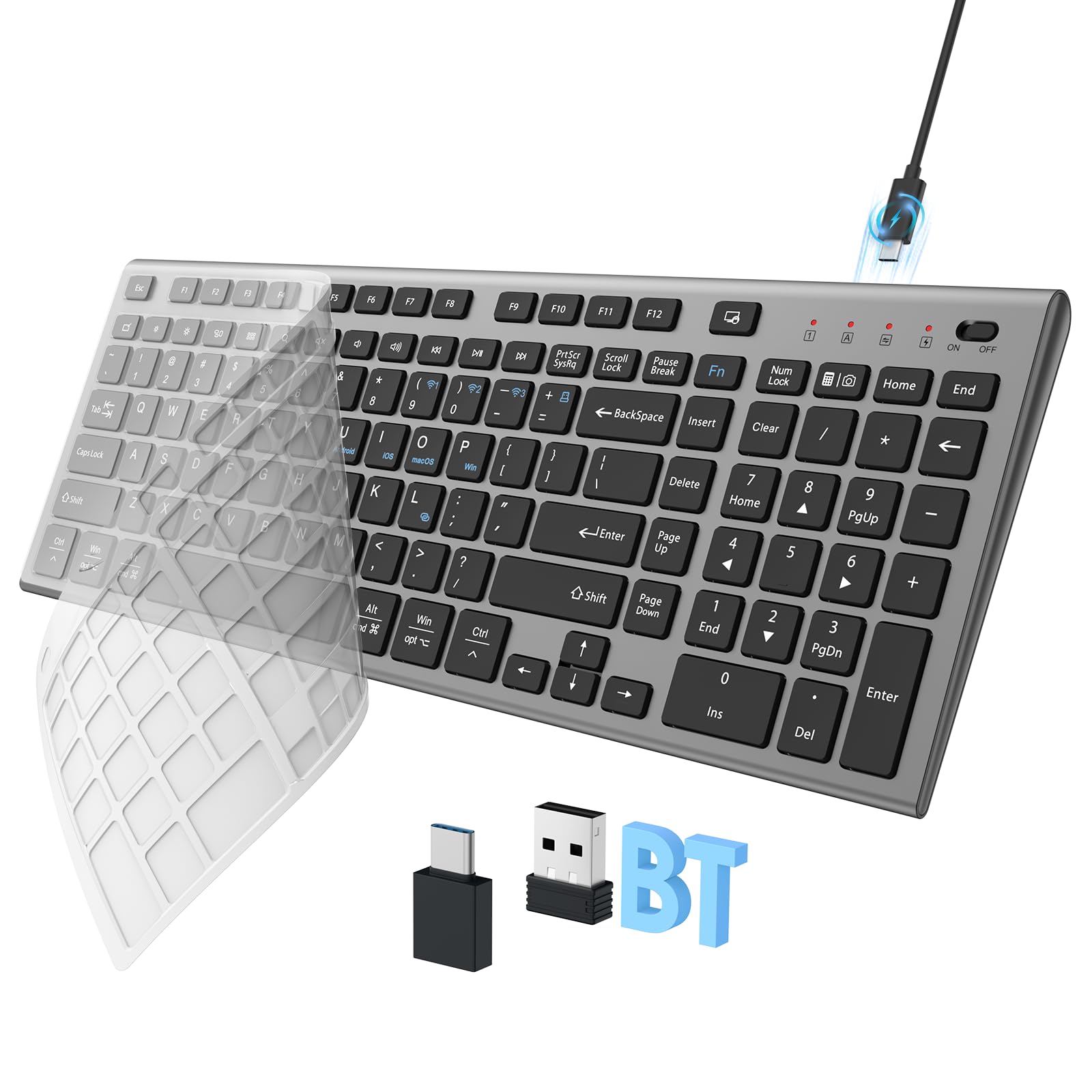
The best wireless silent keyboards for quiet work utilize advanced scissor-switch mechanisms or dampened mechanical switches to reduce acoustic output to under 40 decibels. Models like the Logitech MX Keys S and the Keychron Q Series (with silent switches) lead the market by balancing tactile feedback with near-silent operation for professional environments.
In the modern professional landscape of 2026, the "quiet office" has shifted from a luxury to a functional necessity. Whether you are working in a shared co-working space, a library, or a home office late at night while others sleep, the auditory impact of your typing can be a significant distraction. Choosing a wireless silent keyboard is no longer just about removing the cable; it is about finding a tool that provides a premium typing experience without the characteristic "click-clack" of traditional peripherals.
Understanding the Mechanics of Silence
To select the best silent keyboard, it is essential to understand why certain keyboards are quieter than others. The noise produced by a keyboard typically comes from three sources: the switch actuation, the "bottoming out" (when the key hits the base), and the "upstroke" (when the key springs back).
Scissor-Switch vs. Mechanical Silent Switches
Most ultra-quiet wireless keyboards use scissor-switch technology. This is an evolution of the membrane keyboard where a plastic "scissor" mechanism holds the keycap. This stabilizes the key, allowing for shorter travel distances and a much softer landing, which significantly reduces noise.
Conversely, for those who prefer the feel of mechanical boards, 2026 has seen a surge in silent mechanical switches. These switches, such as the Cherry MX Silent Red or the Gateron Silent Black, incorporate internal rubber dampeners on both the downstroke and the upstroke. This provides the tactile depth of a mechanical keyboard without the acoustic resonance usually associated with them.
Acoustic Dampening and Case Construction
High-end silent keyboards also utilize internal sound-dampening foam or silicone gaskets. These materials are placed inside the keyboard chassis to absorb vibrations before they can echo through the plastic or aluminum frame. In 2026, many "prosumer" models now include these features as standard, ensuring that even heavy typists don't create a rhythmic thumping sound that penetrates through walls or office dividers.
1. Logitech MX Keys S: The Professional Standard
The Logitech MX Keys S remains the gold standard for office productivity in 2026. This keyboard is engineered specifically for creators and coders who require a low-profile, high-performance tool that won't disturb their surroundings.
Key Features and Silent Performance
The MX Keys S uses Logitech’s "Perfect Stroke" keys. These are spherically dished to match the shape of your fingertips, but the magic lies in the increased key stability. By reducing the "wobble" of each key, Logitech has eliminated the rattling sound often found in cheaper wireless boards. The result is a keystroke that is remarkably quiet, feeling more like a muffled thud than a sharp strike.
Connectivity is handled via Bluetooth Low Energy or the Logi Bolt USB receiver, ensuring a lag-free experience even in environments crowded with other wireless signals. The smart illumination feature is another highlight; the backlighting only activates when your hands approach the keyboard, saving battery life while maintaining visibility in low-light conditions.
Technical Specifications
- Switch Type: Perfect Stroke Scissor Switches
- Battery Life: Up to 10 days on a full charge (or 5 months with backlighting off)
- Multi-Device Pairing: Up to 3 devices with Easy-Switch keys
- Charging: USB-C fast charging
2. Keychron K2 Pro (Customized with Silent Switches)
For those who refuse to sacrifice the tactile "bounce" of a mechanical keyboard, the Keychron K2 Pro is the premier choice. While the base model comes with standard switches, its hot-swappable PCB (Printed Circuit Board) allows users to install high-performance silent switches like the Boba U4 or Cherry MX Silent Reds.
Why it Excels in Quiet Environments
The K2 Pro is built with a sound-absorbing silicone bottom pad and a thick pre-installed foam layer between the PCB and the plate. This "sandwich" construction is designed specifically to kill the hollow "ping" sound that plagues many wireless mechanical keyboards. When paired with silent switches, the K2 Pro becomes an acoustic marvel—offering a deep, "thocky" sound that is barely audible to anyone sitting more than two feet away.
The 75% layout is compact enough for portability but retains dedicated function and arrow keys, making it a favorite for writers and editors who need to navigate documents quickly.
Customization Potential
Because it is fully compatible with QMK/VIA software, you can remap every key to suit your workflow. This reduces the need for excessive hand movement and awkward reaches, which indirectly helps maintain a quieter, more efficient typing rhythm.
3. Razer Pro Type Ultra: Ergonomic Silence
Razer transitioned from a gaming-only brand to a serious productivity contender with the Pro Type Ultra. This keyboard is designed in collaboration with ergonomic experts to ensure that long hours of typing do not lead to strain, all while maintaining a near-silent profile.
Razer Yellow Silent Switches
The Pro Type Ultra uses Razer Yellow Mechanical Switches, which are linear and silent. These switches lack the tactile "bump" and the audible "click" found in green or orange switches. To further quiet the device, Razer added sound-dampening foam. The keycaps are coated with a soft-touch finish that not only feels premium but also reduces the high-pitched "clack" of fingernails hitting plastic.
Connectivity and Comfort
A standout feature is the included plush leatherette wrist rest. By aligning your wrists properly, you reduce the force with which you strike the keys, which naturally lowers the decibel output of your typing. It supports three modes of connectivity: Razer HyperSpeed (2.4GHz) for zero-latency, Bluetooth for battery efficiency, and wired for charging while working.
4. Microsoft Designer Compact Keyboard: The Minimalist’s Dream
If your priority is a clean, clutter-free desk and maximum portability, the Microsoft Designer Compact Keyboard is an exceptional choice. It is one of the thinnest wireless keyboards on the market in 2026, designed to complement modern laptop setups and minimalist workspaces.
Acoustic Profile
The keys on the Designer Compact have very short travel, similar to the high-end keyboards found on the Surface Pro or MacBook Pro. Because there is so little distance for the key to travel, there is very little kinetic energy involved in each stroke, resulting in an extremely quiet experience. It produces a soft, paper-like rustle rather than a mechanical sound.
Optimized for Modern Workflows
The keyboard features a dedicated expressive input (emoji) key and a screen snipping key, streamlining common tasks. Its Bluetooth 5.0 connection is stable across Windows and macOS, and the battery life is measured in years (using coin-cell batteries) rather than days, making it the most "set it and forget it" option on this list.
5. Cherry Stream Desktop: The Reliable Workhorse
Cherry is a name synonymous with keyboard switches, and the Cherry Stream Desktop is their masterclass in silent membrane technology. While it may look like a traditional office keyboard, its internal construction is specifically optimized for acoustic suppression.
The SX Scissor Mechanism
The Cherry Stream uses the proprietary SX scissor mechanism. This is a reinforced version of the standard scissor-switch that is designed for 20 million+ keystrokes. The mechanism is tightly toleranced, meaning the keys do not shake or rattle during fast typing. It is widely considered one of the quietest keyboards in the world, often used in professional recording studios and shared hospital workstations where silence is a safety requirement.
Build and Sustainability
In 2026, the Cherry Stream has also been praised for its eco-friendly construction, utilizing recycled plastics and meeting the latest "Blue Angel" environmental standards. It is a full-sized keyboard, including a dedicated number pad, making it the best choice for accountants, data analysts, and researchers.
Comparison of the Best Wireless Silent Keyboards
| Model | Switch Technology | Primary Connection | Battery Type | Best For |
|---|---|---|---|---|
| Logitech MX Keys S | Scissor-Switch | Bluetooth/Logi Bolt | Rechargeable (USB-C) | All-around Professional |
| Keychron K2 Pro | Silent Mechanical | Bluetooth/Wired | Rechargeable (USB-C) | Enthusiasts/Customization |
| Razer Pro Type Ultra | Razer Yellow (Linear) | 2.4GHz/Bluetooth | Rechargeable (USB-C) | Ergonomics & Comfort |
| Microsoft Designer Compact | Low-profile Scissor | Bluetooth 5.0 | Coin-cell (CR2032) | Portability/Minimalism |
| Cherry Stream Desktop | SX Scissor | 2.4GHz Wireless | AA Batteries | Data Entry/Reliability |
Critical Factors for Choosing a Quiet Keyboard
When evaluating a wireless silent keyboard in 2026, you must look beyond the marketing labels. Truly "silent" operation depends on several technical factors that influence how sound is generated and dissipated.
1. Key Stability and "Rattle"
A common source of noise isn't the switch itself, but the stabilizers—the metal bars under larger keys like the Spacebar, Enter, and Shift. Lower-quality keyboards often have "rattly" stabilizers that produce a metallic clinking sound. High-quality silent keyboards (like the Logitech or Razer models mentioned) use pre-lubricated stabilizers to ensure these larger keys are just as quiet as the letter keys.
2. Keycap Material and Resonance
The material of the keycap affects the pitch of the sound. ABS plastic (common on cheaper boards) tends to produce a higher-pitched, thinner sound. PBT plastic is denser and produces a deeper, more muted sound. In a quiet office, lower-pitched sounds are generally less distracting to others than high-pitched clicks.
3. Wireless Protocol and Latency
While "silence" is about sound, "wireless" is about reliability. In 2026, ensure your keyboard supports Bluetooth 5.3 or higher, or a proprietary 2.4GHz dongle. This prevents "ghosting" or missed strokes, which often cause users to press keys harder out of frustration, inadvertently increasing the noise level.
How to Further Silence Your Workspace
Even with a top-tier silent keyboard, your desk environment plays a role in acoustics. You can further reduce noise with these professional tips:
- Use a Large Desk Mat: Placing your keyboard on a felt or rubber desk mat (extended mousepad) prevents the desk surface from acting as a sounding board. This can reduce the perceived volume of your typing by up to 10 decibels.
- Check Your Typing Technique: "Bottoming out"—pressing the keys all the way to the base with force—is the loudest part of typing. Learning to type with a lighter touch, especially on mechanical boards, can make your workflow nearly silent.
- O-Ring Dampeners: If you choose a mechanical wireless keyboard that isn't quite quiet enough, you can add small rubber O-rings to the stem of each keycap. These act as shock absorbers, softening the impact when the key is pressed down.
Frequently Asked Questions
Are silent mechanical keyboards truly silent?
No keyboard is 100% silent, as there will always be some contact between surfaces. However, "silent" mechanical keyboards reduce noise by about 50-70% compared to standard mechanical boards. They are generally comparable to or quieter than a standard laptop keyboard.
Does a silent keyboard feel different to type on?
Yes. Because silent keyboards often use rubber dampeners or scissor mechanisms, they can feel slightly "mushy" to those accustomed to the sharp, crisp click of a loud keyboard. However, premium models like the MX Keys S have engineered this mushiness out, providing a tactile "tactile bump" without the noise.
Is Bluetooth or a USB Dongle better for a silent office?
For a static office setup, a 2.4GHz USB dongle (like Logi Bolt) is generally superior because it is less prone to interference in a room full of other Bluetooth devices. For mobile work, Bluetooth is more convenient as it doesn't require a port.
How long do the batteries last in these wireless keyboards?
In 2026, most rechargeable silent keyboards last between 10 days and 3 weeks with heavy backlighting use. Without backlighting, models like the Logitech MX Keys S can last up to 5 months. Keyboards using disposable batteries (like the Microsoft or Cherry models) can last 12 to 36 months.
Can I use these keyboards with both Mac and Windows?
Most modern wireless silent keyboards are cross-compatible. The Logitech MX Keys S and Keychron K2 Pro even come with extra keycaps or dual-labeled keys for both Command (Mac) and Start (Windows) functions.
Practical Recommendation
If you are looking for the absolute best balance of silence, build quality, and software features, the Logitech MX Keys S is the recommended choice for most professionals in 2026. It requires no modifications and works flawlessly out of the box. However, if you prefer the deep travel and customization of a mechanical board, the Keychron K2 Pro with silent switches provides a superior tactile experience that remains respectful of your colleagues' need for quiet.