Navigating Apple’s education financing requires understanding the distinction between educational discounts and installment-based payment plans. While Apple provides special pricing for students and educators through the Apple Education Store, financing is facilitated primarily through the Apple Card Monthly Installments program. By combining these, eligible users can purchase hardware with interest-free monthly payments, significantly lowering the barrier to entry for high-end creative and computing tools.
Understanding the Apple Education Store Eligibility
Before discussing financing, it is critical to understand the prerequisite: access to the Apple Education Store. Unlike a standard retail purchase, education pricing is restricted to specific demographics. In 2026, this remains a verified segment of the Apple ecosystem.
To be eligible for the Apple Education discount, you must be a member of one of the following groups:
- University Students: Current students attending or accepted into a higher education institution.
- Parents: Parents purchasing on behalf of a student currently enrolled at a higher education institution.
- Faculty and Staff: Employees of public or private K-12 schools, as well as higher education institutions.
- School Board Members: Specifically, those appointed to local school boards.
Verification is typically handled through UNiDAYS, a third-party service that confirms your enrollment or employment status. You will need to provide institutional email addresses or upload official documentation such as a student ID or a tuition statement. Once verified, the prices displayed on the Apple Education Store will reflect a reduction from standard retail costs, usually ranging from $50 to $200 depending on the model, such as the MacBook Air or iPad Pro.
Financing vs. Discounts: Clarifying the Concepts
A common point of confusion is whether "education pricing" is a form of financing. It is not. Education pricing is a permanent discount applied at the point of sale. Financing, by contrast, is a method of deferring the total cost of a product over several months.
When you use the Apple Education Store, you are essentially buying a discounted product. If you choose to finance that purchase, you are applying a payment structure to the already reduced price. This dual benefit—discounted hardware combined with 0% interest—is the primary mechanism by which Apple makes its hardware more accessible to the academic community.
Apple Card Monthly Installments for Education
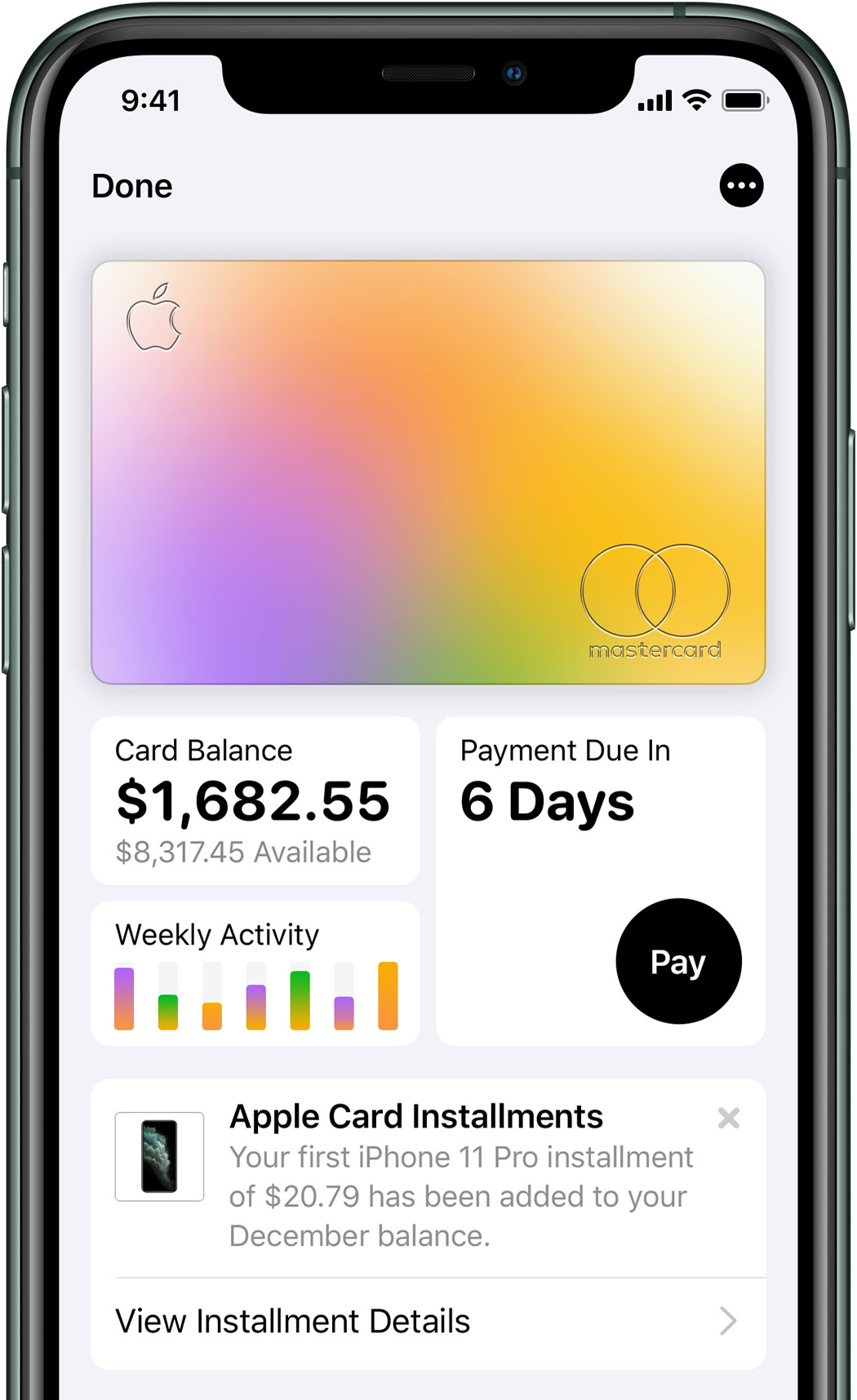
For residents in the United States, the primary vehicle for financing Apple hardware is the Apple Card. When you use an Apple Card to pay for an Apple product, you gain access to the Monthly Installments program.
How the Process Works
- Selection: Add your chosen hardware—such as a MacBook, iPad, or iMac—to your cart within the Education Store portal.
- Checkout: Proceed to the payment screen. When asked for your payment method, select "Apple Card Monthly Installments."
- Terms: The total purchase price (including any applicable taxes) is divided into equal monthly payments, typically over a 12- or 24-month period, depending on the specific product category.
- Interest: For Apple Card users, these installments are interest-free, provided the account remains in good standing and the monthly balance is managed as agreed.
Technical Limitations and Requirements
It is important to recognize that Apple Card Monthly Installments is a credit-based service. Approval is subject to credit eligibility, and your available credit limit must be sufficient to cover the full price of the device at the time of purchase. If your credit limit is lower than the price of the Mac you intend to buy, the transaction will be declined, even if you could technically afford the monthly payments.
Comparison of Payment Methods for Education Customers
Choosing the right payment method depends on your credit profile and your desire to avoid interest charges. The following table highlights the differences between common payment options available in the 2026 retail environment.
| Feature | Apple Card Installments | Standard Credit Card | Debit / One-Time Payment |
|---|---|---|---|
| Interest Rate | 0% APR | Variable (Usually High) | 0% |
| Payment Term | 12 or 24 Months | Flexible / Revolving | Immediate |
| Credit Impact | Soft inquiry for eligibility | Hard inquiry usually required | None |
| Eligibility | Requires Apple Card | Standard credit approval | None |
| Best For | Budgeting over time | Large purchases if no Apple Card | Avoiding all debt |
Important Financial Considerations and Risks
While 0% interest financing is an excellent tool for managing cash flow, it is fundamentally a form of debt. Before committing to a multi-year installment plan, students and faculty should consider several factors to ensure they do not face financial hardship.
Credit Score Implications
Applying for an Apple Card involves a credit inquiry. While Apple Card Monthly Installments are designed to be convenient, failure to make monthly payments on time can result in late fees and negative reporting to credit bureaus. As an student or educator, protecting your credit score is essential for future goals like apartment leasing or auto loans.
Product Depreciation vs. Payment Duration
Technological hardware depreciates quickly. If you finance a high-end laptop over 24 months, you will still be paying for the device long after its market value has significantly dropped. Ensure that the device you are financing meets your academic needs for the duration of the payment plan. Avoid financing entry-level hardware with a short expected lifespan on a long-term plan if you intend to upgrade sooner.
The Impact of Taxes and Accessories
When calculating your monthly payment, remember that Apple Card installments cover the total cost of the order, including sales tax and any accessories (like a mouse, keyboard, or AppleCare+) added to the cart. If you add high-priced accessories to a 24-month plan, your monthly bill will increase proportionately. Be mindful of the total "out-the-door" price rather than just the base price of the computer.
Alternative Financing and Trade-in Programs
If you do not qualify for an Apple Card or prefer not to open a new line of credit, there are alternative ways to manage the cost of Apple hardware.
Apple Trade-In
Apple offers a trade-in program where you can exchange an older device (from Apple or other manufacturers) for credit toward a new purchase. This is an effective way to lower the upfront cost, which in turn reduces the amount you would need to finance. For example, if you trade in an older MacBook, the credit is applied instantly at the checkout, reducing your financed amount or total purchase price.
Third-Party Financing
Many financial institutions offer student loans or lines of credit that may be used for educational expenses, including technology. However, these often carry interest rates higher than the Apple Card’s 0% offer. Only consider these if you have no other means of payment, and carefully calculate the total cost of interest over the life of the loan.
Savings Programs
Some educational institutions partner with local retailers or credit unions to offer specialized tech-buying programs. It is worth checking with your university’s IT department or student union to see if there are campus-specific purchasing programs that might offer lower rates or extended warranties that exceed what is available through standard retail channels.
Troubleshooting Common Issues
Even with a clear process, users sometimes encounter roadblocks. Here are the most common issues and how to resolve them:
- Verification Loop: If you cannot verify your education status, ensure you are using the specific link provided by your institution. If your school email is not recognized, contact Apple support or use the alternate document upload method provided by UNiDAYS.
- "Card Not Eligible" Error: This typically occurs if your Apple Card account has a temporary restriction or if you have already reached your credit limit. You can view your current status in the Wallet app on your iPhone.
- Installment Option Missing: Ensure you are signed into the Apple Education Store. If you are browsing the standard store, the Apple Card Monthly Installment option may still appear, but you will miss out on the education discount. Always double-check that the "Education Pricing" banner is visible on the checkout page.
Frequently Asked Questions
Can I combine education pricing with a trade-in and financing?
Yes. You can trade in an older device to reduce the purchase price, and then apply for Apple Card Monthly Installments on the remaining balance. This is the most efficient way to lower your monthly costs while keeping interest charges at zero.
Does AppleCare+ qualify for monthly installments?
Yes. When you purchase AppleCare+ alongside your hardware, the cost is bundled into your total order. If you select Apple Card Monthly Installments, the cost of AppleCare+ is spread out across the same monthly payment term as your hardware, interest-free.
Can parents use their own Apple Card for a child's education purchase?
Yes, as long as the parent is the one making the purchase in the Education Store and meets the eligibility requirements as a parent of a student. However, the student should be the one designated as the primary user for documentation purposes if required by the university.
Is the education discount available for accessories?
Apple education pricing generally applies primarily to Macs and iPads. While some accessories—such as the Magic Keyboard or Apple Pencil—are discounted, not every accessory is eligible. Always check the specific item’s price on the Education Store page to confirm if the discount has been applied.
What happens if I lose my job or drop out of school?
Your financial contract with the Apple Card issuer remains independent of your student or employment status. You are still legally obligated to make your monthly payments regardless of changes to your academic or professional career.
Next Steps for Prospective Buyers
To secure the best deal, start by visiting the Apple Education Store and verifying your eligibility through the UNiDAYS portal. Once you have determined your budget, identify the specific model required for your coursework. Use the Apple Trade-In tool to see how much your current device might offset the cost. Finally, check your available credit in your Apple Wallet app to ensure you have sufficient headroom for the purchase. By layering these options, you can obtain the necessary technology while maintaining manageable, interest-free monthly payments.