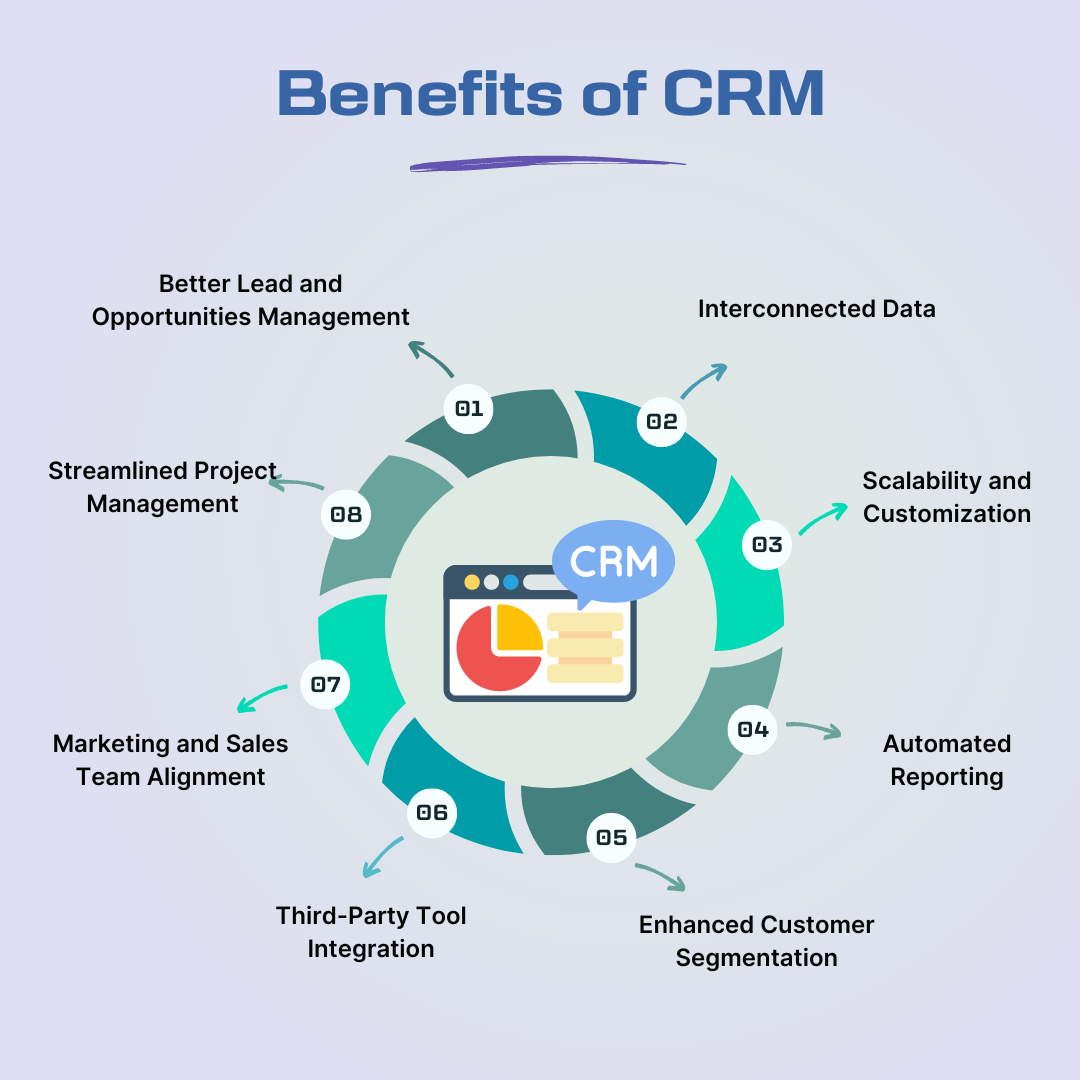
Act! is a pioneering Customer Relationship Management (CRM) solution designed to help small to mid-sized businesses centralize customer data, manage sales pipelines, and automate marketing efforts. Unlike many modern competitors, Act! offers a unique hybrid deployment model, allowing users to choose between local desktop installations with offline synchronization and fully hosted cloud environments.
The Evolution and Definition of Act! as a CRM
When discussing the history of sales technology, Act! stands as one of the foundational entities. Originally released in 1987 as "Activity Control Technology," it was initially categorized as a "Contact Manager." Over four decades, it evolved into a comprehensive CRM suite. In 2026, Act! remains a critical player for businesses that prioritize data sovereignty and flexible deployment.
To understand why Act! is classified as a CRM, one must look at its core functionality. A CRM is not merely an address book; it is a system of record that tracks every touchpoint a business has with a lead or customer. Act! facilitates this by integrating calendar management, communication history, opportunity tracking, and sophisticated reporting into a single interface. It serves as the "single source of truth" for sales teams, ensuring that no lead is forgotten and every customer interaction is documented.
The software has transitioned through various owners, including Symantec, Sage, and Swiftpage, before returning to its roots as a standalone brand. This journey has allowed it to retain a legacy of "power users" who prefer its robust desktop capabilities while attracting new users through its modern "Act! Premium Cloud" offerings.
Core Architecture: Desktop, Cloud, and Hybrid Models
One of the most distinguishing factors of Act! compared to SaaS-only platforms like Salesforce or HubSpot is its architectural flexibility. As of 2026, Act! continues to support three primary ways of accessing and managing data:
1. Act! Premium Desktop
This is the traditional installation where the database resides on a local server or individual PC. It utilizes Microsoft SQL Server as its backend engine. This model is favored by industries with strict data privacy requirements or those operating in areas with inconsistent internet connectivity. Users can work offline and sync their changes to a central server when they reconnect.
2. Act! Premium Cloud
This is a fully managed SaaS (Software as a Service) offering. The database is hosted by Act! on secure servers, and users access the interface via a web browser. This eliminates the need for local server maintenance and provides a more modern, streamlined user experience.
3. Act! Premium Cloud with Desktop Sync
This hybrid model offers the best of both worlds. Users enjoy the accessibility of the cloud while maintaining a local "remote" database on their laptop. The two databases synchronize periodically, ensuring that the sales rep has access to their data while traveling, even without an active internet connection.
Key Features and Functional Modules
Act! is built around several "buckets" of functionality that cater to different stages of the customer lifecycle.
Contact and Company Management
At its simplest level, Act! excels at relationship management. Every contact record can be customized with unlimited fields. The "Company" records allow users to group contacts by organization, providing a macro view of the account. In 2026, these records often include social media feeds and automated data enrichment tools that pull in public business information.
Activity and Calendar Tracking
Act! allows users to schedule calls, meetings, and "to-dos." These activities are linked directly to contact records. When an activity is cleared, the system prompts the user to record "History," creating a permanent, time-stamped log of what occurred. This prevents the "memory leak" that often happens when sales reps move between different accounts.
Opportunity and Pipeline Management
The "Opportunity" section is where the actual sales process is tracked. Users can define custom sales stages (e.g., Prospecting, Proposal Sent, Negotiation, Closed/Won). Act! calculates weighted totals based on the probability of closing, providing sales managers with accurate revenue forecasts. The visual "Kanban" board view, now a standard in 2026, allows reps to drag and drop deals through the pipeline.
Act! Marketing Automation (AMA)
In recent years, Act! integrated a powerful marketing automation engine directly into the CRM. AMA allows users to create drip marketing campaigns, landing pages, and lead scoring models. Unlike simple email tools, AMA can trigger CRM activities based on recipient behavior. For example, if a prospect clicks a link in an email three times, Act! can automatically schedule a high-priority follow-up call for the assigned sales rep.
Technical Specifications and Requirements
Deploying Act! requires an understanding of its underlying technology, particularly for the desktop version.
| Feature | Specification (2026 Standard) |
|---|---|
| Database Engine | Microsoft SQL Server 2022 or higher |
| Operating System | Windows 11, Windows Server 2022 |
| Mobile Access | Act! Companion (iOS and Android) |
| API Integration | Act! Connect (RESTful API via Zapier or direct) |
| Browser Support | Chrome, Edge, Safari, Firefox |
| Deployment Options | On-premise, Private Cloud, Public Cloud |
For businesses using the desktop version, the hardware requirements scale with the size of the database. A database with over 50,000 records typically requires a dedicated server with a minimum of 16GB of RAM and high-speed SSD storage to ensure optimal search and retrieval speeds.
Comparing Act! to Modern Competitors
While Act! is a robust CRM, it occupies a specific niche in the market. Understanding how it compares to other "Big Tech" CRM solutions is essential for prospective buyers.
Act! vs. Salesforce
Salesforce is the market leader for enterprise-level organizations. It is incredibly customizable but often requires a dedicated administrator and a significant budget. Act! is generally more affordable and "out-of-the-box" ready for small businesses that don't need the enterprise-scale complexity of Salesforce.
Act! vs. HubSpot
HubSpot is known for its user-friendly interface and "freemium" model. However, HubSpot is strictly cloud-based. For companies that want to own their data locally or require deep offline capabilities, Act! is the superior choice. Additionally, Act!'s custom table functionality (available in higher tiers) offers deeper data structuring than HubSpot's standard objects.
Act! vs. Zoho CRM
Zoho offers a vast suite of integrated apps. Act! focuses more narrowly on the CRM and Marketing Automation experience. Act! users often cite the "speed of entry" in the desktop client as a primary reason for sticking with the platform over Zoho’s web-only interface.
The Role of Custom Tables in Act!
One of the more "technical" reasons Act! is considered a high-tier CRM is its support for Custom Tables. While a standard CRM might give you "Contacts," "Companies," and "Opportunities," Custom Tables allow you to track completely different sets of data linked to those records.
For example, an insurance agency might create a Custom Table for "Policies," while a property management company might create one for "Lease Agreements." This allows the business to store complex, one-to-many relationships without cluttering the main contact record. In the 2026 version of Act! Premium, these tables are fully searchable and can be used to trigger automated marketing workflows.
Security and Data Sovereignty
In an era of increasing data regulation (GDPR, CCPA, and their 2026 successors), where your data lives is a critical legal concern. Act! provides businesses with options that many SaaS providers cannot.
With an on-premise installation, the business maintains physical control over the database. This is particularly relevant for legal firms, financial advisors, and medical device manufacturers who may be prohibited by client contracts or federal laws from storing sensitive information in a shared public cloud. Act! supports AES-256 encryption for data at rest and utilizes secure TLS protocols for data in transit during synchronization.
Pricing and Licensing Models
As of 2026, Act! has largely moved to a subscription-based pricing model, though some legacy users still maintain "perpetual" licenses from previous eras.
- Act! Premium: The standard offering, which includes the desktop software, the web interface, and the mobile app.
- Act! Premium Cloud: A "hands-off" version where Act! manages the hosting and updates.
- Act! Premium Cloud Ultimate: Includes advanced features like Custom Tables and higher tiers of Marketing Automation (higher email volumes and more complex workflows).
Pricing typically ranges from $30 to $100 per user per month, depending on the deployment method and the level of marketing automation required.
Common Challenges and Troubleshooting
Despite its longevity, Act! is a complex piece of software that can occasionally run into technical hurdles.
- Database Synchronization Issues: In hybrid deployments, "sync sets" can sometimes fail if the remote user's SQL instance becomes corrupted or if there are version mismatches between the server and the remote client.
- SQL Server Overhead: Because Act! relies on SQL Server, it inherits the maintenance requirements of that engine. This includes regular database reindexing and log file truncation to maintain performance.
- Integration Complexity: While "Act! Connect" allows for integrations with thousands of apps via Zapier, setting up these "Zaps" requires a clear understanding of data mapping to ensure that fields are updated correctly in both systems.
The Future of Act! CRM in 2026 and Beyond
Looking forward, Act! is heavily investing in Artificial Intelligence (AI). In 2026, the software includes "Predictive Pipeline Analytics," which uses historical data to tell a sales rep which deals are most likely to close in the current month. It also features AI-driven email composition within the Marketing Automation suite, helping users generate personalized content based on the recipient's industry and previous engagement history.
The platform continues to thrive because it serves a specific demographic: the business owner who wants a professional-grade CRM that is powerful enough to handle complex data but isn't as cumbersome or expensive as enterprise-level platforms.
Frequently Asked Questions
Is Act! still around in 2026?
Yes, Act! remains a significant player in the CRM market. It has evolved from a simple contact manager into a sophisticated CRM and marketing automation platform, maintaining a strong user base among small and mid-sized businesses.
Can I use Act! CRM offline?
Yes, this is one of Act!'s core strengths. By using the Act! Premium Desktop version with synchronization, you can maintain a local copy of your database on your computer, work without internet access, and sync your changes once you are back online.
Does Act! integrate with Microsoft Outlook?
Act! offers deep integration with Microsoft Outlook. This includes the ability to sync contacts and calendar items, as well as an "Outlook Add-in" that allows users to record email history directly to the Act! database without leaving their inbox.
What is the difference between Act! and a regular contact manager?
A contact manager stores names and phone numbers. A CRM like Act! manages the entire relationship. This includes tracking sales opportunities, managing complex marketing campaigns, storing documents, and providing detailed analytics on team performance and revenue forecasts.
How many users can Act! support?
While Act! is designed for small to mid-sized businesses, it can scale to support hundreds of users. For larger deployments (over 50 users), it is recommended to use a dedicated server running the "Standard" or "Enterprise" editions of Microsoft SQL Server rather than the "Express" edition.
Final Recommendation
For businesses evaluating CRM options in 2026, Act! is best suited for those who require a balance between traditional "power-user" desktop features and modern cloud accessibility. If your organization values data ownership, requires offline access, or needs to manage complex data structures through custom tables, Act! is a compelling choice. To get started, most businesses should begin with a trial of Act! Premium Cloud to explore the interface, then consult with an Act! Certified Consultant (ACC) if a more complex on-premise or hybrid deployment is required.