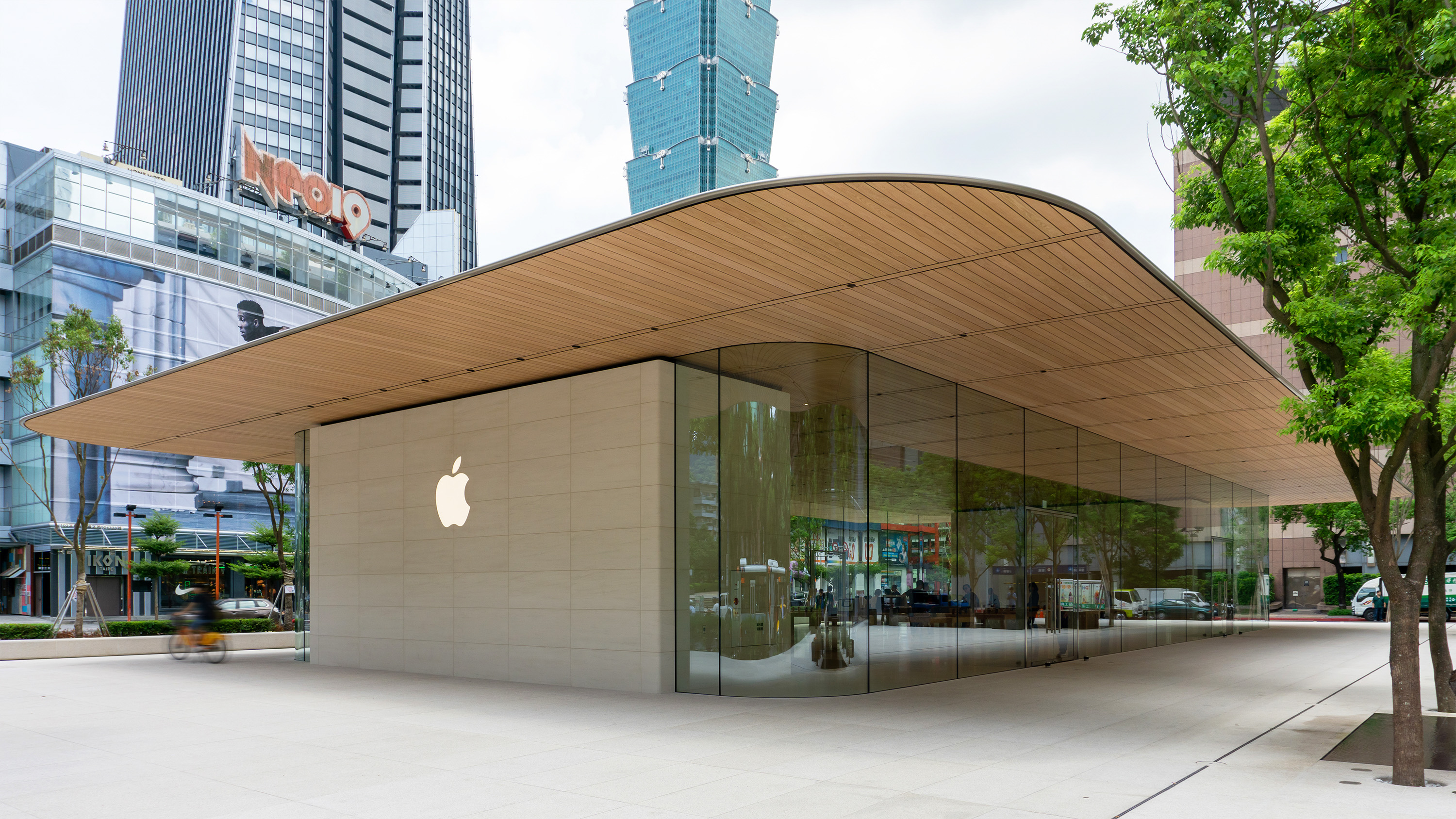
On December 6, 2013, Apple launched its iBeacon technology across all 254 U.S. Apple Retail Stores. Powered by Bluetooth Low Energy (BLE), the initiative delivered location-aware micro-services through the Apple Store app. The system notified customers about order pickups, device upgrade eligibility, Genius Bar appointments, and product details based on their precise location inside the physical store.
The Historical Context of Apple's iBeacon Retail Launch
Apple introduced the iBeacon specification at its Worldwide Developers Conference (WWDC) in June 2013 as part of iOS 7. While location-based services historically relied on Global Positioning System (GPS) signals or Wi-Fi triangulation, these systems lacked the accuracy required for indoor environments. GPS signals fail to penetrate dense building materials effectively, and Wi-Fi positioning typically offers accuracy only within 10 to 30 meters.
To solve the indoor positioning problem, Apple deployed iBeacon technology across its entire U.S. retail network in December 2013. The nationwide rollout served two primary goals: establishing a commercial blueprint for enterprise retail micro-location, and turning Apple's physical storefronts into testbeds for omni-channel customer engagement.
By installing physical transmitters throughout 254 retail locations and configuring store iPads and iPhones as transmitters, Apple created an ambient sensing environment. When a customer carrying an iOS device entered an Apple Store with Bluetooth enabled and the Apple Store app installed, the app interacted with the local beacon array to deliver location-specific context.
Technical Architecture: How iBeacon Technology Operates
The iBeacon protocol is built on top of Bluetooth Low Energy (BLE)—also known as Bluetooth Smart—which operates in the 2.4 GHz ISM wireless band. Unlike standard Bluetooth connections, which require pairing between host and client devices, BLE beacons operate in a continuous broadcast (advertisement) mode.
- iBeacon Transmitter
- Continuous 2.4 GHz BLE Broadcast
- BLE Advertisement Packet (31 Bytes Max)
- iBeacon Prefix (0x02, 0x15)
- Proximity UUID (16 Bytes / 128-bit)
- Major Value (2 Bytes / 16-bit): Store ID
- Minor Value (2 Bytes / 16-bit): Zone/Table ID
- Measured Power (1 Byte / 8-bit Tx): RSSI at 1m
- Customer iPhone (iOS CoreLocation API)
- Calculates Distance using RSSI Decay Formula
- Triggers Proximity Zones: Immediate | Near | Far | Unknown
The Beacon Packet Payload Structure
An iBeacon does not transmit personal data, product catalogs, or user details. It broadcasts a standardized 31-byte Bluetooth advertising packet that includes a specific 30-byte payload structure:
- iBeacon Prefix (4 Bytes): Fixed hex values (
0x02, 0x01, 0x1A, 0x1Astandard BLE flags followed by0xFFmanufacturer data indicator and Apple's manufacturer identifier0x004C) indicating that the transmission follows Apple's iBeacon specification. - Proximity UUID (16 Bytes / 128-bit): A unique identifier dedicated to a specific developer or enterprise network. All beacons deployed across Apple Stores shared a unified UUID assigned to the Apple Store iOS app ecosystem.
- Major Value (2 Bytes / 16-bit): A integer value (0 to 65,535) used to define a sub-group. In retail deployments, the Major value identified a specific physical retail store (e.g., Apple Fifth Avenue vs. Apple Union Square).
- Minor Value (2 Bytes / 16-bit): A second integer value (0 to 65,535) used to specify individual beacon devices within a sub-group. Within a given store, the Minor value mapped to specific physical zones, such as the iPhone display table, the Mac accessory wall, or the Genius Bar waiting zone.
- Measured Power (1 Byte / 8-bit signed integer): The calibrated Received Signal Strength Indicator (RSSI) measured at exactly 1 meter from the transmitter. The receiving iOS device uses this value to estimate real-time distance from the beacon.
Proximity Estimation and Ranging Framework
On the client side, iOS manages iBeacon signals through the CoreLocation framework using two main functions: Region Monitoring (Geofencing) and Beacon Ranging.
- Region Monitoring: Enables the operating system to listen for specific UUIDs even when the target app is closed or suspended in the background. Entering an iBeacon region wakes the app briefy to handle the event.
- Beacon Ranging: Operates while the app is actively running or executing a brief background session. It constantly measures RSSI values to categorize proximity into four defined ranges:
- Immediate: Within a few centimeters to 0.5 meters.
- Near: Approximately 0.5 meters to 3 meters.
- Far: Roughly 3 meters to 30 meters (indicates signal detection, though environmental obstruction affects accuracy).
- Unknown: Signal strength is insufficient or currently being calibrated.
Distance is estimated using the logarithmic path-loss model:
$$\text{RSSI} = -10 \cdot n \cdot \log_{10}(d) + A$$
Where $d$ is the calculated distance, $n$ is the path-loss exponent (typically between 2 and 4 depending on walls and physical obstacles), and $A$ is the Measured Power at 1 meter.
In-Store User Experience and Retail Functionality
The December 2013 rollout was integrated directly into the official Apple Store app for iOS. The system delivered several specific context-aware features:
- Apple Store App
- Order Pickup: Detects customer entry; notifies warehouse team
- Product & Upgrades: Pushes upgrade info near iPhone displays
- Genius Bar Check-In: Prompts check-in when entering service area
1. Online Order Pickup Processing
When a customer ordered a product online for in-store pickup, entering the retail store triggered a notification via the iBeacon network. The app prompted the customer to view their order confirmation code, while sending an internal signal to the store's inventory management system to alert staff that the buyer was on-site.
2. Contextual Product Information and Trade-In Prompts
As customers walked past different product display tables, the app updated its main tab dynamically:
- Near the iPhone section, the app highlighted trade-in values for the customer's current iPhone model, account upgrade eligibility, and carrier plan options.
- Near accessory displays, the app offered direct self-checkout options through EasyPay, allowing users to scan product barcodes with their iPhone camera and pay via their iTunes/Apple ID account without waiting for sales staff.
3. Service and Support Integration
Customers arriving for scheduled Genius Bar appointments received entry notifications prompting them to check in. This reduced foot-traffic congestion around service counters and allowed technicians to see arriving customers on internal store management dashboards.
Technical Comparison: Micro-Location Technologies
To understand the role of iBeacon in indoor navigation, it helps to compare it against alternative and subsequent positioning frameworks:
| Feature / Metric | iBeacon (BLE) | Ultra-Wideband (UWB) | Wi-Fi RTT (802.11mc) | GPS / GNSS |
|---|---|---|---|---|
| Primary Frequency | 2.4 GHz ISM Band | 3.1 GHz – 10.6 GHz | 2.4 GHz / 5 GHz | 1.1 to 1.5 GHz (L1/L5) |
| Typical Positioning Accuracy | 1 to 3 meters | 5 to 10 centimeters | 1 to 2 meters | 3 to 10 meters (Outdoor only) |
| Line-of-Sight Dependency | Low (Attenuated by bodies) | High (Requires clear path) | Moderate | High (Fails indoors) |
| Power Consumption | Extremely Low (Months/Years) | Moderate to High | High | Very High |
| Primary Metric | RSSI (Signal Strength) | ToF / AoA (Time of Flight) | RTT (Round Trip Time) | Time Difference of Arrival |
| Infrastructure Requirement | Low-cost hardware beacons | Specialized UWB Anchors | Compatible Wi-Fi 5/6 APs | Satellite Array (External) |
| Client Device Support | Universal (iOS 7+, Android 4.3+) | Modern iPhones (iPhone 11+) | Select Android / Wi-Fi chips | Universal on Smartphones |
Privacy Architecture and Technical Constraints
The introduction of physical location tracking raised initial privacy concerns regarding user tracking inside commercial retail spaces. Apple designed the iBeacon protocol around several hardware and software security boundaries to mitigate these issues.
Permission and Consent Model
iBeacon technology relies on a passive listening architecture. Physical iBeacon transmitters are strictly broadcast-only radio devices; they do not possess receivers, internet connections, or local storage. They cannot record client MAC addresses, track nearby device identifiers, or determine which users are standing nearby.
Location processing occurs entirely on the user's client device. For an iBeacon event to trigger inside an Apple Retail Store, three distinct user permissions had to be granted:
- Bluetooth System State: Bluetooth must be toggled ON within iOS settings.
- Location Services Permission: The user must explicitly allow the Apple Store app to access location services (
When In UseorAlways). - Notifications Authorization: The user must authorize the Apple Store app to post local push notifications.
If any of these conditions were unmet, the device ignored BLE advertisement frames from the store beacons.
- iBeacon Security Boundaries
- Beacon Hardware (Broadcast Only)
- No Receivers
- No Internet
- No User Data Storage
- Client Device
- Processes locally
- Controls permission
- Keeps data private
- Beacon Hardware (Broadcast Only)
Environmental and Signal Attenuation Challenges
Despite its successful deployment, BLE-based indoor positioning faced inherent RF engineering limitations within crowded retail environments:
- Human Body Interference: Human skin and tissue absorb 2.4 GHz radio signals. In a busy retail store, crowd density introduces signal attenuation, causing RSSI values to fluctuate. This fluctuation can cause the client OS to miscalculate proximity ranges (e.g., dropping from "Near" to "Far").
- Multipath Propagation: Radio waves reflect off metal structures, glass panels, and concrete pillars inside modern architectural spaces. Multipath reflections cause constructive and destructive signal interference, producing localized signal dead-zones.
- Filter Requirements: iOS developers had to implement signal smoothing algorithms, such as Kalman Filters or Moving Average Filters, to process raw RSSI data and prevent notification spam caused by momentary signal drops.
The Evolution of Apple's Micro-Location Ecosystem
Apple's 2013 iBeacon rollout laid the foundation for micro-location capabilities that have since evolved into advanced hardware and software frameworks.
- 2013: iBeacon Launch
- BLE Advertisements
- Zone-Based Proximity
- 2019: Ultra-Wideband (U1)
- Spatial Directionality
- Centimeter-Level Precision
- Modern Frameworks
- Find My Network
- Indoor Maps API
1. Ultra-Wideband (UWB) and the U1/U2 Chips
Starting with the iPhone 11, Apple introduced the custom-designed U1 Ultra-Wideband chip. Unlike BLE, which estimates distance based on signal strength (RSSI), UWB measures the precise time it takes for radio pulses to travel between devices (Time-of-Flight or ToF). This shift improved spatial precision from meters to centimeters and added directional angle-of-arrival capabilities.
2. Apple Maps Indoor Positioning and Wi-Fi RTT
To reduce reliance on dedicated hardware beacons across major venues, Apple introduced the Apple Maps Indoor Survey framework. Commercial venues, airports, and shopping centers can map indoor spaces using ambient Wi-Fi signals, BLE signals, and iPhone IMU (Inertial Measurement Unit) sensors (accelerometers, gyroscopes, and magnetometers). This approach enables room-level indoor location positioning without requiring thousands of physical beacon deployments.
3. The Find My Network and AirTags
The underlying principles of iBeacon—background BLE broadcasting using secure, battery-efficient payloads—directly enabled the modern Find My Network. Apple expanded the concept by turning hundreds of millions of active iOS devices into an encrypted, crowdsourced receiver network. Devices continuously listen for offline BLE broadcasts from AirTags and compatible accessories, encrypting and relaying their location back to the owner via iCloud.
Developer Guide: Implementing iBeacon Ranging in iOS
For developers seeking to implement standard iBeacon region monitoring using Apple's CoreLocation framework, the basic setup involves instantiating a CLLocationManager and defining a target beacon region:
import Foundation import CoreLocation class BeaconTracker: NSObject, CLLocationManagerDelegate { private let locationManager = CLLocationManager() override init() { super.init() locationManager.delegate = self locationManager.requestAlwaysAuthorization() } func startMonitoringStoreBeacons() { // Define the target enterprise Proximity UUID guard let beaconUUID = UUID(uuidString: "E2C56DB5-DFFB-48D2-B060-D0F5A71096E0") else { return } // Target a specific store using Major value (e.g., Store #101) let beaconIdentityConstraint = CLBeaconIdentityConstraint(uuid: beaconUUID, major: 101) let beaconRegion = CLBeaconRegion(beaconIdentityConstraint: beaconIdentityConstraint, identifier: "AppleStore-101") // Register for enter/exit region events locationManager.startMonitoring(for: beaconRegion) locationManager.startRangingBeacons(satisfying: beaconIdentityConstraint) } // Delegate Method: Called when beacons are ranged within proximity func locationManager(_ manager: CLLocationManager, didRangeBeacons beacons: [CLBeacon], satisfying beaconConstraint: CLBeaconIdentityConstraint) { for beacon in beacons { switch beacon.proximity { case .immediate: print("User is within 0.5 meters of Beacon Minor: \(beacon.minor)") case .near: print("User is within 3 meters of Beacon Minor: \(beacon.minor)") case .far: print("User detected at a distance from Beacon Minor: \(beacon.minor)") case .unknown: print("Beacon signal calibration in progress...") @unknown default: break } } } }
Frequently Asked Questions
What was the purpose of the Apple Store iBeacon rollout in 2013?
Apple deployed iBeacon technology across 254 U.S. stores to enhance the retail experience by providing indoor micro-location services. The system notified customers about order pickups, product details, trade-in options, and Genius Bar appointments via the Apple Store app based on their exact position in the store.
Does iBeacon technology collect or steal personal customer data?
No. iBeacon transmitters are broadcast-only hardware devices. They cannot receive signals, connect to the internet, or store personal user data. All proximity calculations and decisions occur locally on the user's iPhone, provided the user has explicitly granted location permissions to the corresponding app.
What is the primary difference between iBeacon and Ultra-Wideband (UWB)?
iBeacon uses Bluetooth Low Energy (BLE) and estimates distance based on signal strength (RSSI), providing precision within 1 to 3 meters. Ultra-Wideband (UWB) uses Time-of-Flight (ToF) radio pulses, delivering precision within centimeters alongside precise directional heading.
Do physical iBeacons require active Wi-Fi connections to operate?
No. iBeacons operate independently of Wi-Fi networks. They run on internal coin-cell or hardwired power sources and continuously broadcast small BLE radio packets. However, the receiving app on the user's smartphone may require internet access to fetch online catalog content triggered by the beacon.
How many iBeacons can an iOS app monitor simultaneously?
The iOS CoreLocation framework limits a single application to monitoring a maximum of 20 distinct CLBeaconRegion instances simultaneously. However, an enterprise can monitor thousands of physical beacons under a single region by sharing a unified Proximity UUID and distinguishing physical nodes via Major and Minor values.
Practical Recommendations for Enterprise Micro-Location Deployments
For retail system designers, venue managers, and mobile developers building micro-location features, the following architecture guidelines remain critical:
- Adopt a Hybrid Positioning Strategy: Relying solely on BLE signal strength (RSSI) can lead to signal instability due to environmental interference. Combine BLE region monitoring with Wi-Fi Fingerprinting and device IMU motion sensors (pedestrian dead reckoning) to ensure smooth transitions.
- Optimize Proximity Logic: Avoid triggering push notifications the instant a device enters the
Farproximity boundary. Wait until the signal settles in theNearorImmediatezones for a minimum dwell time (e.g., 3 to 5 seconds) to eliminate accidental triggers from customers walking past. - Design for Fallback Modes: Always provide manual options (such as on-screen QR codes or standard search features) alongside automated beacon triggers. If a user turns off Bluetooth or denies location permissions, they should still be able to access features like order pickups or product information easily.