The top three picks for the best secure USB flash drive in 2026 are the Kingston IronKey Keypad 200, the Apricorn Aegis Secure Key 3z, and the Kanguru Defender 3000. These devices prioritize hardware-based AES 256-bit encryption, FIPS 140-2 or 140-3 Level 3 certification, and physical tamper-resistance to protect sensitive data from unauthorized access.
The Evolution of Removable Storage Security
By 2026, the reliance on cloud storage has not diminished the necessity for physical, secure data transport. For government contractors, healthcare professionals, and legal entities, the risks associated with data breaches during transit are higher than ever. Standard USB drives offer no protection against loss or theft, leaving sensitive files vulnerable to even the most basic forensic recovery tools.
A "secure" USB drive is defined not by software folders or password-protected zip files, but by its internal architecture. The primary distinction lies in hardware-based encryption. Unlike software encryption, which relies on the host computer's processor and is susceptible to keyloggers or brute-force software attacks, hardware-encrypted drives perform all cryptographic operations on a dedicated processor within the drive itself. This isolation ensures that the encryption keys never leave the device, providing a robust "air-gap" between the secure data and the potentially compromised host system.
1. Kingston IronKey Keypad 200: The Best for OS Independence
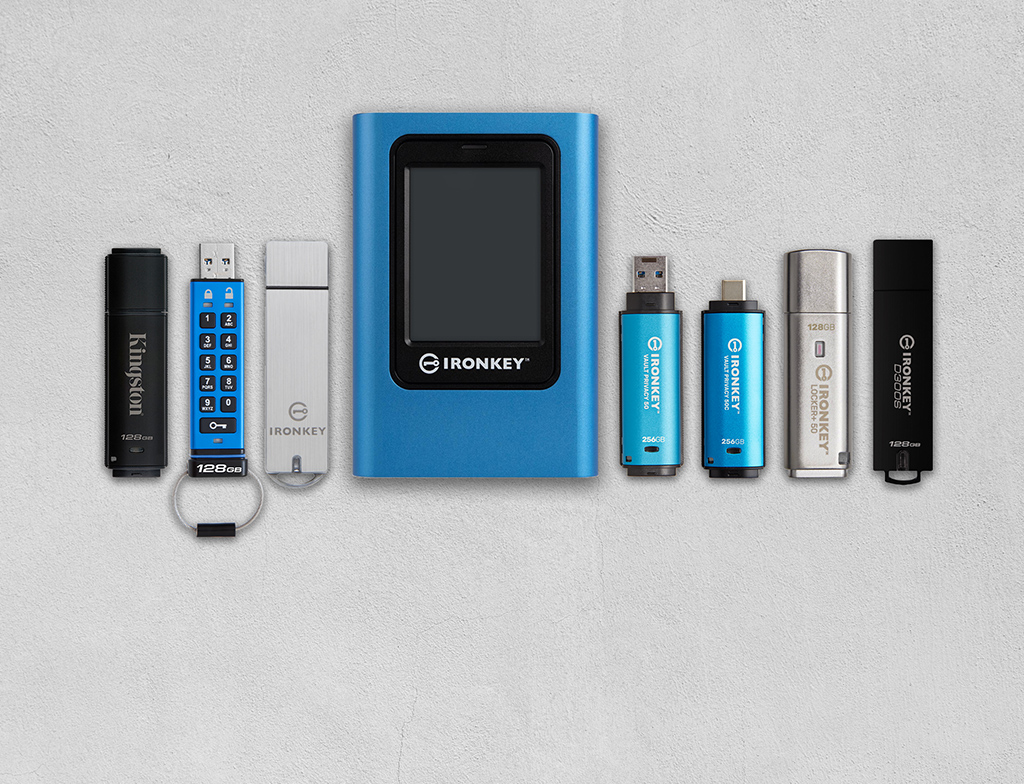
The Kingston IronKey Keypad 200 (KP200) remains a premier choice in 2026 for users who require security across multiple platforms without the need for complex software installations. Its defining feature is the integrated alphanumeric keypad, which allows users to unlock the drive before it is even plugged into a USB port.
Technical Specifications and Security Architecture
The KP200 is built on the foundation of FIPS 140-3 Level 3 (Pending/Certified) standards. This certification is critical because it mandates not only logical security but also physical tamper-evidence. The internal components are coated in a tough epoxy potting, which makes it virtually impossible to remove the casing and access the memory chips without destroying them.
The drive utilizes AES 256-bit XTS hardware-based encryption. In the XTS mode, the drive provides stronger protection against cipher-text manipulation compared to older CBC modes. Because the authentication happens on the keypad, the KP200 is entirely OS-independent. It works seamlessly with Windows, macOS, Linux, ChromeOS, and even embedded systems like medical imaging machines or industrial controllers that lack a traditional user interface for password entry.
Operational Advantages
One of the most significant advantages of the KP200 is its protection against BadUSB and Brute Force attacks. The firmware is digitally signed, preventing unauthorized firmware updates that could turn the USB drive into a malicious HID (Human Interface Device). For brute-force protection, the drive is programmed to perform a "crypto-erase" after 10 failed password attempts. This process doesn't just delete the files; it destroys the encryption key, rendering the data on the NAND flash chips permanently unreadable.
User Experience and Durability
The KP200 features a rechargeable battery to power the keypad, which is a common point of concern for some users. However, by 2026, these batteries have improved in longevity and can be charged simply by plugging the drive into a powered USB port for a few minutes. The drive is also IP57 rated, meaning it is protected against dust and can withstand immersion in water up to one meter for 30 minutes.
2. Apricorn Aegis Secure Key 3z: The Best for High-Density Security
Apricorn has long been a leader in the encrypted storage market, and the Aegis Secure Key 3z is their most versatile and compact offering. It is designed for environments where portability cannot come at the expense of rigorous security protocols.
Advanced Security Features
The Aegis Secure Key 3z distinguishes itself through its "Aegis Configurator" compatibility. For corporate environments, this allows IT administrators to set up and manage dozens of drives simultaneously. It supports independent Admin and User PINs, which is essential for corporate recovery. If an employee forgets their PIN, the Admin PIN can be used to unlock the drive without wiping the data—a feature missing from many consumer-grade secure drives.
The 3z also includes a Self-Destruct PIN. When this specific PIN is entered, the drive immediately performs a crypto-erase. This is a vital feature for personnel operating in high-risk environments where they may be forced to surrender the device but must ensure the data is unrecoverable.
Physical and Logical Resilience
Like the IronKey, the Aegis Secure Key 3z uses a wear-resistant keypad to prevent "pattern analysis." On cheaper keypad drives, the most frequently used buttons can show physical wear over time, giving a thief a clue to the PIN. Apricorn uses a specialized polymer coating to ensure the keys look identical even after years of use.
The drive is FIPS 140-2 Level 3 validated. While 140-3 is the newer standard, 140-2 Level 3 remains the benchmark for most regulated industries in 2026. It employs AES-XTS 256-bit hardware encryption and features a "Locked-Down" mode, where the drive automatically locks itself if it is unplugged or if the USB port loses power.
Performance Considerations
While security is the priority, the Aegis Secure Key 3z does not ignore performance. It utilizes a USB 3.1 (Gen 1) interface. While not as fast as unencrypted NVMe-based drives, it provides sufficient read/write speeds for large encrypted databases or high-resolution video files. Its compact form factor is specifically designed to fit into side-by-side USB ports on modern laptops, which is a frequent complaint with wider ruggedized drives.
3. Kanguru Defender 3000: The Best for Enterprise Management
The Kanguru Defender 3000 is the "gold standard" for military and government applications in 2026. While the previous two picks are excellent for individual or small-team use, the Defender 3000 is built for large-scale deployment and remote management.
Military-Grade Certification
The Defender 3000 is FIPS 140-2 Level 3 certified and TAA compliant, making it eligible for purchase by the U.S. federal government. What sets this drive apart is its ruggedized zinc alloy housing. It is designed to withstand physical abuse that would crush standard aluminum or plastic drives.
Remote Management Capabilities
The standout feature of the Kanguru line is the Kanguru Remote Management Console (KRMC). This allows an organization to manage their entire fleet of USB drives from a central location. Through the console, an IT manager can:
- Remotely wipe or disable a lost drive.
- Enforce password complexity rules.
- Restrict the drive to specific IP addresses or geofenced locations.
- Track the drive’s usage history and see which computers it has been plugged into.
This level of oversight is mandatory for organizations that must comply with strict data sovereignty laws or HIPAA regulations.
On-Board Anti-Virus and Security
The Defender 3000 includes an integrated, onboard anti-virus scanner powered by Bitdefender. This is a critical layer of defense in 2026. When files are transferred onto the drive, they are scanned in real-time. This prevents the USB drive from becoming a carrier for malware or ransomware, which could then infect the organization’s "air-gapped" or internal networks.
Comparison of Top Secure USB Flash Drives
| Feature | Kingston IronKey KP200 | Apricorn Aegis Secure Key 3z | Kanguru Defender 3000 |
|---|---|---|---|
| Encryption Mode | AES 256-bit XTS | AES 256-bit XTS | AES 256-bit XTS |
| Certification | FIPS 140-3 Level 3 | FIPS 140-2 Level 3 | FIPS 140-2 Level 3 |
| Authentication | Alphanumeric Keypad | Alphanumeric Keypad | Software Interface (Host) |
| OS Compatibility | Fully Independent | Fully Independent | Windows/macOS/Linux |
| Remote Management | No | Optional (Configurator) | Yes (KRMC) |
| Water Resistance | IP57 | IP58 | Waterproof (Milspec) |
| Physical Build | Aluminum / Epoxy | Polymer / Epoxy | Zinc Alloy / Epoxy |
| Admin/User Roles | Yes | Yes | Yes |
Critical Selection Criteria: What to Look for in 2026
When choosing a secure USB drive, several technical factors must be weighed against your specific workflow.
FIPS 140-2 vs. FIPS 140-3
In 2026, you will see both FIPS 140-2 and FIPS 140-3 certifications. FIPS 140-3 is the more modern standard, aligning more closely with international ISO/IEC 19790 standards. While FIPS 140-2 Level 3 is still highly secure and widely accepted, organizations looking for the longest "shelf-life" for their security hardware should prioritize FIPS 140-3 Level 3 certified devices like the newer versions of the IronKey.
Tamper-Evidence and Epoxy Potting
A high-quality secure drive must have its internal circuitry encased in a hard epoxy resin. This "potting" serves two purposes: it prevents moisture and dust from reaching the electronics, and it acts as a physical deterrent. If an attacker attempts to "chip-off" (physically remove the NAND storage chip to read it directly), the epoxy is designed to bond so strongly with the components that they are destroyed during the removal process.
The Role of TAA Compliance
For those working in or with the United States government, TAA (Trade Agreements Act) compliance is often a non-negotiable requirement. This means the product must be manufactured or "substantially transformed" in the United States or a designated TAA-compliant country. Both Apricorn and Kanguru have a strong history of offering TAA-compliant products.
Common Pitfalls and Troubleshooting
Battery Failure on Keypad Drives
Keypad-based drives like the Kingston and Apricorn models rely on an internal battery to allow PIN entry before plugging the device in. If the drive is left unused for several months, the battery may deplete. To resolve this, simply plug the drive into a USB port for 30–60 minutes. Most modern drives will allow you to enter the PIN while the drive is plugged in if the battery is critically low, though this varies by model.
Read-Only Mode Errors
Many secure drives have a "Read-Only" (Write Protect) mode. This is useful for browsing files on a potentially infected guest computer without risking a virus transfer to the drive. However, users often accidentally toggle this mode through a specific keypad sequence. If you find you cannot delete or save files to your secure drive, check the LED indicator patterns to ensure the drive hasn't been set to Read-Only mode.
Forgetting the Admin PIN
If both the User and Admin PINs are lost, there is no "backdoor." This is by design. If a manufacturer could recover your data without the PIN, so could a sophisticated hacker. In this scenario, the drive can usually be reset to factory settings, but all existing data will be permanently wiped.
Frequently Asked Questions
Is hardware encryption better than software encryption?
Yes, hardware encryption is significantly more secure. Software encryption (like Bitlocker or VeraCrypt) depends on the security of the host computer. If the host is infected with a keylogger, your password can be stolen. Hardware-encrypted drives perform all authentication and decryption on an isolated internal processor, keeping your keys safe from host-side attacks.
Can these drives be used with smartphones in 2026?
Yes, provided the drive is OS-independent (like the Kingston KP200 or Apricorn 3z) and you have the appropriate USB-C adapter. Since the drive handles the encryption internally, the smartphone simply sees it as a standard mass storage device once it has been unlocked via the keypad.
What happens if I lose my secure USB drive?
Because the data is protected by AES 256-bit hardware encryption and brute-force protection, your data is safe. After a set number of failed attempts (usually 10), the drive will execute a crypto-erase, destroying the encryption keys and making the data on the flash chips unreadable even to laboratory-grade forensic equipment.
Are these drives compatible with USB 2.0 ports?
Yes, all three recommended drives are backward compatible with USB 2.0. However, data transfer speeds will be significantly throttled by the older port's 480 Mbps limit. For optimal performance, a USB 3.0 or higher port is recommended.
Does the encryption slow down file transfers?
While the encryption process does introduce a small amount of latency, the hardware processors in 2026 drives are powerful enough that most users will not notice a significant difference compared to standard mid-range USB drives. The bottleneck is usually the NAND flash memory speed, not the encryption engine.
Final Recommendation
For the individual professional or traveler who needs universal compatibility, the Kingston IronKey Keypad 200 is the best overall choice due to its alphanumeric keypad and FIPS 140-3 readiness. If you are managing a team and require administrative recovery options in a compact form factor, the Apricorn Aegis Secure Key 3z is the superior option. For high-security enterprise or government environments requiring remote management and a near-indestructible build, the Kanguru Defender 3000 remains the industry leader.