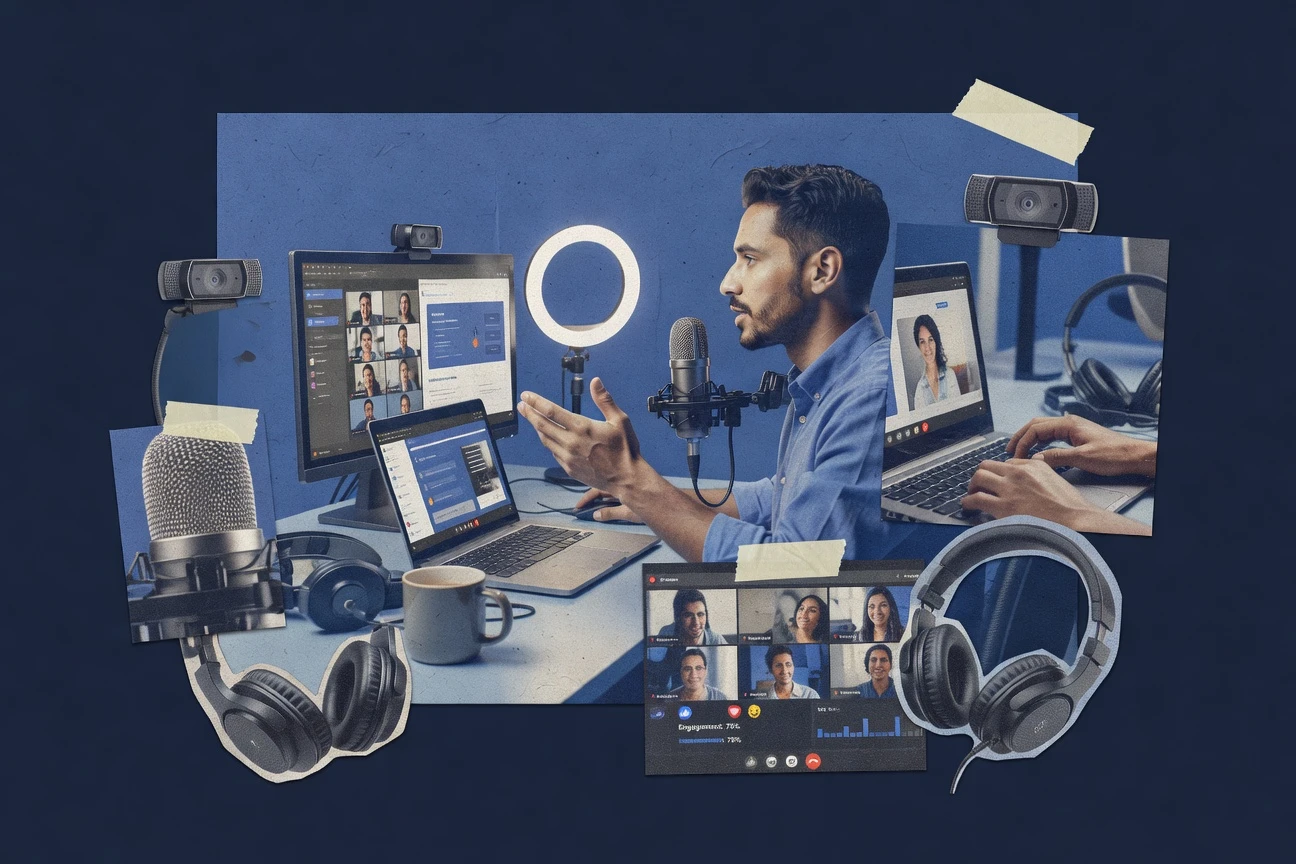
Choosing the right webinar service in 2026 involves balancing attendee capacity, engagement tools, and total cost of ownership. The best picks range from the free-tier accessibility of Zoom and the value-driven Zoho Meeting to high-end marketing suites like ON24, ensuring every business finds a scalable solution that fits their specific financial and technical requirements.
Navigating the Webinar Software Market in 2026
The landscape of digital communication has evolved significantly, moving away from cumbersome desktop applications toward seamless, browser-based experiences. In 2026, the primary differentiator between a mediocre webinar and a high-converting event is the level of friction a participant faces when joining. Organizations no longer look for simple video conferencing; they require integrated marketing ecosystems, automated follow-ups, and real-time data analytics.
When evaluating a webinar service, the "best" choice is rarely the one with the most features, but rather the one that aligns with your specific use case—whether that is internal training, lead generation, or large-scale industry summits. Budgeting for these services requires a dual focus on the monthly subscription fee and the hidden costs of overage charges for extra attendees or storage for high-definition recordings.
To help you navigate these choices, we have analyzed the market to identify the five top-tier providers that cater to different budget brackets while maintaining high standards for security, uptime, and user experience.
1. Zoom: The Best Entry-Level and Free Option
Zoom remains a household name in 2026, maintaining its position as the most accessible entry point for those with limited budgets. While many associate Zoom with standard meetings, its dedicated Zoom Webinars platform is designed for "one-to-many" communication where the host controls the environment.
Why It Fits the Budget
For startups and individual creators, Zoom’s free tier for standard meetings serves as a testing ground. However, the dedicated Webinar add-on is priced competitively for those moving into professional broadcasting. It allows users to pay for what they need, starting with 500-attendee licenses and scaling upward. This "pay-as-you-grow" model prevents small businesses from being locked into enterprise-level contracts before they are ready.
Technical Capabilities
Zoom’s strength lies in its proprietary compression algorithms, which allow for stable video even on lower-bandwidth connections. In 2026, Zoom has further refined its AI-driven noise cancellation and background replacement, making professional-looking broadcasts possible from home offices. The platform supports HD video, localized cloud recording, and basic polling features that are essential for keeping an audience engaged.
Limitations to Consider
The primary drawback of the lower-cost Zoom tiers is the lack of advanced branding. While you can add a logo, the interface remains distinctly "Zoom." For brands that require a fully white-labeled experience where the software remains invisible to the attendee, Zoom may feel too "utilitarian." Additionally, the requirement for some users to download a client—though minimized in recent updates—can still represent a minor point of friction compared to pure WebRTC solutions.
2. Zoho Meeting: The Best Value for Small to Mid-Sized Businesses
Zoho has long been the champion of the "value-for-money" segment in the SaaS world. Zoho Meeting offers a robust webinar solution that is often a fraction of the cost of its competitors while providing a deeper feature set than basic free tools.
Why It Fits the Budget
Zoho Meeting is particularly attractive for businesses already utilizing the Zoho ecosystem (such as Zoho CRM or Zoho Campaigns). By bundling these services, companies can drastically reduce their total software spend. Even as a standalone product, Zoho Meeting provides features like automated email reminders, custom registration forms, and detailed post-webinar analytics at a price point that undercuts major competitors by 30-40%.
Feature Depth and Integration
One of the standout features of Zoho Meeting in 2026 is its privacy-first approach. As global data regulations like GDPR and CCPA have tightened, Zoho’s commitment to not selling user data and providing high-level encryption is a significant value add. The platform is entirely browser-based, utilizing WebRTC technology to ensure attendees can join via a single link without installing any software.
Marketing and Engagement
Zoho Meeting includes built-in tools for:
- Q&A Moderation: Allowing hosts to filter questions before they are seen by the public.
- Polls and Results: Real-time feedback loops that can be exported for lead scoring.
- Handouts: Digital assets that participants can download directly during the session.
3. Demio: The Best for Marketing and Conversion
If your primary goal is lead generation and sales, Demio is the premier choice for a mid-range budget. It is designed specifically for marketers who need to track every interaction a prospect has during a live or automated event.
Why It Fits the Budget
Demio is not the cheapest option, but it offers the highest Return on Investment (ROI) for sales-heavy organizations. Its pricing is transparent and scales based on the number of attendees. The value lies in its automation capabilities—specifically "Like-Live" and on-demand webinars—which allow a single recording to generate leads 24/7 without additional manual labor.
The Frictionless Experience
Demio pioneered the modern "no-download" webinar experience. In 2026, this remains its core strength. The interface is clean, modern, and highly brandable. The "Join Link" takes users directly into the room, where they are met with a custom-branded waiting area. This reduction in technical hurdles directly correlates to higher "show-up" rates, which is a critical metric for any marketing department.
Advanced Analytics
Demio provides a granular look at attendee behavior. You can see exactly when a participant dropped off, which polls they answered, and whether they clicked on a featured "Call to Action" (CTA) button. This data can be automatically pushed to marketing automation platforms like HubSpot or Mailchimp, allowing for immediate, personalized follow-up based on the attendee’s level of interest.
4. BigMarker: The Best for Hybrid Events and Customization
As we move into a more complex event landscape, BigMarker stands out as the most versatile tool for those with a moderate to high budget who require extensive customization and hybrid event support (combining in-person and virtual audiences).
Why It Fits the Budget
BigMarker is positioned as a premium "all-in-one" platform. While the monthly cost is higher than Zoho or Zoom, it replaces multiple other tools. It handles registration, landing pages, email marketing, and video hosting within a single subscription. For organizations running frequent, high-production-value events, the consolidation of these tools often results in a lower net spend than piecing together a "Frankenstein" tech stack.
Technical Sophistication
BigMarker is highly regarded for its Webinar White Labeling capabilities. You can host the webinar on your own domain (e.g., webinars.yourbrand.com), ensuring that the attendee’s journey is entirely within your brand’s ecosystem. It also supports RTMP streaming, allowing you to broadcast high-end video from professional cameras and switchers (like vMix or OBS) directly into the webinar room.
Engagement Features
The platform offers a massive array of engagement tools, including:
- Breakout Rooms: For interactive workshops within a larger webinar.
- Gamification: Leaderboards and badges to encourage participation.
- Multiple Stage Views: Allowing for panel discussions with various layouts.
5. ON24: The Best High-End Enterprise Solution
For global enterprises and organizations where data is the most valuable currency, ON24 is the gold standard. It is a high-budget solution designed for scale, security, and deep "Intelligence" rather than just video broadcasting.
Why It Fits the Budget
ON24 is an investment. It is typically priced for large organizations that conduct hundreds of webinars annually across multiple departments. The "budget" here is justified by the First-Party Data it generates. In a world where third-party cookies have vanished, the ability to capture detailed engagement data from a 45-minute webinar is worth the premium price for B2B enterprises.
The "Digital Experience" Platform
ON24 does not just provide a webinar room; it provides a "Digital Experience." This includes personalized content hubs where attendees can find related white papers, videos, and upcoming events tailored to their interests. The AI engine within ON24 analyzes the "Engagement Score" of every lead, telling sales teams exactly who is ready for a phone call and who needs more nurturing.
Enterprise-Grade Security and Support
With ON24, you are paying for peace of mind. The platform offers SOC2 Type II compliance, advanced encryption, and dedicated account managers. For high-stakes events like quarterly earnings calls or global product launches, the reliability and support provided by ON24 are non-negotiable requirements that justify the higher expenditure.
Comparison of Top Webinar Services (2026)
The following table summarizes the key metrics for each service to help you determine which fits your organizational needs and financial constraints.
| Service | Primary Use Case | Budget Tier | Best Feature | 2026 Tech Focus |
|---|---|---|---|---|
| Zoom | General/Introductory | Low / Free | Stability & Familiarity | AI Noise Suppression |
| Zoho Meeting | Small Business / Value | Low to Mid | Privacy & Ecosystem | Browser-based WebRTC |
| Demio | Marketing & Sales | Mid-Range | Conversion Tools | Automated "Like-Live" |
| BigMarker | Hybrid & Custom | Mid to High | No-Download Branding | RTMP / 4K Streaming |
| ON24 | Enterprise Data | High | Predictive Analytics | AI Lead Scoring |
Critical Considerations Before Finalizing Your Choice
Selecting a service based on price alone can lead to significant technical debt. Beyond the monthly fee, consider these three pillars of webinar success:
1. Integration and Workflow
A webinar does not exist in a vacuum. It is a part of a broader marketing or operational funnel. Ensure the service you choose integrates natively with your CRM. If you have to manually export CSV files of attendees and upload them to your email provider, you are losing valuable time and increasing the risk of data errors. In 2026, native API support should be a standard requirement for any service above the free tier.
2. Attendee Experience and Accessibility
As global audiences become more digitally savvy, their patience for technical glitches has evaporated. A "budget" service that requires a complex installation or creates "firewall" issues for corporate attendees will ultimately cost you more in lost leads than you save in subscription fees. Prioritize WebRTC-based solutions that work directly in Chrome, Safari, and Edge.
3. Scalability and Overage Fees
Read the fine print regarding "Attendee Limits." Some services charge massive penalties if you exceed your room capacity during a live event. Others may simply block new entrants. If you expect a webinar to go viral or have high interest, look for services that allow for on-the-fly upgrades or offer a "buffer" for unexpected traffic.
Troubleshooting Common Webinar Issues
Even with a top-tier service, technical challenges can arise. Preparation is the only defense against the unpredictable nature of live streaming.
- Audio Lag: This is often a local CPU issue rather than a platform issue. Ensure all unnecessary applications are closed. In 2026, most platforms have built-in "System Checks" that you should encourage presenters to run 15 minutes before the start.
- Connection Drops: Always use a hardwired Ethernet connection. Wi-Fi is susceptible to interference that can cause "jitter" in the video stream, regardless of how much you pay for your webinar software.
- Presentation Failures: Always upload a PDF version of your slide deck to the platform as a backup. If the "Screen Share" function fails due to a browser update or local glitch, the PDF backup can be controlled directly within the webinar software's interface.
Frequently Asked Questions
Can I run a professional webinar for free in 2026?
Yes, you can use the free tiers of platforms like Zoom or YouTube Live for basic broadcasts. However, these often lack the professional branding, registration gating, and detailed analytics required for business-to-business (B2B) lead generation. For a truly professional appearance, a small investment in a dedicated service is usually recommended.
What is the difference between a "Meeting" and a "Webinar" service?
A meeting is designed for collaborative interaction where everyone can share their screen, camera, and microphone. A webinar is a "one-to-many" or "few-to-many" format where the host controls who can speak and what is seen. Webinar services include specific tools like registration forms, moderated Q&A, and attendee tracking that standard meeting software lacks.
Is browser-based software better than downloaded applications?
In 2026, browser-based (WebRTC) software is generally preferred for webinars because it removes the "barrier to entry" for attendees. Many corporate firewalls prevent employees from downloading new software, so a browser-based link ensures a higher participation rate. However, downloaded applications sometimes offer slightly better stability for the host during high-definition broadcasts.
How do I calculate the ROI of a webinar service?
To calculate ROI, track the number of qualified leads generated or sales closed as a direct result of the webinar. Compare this against the cost of the software license, the cost of the staff time to produce the event, and any advertising spend used to drive registrations. High-end tools like Demio or ON24 make this easier by providing direct "Cost-per-Lead" metrics.
Final Recommendation
For those just starting, Zoom remains the safest and most budget-friendly choice to build confidence. If you are a small business looking for the best overall value, Zoho Meeting is difficult to beat. However, for organizations focused on growth and sales, investing in a conversion-optimized tool like Demio or a fully custom platform like BigMarker will yield better long-term results. Large enterprises should look toward ON24 to turn their webinars into a sophisticated data engine.
Your next action should be to sign up for a free trial or a demo of your top two choices to test their interface with your specific hardware and network configuration.