The Windows Server 2025 Long-Term Servicing Channel (LTSC) represents a significant release for enterprise infrastructure, focusing on stability, cloud-hybrid integration, and enhanced security protocols. Designed specifically for mission-critical workloads that require minimal change over long durations, this release provides a predictable ten-year support lifecycle, making it the primary choice for standardized data center deployments and legacy application hosting.
The Role of LTSC in Modern IT Infrastructure
In the context of modern server management, Microsoft maintains two primary release streams: the Long-Term Servicing Channel (LTSC) and the Annual Channel. Understanding the distinction between these two is critical for infrastructure architects. The LTSC model is built for longevity. It is the release of choice for organizations that prioritize operational consistency over the rapid adoption of feature updates.
Unlike versions that receive frequent feature rollouts, the 2025 LTSC release is designed to remain static in terms of core functionality for years. This stability is essential for environments such as domain controllers, file servers, large-scale database clusters, and legacy line-of-business applications where software compatibility is the highest priority. By utilizing the 2025 LTSC, system administrators avoid the "update fatigue" associated with shorter-cycle releases, ensuring that once a validated environment is deployed, it remains supported and secure without requiring frequent, disruptive OS-level feature upgrades.
Key Technological Advancements in the 2025 Release
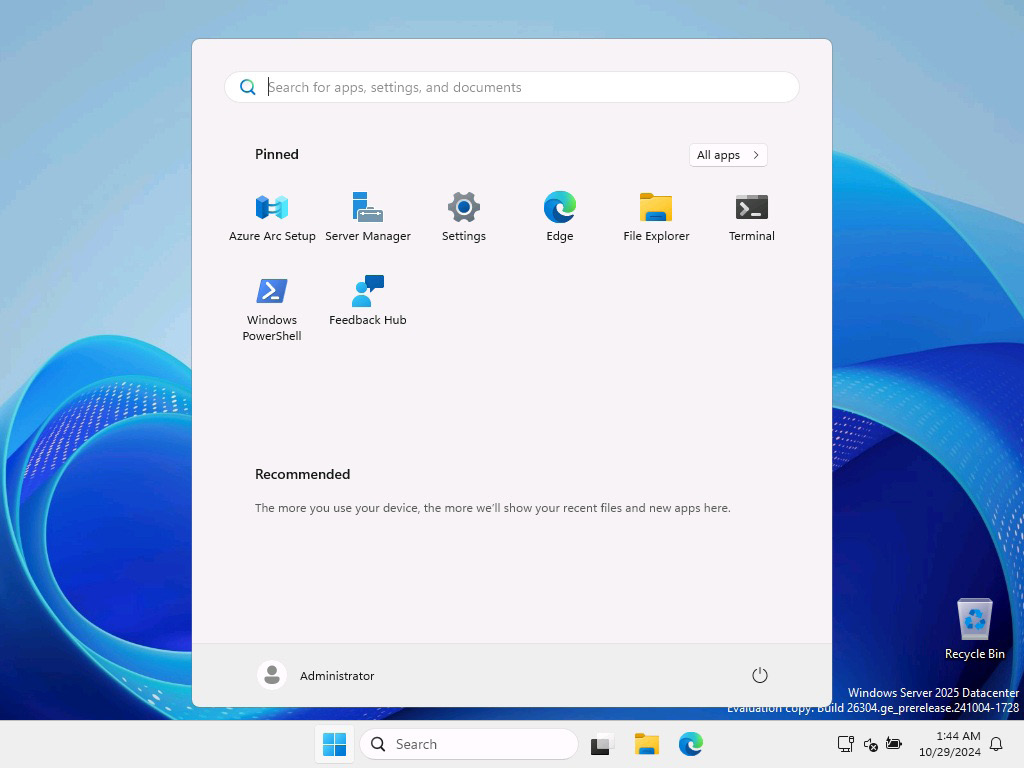
The 2025 LTSC release introduces several under-the-hood refinements that distinguish it from its predecessors. While the user interface may appear familiar to those experienced with Windows Server 2022, the underlying kernel and management frameworks have been optimized for high-performance computing and hybrid-cloud efficiency.
Security is the primary pillar of this iteration. With the inclusion of more robust hardware-backed security features, such as improved virtualization-based security (VBS) and tighter integration with Microsoft Defender for Cloud, the 2025 release aims to harden the operating system against evolving lateral movement threats. Furthermore, the storage and networking stacks have undergone significant optimization. Performance improvements in SMB (Server Message Block) over QUIC and the evolution of storage spaces direct (S2D) allow for faster, more reliable data throughput in hyper-converged infrastructure (HCI) scenarios.
For organizations leveraging cloud-hybrid models, this release features enhanced connectivity with Azure Arc. This allows for centralized management, governance, and monitoring of the server instance directly from the Azure portal, regardless of whether the hardware resides in an on-premises data center, a colocation facility, or a remote edge site.
Lifecycle Management and Support Expectations
One of the most consequential aspects of the 2025 LTSC release is its support lifecycle. Microsoft provides five years of mainstream support, followed by five years of extended support. This ten-year commitment is the defining feature that differentiates LTSC from other channels.
During the mainstream support phase, organizations receive not only security patches but also platform updates, reliability improvements, and time-zone changes. Once the system enters the extended support phase, the focus shifts strictly to security updates. This predictability is foundational for corporate financial planning and lifecycle management of physical server hardware. By aligning the OS lifecycle with the typical refresh cycle of enterprise-grade hardware, IT departments can maximize the return on investment for their server assets.
Hardware Requirements and Compatibility Prerequisites
Before transitioning to the 2025 LTSC, it is necessary to audit existing hardware to ensure compatibility. The minimum requirements for the 2025 release are designed to accommodate modern processing tasks, but they are particularly strict regarding CPU virtualization and memory speed.
- Processor: A 1.4 GHz 64-bit processor is the baseline, though modern server-grade hardware is strongly recommended. Compatibility with NX, DEP, CMPXCHG16b, LAHF/SAHF, and PrefetchW is strictly required.
- Memory: A minimum of 512 MB (or 2 GB for the Server with Desktop Experience installation option) is mandated, though practical production environments rarely function effectively below 16 GB to 32 GB of RAM.
- Storage: The OS requires a minimum of 32 GB of disk space. However, this should be considered an absolute minimum; in practice, high-performance NVMe or SSD storage arrays are necessary to support the overhead of modern server roles and services.
- Networking: A Gigabit Ethernet adapter is the standard minimum for network connectivity, though 10GbE or higher is required for clustered workloads and high-availability storage configurations.
Comparison of Windows Server Release Channels
Choosing the correct release channel is essential for maintaining alignment between business requirements and technical capabilities.
| Feature | Long-Term Servicing Channel (LTSC) | Annual Channel (AC) |
|---|---|---|
| Primary Goal | Operational Stability | Rapid Feature Innovation |
| Support Term | 10 Years (5 Mainstream + 5 Extended) | ~18-36 Months |
| Typical Use Case | Databases, Domain Controllers, ERP | Container hosts, microservices |
| Update Frequency | Security patches only | Frequent feature rollouts |
| Deployment Type | Static, long-term deployments | Agile, iterative cycles |
Best Practices for Deployment and Migration
Migration to the 2025 LTSC should follow a rigorous, phased approach to minimize downtime and prevent configuration drift. The first step involves an infrastructure audit: identifying legacy roles that may be deprecated or changed in the new version.
- Role Assessment: Review all current roles—such as Active Directory Domain Services (AD DS), DNS, DHCP, and Print Services—to ensure that the 2025 version fully supports them and that any third-party management agents are compatible.
- Pilot Testing: Deploy the 2025 LTSC in an isolated virtualized sandbox. Testing should include not only the core operating system but also the specific applications and scripts that run on the servers.
- In-Place Upgrade vs. Clean Install: While in-place upgrades are technically supported, they are often prone to complications in complex production environments. A "swing migration"—where new servers are deployed and data/roles are migrated—is generally the industry-standard approach for ensuring a clean, stable production environment.
- Validation: Post-migration, focus on performance monitoring. Utilize tools like Performance Monitor and Azure Monitor to ensure that resource utilization remains within expected parameters and that there are no latent errors in the event logs.
Common Troubleshooting and Known Limitations
Despite the stability of the LTSC stream, administrators may encounter specific hurdles during and after deployment. One of the most common issues involves driver compatibility. Because the 2025 LTSC is a major version jump, older drivers—particularly for specialized RAID controllers, high-speed NICs, or legacy tape backup hardware—may lack official WHQL certification. Always verify driver availability from the hardware vendor’s support portal before initiating a deployment on physical servers.
Another common point of friction is the transition of security protocols. The 2025 release defaults to stricter security settings, which may break older applications relying on legacy authentication methods (such as weak SMB versions or outdated LDAP binds). Organizations should perform a security baseline comparison to ensure that these hardened defaults do not impede essential business operations.
Expert Guidance for Enterprise Adoption
When planning an organization-wide transition, consider the 2025 LTSC as a strategic component of your hybrid-cloud roadmap. Do not view the OS as an isolated product, but rather as an extension of your cloud management layer. By utilizing tools like Windows Admin Center in conjunction with the 2025 LTSC, you can manage both local infrastructure and cloud resources through a single pane of glass.
If your environment consists primarily of legacy monolithic applications, prioritize the LTSC version over any shorter-term release cycles to ensure that your compliance posture remains solid throughout the decade. Document all configuration baselines, ensure your backup strategy is updated to recognize the new OS version, and maintain a clear register of all hardware that will reach the end of its supported life before the LTSC release does.
Frequently Asked Questions
Is the 2025 LTSC release compatible with previous server versions in a mixed-mode forest? Yes, it is designed for backward compatibility with older Windows Server domains. You can introduce a 2025 LTSC server as a Domain Controller into an environment currently running older versions of Windows Server, provided you follow the standard domain and forest functional level requirements.
Does LTSC include the Desktop Experience by default? The 2025 LTSC allows for both "Server Core" and "Server with Desktop Experience" installations. For production servers, Server Core is strongly recommended to reduce the attack surface and resource overhead; reserve the Desktop Experience only for specific roles that require a graphical interface.
Can I switch from the Annual Channel to the LTSC? Directly converting a server from an Annual Channel installation to LTSC is generally not supported as an in-place migration path. You must perform a clean installation of the LTSC version and migrate your data, roles, and services from the old server to the new one.
Does the 2025 LTSC release include full support for Hyper-V virtualization? Yes, the 2025 LTSC is fully optimized for Hyper-V. It includes the latest enhancements to virtualization performance, memory management, and GPU partitioning, making it an excellent host for high-density virtualized workloads.
How does pricing work for the 2025 LTSC release? Pricing is typically managed via volume licensing or cloud-subscription models. It is recommended to consult your Microsoft representative or authorized cloud provider to determine the most cost-effective procurement route based on your organization's existing licensing agreements and virtualization density.
Conclusion
The Windows Server 2025 LTSC is a foundational release for enterprises that require a stable, high-performance, and secure operating environment. By providing a ten-year support lifecycle, it offers the predictability necessary for long-term infrastructure planning. Success with this release relies on thorough testing, adherence to modern security practices, and a clear understanding of the transition from legacy hardware to cloud-integrated management.