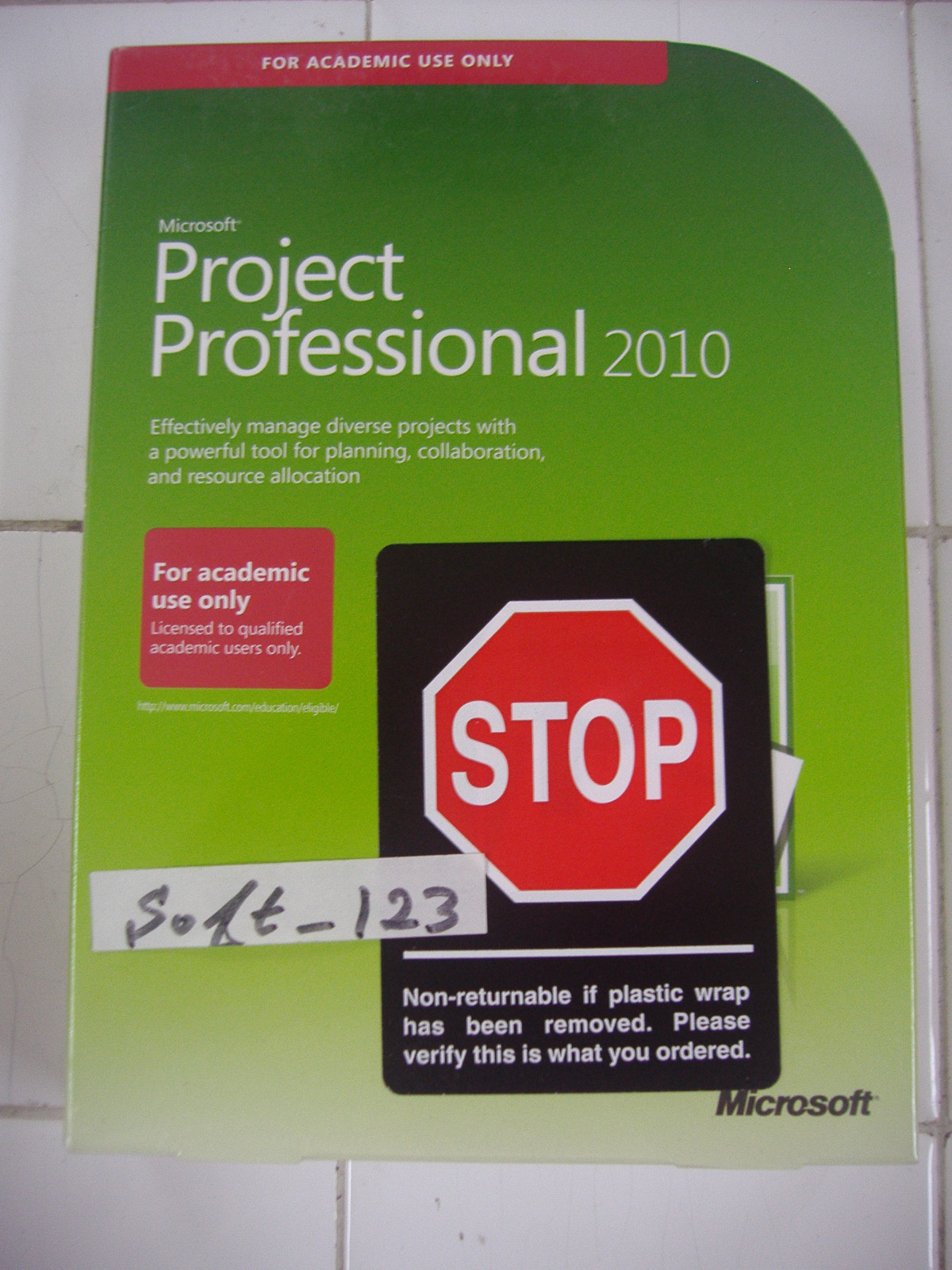
Microsoft Project 2010 licensing utilizes a perpetual, per-device model categorized primarily into Standard and Professional editions. Although the product reached its official end-of-extended-support in October 2020, existing licenses remain valid for use. Understanding the specific requirements for Volume Licensing, Retail Full Packaged Product (FPP), and Client Access Licenses (CALs) is essential for maintaining legal compliance and operational stability in 2026.
The Fundamental Structure of Microsoft Project 2010 Licensing
To understand the licensing landscape for Microsoft Project 2010, one must first recognize that this software was released during a period when Microsoft was transitioning from strictly physical media to digital distribution, but long before the "Software as a Service" (SaaS) subscription model became the industry standard. Consequently, a Microsoft Project 2010 license is a perpetual license, meaning once it is purchased and activated, the user owns the right to use that specific version of the software indefinitely, regardless of the current year being 2026.
However, "perpetual" does not mean "supported." While the license itself does not expire, Microsoft no longer provides security patches, technical assistance, or bug fixes. In an enterprise environment, managing these licenses requires a clear audit trail to prove ownership, especially since Project 2010 keys are no longer available for direct purchase from Microsoft.
Standard vs. Professional Editions
The primary distinction in Project 2010 licensing lies between the Standard and Professional editions. Choosing between them in a legacy context usually depends on whether the user needs to connect to a centralized server.
- Microsoft Project Standard 2010: Designed for individual project managers. This edition is a standalone desktop application. It cannot connect to Microsoft Project Server 2010. Licensing is straightforward: one license per installation on a single PC.
- Microsoft Project Professional 2010: This version includes all the features of the Standard edition but adds capabilities for resource management and collaboration. Most importantly, it serves as the client software for Microsoft Project Server 2010.
From a licensing perspective, the Professional edition is more complex because it often involves the "Server + CAL" model if utilized in a team environment. Even if used as a standalone product, the Professional license is distinct and generally carries a higher historical valuation than the Standard version.
Common Licensing Models and Distribution Channels
In 2026, most organizations still running Project 2010 are doing so because of legacy system dependencies. These organizations typically hold licenses acquired through one of three primary channels.
Volume Licensing (VL)
This was the preferred method for medium to large enterprises. Volume Licensing allowed companies to purchase a block of licenses under a single agreement, such as an Open Value, Select Plus, or Enterprise Agreement.
- MAK (Multiple Activation Key): A single key used to activate multiple installations. Each activation is tracked on Microsoft’s servers. In 2026, if an organization reaches its activation limit on an old MAK, they may face difficulties, as Microsoft’s legacy activation clearinghouses operate with limited support.
- KMS (Key Management Service): This model allows organizations to host their own activation service locally. This is highly beneficial for air-gapped systems or environments that must remain isolated for security reasons.
Retail / Full Packaged Product (FPP)
Retail licenses were sold in physical boxes or as individual digital downloads. These are characterized by being "transferable." If a computer is decommissioned, the license can theoretically be moved to a new machine, provided it is removed from the old one. Retail licenses require a unique 25-character product key for every individual installation.
OEM (Original Equipment Manufacturer)
OEM licenses were pre-installed on hardware. These licenses are "tied to the motherboard." Unlike Retail or Volume licenses, an OEM license for Project 2010 cannot be legally transferred to a different computer. If the original hardware fails, the license expires with it.
The Role of Project Server 2010 and CALs
For organizations that utilized Project 2010 for enterprise-wide portfolio management, the licensing extended beyond the desktop. This involved Microsoft Project Server 2010, which required its own server license, and Client Access Licenses (CALs).
A CAL is not software; it is a legal document or digital right that grants a user or device the permission to access the services of the server.
User CAL vs. Device CAL
- User CAL: Best for employees who access the Project Server from multiple devices (e.g., a desktop at the office and a laptop at home).
- Device CAL: More cost-effective for shared workstations where multiple employees use the same computer to input project data.
It is important to note that a Project Professional 2010 license does not inherently include a Project Server CAL. Organizations had to purchase the server license, the CALs for the users, and the desktop software separately. This "three-tier" licensing requirement is a frequent point of confusion during internal audits.
Technical Specifications and Installation Prerequisites
To ensure a Microsoft Project 2010 license functions correctly on a machine in 2026, the underlying hardware and operating system must support the software's legacy architecture. Project 2010 was one of the first versions of Project to offer both 32-bit and 64-bit versions.
| Requirement | Minimum Specification | Recommended for 2026 |
|---|---|---|
| Processor | 700 MHz or higher | 1 GHz or faster |
| Memory (RAM) | 512 MB | 2 GB or more |
| Hard Disk Space | 2.0 GB | SSD with 5 GB free |
| Operating System | Windows XP SP3, Vista, Win 7 | Windows 10 (Compatibility Mode) |
| Graphics | DirectX 9.0c compatible | 1024 x 768 resolution |
| Architecture | x86 (32-bit) | x64 (64-bit) for large files |
While Windows 11 may technically run Project 2010 via compatibility settings, the software was originally optimized for the NT 6.1 kernel (Windows 7). Users should be aware that the .NET Framework versions required by Project 2010 (specifically version 3.5) must be manually enabled in modern Windows "Turn Windows features on or off" menus to allow the licensed software to initialize.
Challenges of Activation and Verification in 2026
The most significant hurdle for a Project 2010 license holder in 2026 is activation. When you install the software and enter your product key, the application attempts to communicate with Microsoft's Activation Centers.
Telephone Activation
As internet-based activation servers for older products are sometimes decommissioned or moved to restricted maintenance, "Telephone Activation" remains the most reliable fallback. Users must generate an Installation ID through the software wizard and provide it to an automated phone system to receive a Confirmation ID.
License Verification and Audits
If your organization is undergoing a software audit (often called a Software Asset Management or SAM review), simply having the software installed is not enough. You must provide:
- Proof of Purchase: An original invoice or a Volume Licensing Service Center (VLSC) statement.
- Product Key Records: Documentation of which key is assigned to which hardware asset.
- COA (Certificate of Authenticity): For retail or OEM versions, the physical sticker or card that came with the software.
Security and Operational Risks of Legacy Licensing
While a Project 2010 license is perpetual, using it in 2026 carries inherent risks that must be weighed against the cost savings of not upgrading to a modern subscription like Project Plan 3 or 5.
- Security Vulnerabilities: Microsoft stopped issuing security updates for the 2010 suite in October 2020. Any "Zero-Day" exploits discovered after that date remain unpatched in the software.
- File Compatibility: While Project 2010 uses the
.mppformat, newer versions of Project (2021, 2024, or Online) may include features that are not backward-compatible. This can lead to data corruption or loss when sharing files across different versions of the software. - Macro Disablement: Modern security protocols in Windows often block the VBA (Visual Basic for Applications) macros that were common in Project 2010 schedules, potentially rendering complex automated templates useless.
Frequently Asked Questions
Can I still buy a new license for Microsoft Project 2010 in 2026?
No, Microsoft and its authorized resellers no longer sell Project 2010. Any licenses found for sale online in 2026 are typically from the "secondary market." While the sale of used software is legal in some jurisdictions (like the EU under the CJEU ruling in UsedSoft v. Oracle), it is fraught with risks regarding key validity and activation rights.
Is Project 2010 Professional compatible with Windows 11?
Yes, it can generally be installed on Windows 11, but it is not officially supported. You may need to install the .NET Framework 3.5 manually and run the application in "Compatibility Mode" for Windows 7. There are known scaling issues with high-resolution (4K) monitors that were not prevalent when the software was designed.
Does a Project 2010 license include cloud storage?
No. Project 2010 was designed before the widespread integration of OneDrive and Microsoft 365. It saves files locally or to a local network drive. To use it with modern cloud services, you must manually sync the folders using a separate client, which can sometimes lead to file locking conflicts.
What is the difference between a Product Key and a License?
A product key is a 25-character string used to unlock the software. A license is the legal right to use the software. Having a key does not necessarily mean you have a valid license (e.g., using a key found online without a proof of purchase). In an audit, the license is what matters, not just the ability to bypass the activation screen.
Can I downgrade my Project 2024 license to Project 2010?
If you have a Volume Licensing agreement for a newer version of Project, you may have "Downgrade Rights." This allows you to run an older version of the software (like 2010) using the newer license. You should check your specific Microsoft Licensing agreement or the VLSC portal to see if Project 2010 media and keys are still available for download under your downgrade rights.
Practical Recommendations for License Holders
If you are tasked with managing a Microsoft Project 2010 license in 2026, the first step is to centralize your documentation. Ensure that every product key is matched with an invoice and a specific machine ID. Because activation is becoming increasingly difficult for legacy products, consider creating a system image (a "clone") of a successfully activated installation. This allows for quick recovery without needing to navigate the activation process again in the event of a hard drive failure.
Furthermore, for any environment that is not strictly air-gapped, you should implement "compensating controls." Since Project 2010 will not receive security patches, it should be run on a network segment with restricted internet access, and macro execution should be disabled via Group Policy unless absolutely necessary for specific project functions.
Finally, begin planning a migration path. While the 2010 license is perpetual, the ecosystem around it—operating systems, hardware drivers, and security standards—continues to move forward. Transitioning to a modern, supported version of Project will eventually be a necessity rather than an option.