Finding the absolute best TR4 cooler for high-performance and ultra-quiet operation requires navigating massive physical dimensions, immense thermal design power (TDP) loads, and unique integrated heat spreader (IHS) geometry. For AMD Ryzen Threadripper processors built on the TR4 socket (such as the 1900X, 1920X, 1950X, and second-generation 2900 series), standard desktop cooling solutions fall short because they fail to cover the entire silicon die area. The single best cooler meeting both stringent performance demands and near-silent acoustic thresholds is the Noctua NH-U14S TR4-SP3, complemented closely by its larger dual-tower sibling, the NH-D15 TR4-SP3, when case clearance allows.
When evaluating cooling options for the massive AMD TR4 platform, users often find themselves torn between water cooling and high-end air cooling. Liquid cooling loops (AIOs) frequently suffer from pump noise, coolant degradation, and potential points of failure, whereas top-tier air coolers deliver reliable, maintenance-free performance with exceptionally tuned, quiet fans. Below is a comprehensive guide to understanding why specific cooling solutions dominate this niche, how to choose the right hardware for your workstation, and how to configure your system for optimal thermal and acoustic harmony.
Understanding the Unique Thermal Challenges of AMD TR4
The AMD TR4 socket accommodates enterprise-grade architecture packed into a consumer workstation format. Unlike standard desktop processors that feature a centralized die layout, Threadripper processors utilize a multi-die Multi-Chip Module (MCM) design underneath a massive Integrated Heat Spreader (IHS).
Full Die Coverage Versus Partial Contact
The primary challenge in cooling a TR4 processor lies in surface area contact. Standard CPU coolers designed for AM4 or Intel LGA sockets feature mounting bases that are too small to cover the entire TR4 IHS. If a cooling block fails to make direct, complete contact with the precise locations of the internal Zeppelin dies, thermal transfer efficiency drops drastically.
The best TR4 coolers feature custom-machined, oversized copper baseplates specifically engineered to mirror the exact dimensions of the TR4 socket. This ensures that heat is drawn evenly across the entire surface rather than concentrated spots, preventing localized hot spots that can trigger thermal throttling under heavy, multi-threaded workloads like 3D rendering, video encoding, and data compilation.
The Thermal Design Power (TDP) Reality
Threadripper TR4 processors typically operate at a baseline TDP of 180W, with many models scaling up to 250W under stock conditions and significantly higher when subjected to Precision Boost Overdrive (PBO) or manual overclocking. Managing this level of heat dissipation requires massive fin stacks and robust heat pipe arrays.
| Cooler Model | Noise Profile | Max TDP Handling |
|---|---|---|
| Noctua NH-U14S TR4 | Ultra-Quiet (19dB) | Up to 250W+ |
| Noctua NH-D15 TR4 | Low-Noise (24dB) | Up to 280W+ (OC) |
| Enermax LiqTech TR4 | Variable (Pump) | Up to 300W (Risk-Prone) |
| Be Quiet! Dark Rock | Moderate (Quiet) | Up to 220W |
Why the Noctua NH-U14S TR4-SP3 Wins the Performance-Quiet Balance
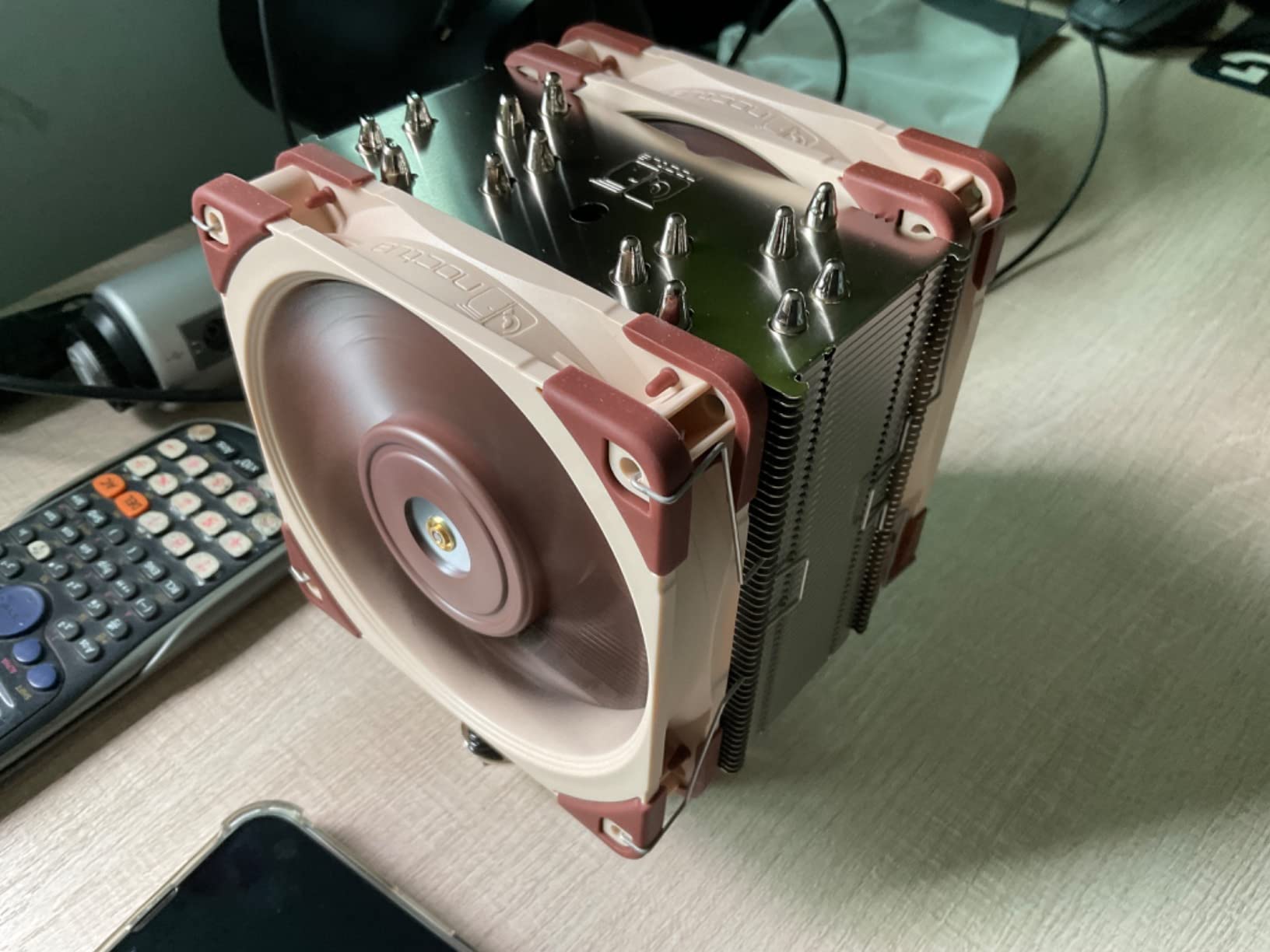
While multiple manufacturers attempt to capture the high-end workstation cooling market, the Noctua NH-U14S TR4-SP3 stands out as the definitive top choice for users prioritizing a silent workspace without sacrificing thermal headroom.
Engineered Specifically for TR4 and SP3
Unlike universal coolers that rely on mounting adapters to fit different sockets, the TR4-SP3 variant of the NH-U14S features a customized, custom-sized contact surface that covers the entire TR4 heat spreader. The SecuFirm2 mounting system allows for straightforward installation, ensuring optimal mounting pressure right out of the box without guesswork.
The Power of the NF-A15 PWM Fan
Acoustic performance is dictated heavily by fan design and motor quality. The NH-U14S TR4-SP3 utilizes a single (or optionally dual) NF-A15 140mm PWM fan.
- Acoustic Output: Operating at a maximum speed of 1500 RPM, the fan produces a mere 24.6 dB(A), dropping significantly lower when controlled via motherboard fan curves during idle or low-load scenarios.
- Low-Noise Adaptor (LNA): Included in the box, the LNA caps fan speed at 1200 RPM, reducing acoustic output to an almost imperceptible 19.2 dB(A) while retaining enough static pressure to cool sustained multi-core workloads.
- Flow Acceleration Channels: The fan blades feature suction side aerodynamic optimizations that reduce airflow detachment, resulting in higher efficiency and lower turbulence noise.
Alternative Top Contenders: When to Choose Variations
While the NH-U14S TR4-SP3 hits the sweet spot for clearance and silent performance, other specialized options cater to specific user requirements.
1. Noctua NH-D15 TR4-SP3 (Maximum Thermal Performance)
For users who push their Threadripper systems to absolute limits with overclocking and heavy voltage adjustments, the NH-D15 TR4-SP3 is the heavier, dual-tower alternative.
- Pros: Features a dual-tower layout with six heat pipes per tower, offering greater thermal mass and the ability to mount dual 140mm fans.
- Cons: Massive physical dimensions can interfere with the first PCIe slot on certain motherboard layouts and restrict RAM clearance for tall modules.
- Verdict: Choose this if your case has exceptional clearance and you require absolute minimum temperatures under 100% all-core loads.
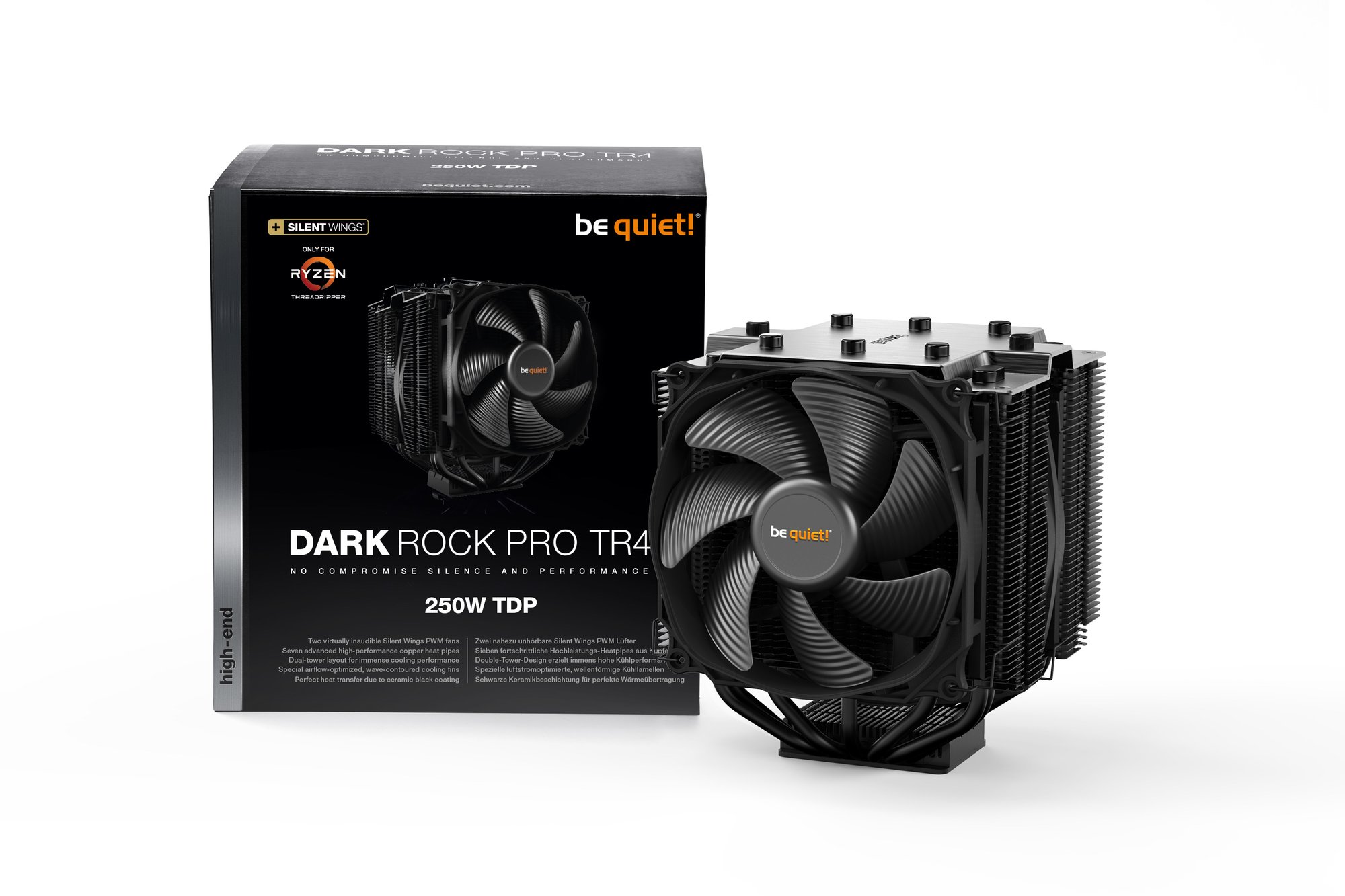
2. Be Quiet! Dark Rock Pro TR4
Representing the premier alternative from the German cooling specialist, the Dark Rock Pro TR4 delivers a sleek, all-black aesthetic coupled with whisper-quiet acoustics.
- Pros: Features Silent Wings PWM fans with advanced fluid-dynamic bearings and six high-tech copper heat pipes. The brushed aluminum top cover provides a clean, professional workstation aesthetic.
- Cons: Installation can be cumbersome due to the central fan mounting mechanism, and the monolithic fin stack leaves little room for error during RAM installation.
- Verdict: Choose this if you prefer a stealthy, black-out aesthetic and value acoustic tuning above absolute lowest temperatures.
Critical Factors in Selecting a TR4 Cooler
Before purchasing a cooling solution for your AMD Threadripper setup, evaluate three critical physical and environmental constraints within your system.
Case Clearance and Motherboard Layout
Threadripper motherboards typically adhere to the E-ATX or XL-ATX form factor, packed with quad-channel memory slots flanking both sides of the TR4 socket.
- RAM Clearance: Ensure your chosen cooler does not overhang the memory slots, or verify that your RAM sticks feature low-profile heat spreaders. The NH-U14S offers superior clearance compared to dual-tower giants like the NH-D15.
- PCIe Slot Interference: Large air coolers can obstruct the topmost PCIe x16 slot. While most modern workstation motherboards place the primary graphics card slot further down, verify layout schematics before committing to a massive dual-tower design.
Airflow Dynamics and Case Ventilation
A high-performance air cooler relies entirely on the ambient air temperature inside the PC chassis. Because a 180W to 250W processor dumps a massive amount of heat directly into the central cavity of the case, adequate chassis ventilation is mandatory.
- Implement a balanced intake and exhaust fan configuration.
- Ensure front-panel intake fans push a high volume of cool air across the motherboard to prevent stagnant heat pockets from forming around the VRMs and memory modules.
Step-by-Step Installation Best Practices for TR4 Coolers
Proper installation directly impacts thermal performance, especially given the strict mounting tolerances required by the TR4 socket's large surface area.
- Clean the IHS Surface: Ensure the processor integrated heat spreader is entirely free of dust, oils, or old thermal paste residue using a high-purity isopropyl alcohol wipe.
- Apply Thermal Paste Correctly: Due to the rectangular shape of the TR4 die, standard pea-sized drops are insufficient. Apply multiple small dots or a thin, even cross/line pattern spanning the length of the IHS to ensure complete coverage.
- Secure Mounting Brackets Evenly: Threadripper coolers utilize a captive-screw mounting system. Tighten the left and right spring-loaded screws alternately—a few turns at a time—to maintain even pressure across the silicon.
- Connect PWM Headers: Plug the fan cable into the motherboard's
CPU_FANheader, ensuring the BIOS is configured to use PWM (Pulse Width Modulation) control rather than DC voltage regulation for precise acoustic tuning.
Frequently Asked Questions
Can I use a standard AM4 or LGA1700 cooler on a TR4 Threadripper processor?
No. Standard desktop coolers feature mounting brackets and baseplates that are physically too small to cover the TR4 socket. Attempting to mount an incompatible cooler will result in severe thermal throttling, system instability, and potential hardware damage due to exposed silicon edges.
Is liquid cooling (AIO) quieter than a high-end air cooler like the Noctua NH-U14S?
Not necessarily. While AIO liquid coolers avoid cluttering the center of the motherboard, they introduce mechanical pump noise and fan noise from the radiator. Top-tier air coolers utilize premium, large-diameter fans that move substantial air at lower RPMs, frequently resulting in a quieter overall acoustic profile under sustained loads.
How often should I clean or maintain a high-end TR4 air cooler?
Air coolers require minimal maintenance compared to custom liquid loops. Inspect the fin stacks for dust accumulation every six months and clean them using compressed air. Thermal paste generally maintains peak efficacy for two to three years before requiring replacement.
Will a TR4 air cooler block my RAM slots?
The Noctua NH-U14S TR4-SP3 is specifically designed with an asymmetrical layout that guarantees 100% RAM compatibility on most TR4 motherboards, leaving all memory slots fully accessible regardless of heat spreader height.
What is the ideal idle temperature for a TR4 Threadripper processor?
Depending on ambient room temperature and power-saving configurations in the operating system, idle temperatures for TR4 processors typically hover between 30°C and 45°C. Load temperatures under heavy multi-threaded tasks should ideally remain below 80°C.
Conclusion and Final Recommendation
When building or upgrading an AMD Threadripper workstation, managing heat and noise without compromising stability is paramount. The Noctua NH-U14S TR4-SP3 stands unchallenged as the single best TR4 cooler for balancing uncompromised thermal performance with whisper-quiet operation. Its custom-engineered baseplate, flawless full-die coverage, and industry-leading NF-A15 fan make it the most reliable, maintenance-free investment for your high-performance hardware. For maximum acoustic peace of mind, utilize the included Low-Noise Adaptor and configure a custom fan curve within your BIOS.