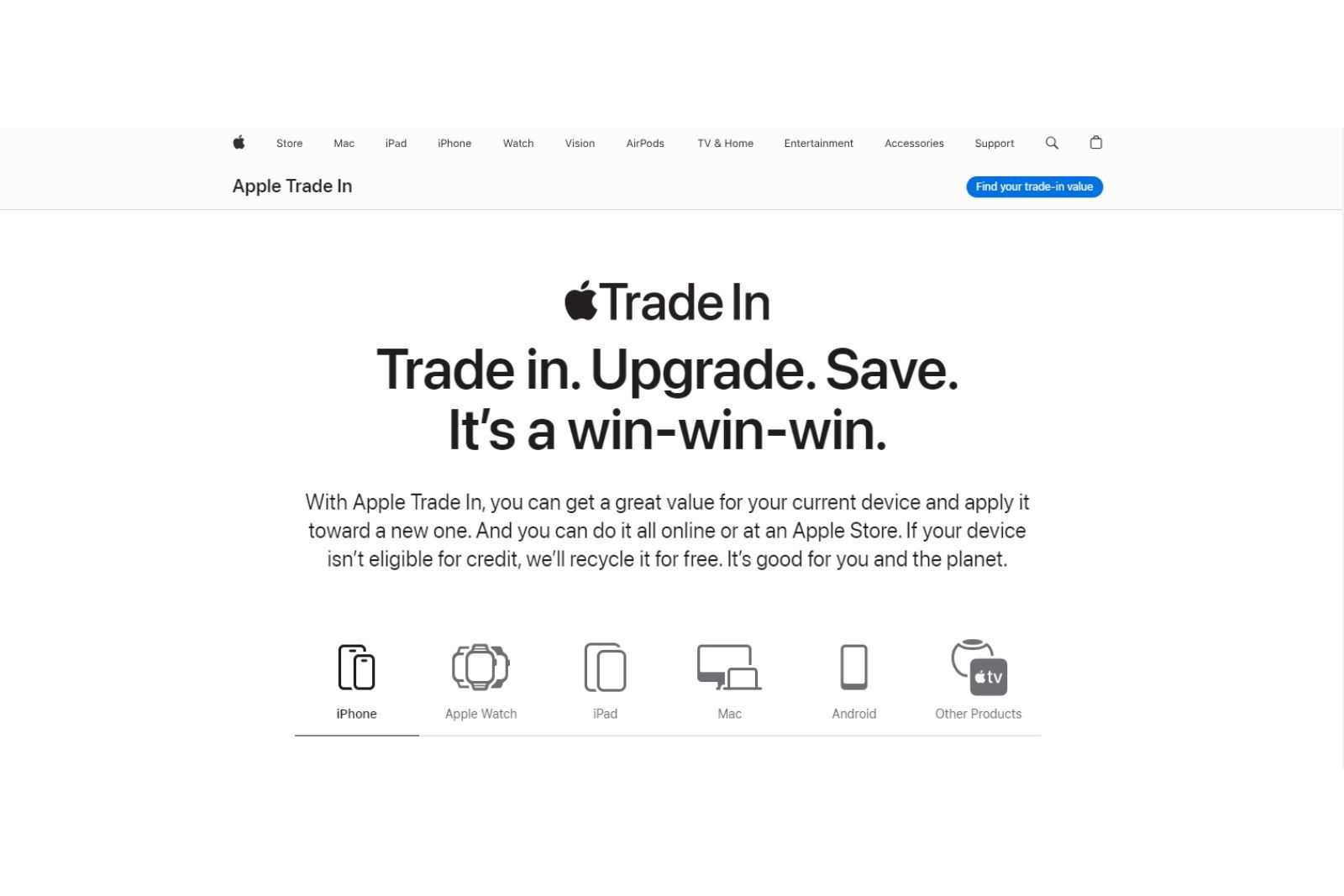
Yes, Apple Stores accept trade-ins for a wide range of devices, allowing you to receive instant credit toward a new purchase or an Apple Gift Card if you decide not to upgrade immediately. The process is facilitated through the Apple Trade In program, which evaluates the condition, model, and current market value of your smartphone, tablet, computer, or smartwatch, ensuring that your old hardware is either refurbished for resale or recycled responsibly.
Understanding the Apple Trade In Program
The Apple Trade In program is a long-standing initiative designed to streamline the lifecycle of electronic devices while encouraging customers to transition to newer technology. By participating in this program, users can offset the cost of a new iPhone, Mac, iPad, or Apple Watch by turning in a previous-generation device.
When you bring a device to an Apple Store, you are engaging in an in-person assessment. Unlike the online trade-in process, which relies on a mail-in kit, an in-store trade-in provides immediate verification and credit. This is particularly beneficial for users who prefer to complete the entire transaction in a single visit and avoid the risks associated with shipping electronics.
Eligibility and Device Coverage
Not every device holds a monetary trade-in value. Apple’s criteria for eligibility are based on demand, the age of the device, and its overall functional health.
- Smartphones: iPhones are the most commonly traded devices. Even if an iPhone has significant wear or a cracked screen, it may still hold a "recycling" value, though it may not provide a cash equivalent.
- Tablets: iPads across various generations, including the Pro, Air, and Mini lineups, are eligible for trade-in.
- Computers: MacBooks, MacBook Pros, iMacs, and Mac Minis are accepted. Because these represent higher initial investments, the trade-in values for Macs are generally more substantial than for handheld devices.
- Wearables: Apple Watches are frequently traded in when a user upgrades to a newer health sensor suite or a newer case material.
It is important to note that Apple does not generally accept third-party devices for monetary credit under their primary Apple Trade In program. If you are looking to trade in a device from a different manufacturer, Apple may offer to recycle it for free, but they will not provide store credit or a discount toward a new Apple product.
The In-Store Trade-In Process: Step-by-Step
Visiting an Apple Store to perform a trade-in requires a bit of preparation to ensure a smooth experience. Follow these steps to maximize your chances of a successful transaction:
1. Preparation at Home
Before heading to the store, back up all your data. Whether you use iCloud or a local computer backup, ensure your information is secure. Once the trade-in is processed, Apple will perform a factory reset, and any data remaining on the device will be permanently erased.
Additionally, you must disable "Find My." This is a security requirement; Apple cannot accept a device that is still linked to an active Apple ID. You should also unpair any accessories, such as an Apple Watch, and remove SIM cards or microSD cards.
2. Booking an Appointment
While some stores may accommodate walk-ins, it is highly recommended to book a "Shopping" or "Genius Bar" appointment online via the Apple website or the Apple Support app. This ensures a specialist is available to assist you without a long wait time.
3. The Physical Assessment
Upon arriving at the store, a specialist will inspect your device. They will check the serial number, verify that the device powers on, inspect the screen for cracks, and check for signs of water damage. They will then input this data into their internal system to generate a trade-in offer.
4. Applying the Credit
If you are buying a new device during the same visit, the trade-in value is applied as an instant credit at the point of sale. If you have not yet decided on a new purchase, or if the item you want is out of stock, the specialist can issue the value of your device as an Apple Gift Card, which you can use for future purchases.
Factors Influencing Trade-In Value
The value offered for your device is not static. It fluctuates based on several market and technical factors:
- Market Demand: A device that remains popular and has a high resale value in the secondary market will fetch a higher trade-in value.
- Storage Capacity: Generally, models with higher internal storage capacities are worth more than base-model variants.
- Cosmetic Condition: While minor scratches are often overlooked, deep dents, missing buttons, or damaged display panels will significantly reduce the offer.
- Operating Status: A device that does not turn on or has a battery that fails basic diagnostic tests will likely only be eligible for free recycling.
| Device Category | Primary Factors for Valuation | Typical Trade-In Outcome |
|---|---|---|
| iPhone | Model, storage, screen integrity | Instant credit or Gift Card |
| Mac | Processor, RAM, storage, battery health | Instant credit or Gift Card |
| iPad | Model, display condition, connectivity | Instant credit or Gift Card |
| Broken Device | Capability to power on, major damage | Recycling only (no value) |
Important Considerations and Troubleshooting
If your device is not accepted for a trade-in value, do not be discouraged. Apple’s recycling program ensures that your device is handled according to strict environmental standards. Even if a device is deemed "valueless" in terms of dollars, Apple will still accept it to reclaim rare earth elements and precious metals, which is a significant environmental benefit.
Common issues include:
- Activation Lock: If you arrive at the store and forget your Apple ID password, the specialist will not be able to wipe the device. Ensure you have your credentials ready.
- Battery Issues: If your battery is swollen, the device is considered a safety hazard. Always inform the specialist if you suspect a battery defect before they handle the device.
- Lost or Stolen Status: Apple runs serial numbers against internal databases. If a device has been reported lost or stolen, it will not be accepted.
Frequently Asked Questions
Can I trade in an older device that isn't an Apple product? Apple’s official trade-in program for credit is strictly for Apple products. For third-party devices, they offer a recycling service, but they do not provide financial compensation or store credit for them.
What happens to my data after I hand over the device? Apple’s procedure requires a complete wipe of the device. Once you turn it over, the device is restored to factory settings. Any remaining data is destroyed during the recycling or refurbishment process. However, it remains your responsibility to back up your files before the transfer.
Is the trade-in quote I get online the same as the one in the store? Usually, the online estimator provides a "maximum" value. The actual in-store value may be slightly lower if the specialist determines the device's condition is not as pristine as initially described.
Do I need the original box or charging cable? No, you do not need to bring the original packaging, power adapter, or charging cable. Apple only requires the device itself. If you do choose to bring the original box, it will not increase your trade-in value.
Can I trade in multiple devices at once? Yes, you can trade in multiple devices toward a single new purchase. Each device will be assessed individually, and the total sum will be applied as credit toward your new equipment.
Recommendation
If you have an older device collecting dust, bringing it to an Apple Store is the most secure and efficient way to recoup some of its value. Before you go, ensure your device is backed up, your Apple ID is signed out, and you have a scheduled appointment. By doing so, you turn an outdated piece of technology into a tangible discount on your next upgrade while contributing to a circular economy through responsible recycling.