Fifty gigabytes represents a versatile and widely used tier of digital storage capacity that bridges the gap between basic personal usage and heavy professional workloads. In practical terms, 50 gigabytes—often expressed as 50 GB—is equivalent to 50,000 megabytes (or 51,200 megabytes depending on whether base-10 decimal or base-2 binary counting is applied by the operating system). This specific volume of data provides substantial utility for mobile phone data plans, cloud storage tiers, single-game installations, and extensive document archives, yet it can be depleted rapidly by high-resolution video files or modern software ecosystems. Analyzing what this capacity means for day-to-day digital habits requires a breakdown of file sizes, practical applications, financial costs, and long-term storage strategies.
The Fundamentals of Digital Storage: Defining the Gigabyte
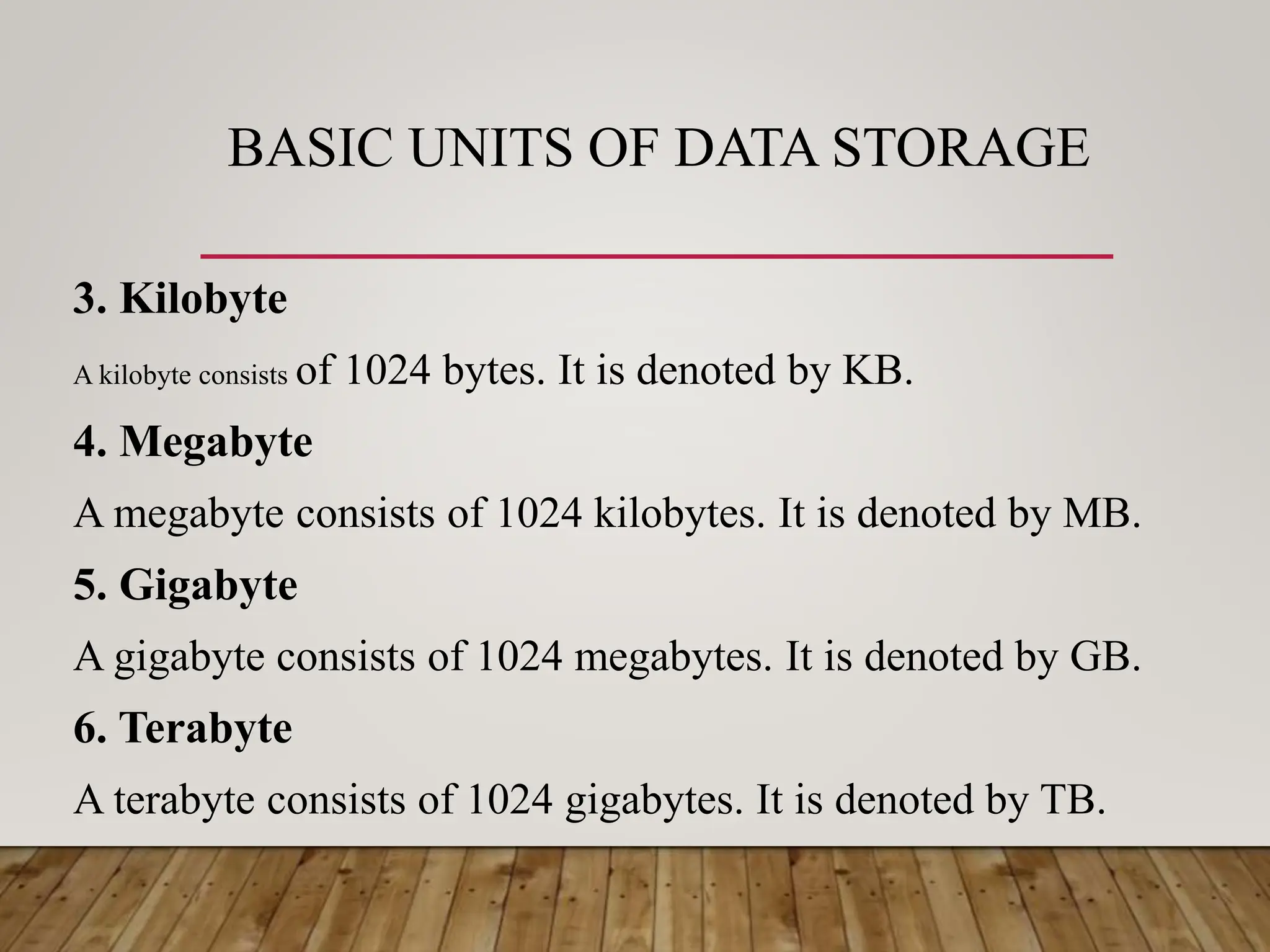
To understand what 50 gigabytes can achieve, one must first understand how digital storage is measured and calculated. Data measurement scales upward from bytes: kilobytes (KB), megabytes (MB), gigabytes (GB), terabytes (TB), and petabytes (PB). Each step up represents a multiplicative increase, traditionally calculated in binary (base-2) terms where one gigabyte equals 1,024 megabytes, or in decimal (base-10) terms where one gigabyte equals 1,000 megabytes.
Hardware manufacturers typically use the decimal system, meaning a 50 GB drive is manufactured to hold 50 billion bytes. Operating systems, however, often report capacity using binary measurements. Consequently, a storage medium marketed as 50 GB may display a slightly lower total capacity inside an operating system interface—roughly 46.5 gibibytes (GiB). Understanding this discrepancy prevents confusion when evaluating device specifications or cloud storage quotas.
Storage media itself falls into various categories, each handling data differently. Solid-State Drives (SSDs) and Hard Disk Drives (HDDs) provide physical local storage, while cloud platforms utilize distributed server architectures. Regardless of where the data resides, a 50 GB limit remains constant, dictating precisely how many digital assets can be saved, retrieved, or transmitted.
Practical Capacity: What Can You Actually Store in 50 Gigabytes?
The true value of 50 gigabytes becomes clear when translated into real-world file types. Digital files vary wildly in size, from a few kilobytes for a plain text document to tens of gigabytes for an uncompressed feature film.
| File Type | Average File Size | Approximate Quantity in 50 GB |
|---|---|---|
| Standard Text Documents / PDFs | 2 MB to 5 MB | 10,000 to 25,000 files |
| High-Resolution Photos (JPEG/HEIC) | 4 MB to 8 MB | 6,250 to 12,500 photos |
| Standard-Definition Music Tracks (MP3) | 5 MB to 10 MB | 5,000 to 10,000 songs |
| Lossless Audio Tracks (FLAC/ALAC) | 40 MB to 50 MB | 1,000 to 1,250 tracks |
| 1080p High-Definition Video (per hour) | 1 GB to 3 GB | 16 to 50 hours |
| 4K Ultra High-Definition Video (per hour) | 7 GB to 15 GB | 3 to 7 hours |
| Modern AAA Video Games | 40 GB to 150 GB | 0.3 to 1 game (partial or single installation) |
As demonstrated in the table, 50 GB can comfortably store an extensive music library, thousands of photographs, or a lifetime of important office documents. However, it reveals its constraints when applied to modern entertainment formats. A single contemporary video game or a handful of uncompressed 4K movies will instantly saturate the entire allocation.
Implications for Cloud Storage and Mobile Data Plans
The 50 gigabytes threshold frequently appears in commercial offerings, particularly as a mid-tier cloud backup subscription or a monthly mobile data allowance. Evaluating these contexts highlights how consumer habits interact with technical limits.
Cloud Storage Tiers
Many consumer cloud providers offer a free tier (typically 5 GB to 15 GB) followed by a paid tier starting around 50 GB or 100 GB. For an individual user backing up smartphone photos, contact lists, and device settings, 50 GB provides a comfortable buffer for several years of mobile life. However, if the user incorporates automated laptop backups or large video libraries, a 50 GB cloud quota fills up rapidly, necessitating manual file curation or an upgrade to a higher tier.
Mobile Data Plans
In cellular networking, a 50 GB monthly data cap occupies a comfortable middle-to-high tier for single users. Streaming standard-definition video, browsing social media feeds, checking email, and utilizing GPS navigation daily will rarely exceed this threshold. Conversely, heavy tethering for remote work, continuous high-definition video streaming, and downloading large mobile application updates can exhaust 50 GB well before the billing cycle ends. Users approaching this limit must monitor background data synchronization and adjust video streaming quality defaults to standard definition.
Technical Constraints, Performance Factors, and Bottlenecks
Storage capacity must not be confused with performance speed, though the two are often intertwined. When managing a 50 GB partition or allocation, several technical factors influence how efficiently that space operates:
- Drive Fragmentation: On mechanical hard drives, filling up storage causes data to scatter across physical sectors, slowing down read and write speeds until defragmented. SSDs manage data differently via wear-leveling algorithms, but performance can degrade if a drive approaches absolute maximum capacity.
- Operating System Overhead: Operating systems require free space for virtual memory (swap files/pagefiles), temporary cache files, and system updates. If a device utilizes a 50 GB total drive capacity for its operating system (such as entry-level laptops or legacy netbooks), the OS itself will consume 20 GB to 30 GB immediately, leaving very little room for user data.
- Write Endurance: Flash storage media has a finite number of program-erase cycles. Rapidly writing and deleting 50 GB chunks of data repeatedly over years can accelerate wear on cheaper NAND flash memory chips.
Cost Considerations and Value Analysis
When purchasing storage hardware or subscribing to a cloud service, cost efficiency is a primary concern. Evaluating the financial impact of 50 gigabytes requires examining the market value of media formats:
- Physical Hardware: Purchasing a standalone 50 GB physical drive is largely obsolete, as modern manufacturing economies of scale make drives under 500 GB or 1 TB economically inefficient to produce. Users are far more likely to encounter 50 GB as an arbitrary partition size on an existing drive.
- Cloud Subscriptions: Cloud storage providers typically price 50 GB or 100 GB tiers at nominal monthly fees (often ranging from $1 to $3 USD monthly). For consumers seeking redundancy and remote accessibility, these subscription models eliminate the hardware failure risks associated with local USB thumb drives or external hard drives.
Common Mistakes and Best Practices in Managing 50 GB
Managing a restricted or moderate storage allotment requires disciplined data hygiene. Avoiding common pitfalls ensures that a 50 GB allocation remains functional and organized over time.
Common Mistakes
- Ignoring Cache and Temporary Files: Web browsers, video streaming apps, and operating system installers frequently dump gigabytes of temporary data into hidden folders, quietly exhausting limited space.
- Duplicating Backups: Manually copying the same photo library across multiple folders within the same 50 GB partition wastes valuable capacity.
- Storing Redundant Media: Keeping raw video footage or uncompressed audio files that have already been edited and exported into smaller, distribution-ready formats.
Best Practices
- Utilize Cloud Offloading: Keep frequently accessed files locally while archiving older documents, photographs, and media to cloud storage or external drives.
- Regularly Audit Storage Use: Periodically review the largest files and folders using built-in operating system storage analyzers to identify and remove unneeded data.
- Compress Archives: Utilize ZIP or 7-Zip formats for large collections of static documents or code repositories to minimize footprint.
Frequently Asked Questions
Is 50 gigabytes enough for a modern smartphone?
For an average user who streams music and video rather than downloading them locally, 50 GB of available device storage is generally sufficient. However, if you capture extensive 4K video, shoot high-resolution photos daily, and play large mobile games, 50 GB will fill up within a few months, requiring regular offloading of media.
How many hours of video can fit into 50 gigabytes?
The exact video duration depends heavily on compression and resolution. At a standard 1080p high-definition bitrate, 50 GB can hold roughly 16 to 25 hours of video. If the footage is shot in uncompressed 4K or high-framerate formats, that same 50 GB capacity may drop to less than 3 hours.
Why does my 50 GB drive show less space in Windows or macOS?
Operating systems calculate storage using binary units (gibibytes) where 1 GB equals 1,024 megabytes, whereas hardware manufacturers calculate storage using decimal units (gigabytes) where 1 GB equals 1,000 megabytes. Additionally, file allocation tables and system reserve sectors consume a small percentage of the total capacity upon formatting.
Can I install modern video games on a 50 GB drive?
Many modern PC and console games exceed 50 GB for a single installation, meaning a drive of this size can typically hold only one major game at a time alongside the operating system. For serious gaming setups, capacities of 1 TB or higher are strongly recommended.
What is the best way to free up space when my 50 GB limit is reached?
Start by running the system's built-in disk cleanup utility to remove temporary files and system caches. Next, review your downloads folder and applications list to uninstall software you no longer use. Finally, move large media files, such as movies and photo archives, to external storage or cloud backup platforms.
Conclusion and Next Actions
Understanding 50 gigabytes as a unit of digital storage capacity empowers users to make informed decisions regarding hardware purchases, cloud subscriptions, and data management habits. While 50 GB provides ample room for documents, music libraries, and essential applications, it requires mindful curation when handling high-resolution video and modern gaming software. To optimize your current storage setup, audit your existing files today using your operating system's storage management tool, delete redundant or temporary data, and establish a reliable backup routine for your most important assets.