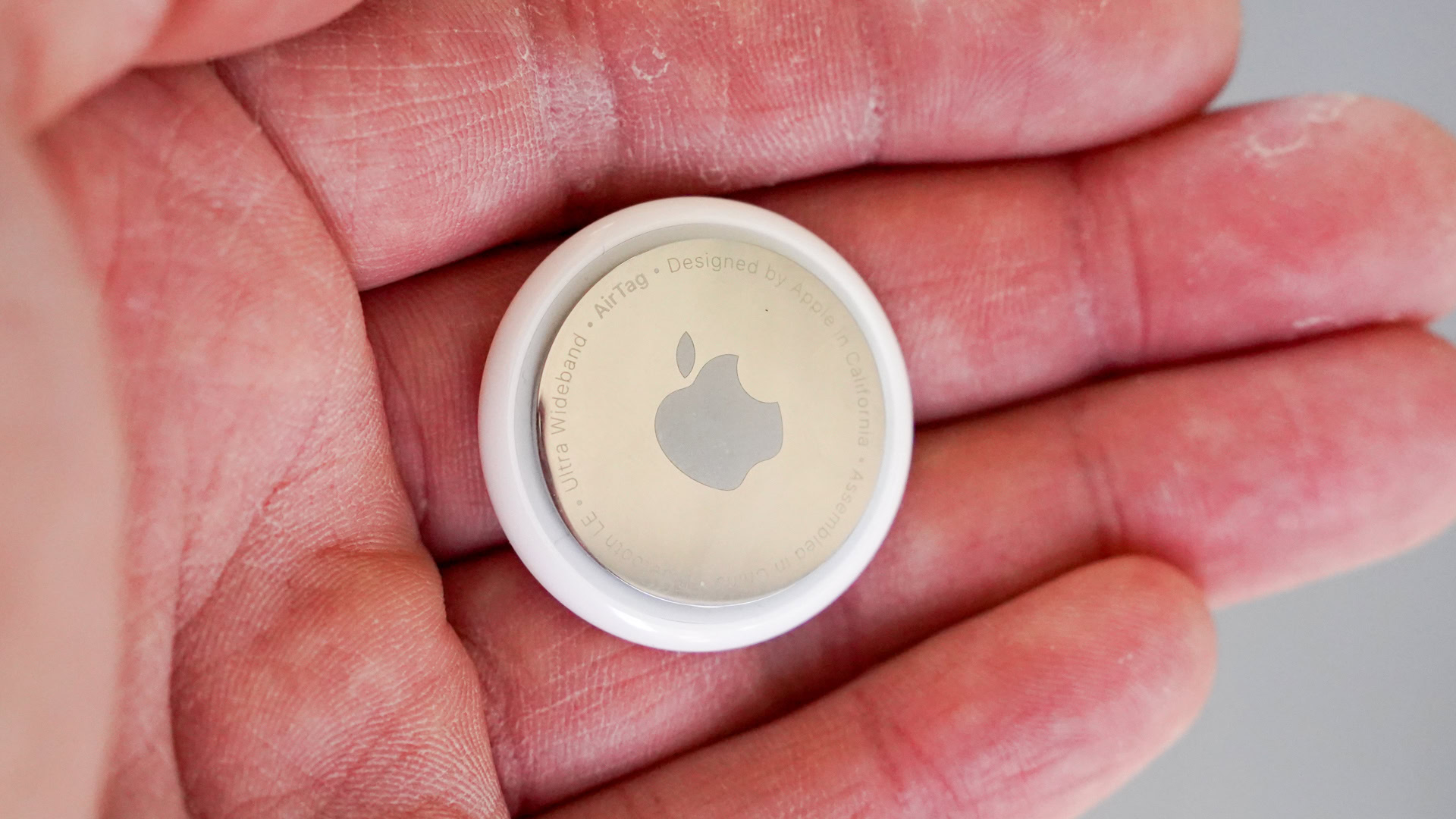
Apple AirTags do not offer full compatibility with Android smartphones. An Android device cannot perform the initial setup of an AirTag, nor can it actively locate or track an AirTag assigned to an Apple account. However, Android phones equipped with Near Field Communication (NFC) can read lost AirTags to display owner contact details, and modern Android operating systems include native alerts to detect unwanted AirTags traveling with you.
The Reality of AirTag and Android Compatibility
The widespread popularity of the Apple AirTag has led many smartphone owners to wonder whether Apple’s compact tracking disk works seamlessly across operating systems. The short answer is that Apple AirTags are designed strictly within Apple's hardware and software ecosystem. While cross-platform interaction exists for safety and lost-property recovery, core tracking functionality remains exclusive to iOS and iPadOS.
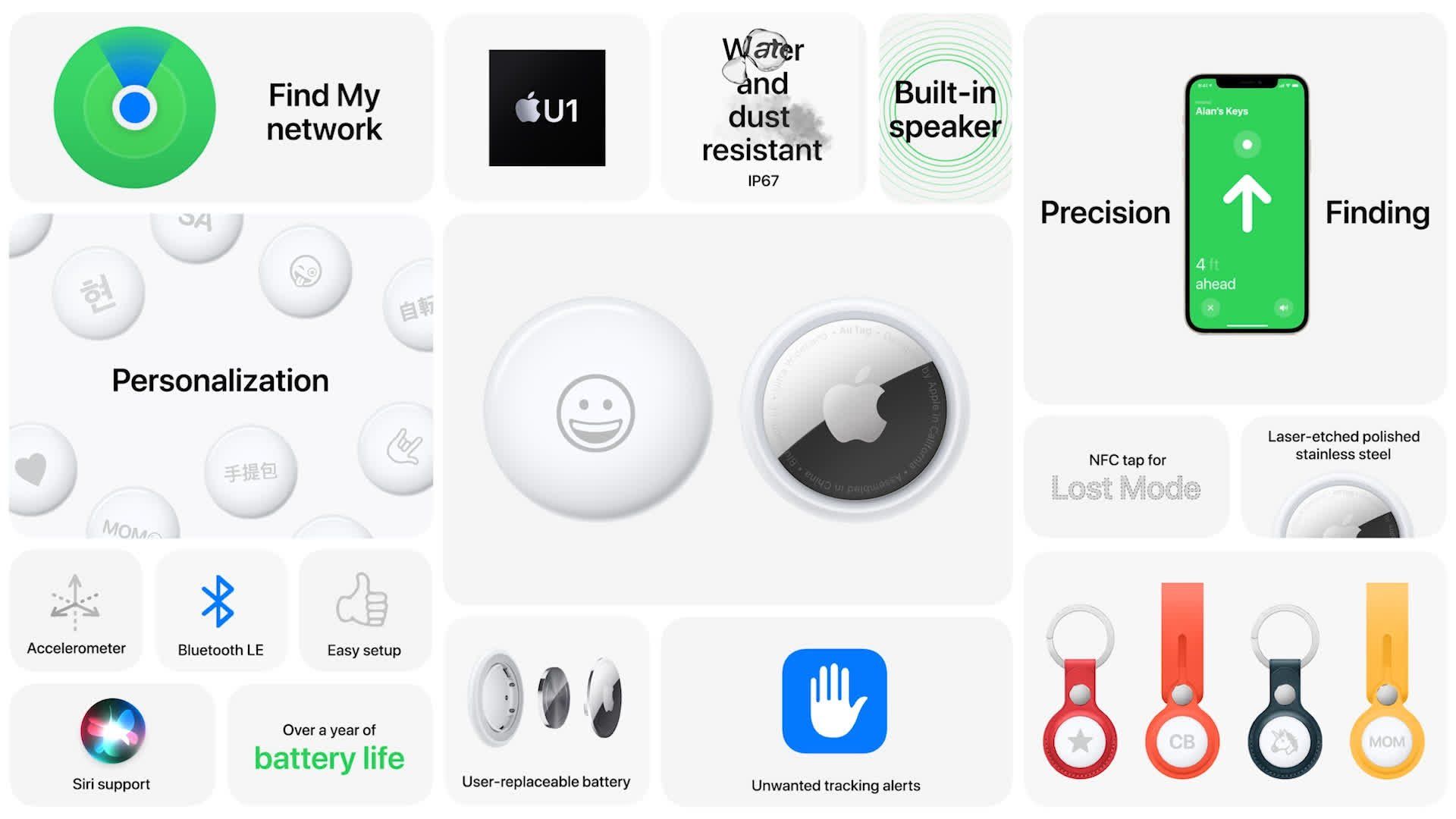
Understanding how AirTags function highlights why this boundary exists. AirTags rely on Apple's proprietary Find My network, an encrypted crowdsourced network comprising hundreds of millions of active Apple devices (iPhones, iPads, and Mac computers). These devices passively detect Bluetooth Low Energy (BLE) signals emitted by nearby AirTags and relay their location coordinates to iCloud. Apple restricts access to this network to authentic Apple IDs operating on verified iOS, iPadOS, or macOS hardware.
- Apple AirTag (BLE Signal)
- Nearby Apple Device (Encrypted Relay)
- Apple iCloud
- iPhone Find My App
Because Android devices do not natively participate in relaying location data to Apple's Find My network, an Android smartphone cannot serve as the primary host or locator for an AirTag.
What Android Users Can (and Cannot) Do With an AirTag
To evaluate whether an AirTag has any practical utility for an Android owner, it helps to separate active tracking capabilities from passive detection tools.
- Initial Setup: Impossible on Android. Setting up a new AirTag requires an iPhone or iPad running a modern version of iOS/iPadOS. The setup process uses an automated proximity pop-up tied directly to the native iOS Find My application and an authenticated Apple ID. Android devices possess no software interface to register, rename, or bind an AirTag to an account.
- Active Real-Time Tracking: Impossible on Android. Android users cannot view an AirTag’s real-time or last-known location on a map. Even accessing
icloud.com/findvia a web browser on an Android phone will not work; Apple's web interface allows users to locate main Apple hardware (such as iPhones, iPads, or MacBooks), but explicitly excludes AirTags and third-party Find My network items from web viewability. - Precision Finding (UWB): Impossible on Android. Precision Finding uses Ultra-Wideband (UWB) radio technology along with camera and accelerometer inputs to guide users directly to an item within short distances using visual directional arrows and haptic feedback. This feature relies on Apple’s U1 or U2 chip communicating exclusively with compatible iPhone models.
- Reading Lost AirTags (NFC): Supported on Android. If an Android user finds a lost item attached to an AirTag, they can tap their NFC-enabled Android phone against the white plastic side of the tag. This opens a web link displaying the AirTag’s serial number and, if the owner enabled Lost Mode, the owner's phone number or contact instructions.
- Unwanted Tracker Detection: Supported on Android. To prevent malicious tracking, Android smartphones feature native background scanning tools and dedicated apps that alert users if an unregistered AirTag is continuously moving with them over time.
Scanning Lost AirTags on an Android Device
Although Android devices cannot track items, they play a crucial role in helping return lost items to their rightful owners. Every AirTag contains a passive Near Field Communication (NFC) chip compatible with both iOS and Android platforms.
- Lost AirTag (NFC Tap)
- Android Phone
- Browser Opens found.apple.com
Step-by-Step: Tapping a Lost AirTag with Android
- Locate the NFC Antenna: Ensure NFC is enabled on your Android phone under Settings > Connected Devices > NFC. The exact physical location of the NFC antenna varies by phone model—it is typically near the center or top rear of the device.
- Tap the White Side of the AirTag: Touch and hold the top back of your Android smartphone against the white plastic surface of the AirTag.
- Open the Web Notification: Hold the two devices together for a few seconds until a banner notification or web link pop-up appears on your Android screen.
- View Owner Details: Tap the notification to launch a web browser directing you to
found.apple.com.- If the owner marked the AirTag as lost, the webpage displays a custom message alongside the owner’s phone number or email address.
- If the owner has not marked it as lost, the page still displays the AirTag's unique serial number, which can be useful if turned over to local law enforcement.
Safety and Anti-Stalking Protections on Android
Because Bluetooth item trackers can potentially be misused to monitor someone's movements without consent, tech manufacturers collaborated to develop cross-platform safety protocols. Android users possess robust built-in tools to identify unrecognized AirTags traveling near them.
Built-In Android Unknown Tracker Alerts
Google integrated native Unknown Tracker Alerts directly into the Android operating system (available on Android 6.0 and higher through Google Play Services). This capability was developed under a joint industry standard established by Apple and Google to protect consumers regardless of their chosen mobile operating system.
- Unknown AirTag Moving With You (Background Bluetooth Scan)
- Native Android System Alert Triggered
- Play Sound on AirTag
- View Map of Shared Route
How Built-In Unknown Tracker Alerts Work:
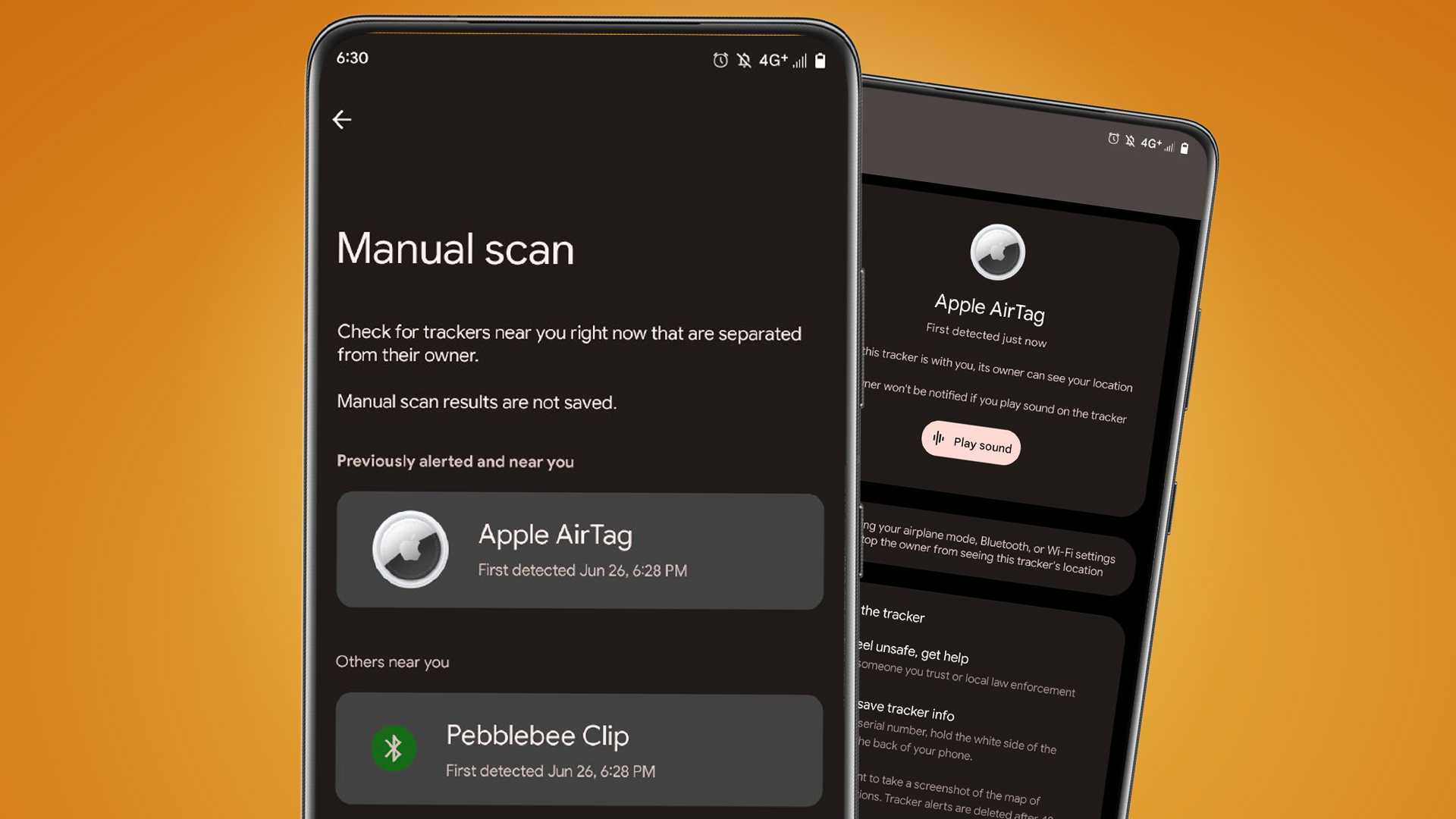
- Automated Background Scanning: If your Android phone detects an unfamiliar Bluetooth tracker—such as an AirTag separated from its registered owner—moving along the same route over a period of time, the system issues a prominent notification.
- Map Route Visualization: Tapping the notification reveals a map showing where the tracker was first observed alongside your trajectory and where it was last detected.
- Triggering an Audible Sound: From the notification interface, you can command the unknown AirTag to play an audible chime, making it easier to locate hidden tags inside a bag, coat, or vehicle without notifying the tracker's owner.
- Disabling Instructions: The interface provides step-by-step physical instructions to remove the AirTag’s CR2032 coin cell battery, effectively shutting down its transmission capabilities.
- Manual Scan Option: You can execute an on-demand scan at any time by navigating to Settings > Safety & Emergency > Unknown Tracker Alerts and selecting Scan Now.
Apple’s "Tracker Detect" App for Android
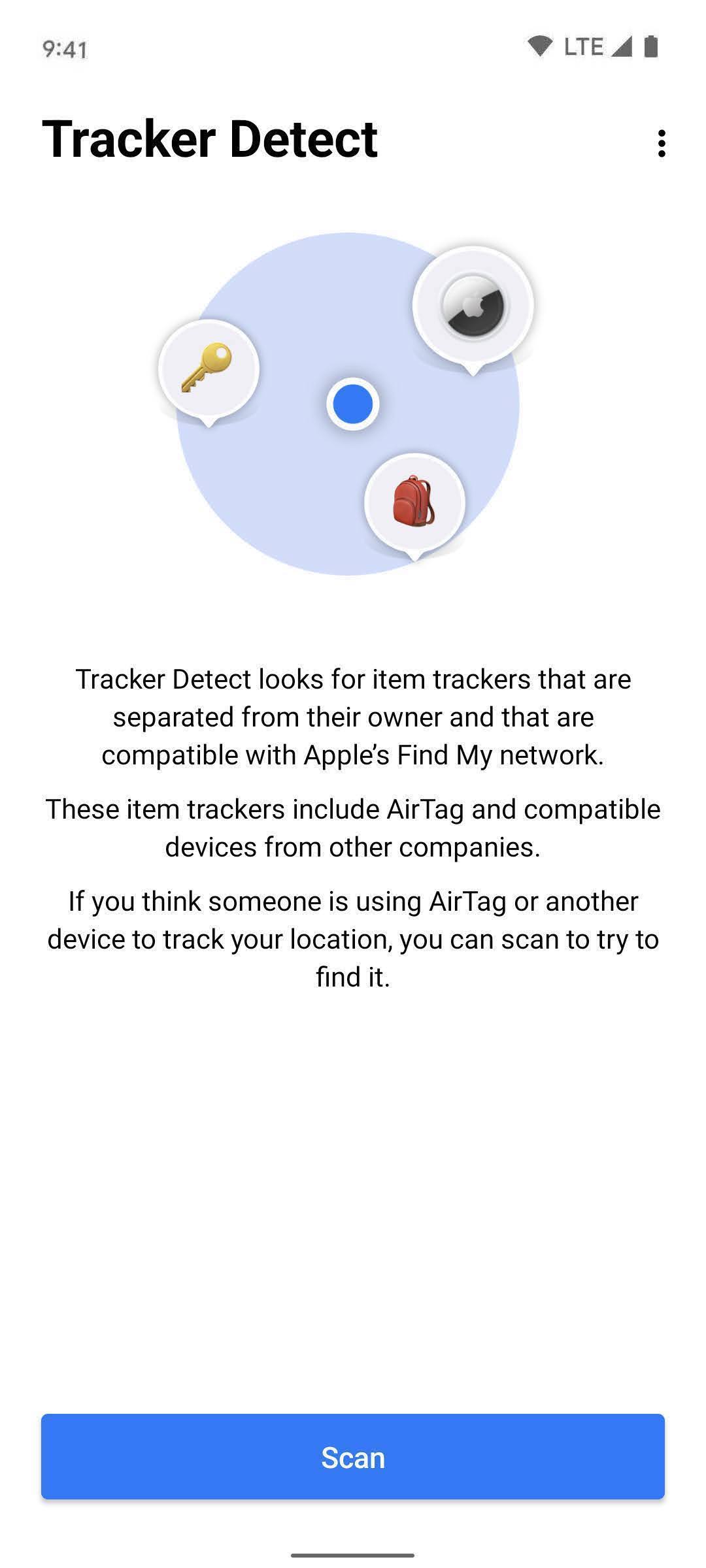
In addition to Android's built-in system protection, Apple offers a dedicated application on the Google Play Store named Tracker Detect.
- Google Play Store
- Download Tracker Detect
- Perform Manual Bluetooth Scan
- Purpose: Tracker Detect allows Android users to perform targeted manual scans for nearby item trackers that are compatible with Apple’s Find My network.
- Functionality: If the app identifies a separated AirTag in your immediate vicinity for at least 10 minutes, it allows you to play a sound on the AirTag to locate it.
- Operational Note: Unlike Android’s native Unknown Tracker Alerts, Tracker Detect requires the user to open the app and initiate a scan manually; it does not perform continuous background sweeps unless actively triggered.
Why Buying an AirTag for an Android Device Is Not Recommended
If you own an Android smartphone and are considering purchasing a Bluetooth tracker, buying an Apple AirTag is impractical.
- DO YOU OWN AN IPHONE / IPAD?
- YES: AirTag Recommended (Full Functionality)
- NO: DO NOT BUY AIRTAG (Use Native Alternatives)
- Zero Initial Setup Capability: Without access to an iOS or iPadOS device to complete the activation sequence, a brand-new AirTag remains an inactive piece of plastic and metal.
- No Native Location Dashboard: You cannot check where your keys, wallet, or luggage are located using an Android interface.
- No Automated Separation Alerts: On iOS, the Find My app alerts you if you leave an AirTag-attached item behind. Android devices offer no such synchronization for AirTags.
- Wasted Hardware Capabilities: Key features like Ultra-Wideband (UWB) directional guidance rely on proprietary Apple silicon integration and cannot communicate with Android UWB chips.
Top Native Android Bluetooth Trackers Compared
Android users seeking reliable item tracking should select hardware built natively for Android platforms. The Android ecosystem features two major tracking ecosystems: Google's Find My Device Network and Samsung's SmartThings Find Network, alongside established cross-platform providers like Tile.
Google Find My Device Network Trackers
Google's updated Find My Device network leverages billions of active Android devices worldwide to locate lost items via crowdsourced Bluetooth signals, echoing Apple's infrastructure. Third-party manufacturers build tags designed specifically for this network:
- Chipolo ONE Point & CARD Point: Designed specifically for Google’s Find My Device network. Offers loud audio alerts, water resistance, and effortless pairing via Android Fast Pair.
- Pebblebee Clip, Card, & Tag: Versatile trackers built for Google's network featuring rechargeable batteries, long range, and integrated LED lights.
- Motorola Moto Tag: A sleek tracker designed for Google's network that incorporates both Bluetooth Low Energy and Ultra-Wideband (UWB) support for precise directional location on compatible UWB Android phones.
- Eufy SmartTrack Link (Android Version): Budget-friendly tracking tags engineered to function natively within Google's Find My Device environment.
Samsung Galaxy SmartTag2
For users who own a Samsung Galaxy smartphone, the Samsung Galaxy SmartTag2 represents the most fully featured alternative to an AirTag. It operates exclusively within Samsung’s SmartThings Find ecosystem.
- Features: Incorporates both BLE and UWB for visual compass guidance (Compass View), extended battery life (up to 500+ days), IP67 dust/water resistance, and a durable ring-shaped design.
- Ecosystem Limitation: Works only with Samsung Galaxy smartphones running Android 11 or higher. It does not work on non-Samsung Android hardware.
Tile Trackers (Tile Pro, Mate, Slim, Sticker)
Tile remains a robust cross-platform option operating through its own dedicated app available on both Android and iOS.
- Features: Broad device compatibility across all Android brands, strong Bluetooth range, integrated call-your-phone buttons, and varied physical form factors (wallet cards, adhesive dots, sturdy key fobs).
- Crowdsourcing Limitation: Relies on the community of users who have the active Tile app installed on their phones, resulting in a smaller network footprint compared to native Google or Apple system-level networks.
Android-Compatible Tracker Comparison Table
| Feature / Model | Google Find My Network Compatible (e.g., Chipolo Point, Pebblebee, Moto Tag) | Samsung Galaxy SmartTag2 | Tile Pro / Mate / Slim | Apple AirTag (For Reference) |
|---|---|---|---|---|
| Primary Network | Google Find My Device | Samsung SmartThings Find | Tile Network | Apple Find My |
| Android Setup Supported? | Yes (Native Fast Pair) | Yes (Samsung Galaxy Only) | Yes (Via Tile App) | No (iOS Required) |
| Active Map Tracking on Android? | Yes | Yes | Yes | No |
| Ultra-Wideband (UWB) Support | Selected Models (e.g., Moto Tag) | Yes (Select Galaxy Phones) | No | Yes (iPhone Only) |
| Separation Alerts | Yes (System-level) | Yes (Via SmartThings) | Yes (Requires Premium) | Yes (iOS Only) |
| Battery Type | Replaceable CR2032 or Rechargeable | Replaceable CR2032 | Replaceable or Built-In | Replaceable CR2032 |
| Water Resistance | Varies (Typically IP65 to IP67) | IP67 | Varies (Typically IP67) | IP67 |
How to Choose the Right Tracker for Your Android Smartphone
Selecting the ideal tracker depends on your phone brand, form factor needs, and preferred ecosystem:
- WHAT TYPE OF ANDROID PHONE DO YOU PRIMARY USE?
- Samsung Galaxy Phone: Samsung Galaxy SmartTag2 (Best UWB & Integrated Experience)
- Non-Samsung Android Phone: Google Find My Device Tracker (e.g., Chipolo Point, Pebblebee, Moto Tag)
- If You Own a Samsung Galaxy Phone: Choose the Samsung Galaxy SmartTag2. It delivers an experience equivalent to Apple's AirTag on iOS, complete with UWB point-to-point visual navigation, seamless SmartThings integration, and separation alerts.
- If You Own Any Standard Android Phone (Pixel, Motorola, OnePlus, Xiaomi, etc.): Opt for a tracker built for Google's Find My Device Network (such as the Chipolo ONE Point, Pebblebee Clip, or Moto Tag). These tags leverage system-level background scanning across all modern Android devices worldwide without requiring separate third-party apps to stay running.
- If You Require Cross-Platform Sharing Across a Mixed-Device Household: Choose Tile trackers or Pebblebee universal models. Tile allows both an Android user and an iPhone user to log into the same Tile account or share item access natively inside the app.
Common FAQs
Can I set up an AirTag using a friend’s iPhone and then track it on my Android phone?
No. Even if you complete the initial setup using a friend's iPhone or iPad, the AirTag remains linked exclusively to their Apple ID. There is no Android application or web portal (icloud.com) that allows an Android device to view real-time location data or receive separation alerts for an AirTag.
Can an Android phone scan an AirTag if it isn't marked as lost?
Yes. An Android phone with NFC can read any AirTag physically tapped against it. If the AirTag is not marked as lost, the browser page will simply display the tag's serial number and the masked digits of the owner's Apple ID email or phone number.
Do Android devices automatically detect unwanted AirTags without installing an app?
Yes. Modern Android devices running Android 6.0 (with updated Google Play Services) feature native Unknown Tracker Alerts. If an unrecognized AirTag is moving with you over time, your Android device will issue an automatic notification without requiring you to download Apple’s manual Tracker Detect app.
Does Apple’s Find My website show AirTags on an Android web browser?
No. Logging into icloud.com/find via a mobile or desktop web browser only displays main Apple hardware devices, such as iPhones, iPads, MacBooks, Apple Watches, and AirPods. Apple deliberately excludes AirTags and third-party Find My network items from the web-based tracking dashboard.
Are there Android trackers with Ultra-Wideband (UWB) precision finding?
Yes. The Samsung Galaxy SmartTag2 supports UWB precision finding when paired with UWB-compatible Samsung smartphones (such as Ultra series devices and select Fold models). Additionally, trackers like the Motorola Moto Tag support UWB tracking within Google's Find My Device ecosystem on compatible UWB Android devices.
Final Recommendation
If you operate primarily within the Android ecosystem, do not buy an Apple AirTag. AirTags lack basic setup, tracking, and management support on Android operating systems.
Instead, purchase a tracker natively designed for your hardware:
- Select the Samsung Galaxy SmartTag2 if you use a Samsung Galaxy smartphone.
- Select a Google Find My Device network tracker (such as Chipolo ONE Point, Pebblebee, or Moto Tag) if you use any other modern Android smartphone.
These native options ensure access to system-level location networks, automatic separation alerts, long battery life, and true precision tracking without software barriers.