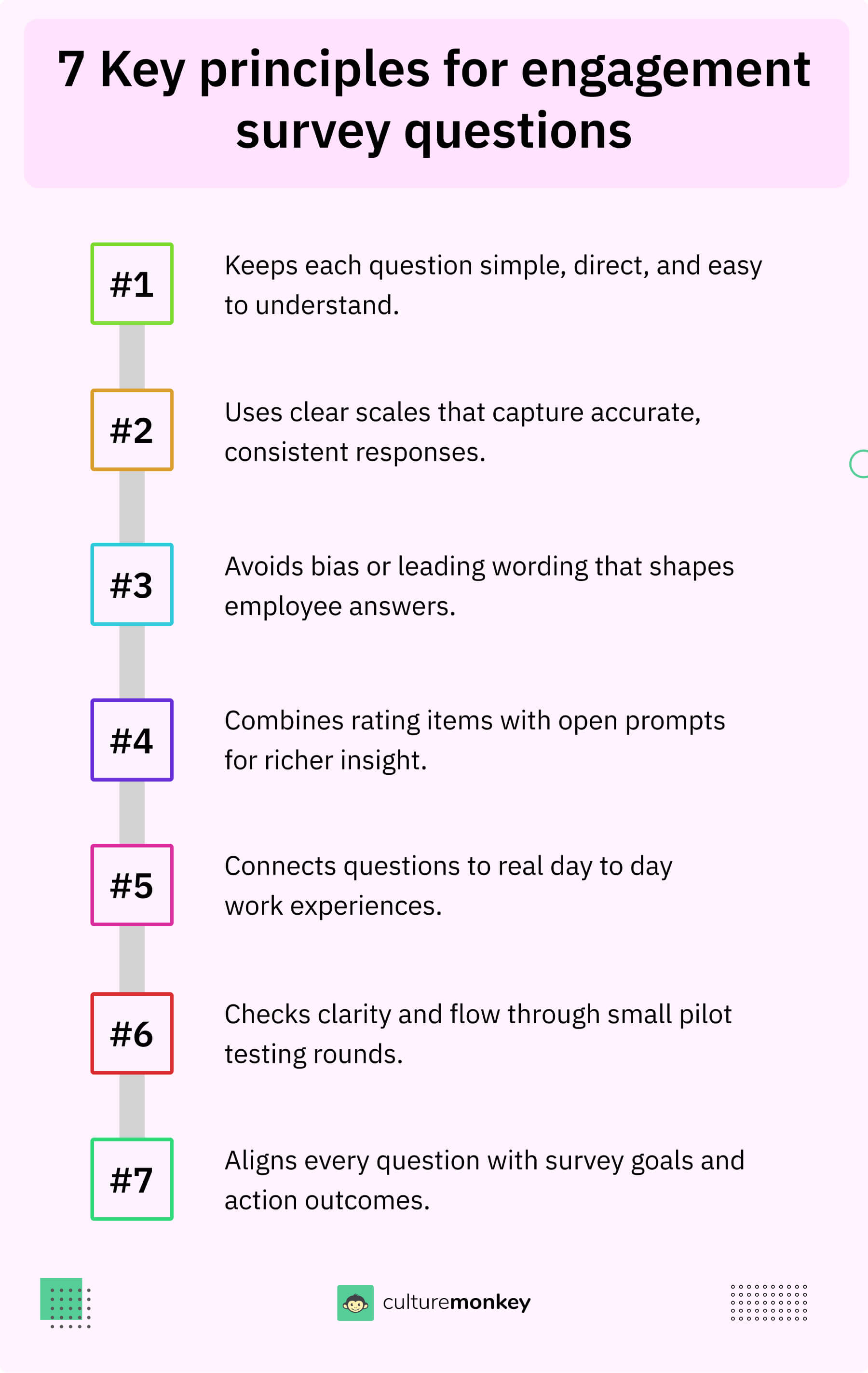
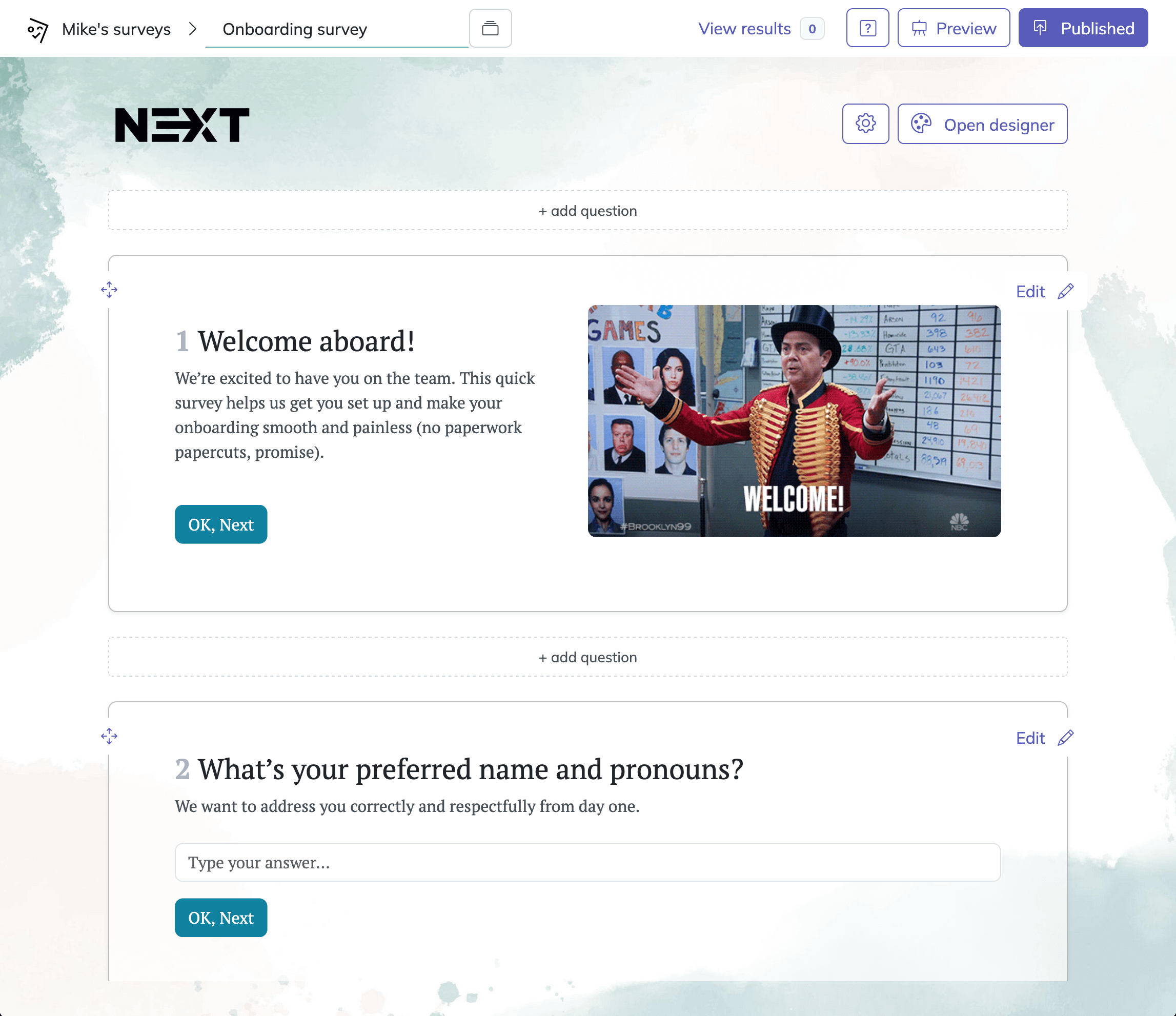
To boost engagement with SurveyMonkey questionnaires, you must shift from passive data collection to interactive experiences using features like skip logic, question piping, and personalized branching. High-engagement surveys prioritize the respondent’s time, offer immediate value, and utilize conversational design to reduce survey fatigue and maximize completion rates across all demographics.
The Evolution of Survey Engagement in 2026
In 2026, the landscape of digital feedback has shifted. Respondents are no longer willing to tolerate long, clunky forms that offer no immediate relevance to their personal or professional lives. With the rise of AI-driven survey assistants—like the evolved SurveyMonkey Genius—creating a questionnaire is easy, but creating one that people actually want to finish requires a strategic approach.
Engagement is the lifeblood of data integrity. When respondents are bored or frustrated, they provide "noise" instead of "signal." They might rush through questions, select random answers, or abandon the survey entirely. This guide explores seven specific SurveyMonkey questionnaire examples designed to maximize interaction, explaining the technical "why" and "how" behind each strategy.
1. The Interactive "Value-First" Lead Generation Quiz
Most lead generation surveys fail because they ask for information without giving anything back. In 2026, the most successful SurveyMonkey examples use a "quiz" format where the respondent receives a personalized score or recommendation at the end.
How it Boosts Engagement
By framing the questionnaire as a tool for self-discovery or professional benchmarking, you trigger the "curiosity gap." Respondents are more likely to finish the survey because they want to see their results.
Implementation in SurveyMonkey
- Scoring Mechanism: Use SurveyMonkey’s "Quiz Mode" to assign point values to answers.
- Custom Success Pages: Set up different "Thank You" pages based on the total score. For example, if a respondent scores high on "Digital Readiness," they see a page with advanced resources; if low, they receive a "Getting Started" guide.
- Visual Progress: Ensure the progress bar is visible to reassure the user that the end is near.
2. The Branching Post-Purchase Satisfaction Survey
A standard "How did we do?" survey is often ignored. To boost engagement, you must make the survey feel like a continuation of the customer journey rather than an administrative afterthought.
How it Boosts Engagement
This questionnaire uses Skip Logic (Branching) to ensure respondents only see questions relevant to their specific experience. If a customer bought a physical product, they shouldn't see questions about your software-as-a-service (SaaS) onboarding.
Implementation in SurveyMonkey
- Conditional Logic: If the answer to "Which department did you visit?" is "Electronics," the survey should automatically skip the "Apparel" section.
- Image Choice Questions: Instead of text lists, use images of the products the customer purchased. Visuals reduce cognitive load and increase the speed of completion.
- The "One-Question" Email Embed: Start the engagement inside the email. SurveyMonkey allows you to embed the first question (like a star rating) directly in the invitation. Clicking the star opens the rest of the survey, already having captured the first data point.
3. The "Pulse" Employee Engagement Survey
Long, annual employee surveys are a relic of the past. In 2026, HR departments use SurveyMonkey for frequent, low-friction "Pulse" checks. These are designed to be completed in under 60 seconds.
How it Boosts Engagement
Frequency and brevity build a habit of feedback. When employees realize the survey only takes a minute and that leadership acts on the data, they are significantly more likely to participate.
Implementation in SurveyMonkey
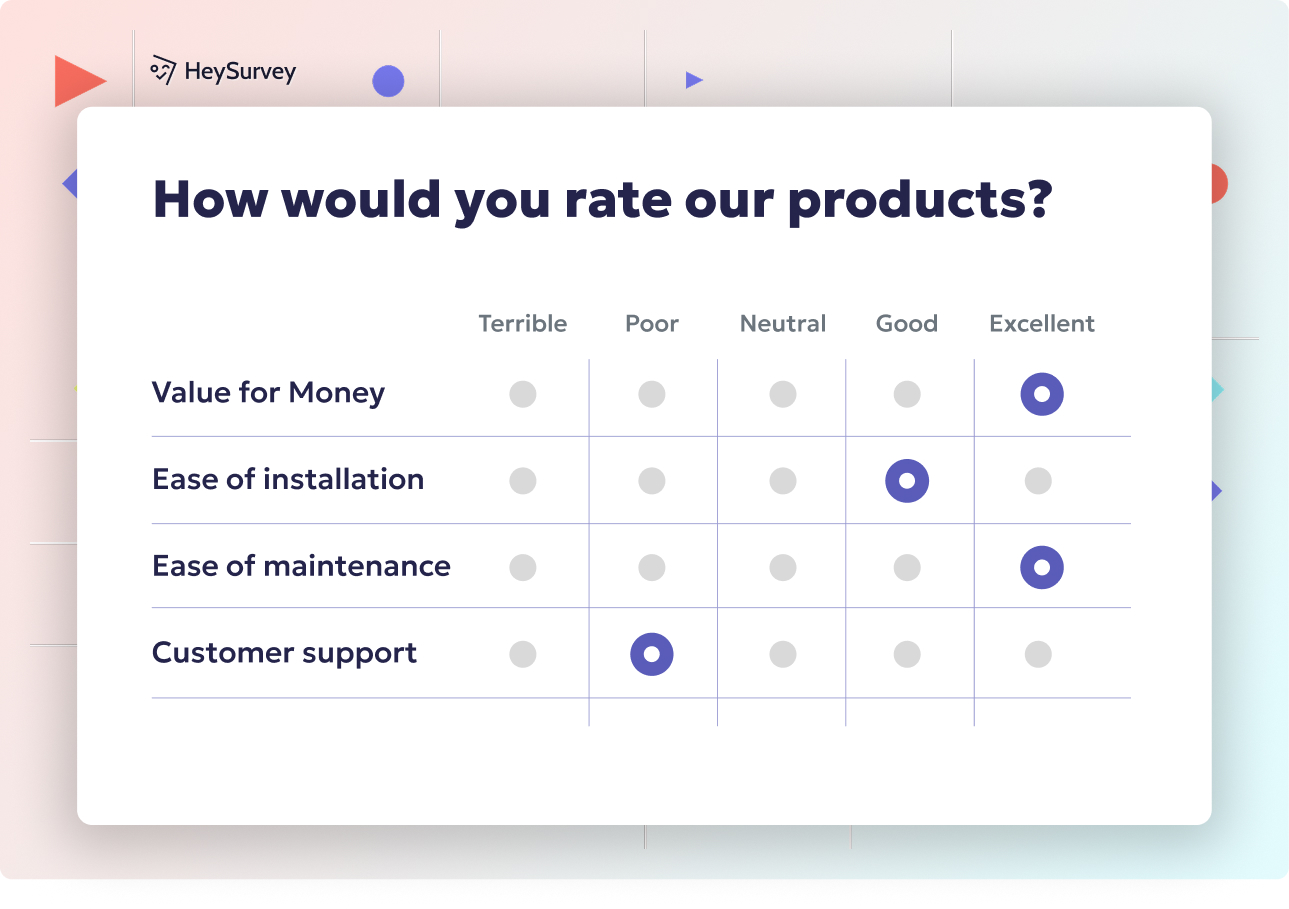
- Matrix Rating Scales: Use a single matrix for 3–5 key sentiments (e.g., workload, support, clarity). This keeps the UI clean.
- Anonymity Labels: Explicitly use SurveyMonkey’s "Anonymous Responses" feature to build trust. When respondents feel safe, they engage more honestly.
- Mobile-First Design: Since pulse surveys are often taken on the go, use the mobile preview tool to ensure no vertical scrolling is required for individual questions.
4. The Segmented Market Research Questionnaire
Market research can often feel dry. To boost engagement, you need to segment your audience early and tailor the tone of the questions to that segment.
How it Boosts Engagement
By using Question Piping, you can take an answer from a previous question and insert it into a later one. For example, if a respondent says their favorite coffee brand is "Brand X," the next question could ask, "How often do you visit Brand X?" This makes the survey feel personalized and intelligent.
Implementation in SurveyMonkey
- Piping: Use the "Insert Data" tool to pull previous answers into question stems.
- Randomization: To prevent "order bias," use the question and answer randomization features. This keeps the respondent's mind active as they cannot predict the sequence of choices.
- Screening Questions: Use "Disqualification Logic" to politely end the survey for respondents who don't fit your target demographic, saving their time and your data quality.
5. The Emotion-Driven Event Feedback Survey
Events are experiential, and your survey should reflect that. Whether it was a virtual webinar or a physical conference in 2026, the feedback mechanism should capture the "highs" and "lows" of the attendee's journey.
How it Boosts Engagement
Using a "Smileys" or "Star Rating" system for various aspects of the event (speakers, food, networking) provides an immediate, visceral way for respondents to express satisfaction without typing long paragraphs.
Implementation in SurveyMonkey
- Net Promoter Score (NPS) Question: This is the gold standard for event loyalty. Use the dedicated NPS question type for standardized benchmarking.
- Open-Ended "Why": Follow up a low rating with an open-ended comment box. Use SurveyMonkey’s Sentiment Analysis (AI-powered) to automatically categorize these responses as positive, negative, or neutral.
- Social Proof Integration: At the end of the survey, include a "Share your experience" button that links to social media platforms if the respondent gave a high rating.
6. The Product Feature Prioritization Survey (MaxDiff)
When building products, you often ask users what they want. Usually, they say "everything." A MaxDiff (Maximum Difference) or Ranking survey forces engagement by making the respondent make choices.
How it Boosts Engagement
This format is inherently more engaging because it feels like a game of strategy. "If I can only have one feature, which one is it?" This psychological weight makes the respondent think more deeply about their answers.
Implementation in SurveyMonkey
- Ranking Questions: Ask respondents to drag and drop features into their preferred order.
- Forced Choice: Use the "Pick K" or "Ranking" settings to limit how many items they can select.
- Validation: Use SurveyMonkey's response validation to ensure they haven't accidentally skipped a rank or picked the same rank twice.
7. The Conversational Customer Effort Score (CES) Survey
The Customer Effort Score (CES) measures how easy it was for a customer to get their problem solved. In the 2026 service economy, "ease" is the primary driver of loyalty.
How it Boosts Engagement
By using a Conversational Design (one question at a time), the survey feels like a chat with a support agent rather than a formal interrogation. This layout is particularly effective for high-stress situations, like after a technical support ticket is closed.
Implementation in SurveyMonkey
- One-at-a-Time Layout: Enable the "One Question at a Time" view in the design settings.
- Custom Variables: If you are sending the survey via a CRM integration (like Salesforce or HubSpot), use custom variables to include the customer’s name and the specific ticket number in the survey text.
- Auto-Redirect: Once finished, automatically redirect the user back to your knowledge base or a "Thank You" video to provide a seamless transition.
Comparing Engagement Strategies
The following table summarizes which strategy is best suited for specific organizational goals in 2026.
| Survey Type | Primary Engagement Trigger | Key Metric to Watch | Best Distribution Channel |
|---|---|---|---|
| Interactive Quiz | Curiosity / Self-Interest | Completion Rate | Social Media / Web |
| Post-Purchase | Relevance / Personalization | Conversion (Repeat Buy) | Email / SMS |
| Employee Pulse | Habit / Low Friction | Participation Rate | Slack / MS Teams |
| Market Research | Personalized Context | Data Depth | Incentivized Panels |
| Event Feedback | Emotional Recency | Net Promoter Score (NPS) | QR Code at Venue |
| Product Ranking | Strategic Thinking | Feature Priority Score | In-App Pop-up |
| CES (Support) | Conversational Ease | Customer Effort Score | Support Ticket Close |
Technical Requirements for High-Engagement Surveys
To implement these examples effectively in 2026, certain technical prerequisites must be met within the SurveyMonkey platform.
- Plan Level: Most advanced logic features (Piping, Skip Logic, and A/B Testing) require a "Team Advantage" or "Enterprise" level subscription.
- Data Privacy Compliance: Ensure your surveys are configured to meet GDPR and CCPA standards. Use the built-in privacy tools to manage consent.
- Integrations: For maximum engagement, link SurveyMonkey to your tech stack. Automated triggers (e.g., sending a survey 2 hours after a delivery) significantly outperform manual sends.
- Accessibility: Follow WCAG 2.1 guidelines. SurveyMonkey provides accessibility checkers to ensure your engagement efforts include people with visual or cognitive impairments.
Common Mistakes That Kill Engagement
Even with great examples, certain errors can drive your completion rates into the ground:
- The "Wall of Text": Intro pages that are too long. Keep your introduction to two sentences or fewer.
- Asking for Known Data: Never ask for a respondent's email or name if you already have it in your database. Use "Hidden Fields" to track this data silently.
- Irrelevant Questions: If a question doesn't lead to an actionable insight, delete it. Every unnecessary question reduces completion rates by approximately 5-10%.
- Bad Mobile Optimization: In 2026, over 80% of surveys are taken on mobile devices. If your matrix table is too wide for a phone screen, you will lose your audience.
Frequently Asked Questions
What is the ideal length for a SurveyMonkey questionnaire to ensure high engagement?
Research generally suggests that for non-incentivized surveys, the "sweet spot" is between 3 and 7 minutes. Anything longer than 10 minutes sees a significant drop-off in completion rates. For "Pulse" surveys, aim for under 60 seconds.
How do I use AI to improve my SurveyMonkey engagement in 2026?
SurveyMonkey’s AI tools (GenAI) can now predict the success of your survey before you send it. Use the "Genius" feature to analyze your questions for bias, clarity, and estimated completion time. It can also suggest "engagement-boosting" phrasing based on your target industry.
Should I offer incentives for every survey?
Not necessarily. While incentives (like gift cards or discounts) can boost response rates, they can sometimes lead to "biased engagement" where people rush just to get the reward. For internal employee surveys or high-affinity customer groups, the "incentive" should be the promise of meaningful change based on their feedback.
Can I brand my SurveyMonkey questionnaires?
Yes. Brand consistency is a major engagement factor. Use the "Themes" section to upload your logo, use your brand's hex colors, and select fonts that match your website. A survey that looks like your brand feels more trustworthy and professional.
Is skip logic difficult to set up?
No, SurveyMonkey’s "Logic" tab provides a visual map of how respondents move through your survey. You simply select a question and define the "Destination" based on the answer provided. It is a "no-code" solution that adds significant sophistication to your data collection.
Practical Recommendation for Next Actions
To immediately boost your survey engagement, start by auditing your most-used questionnaire. Apply Skip Logic to at least two sections to remove irrelevant questions for specific segments. Then, enable the "One Question at a Time" view and test the survey on your mobile device. Small friction reductions often lead to the largest gains in data quality. If you are targeting a broad audience, consider running an A/B test within SurveyMonkey—sending two versions of the same survey with different subject lines—to see which version achieves a higher open and completion rate.