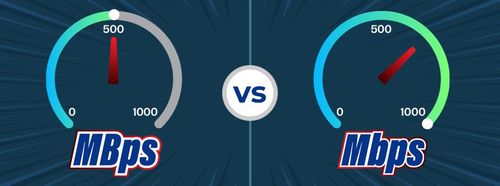
A 500 Mbps internet connection can feel sluggish due to local network bottlenecks, Wi-Fi interference, outdated hardware, background bandwidth hogs, or server-side throttling by the websites you are visiting. Even with a high-speed fiber or cable plan, your actual browsing experience depends on the weakest link between your device and the wider internet.
Achieving a high data tier from an Internet Service Provider (ISP) is only the first step in digital connectivity. Many households and offices invest in high-bandwidth plans expecting instant web pages, lag-free gaming, and simultaneous 4K video streams on every device. Yet, users frequently encounter frustrating load times, buffering videos, and sluggish application performance. Understanding why a high-speed connection can underperform requires examining the entire data delivery pipeline, moving past raw download numbers to analyze the physical and digital obstacles standing between your device and the global network.
The Reality of 500 Mbps: Raw Speed Versus Perceived Performance
When an ISP sells a 500 Mbps (megabits per second) plan, they are guaranteeing the maximum data transfer rate between your home router and their local distribution hub. This number represents raw bandwidth—the theoretical width of the data pipeline. However, bandwidth is not the same as latency, and speed is not synonymous with responsiveness.
Perceived internet performance is a composite metric dictated by several factors:
- Latency (Ping): The time it takes for a packet of data to travel from your device to a server and back. High latency creates a noticeable delay, or lag, when loading web pages or playing online games, regardless of your 500 Mbps download capacity.
- Jitter: The variability in packet arrival times. High jitter causes stuttering in real-time applications like video conferencing and voice calls.
- Server-Side Bottlenecks: If a website's hosting server is overloaded or limits individual download rates, your 500 Mbps connection will sit largely idle while waiting for data to trickle in.
- Packet Loss: The percentage of data packets that fail to reach their destination, forcing retransmissions that stall your connection.
If you test your connection on a platform like Ookla Speedtest and see numbers near 500 Mbps download, your ISP is delivering what you paid for. If your web browsing still feels sluggish, the problem is happening inside your local network or at the destination server.
Local Network Bottlenecks and Hardware Limitations
The most common culprit behind a sluggish high-speed connection is local hardware that cannot process data as fast as your ISP delivers it.
Outdated Wi-Fi Standards and Router Limitations
Wi-Fi technology has evolved rapidly. If your router uses older standards such as 802.11n (Wi-Fi 4) or early iterations of 802.11ac (Wi-Fi 5) operating on crowded 2.4 GHz frequencies, it will struggle to push 500 Mbps over the air. Even if your router supports gigabit speeds on paper, older processor chips inside budget routers will choke when handling heavy traffic from multiple smart home devices, phones, and computers simultaneously.
- 2.4 GHz vs. 500 Mbps: The 2.4 GHz Wi-Fi band has a maximum theoretical speed that is rarely achieved in real-world conditions due to interference from microwaves, Bluetooth devices, and neighbor networks. To approach 500 Mbps over Wi-Fi, you must connect to a 500 Mbps-compatible router using the 5 GHz or 6 GHz band (Wi-Fi 6, Wi-Fi 6E, or Wi-Fi 7).
- Processor and RAM: Modern routers are essentially small computers running specialized operating systems. A budget router with a weak single-core CPU and limited RAM will experience high CPU utilization when packet inspection, Quality of Service (QoS), or security firewalls are enabled, slowing down throughput.
Physical Cabling and Ethernet Constraints
Not all Ethernet cables are created equal. To fully utilize a 500 Mbps connection, your wired setup must meet specific cabling standards:
- Category 5 (Cat5): Supports up to 100 Mbps. Using an old Cat5 cable will permanently bottleneck your 500 Mbps connection.
- Category 5e (Cat5e) and Category 6 (Cat6): Both support gigabit speeds (1,000 Mbps) over distances up to 100 meters, making them ideal for a 500 Mbps plan.
- Damaged or Unshielded Cables: Kinked, chewed, or heavily degraded cables can drop connection speeds from gigabit down to Fast Ethernet (100 Mbps) as the network hardware negotiates a safer, more stable link rate to compensate for signal degradation.
Device-Level Constraints: Is Your Computer the Problem?
Sometimes the internet is fast, but the device you are using is running slowly. Hardware resource constraints on a laptop, desktop, or mobile phone can mimic the symptoms of a sluggish internet connection.
Storage Drive Performance
When downloading files or loading heavy web pages, data must be written to or read from your device's storage drive. If your computer uses an aging Mechanical Hard Disk Drive (HDD) running at 5400 RPM, it will struggle to process incoming data streams at 500 Mbps (which translates to roughly 62.5 megabytes per second).
- HDD Bottlenecks: Traditional hard drives often max out around 80 to 140 MB/s for sequential reads, but random write speeds can plummet much lower, causing the browser to freeze while waiting for data to clear the buffer.
- SSD Advantage: Solid-State Drives (SSDs) and NVMe drives handle high-speed data streams effortlessly, eliminating storage bottlenecks.
Background Processes and Browser Bloat
Modern web browsers consume significant system RAM. If you have dozens of tabs open while running resource-heavy applications, your operating system may resort to virtual memory swapping, slowing down overall system responsiveness. Furthermore, poorly optimized browser extensions, ad blockers, or corrupted cache files can cause web pages to load slowly even when raw network speeds are optimal.
Network Congestion and Bandwidth Hogging
A 500 Mbps connection is a shared resource within your household or office. If multiple users or devices are consuming bandwidth simultaneously, performance can degrade for everyone if network management tools are absent.
| Activity Type | Estimated Bandwidth Consumption | Impact on 500 Mbps Connection |
|---|---|---|
| 4K Ultra HD Streaming | 15 to 25 Mbps per stream | Minimal, unless streaming multiple sources simultaneously. |
| Competitive Online Gaming | 3 to 10 Mbps (sensitive to ping) | Minimal bandwidth, but highly sensitive to local network jitter. |
| Large Software Downloads / Game Updates | 100 to 500+ Mbps | Substantial; can temporarily saturate the entire connection. |
| Cloud Backups / Large File Uploads | Max upload tier speed (often 20 to 50 Mbps on cable) | Can saturate upstream bandwidth, causing TCP ACK packet delays. |
When a background application initiates a massive cloud backup or downloads a 100-gigabyte game patch, it consumes the available headroom. Without proper Quality of Service (QoS) rules configured on your router to prioritize real-time traffic like video calls and web browsing over bulk downloads, your active browser sessions will feel sluggish.
Step-by-Step Troubleshooting Checklist
When diagnosing a sluggish 500 Mbps connection, follow a methodical troubleshooting path to isolate the root cause.
- Isolate the Test Environment: Disconnect all wireless devices. Connect a modern computer directly to your modem or primary router using a certified Cat6 Ethernet cable. Run a reputable speed test.
- Evaluate Direct Results: If the wired test shows ~500 Mbps download and low latency, your ISP connection and core routing hardware are healthy. The sluggishness is isolated to Wi-Fi performance or specific client devices.
- Power Cycle Network Hardware: Unplug both your modem and router. Wait 60 seconds to clear residual memory cache and allow hardware to reset. Plug the modem in first, wait for connection lights to stabilize, then power on the router.
- Test Wi-Fi Proximity: Stand within line-of-sight of your wireless router and run a speed test on your phone or laptop. If speeds improve dramatically compared to a distant room, physical obstructions (thick walls, metal studs, appliances) or Wi-Fi interference are degrading your signal.
- Check DNS Server Response Times: Slow website loading can be caused by a sluggish Domain Name System (DNS) resolver provided by your ISP. Switch your device or router DNS settings to a fast, public resolver such as Cloudflare (1.1.1.1) or Google (8.8.8.8) to see if web page initiation speeds improve.
Frequently Asked Questions
Why does my speed test show 500 Mbps, but web pages still load slowly?
A speed test measures raw bandwidth to a nearby server optimized for high throughput. Web browsing performance depends heavily on DNS resolution time, the responsiveness of the destination server, browser cache health, and client device processing power. If your browser is bogged down with extensions or your DNS resolver is slow, web pages will lag even with abundant bandwidth.
Can a cheap router ruin a 500 Mbps internet plan?
Yes. Inexpensive or outdated routers often feature low-end processors and limited RAM that cannot route packets at gigabit speeds when advanced features like firewalls or device profiling are enabled. Additionally, budget routers often lack modern Wi-Fi standards (like Wi-Fi 6), capping wireless speeds far below your 500 Mbps plan capability.
Does upload speed affect my download sluggishness?
Yes, indirectly. When downloading data, your device must continuously send confirmation packets (TCP ACKs) back to the server to acknowledge receipt. If your upload bandwidth is completely saturated by cloud backups or file sharing, these acknowledgment packets get delayed, causing the downloading server to throttle its transmission rate and making your connection feel sluggish.
How do I know if my Wi-Fi is the bottleneck?
Compare a wired Ethernet speed test against a wireless speed test conducted from the same device in the same location. If the wired test consistently reaches 450 to 500 Mbps while the Wi-Fi test struggles to hit 100 Mbps, your wireless environment, router placement, or client Wi-Fi card is the bottleneck.
Next Actions and Long-Term Optimization
If you have verified that your wired connection hits 500 Mbps but your day-to-day experience remains sluggish, focus your efforts on local optimization. Upgrade aging routers to Wi-Fi 6 or mesh network systems if you cover a large home. Replace old Cat5 cables with Cat6 lines. Finally, configure Quality of Service (QoS) settings in your router administration panel to prioritize interactive traffic over heavy background downloads, ensuring your high-speed connection remains responsive when the household is active.