To achieve faster workflows in 2026, the most effective typing test websites are Monkeytype, Keybr, TypeRacer, 10FastFingers, and Typing.com. These platforms prioritize different aspects of skill acquisition, ranging from algorithmic muscle memory training and competitive racing to deep data analytics and professional certification, allowing users to bridge the gap between thought and digital execution.
The ability to translate thoughts into text with minimal friction remains one of the most critical professional skills. Even with the proliferation of voice-to-text and AI-assisted drafting, the keyboard remains the primary interface for coding, email communication, and complex documentation. A slow typing speed acts as a bottleneck for cognitive output; when your fingers cannot keep up with your brain, you lose the "flow state" that is essential for high-level productivity.
The ROI of High-Speed Typing in 2026
Before exploring the specific tools, it is vital to understand the quantitative impact of typing proficiency on a professional workflow. The average person types at roughly 40 words per minute (WPM). A proficient professional typist often reaches 80 to 100 WPM.
Consider the math: if you spend three hours a day typing (emails, reports, code) at 40 WPM, doubling your speed to 80 WPM theoretically cuts that active input time in half. This saves 90 minutes per day, or roughly 7.5 hours per week. Over a standard working year, this translates to over 350 hours of reclaimed time. Furthermore, higher speed usually correlates with higher accuracy, reducing the time spent on "backspacing"—the single greatest killer of writing momentum.
The Science of Muscle Memory and Touch Typing
Faster workflows are not achieved by moving your fingers faster in a chaotic manner; they are achieved through the development of muscle memory, specifically via Touch Typing. This is the ability to use all ten fingers to find keys by sense of touch rather than sight.
When you look at the keyboard, you engage the visual processing centers of the brain, which creates a "task-switching" penalty. By automating the physical act of typing, your prefrontal cortex is freed to focus entirely on the content of your work. The websites listed below are designed to facilitate this automation through various pedagogical and psychological methods.
1. Monkeytype: The Gold Standard for Customization and Analytics
Monkeytype has evolved into the most popular choice for keyboard enthusiasts and professionals alike. Its minimalist aesthetic masks a powerful engine capable of tracking every nuance of your typing performance.
Why It Enhances Workflows
Monkeytype is built for those who want a "distraction-free" environment. In 2026, its feature set includes highly customizable "test durations" and "word sets." Instead of just typing random common words, you can upload your own corpus of text. For example, a software engineer can upload a library of Python code to practice the specific syntax and special characters they use daily.
Key Technical Features
- Detailed Analytics: It provides a burst map, showing exactly where you slowed down or made mistakes within a specific sentence.
- Language Support: It supports hundreds of languages and specialized keyboard layouts (Qwerty, Dvorak, Colemak, etc.).
- Live WPM Tracking: It provides a real-time graph of your speed, allowing you to see if your pace is consistent or erratic.
- The "Zen" Mode: A blank screen that allows you to type freely, only highlighting errors when you finish, which is excellent for building "flow" without the anxiety of a ticking clock.
2. Keybr: Algorithmic Skill Building
Keybr takes a fundamentally different approach to typing practice. It does not use real words initially. Instead, it uses an algorithm to generate phonetic sequences based on a subset of the alphabet.
The Learning Curve
Keybr focuses on the "problem keys." If the algorithm detects that you struggle with the letters "P" and "Q," it will generate more "pseudo-words" containing those letters. It does not allow you to move on to the full alphabet until you have demonstrated a specific level of proficiency and consistency with the current set of keys.
Why It’s Better for Beginners
For a professional looking to unlearn bad "hunt and peck" habits, Keybr is the most efficient tool. It forces the brain to stop recognizing words as visual units and starts treating keys as spatial coordinates. This "bottom-up" approach ensures that your foundation is mathematically sound before you attempt high-speed tests.
3. TypeRacer: The Power of Competitive Stress
TypeRacer is the oldest and perhaps most effective "gamified" typing site. It pits you against other live users in a race where your "car" moves forward based on your typing speed.
Simulating Real-World Pressure
In a quiet office, typing is easy. Under the pressure of a deadline or during a live-coding interview, typing becomes difficult. TypeRacer simulates this "social facilitation" or "performance anxiety" by introducing a competitive element.
Content Variety
One of the major benefits of TypeRacer is its content library. You aren't typing "The quick brown fox." You are typing excerpts from famous literature, song lyrics, and movie scripts. This provides a "real-world" feel because the punctuation, capitalization, and sentence structures are exactly what you encounter in professional writing.
4. 10FastFingers: The Benchmark Standard
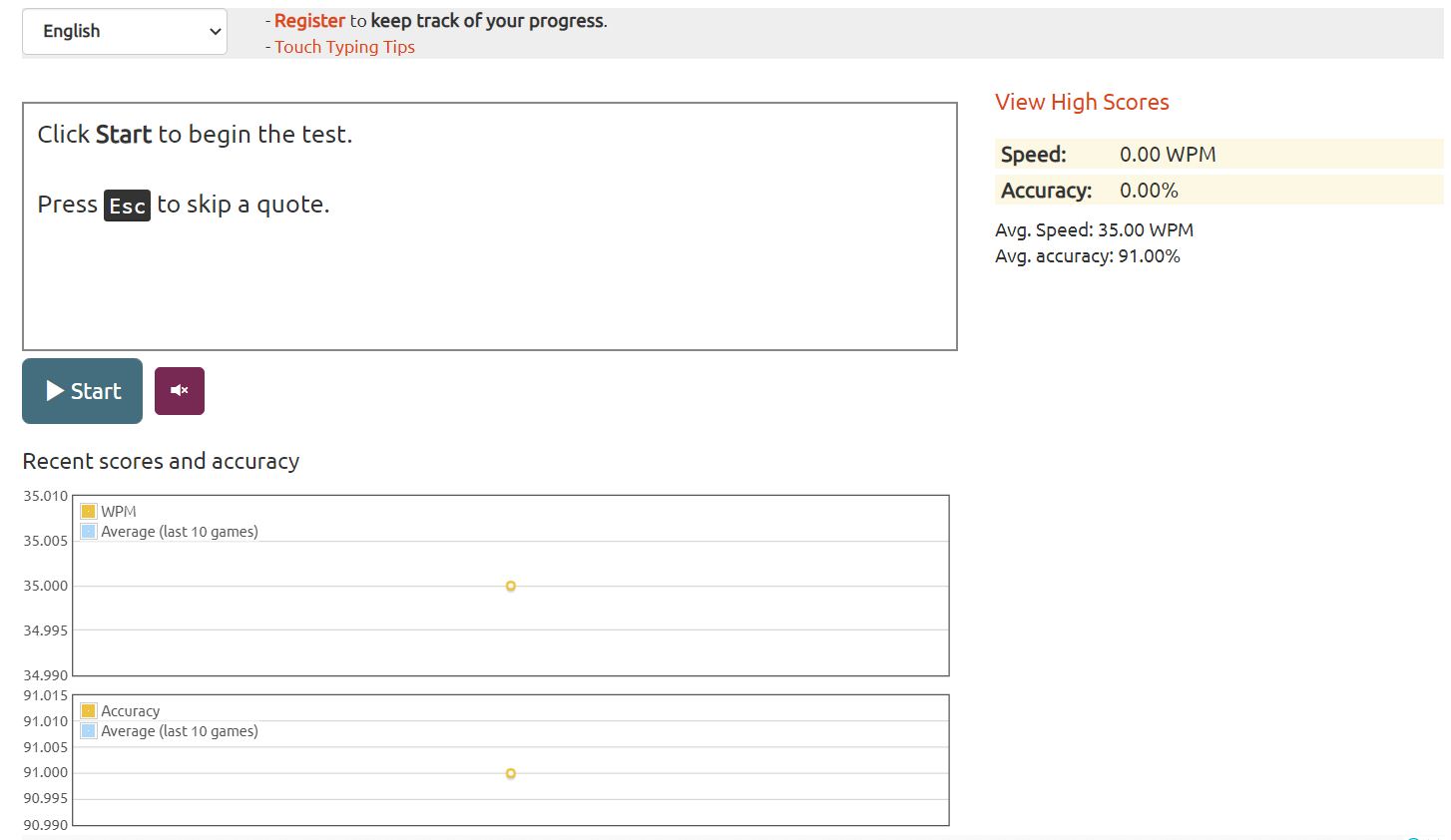
10FastFingers is the "no-frills" benchmark used by many companies to verify typing speed during the hiring process. It is famous for its "Top 200 Words" and "Top 1000 Words" tests.
Efficiency and Simplicity
The site is designed for quick, one-minute bursts. If you have a five-minute gap between meetings, 10FastFingers allows you to jump in, perform a test, and see your global ranking immediately.
Professional Verification
The platform offers a "Typing Certification" mode. In 2026, many remote-first organizations accept 10FastFingers screenshots or verified links as proof of technical literacy. The simplicity of the interface ensures that the results are a pure reflection of raw speed without the distractions of complex UI elements.
5. Typing.com: The Comprehensive Curriculum
While the other tools focus on practice and testing, Typing.com provides a structured curriculum. It is often viewed as a tool for students, but its "Professional" and "Tech" modules are invaluable for adults looking to overhaul their workflow.
Career-Specific Drills
Typing.com includes modules for "Medical Coding," "Legal Terminology," and "Standard Office Applications." If your workflow involves highly specific jargon, this site allows you to practice that vocabulary in a structured environment.
Ergonomics and Digital Literacy
Beyond just hitting keys, Typing.com includes lessons on proper posture, finger placement, and even "Digital Citizenship." This holistic approach ensures that your speed is sustainable and does not lead to Repetitive Strain Injury (RSI), which is the primary threat to long-term workflow efficiency.
Comparison of Top Typing Platforms
| Platform | Primary Focus | Best For | Difficulty | Cost (2026) |
|---|---|---|---|---|
| Monkeytype | Customization & Data | Power Users/Coders | Variable | Free (Open Source) |
| Keybr | Muscle Memory | Beginners/Remediation | High | Free (Ad-supported) |
| TypeRacer | Competition | Handling Pressure | Medium | Free |
| 10FastFingers | Benchmarking | Quick Daily Tests | Low | Free |
| Typing.com | Structured Learning | Total Skill Overhaul | Low to High | Free / Paid Pro |
Integrating Typing Practice into Your 2026 Workflow
To see actual results in your work speed, you cannot treat typing practice as a one-time event. It requires a "micro-habit" approach.
The 10-Minute Rule
Dedicate the first 10 minutes of your workday to one of these platforms. Treat it as a "warm-up" for your brain and fingers. Starting your day with a high-accuracy session on Keybr or Monkeytype sets a neurological precedent for the rest of your tasks.
Prioritize Accuracy over Speed
The most common mistake is trying to type fast and accepting a 90% accuracy rate. In a professional workflow, 90% accuracy is a disaster because it means every tenth word requires a correction. This breaks your cognitive rhythm. Aim for 98% to 100% accuracy. Once you can hit 100% accuracy consistently, the speed will naturally follow as your confidence grows.
Hardware Considerations
In 2026, the debate between mechanical and membrane keyboards remains relevant for workflow speed. Mechanical keyboards provide "tactile feedback"—a physical click or bump that tells your brain the key has been registered. This feedback loop can significantly decrease the error rate compared to "mushy" laptop keyboards. If you are serious about your workflow, investing in a high-quality keyboard is as important as the software you use.
Common Pitfalls to Avoid
- Looking Down: The moment you look at your hands, you have lost the battle for speed. Cover your hands with a cloth if you have to, but force your brain to memorize the spatial layout.
- Inconsistent Posture: Typing speed is a full-body activity. If your wrists are at an awkward angle or your chair is too low, your speed will plateau. Keep your feet flat on the floor and elbows at a 90-degree angle.
- Ignoring Punctuation: Many users practice only lowercase words. Real-world workflows involve semicolons, brackets, and capital letters. Ensure your practice includes "Expert" modes that require full punctuation.
Frequently Asked Questions
What is a "good" typing speed for a professional in 2026?
A "good" speed is generally considered 65-75 WPM with 97% accuracy. However, for roles involving heavy data entry, coding, or transcription, 90+ WPM is the gold standard. Anything below 50 WPM is likely causing a measurable delay in your daily output.
Can these websites help with Repetitive Strain Injury (RSI)?
While the websites themselves are tools for speed, platforms like Typing.com and Keybr emphasize correct form. Improving your technique through these sites often leads to "lighter" typing, where you don't bottom out the keys with excessive force, which can help mitigate the risks of RSI over time.
How long does it take to see an improvement in workflow speed?
If you practice for 15 minutes a day, most users see a 10-15 WPM increase within 30 days. The most significant jump usually occurs when a "hunter-pecker" finally transitions to full touch typing, which can take 2 to 3 months of consistent effort.
Is Dvorak or Colemak better than Qwerty for faster workflows?
Alternative layouts like Dvorak or Colemak are designed to minimize finger travel, which can theoretically increase speed and comfort. However, the "switching cost" is high. Unless you are experiencing pain or have hit a hard plateau at 100+ WPM on Qwerty, the time required to relearn a new layout may not provide a positive ROI for most professionals.
Are there mobile versions of these typing tests?
While Monkeytype and 10FastFingers have mobile-responsive sites, practicing typing on a smartphone does not translate to desktop workflow speed. Desktop typing relies on ten-finger muscle memory, whereas mobile typing relies on thumb dexterity and predictive algorithms.
Recommendation for Next Steps
To immediately improve your workflow, start with Keybr to identify your weakest keys. Use it for 10 minutes every morning for two weeks. Once your "heat map" shows consistent green across the keyboard, transition to Monkeytype to practice with real-world text or code snippets relevant to your specific industry. This two-step approach ensures you fix foundational errors before trying to build professional-grade speed.