Windows Server 2025 serves as the latest iteration of Microsoft’s server operating system, focusing heavily on hybrid cloud integration, advanced security protocols, and performance optimizations for high-density virtualization environments. It is designed to bridge the gap between local data center operations and Azure-integrated cloud management, providing organizations with improved storage resilience, enhanced SMB protocols, and modernized infrastructure scalability.
Evolution of the Windows Server Platform
Windows Server 2025 is not merely a service pack or a minor update; it represents a significant architectural shift toward "cloud-first" management. While previous versions focused on functional stability, the 2025 release prioritizes the integration of Artificial Intelligence (AI) and Machine Learning (ML) workloads into standard server roles. By refining the kernel for modern hardware, Microsoft has enabled better utilization of NVMe storage and high-core-count processors, which are now standard in enterprise data centers.
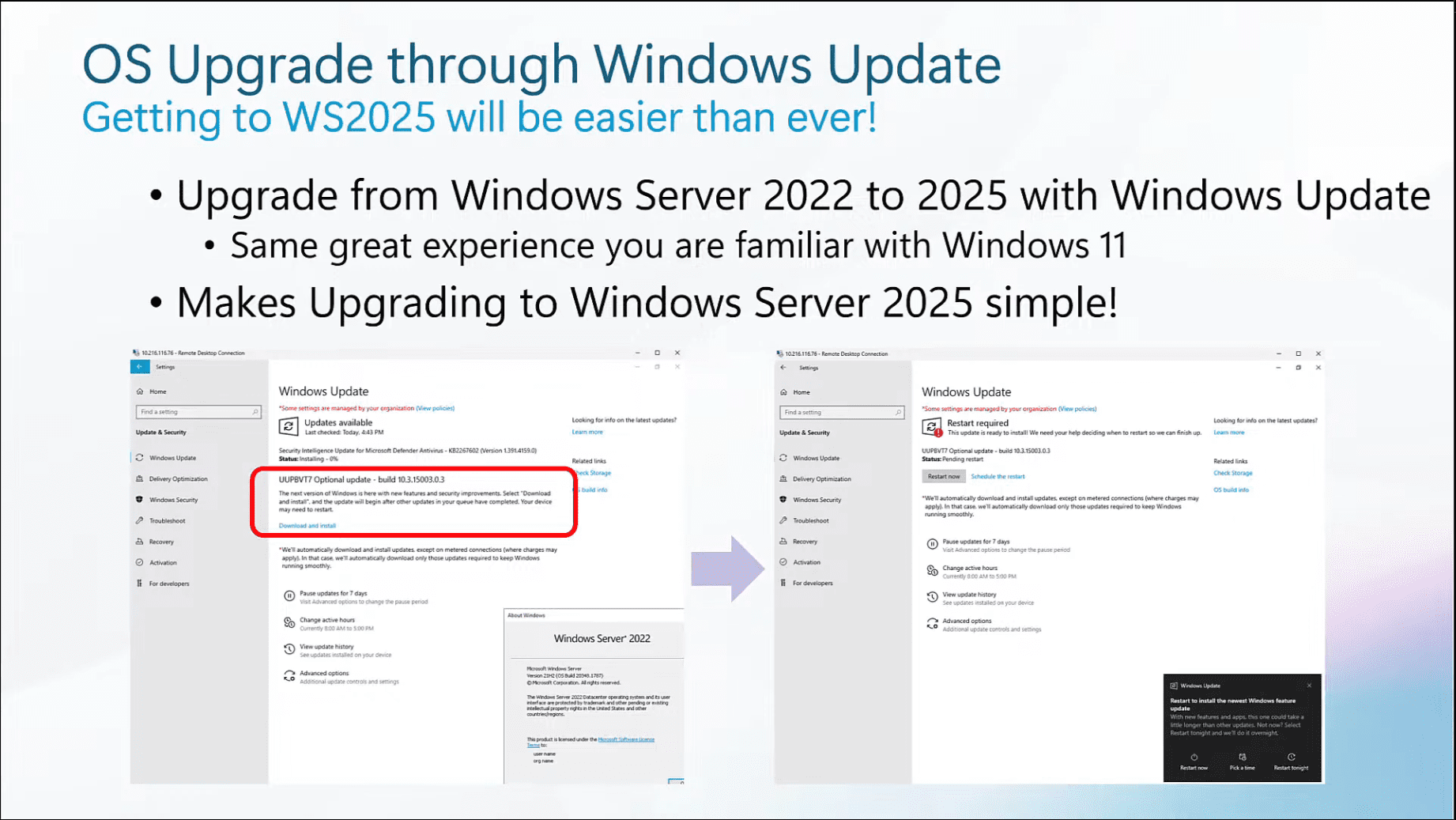
For administrators transitioning from Windows Server 2022, the 2025 release introduces a more seamless lifecycle management experience. The platform is built to sustain long-term operations while offering "hot patching" capabilities that reduce the need for maintenance-related reboots. This feature alone drastically improves uptime for mission-critical applications that previously suffered from monthly patch-cycle disruptions.
Security Enhancements and Hardening
Security in Windows Server 2025 is proactive rather than reactive. The introduction of improved Credential Guard and virtualization-based security (VBS) by default sets a higher baseline for the operating system. These features ensure that even if a kernel-level exploit is attempted, the sensitive memory regions associated with user authentication remain isolated.
Furthermore, the implementation of SMB (Server Message Block) over QUIC has moved beyond experimental status to become a fully supported, production-ready feature. This allows secure, high-performance file sharing across the internet without the traditional requirement of a VPN. For remote workforces, this provides the performance of local area network (LAN) file access with the security of TLS 1.3 encryption.
Performance and Scalability Metrics
One of the most notable technical improvements in Windows Server 2025 is the overhaul of the storage stack. The operating system includes support for NVMe over Fabrics (NVMe-oF), which drastically reduces latency for distributed storage configurations. Organizations managing large-scale SQL Server databases or high-transaction web clusters will find that the I/O throughput gains allow for smaller physical footprints to handle larger workloads.
The platform also introduces "Hotpatching" for all editions. Previously limited to the Datacenter Azure Edition, this feature allows administrators to apply security updates without restarting the server. This is a critical development for 24/7 services that require constant availability.
| Feature | Windows Server 2022 | Windows Server 2025 | Impact |
|---|---|---|---|
| Hotpatching | Limited (Azure Edition) | Supported (Standard/DC) | High availability |
| SMB over QUIC | Experimental | Production Ready | Remote access security |
| Storage Tiering | Traditional | NVMe-oF Optimized | Lower latency |
| Security Baseline | Manual/Group Policy | Secure by Default (VBS) | Reduced attack surface |
| Cloud Integration | Integrated | Native Azure Arc | Unified management |
Hybrid Cloud Integration via Azure Arc
Windows Server 2025 is designed to function as an extension of the Azure cloud. Through Azure Arc, local servers gain the ability to use cloud-native management tools such as Azure Policy, Azure Monitor, and Microsoft Defender for Cloud directly from the Azure portal.
This hybrid connectivity is not just about reporting; it is about policy enforcement. Administrators can define security configurations in the cloud and push them to thousands of on-premises Windows Server 2025 instances simultaneously. This ensures that infrastructure standards remain consistent, regardless of whether the server resides in a physical closet or a regional data center.
Requirements for Deployment
Before upgrading or deploying a new environment, IT departments must account for the shift in hardware and licensing requirements. Windows Server 2025 necessitates hardware that supports UEFI Secure Boot and TPM 2.0. While these have been industry standards for several years, older "legacy" hardware in private data centers may fail the compliance check required for installation.
- CPU: 1.4 GHz 64-bit processor compatible with x64 instruction set.
- RAM: 512 MB (2 GB for Server with Desktop Experience).
- Storage: 32 GB of available disk space, preferably NVMe for OS boot.
- Network: Ethernet adapter capable of at least 1 Gbps throughput.
It is highly recommended to perform a pilot migration rather than an in-place upgrade for critical domain controllers. The structural changes to the Active Directory (AD) schema and the enhanced security defaults in the 2025 version may necessitate configuration adjustments for legacy applications that rely on outdated authentication methods.
Addressing Infrastructure Limitations
Despite the advancements, there are known operational constraints. The "Secure by Default" posture can lead to issues with legacy NTLM-based applications. Organizations must audit their environment for deprecated protocols before pushing the 2025 update to production. Microsoft provides the "Migration Toolkit" to identify these points of friction, which should be the first step in any transition project.
Additionally, while hotpatching significantly improves uptime, it does not replace the need for occasional full-system reboots required by major framework updates or hardware firmware patches. Administrators must maintain a balanced maintenance schedule that incorporates both hotpatching for security and quarterly full reboots for total system health.
Frequently Asked Questions
Does Windows Server 2025 require a subscription? Windows Server 2025 retains a perpetual licensing model based on core counts. However, certain advanced features like hotpatching and specific hybrid management tools may require active Software Assurance or a connection to Azure Arc services to unlock their full functionality.
Can I upgrade directly from Windows Server 2016? Microsoft officially supports an in-place upgrade from Windows Server 2019 and 2022. Upgrading directly from 2016 is not recommended due to significant changes in the underlying file system and security architecture. A clean install and data migration is the preferred path for 2016 environments.
What is the status of Nano Server in the 2025 release? Nano Server remains a container-only offering. Microsoft continues to prioritize "Server Core" as the recommended installation option for the vast majority of infrastructure roles, offering the best balance of security surface area and application compatibility.
How does SMB over QUIC affect my firewall configuration? SMB over QUIC uses UDP port 443. This is a departure from traditional SMB traffic which uses TCP port 445. Organizations must ensure that their edge firewalls are configured to allow UDP 443 traffic to the appropriate file server endpoints to utilize this functionality.
Is Windows Server 2025 backward compatible with older Active Directory functional levels? Yes, it maintains compatibility with older forest and domain functional levels. However, to leverage the new security features and cryptographic enhancements, it is recommended to eventually raise the functional levels once all domain controllers in the environment are running on modern server versions.
Next Actions for IT Administrators
To begin working with Windows Server 2025, the most effective next step is to deploy a laboratory instance within a virtualized environment. Use this lab to test the compatibility of your existing line-of-business applications against the new security defaults. Once compatibility is verified, start by onboarding a non-critical infrastructure node to Azure Arc to familiarize your team with the new management interface. For organizations with significant legacy footprints, prioritizing a migration plan that replaces outdated server OS versions with 2025 is the most impactful way to improve your security posture and operational efficiency in 2026.