AT&T U-verse speed tiers historically ranged from basic 768 Kbps connections up to 100 Mbps over legacy copper Fiber-to-the-Node (FTTN) infrastructure, with full fiber tiers reaching 1,000 Mbps and higher. Although AT&T officially rebranded U-verse broadband services to AT&T Internet and AT&T Fiber, millions of existing accounts and legacy line configurations remain defined by these classic U-verse tier structures and physical copper distance limits.
Understanding the AT&T U-verse Architecture
To understand how AT&T U-verse speed tiers function, it is essential to examine the underlying network architecture that AT&T deployed during the initial rollout of the U-verse service in the mid-2000s. Unlike traditional cable broadband networks that rely on coaxial cables, or pure Fiber-to-the-Home (FTTH) networks that deliver light pulses directly to a residence, legacy U-verse primarily relied on a hybrid network architecture known as Fiber-to-the-Node (FTTN).
In an FTTN deployment, AT&T ran high-speed fiber-optic cables from a central office (CO) to neighborhood distribution boxes known as Very High-Speed Digital Subscriber Line Access Multiplexer (VDSL Access Multiplexer or VRAD) cabinets. From the VRAD cabinet to individual homes, the service traveled over existing twisted-pair copper telephone lines.
Because copper wiring degrades signal strength over distance, the maximum speed tier available to any given household was strictly dictated by the physical length of the copper wire running from the VRAD to the home—a distance commonly referred to as the "loop length."
ADSL2+ vs. VDSL2 and Pair Bonding
AT&T utilized three primary transmission technologies across the U-verse footprint:
- ADSL2+ (Asymmetric Digital Subscriber Line 2+): Used for customers living farther away from the central office or neighborhood node. ADSL2+ typically supported lower-tier speeds ranging from 768 Kbps up to 18 Mbps over a single copper pair.
- VDSL2 (Very High-Bit-Rate Digital Subscriber Line 2): Deployed closer to the VRAD cabinet, VDSL2 allowed for significantly higher bandwidth over short copper distances, supporting single-line tiers of 18 Mbps, 24 Mbps, and 45 Mbps.
- Pair-Bonding (Bonded VDSL2): To overcome the distance limitations of a single copper wire pair and double the available bandwidth, AT&T technicians installed pair-bonding. This technology combines two separate physical copper wire pairs into a single virtual connection at the residential gateway (modem). Pair-bonding enabled AT&T to offer 45 Mbps, 75 Mbps, and 100 Mbps tiers to locations that could not support those speeds on a single line.
Comprehensive Breakdown of AT&T U-verse Speed Tiers
Throughout its operational history, AT&T offered a structured hierarchy of speed tiers under the U-verse brand name. While tier names evolved into generic numeric designations (such as "Internet 24" or "Internet 50") following AT&T's retirement of the U-verse brand identity, the bandwidth profiles remain active on legacy accounts.
The table below outlines the standard AT&T U-verse speed tiers, their typical underlying technology, historical speed specifications, and common upload limits.
| Tier Name | Max Download Speed | Typical Upload Speed | Underlying Technology | Primary Use Case |
|---|---|---|---|---|
| Basic 0.75 | 0.768 Mbps (768 Kbps) | 0.384 Mbps (384 Kbps) | ADSL2+ / Long Loop Copper | Basic email, text browsing |
| Basic 1.5 | 1.5 Mbps | 0.384 - 0.512 Mbps | ADSL2+ / Copper | Light web browsing, single user |
| Express | 3.0 Mbps | 0.512 - 1.0 Mbps | ADSL2+ / Copper | General browsing, low-res video |
| Pro | 6.0 Mbps | 1.0 Mbps | ADSL2+ / VDSL2 | Standard web use, music streaming |
| Elite | 12.0 Mbps | 1.5 Mbps | VDSL2 Single Line | SD video streaming, remote work |
| Max | 18.0 Mbps | 1.5 Mbps | VDSL2 Single Line | HD streaming, moderate downloads |
| Max Plus | 24.0 Mbps | 3.0 Mbps | VDSL2 Single Line or Pair-Bonded | Multi-device HD streaming |
| Max Turbo | 45.0 Mbps | 6.0 Mbps | VDSL2 Pair-Bonded | Multi-user households, 4K streaming |
| Power | 75.0 Mbps | 8.0 Mbps | VDSL2 Pair-Bonded | Heavy bandwidth usage, large file transfers |
| Internet 100 | 100.0 Mbps | 20.0 Mbps | Short Loop VDSL2 Pair-Bonded | High-demand homes, simultaneous streaming |
| U-verse Gigapower | 1000.0 Mbps (1 Gbps) | 1000.0 Mbps (1 Gbps) | FTTH (Pure Fiber Optic) | Ultra-high bandwidth, gigabit symmetric |
Detailed Tier Analysis
Low-Bandwidth Tiers: Basic 0.75 to Express (0.75 Mbps – 3 Mbps)
These foundational tiers were originally designed for legacy ADSL installations where homes were located several miles from the AT&T Central Office. With download speeds capped under 3 Mbps and upload speeds often limited to less than 1 Mbps, these tiers are ill-suited for modern web requirements. They generally support basic text communication, email, and simple home automation devices, but suffer under real-time video conferencing or modern software updates.
Mid-Range Tiers: Pro to Max (6 Mbps – 18 Mbps)
The 6 Mbps to 18 Mbps tier bracket represented the baseline for early U-verse TV triple-play bundles. Because U-verse television channels were delivered as IPTV streams over the same copper line, AT&T reserved a portion of the line's total bandwidth for television streams (typically 6 Mbps to 9 Mbps per HD stream). A subscriber paying for "Max 18" might have seen internet throughput temporarily drop if multiple TV set-top boxes were active simultaneously on a single-line VDSL2 connection.
High-Performance FTTN Tiers: Max Plus to Internet 100 (24 Mbps – 100 Mbps)
As AT&T deployed enhanced vectoring technologies and mandatory pair-bonding installations, tiers between 24 Mbps and 100 Mbps became available to subscribers within roughly 1,000 to 3,000 feet of a VRAD cabinet. The 75 Mbps and 100 Mbps copper tiers represented the absolute physical ceiling of VDSL2 technology over copper telephone wires.
Pure Fiber Tiers: U-verse Gigapower (100 Mbps – 1,000 Mbps+)
Later in the U-verse lifecycle, AT&T began deploying direct Fiber-to-the-Home (FTTH) under the brand name "U-verse Gigapower." Unlike FTTN copper connections, FTTH eliminates distance-based signal degradation and removes the technical bottleneck of asymmetrical transmission. Gigapower introduced symmetrical speeds—where upload speeds match download speeds—ranging from 100 Mbps up to 1,000 Mbps (1 Gbps). This service formed the foundation of what is now marketed simply as AT&T Fiber.
Technical Factors Influencing Available Speed Tiers
Subscribers frequently wonder why two neighboring properties might be offered vastly different AT&T speed tiers. Several technical constraints govern maximum line capabilities:
1. Loop Length (Distance to the Node)
Signal loss on copper lines (attenuation) increases with physical distance. High frequencies used by VDSL2 decay rapidly over distance:
- Under 1,000 feet: Eligible for single-line 24–45 Mbps or pair-bonded 100 Mbps.
- 1,000 to 3,000 feet: Eligible for 12–24 Mbps single-line or 45–75 Mbps pair-bonded.
- 3,000 to 5,000 feet: Typically limited to 6–12 Mbps.
- Beyond 5,000 feet: Relegated to legacy ADSL2+ rates (3 Mbps or lower).
2. Wire Gauge and Line Quality
The gauge of copper wiring (commonly 24 AWG or 26 AWG) and the physical condition of underground or aerial drop cables directly affect signal stability. Bridge taps (unused copper line splices), corrosion, moisture in line closures, and electromagnetic interference from power lines reduce the Signal-to-Noise Ratio (SNR), forcing the residential gateway to sync at a lower rate profile to prevent frequent disconnections.
3. Provisioned vs. Actual Speed Profiles
AT&T provisions U-verse lines with an overhead safety margin. For instance, a customer subscribing to a 45 Mbps download tier might have their gateway synced at a physical layer profile of 55 Mbps down and 8 Mbps up. This buffer ensures that system overhead, protocol encapsulation, and active IPTV streams do not drag actual internet speeds below the subscribed tier rate.
Asymmetric vs. Symmetric Speeds: The Upload Bottleneck
A defining technical characteristic of legacy AT&T U-verse copper tiers is asymmetry. Asymmetric connections allocate far more network frequencies to downstream traffic than to upstream traffic.
Asymmetric VDSL2 Allocation: [=== UPSTREAM (1 to 20 Mbps) ===] [==================== DOWNSTREAM (12 to 100 Mbps) ====================] Symmetric Fiber Allocation: [==================== UPSTREAM (300 to 5000 Mbps) ====================] [==================== DOWNSTREAM (300 to 5000 Mbps) ====================]
On a 45 Mbps download U-verse connection, maximum upload capacity is typically restricted to 6 Mbps. On lower tiers, such as 12 Mbps down, uploads are capped at 1.5 Mbps.
This asymmetrical design reflects the early design principles of consumer internet, where users primarily downloaded data (webpages, file downloads, streaming media). However, modern digital habits—including cloud backup syncs, high-definition video conferencing (Zoom, Microsoft Teams), 4K security camera streaming, and content creation—require substantial upstream bandwidth.
When a U-verse copper connection's upload pipe becomes fully saturated by a background cloud backup, it creates bufferbloat. This bottleneck delays incoming acknowledgement packets (ACKs), causing downstream web browsing and video streams to stall, regardless of available download capacity.
In contrast, customers on fiber-based installations enjoy full symmetry, where upload speeds match download speeds at 300 Mbps, 500 Mbps, 1,000 Mbps, or higher.
Hardware and Gateway Requirements
AT&T U-verse speed tiers require specific equipment installed at the customer premise to decode VDSL2 signals and handle authentication via 802.1X certificates built directly into AT&T hardware. Users cannot simply plug in a third-party modem.
Key Residential Gateways (RG)
- 2WIRE / Pace 3800HGV & 3801HGV: Early single-line VDSL2 gateways used primarily for tiers up to 24 Mbps with integrated 802.11g/n Wi-Fi.
- Motorola / Arris NVG589: A workhorse gateway that introduced broad support for pair-bonded VDSL2 connections, enabling 45 Mbps and 75 Mbps copper tiers.
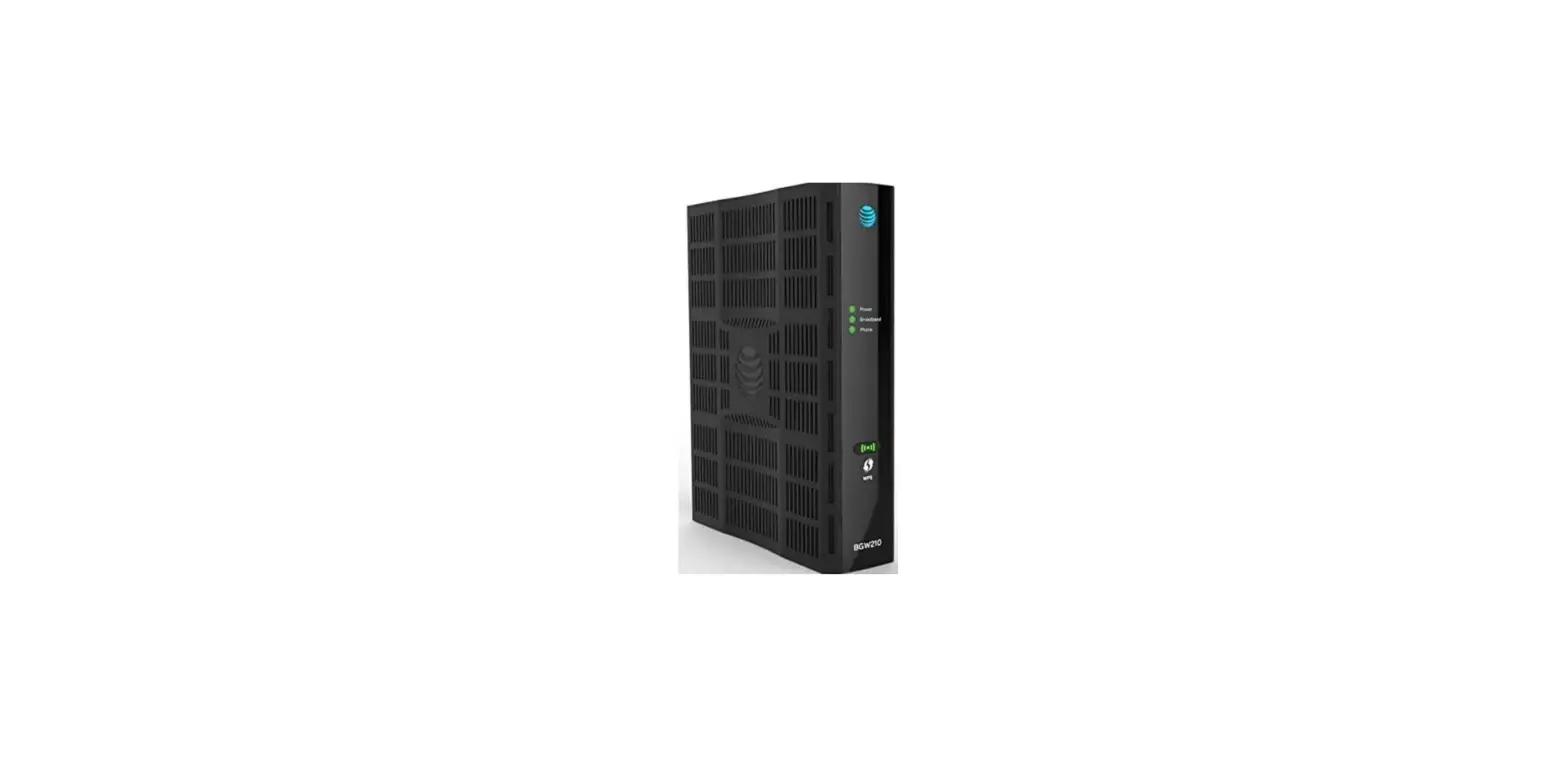
- Pace 5268AC & Arris BGW210-700: Advanced gateways supporting both pair-bonded copper VDSL2 (up to 100 Mbps) and direct connection to an external Optical Network Terminal (ONT) for fiber installs. Feature dual-band 802.11ac Wi-Fi.
- AT&T BGW320: The standard gateway for modern AT&T Fiber installations. It integrates an internal XGS-PON ONT, removing the need for a separate optical terminal box, and supports Wi-Fi 6 (802.11ax).
Legacy U-verse Hardware vs. Modern Fiber Setup: Legacy Copper FTTN: [VRAD Cabinet] --(Pair-Bonded Copper)---> [Wall Jack] ---> [Arris BGW210 RG] ---> Wi-Fi / LAN Modern Pure Fiber: [AT&T Central Office] --(Fiber Line)---> [Integrated ONT in BGW320 RG] ---> Wi-Fi 6 / 5Gb LAN
Subscribers using older gateways like the Pace 3801HGV or Motorola NVG589 who attempt to upgrade their U-verse speed tier will require a technician visit or equipment swap to install pair-bonding equipment and a modern gateway capable of handling higher sync rates.
The Migration Strategy: Moving Beyond Legacy U-verse
AT&T has systematically phased out legacy copper services as part of a broader network modernization strategy. If you currently hold an active U-verse internet tier, understanding your upgrade path is essential for improving connection reliability and performance.
1. Upgrading to AT&T Fiber (FTTH)
Where available, AT&T Fiber is the direct replacement for U-verse copper connections. Fiber eliminates distance restrictions and provides massive upgrades in speed, latency, and reliability.
- Entry Tier: 300 Mbps symmetrical (over 3 times faster download and 15 to 300 times faster upload than high-end U-verse copper).
- Mid Tier: 500 Mbps symmetrical.
- Gigabit Tiers: 1,000 Mbps (1 Gig), 2,000 Mbps (2 Gig), and 5,000 Mbps (5 Gig) symmetrical connections using XGS-PON technology.
2. Transitioning to AT&T Internet Air
In areas where building full fiber infrastructure is not cost-effective and legacy copper networks are being decommissioned, AT&T offers AT&T Internet Air. This Fixed Wireless Access (FWA) service utilizes AT&T's 5G mobile network to provide home internet.
- Performance: Typically offers download speeds ranging between 75 Mbps and 225 Mbps, depending on local cell tower capacity and signal strength.
- Installation: Plug-and-play self-installation using a 5G gateway, eliminating the need for technician visits or maintaining aging copper drop lines.
How to Check and Upgrade Your Speed Tier
If you are currently on an older AT&T U-verse internet tier and want to verify if higher speeds or fiber infrastructure are available at your residence, follow these diagnostic steps:
- Access Your Residential Gateway Interface: Open a web browser on a device connected to your home network and navigate to
http://192.168.1.254. - Examine Line Statistics: Look for the Broadband or Status tab. Inspect the Line State, Downstream/Upstream Max Rate, Signal-to-Noise Ratio (SNR) Margin, and Attenuation.
- If your Max Rate is significantly higher than your current subscribed plan, you may be eligible to call AT&T and upgrade to a higher copper speed tier (e.g., moving from Max 18 to Max Plus 24 or Max Turbo 45).
- If your line shows "Bonded Pair: Down" or "Single Line," your address might support a speed double your current rate if AT&T dispatches a technician to activate a second wire pair.
- Check Official Address Availability: Visit the official AT&T web portal and enter your specific street address into their service availability lookup tool. The system will report whether your home qualifies for AT&T Fiber, higher-tier VDSL2, or AT&T Internet Air.
Frequently Asked Questions
Can I still sign up for a legacy AT&T U-verse internet speed tier?
No. AT&T no longer sells broadband plans under the U-verse brand identity to new customers. New sign-ups receive AT&T Fiber (in fiber-covered markets) or AT&T Internet / AT&T Internet Air (in non-fiber markets). Existing customers on legacy U-verse tiers can remain on their plans, but options to change speeds within copper architecture are limited by local infrastructure.
Why is my AT&T U-verse internet speed lower than the tier I pay for?
Actual throughput can fall below theoretical tier maximums due to Wi-Fi interference, outdated customer gateway hardware, copper line degradation, or overhead consumed by active IPTV set-top boxes on legacy U-verse TV setups. Additionally, network congestion during peak evening hours can reduce speeds on overloaded VRAD nodes. Testing via a direct wired Ethernet connection to the gateway provides the most accurate measurement of line speed.
What is the difference between AT&T U-verse and AT&T Fiber?
AT&T U-verse primarily relies on Fiber-to-the-Node (FTTN) copper hybrid lines delivering asymmetrical speeds up to 100 Mbps over traditional phone wires. AT&T Fiber uses direct Fiber-to-the-Home (FTTH) connections, delivering symmetrical upload and download speeds reaching 1,000 Mbps to 5,000 Mbps with significantly lower latency and higher signal reliability.
Does distance affect all AT&T speed tiers?
Distance primarily affects copper-based FTTN and ADSL2+ U-verse tiers. The further your home is located from the VRAD distribution box, the lower your maximum available speed tier will be. Distance does not degrade performance on modern AT&T Fiber connections in the same manner, as light signals traveling through fiber optics maintain bandwidth integrity over vastly longer distances.
Do I need new equipment to upgrade my U-verse speed tier?
Upgrading within copper tiers often requires changing gateways—for example, upgrading from a single-line 12 Mbps connection to a pair-bonded 45 Mbps or 75 Mbps connection requires a gateway capable of bonded VDSL2 (such as the Arris BGW210). Upgrading to AT&T Fiber requires installing an Optical Network Terminal (ONT) or a fiber gateway like the BGW320, along with a fiber drop line installed directly to your home.
Practical Recommendation for Legacy Subscribers
If you are operating on a legacy AT&T U-verse speed tier below 50 Mbps, your daily performance is likely bottlenecked by copper line limits and restricted upload capacities.
Next Steps:
- Log into your AT&T online account or run an address check on the AT&T website to verify if AT&T Fiber has been expanded to your neighborhood.
- If fiber is available, schedule an upgrade immediately. AT&T Fiber offers substantially better bandwidth, lower latency, symmetrical upload speeds, and improved reliability—often at comparable monthly rates to legacy copper tiers.
- If pure fiber is unavailable, inquire whether pair-bonding can be added to your current copper line to double your current bandwidth, or evaluate whether AT&T Internet Air is available in your area as a replacement for aging copper infrastructure.