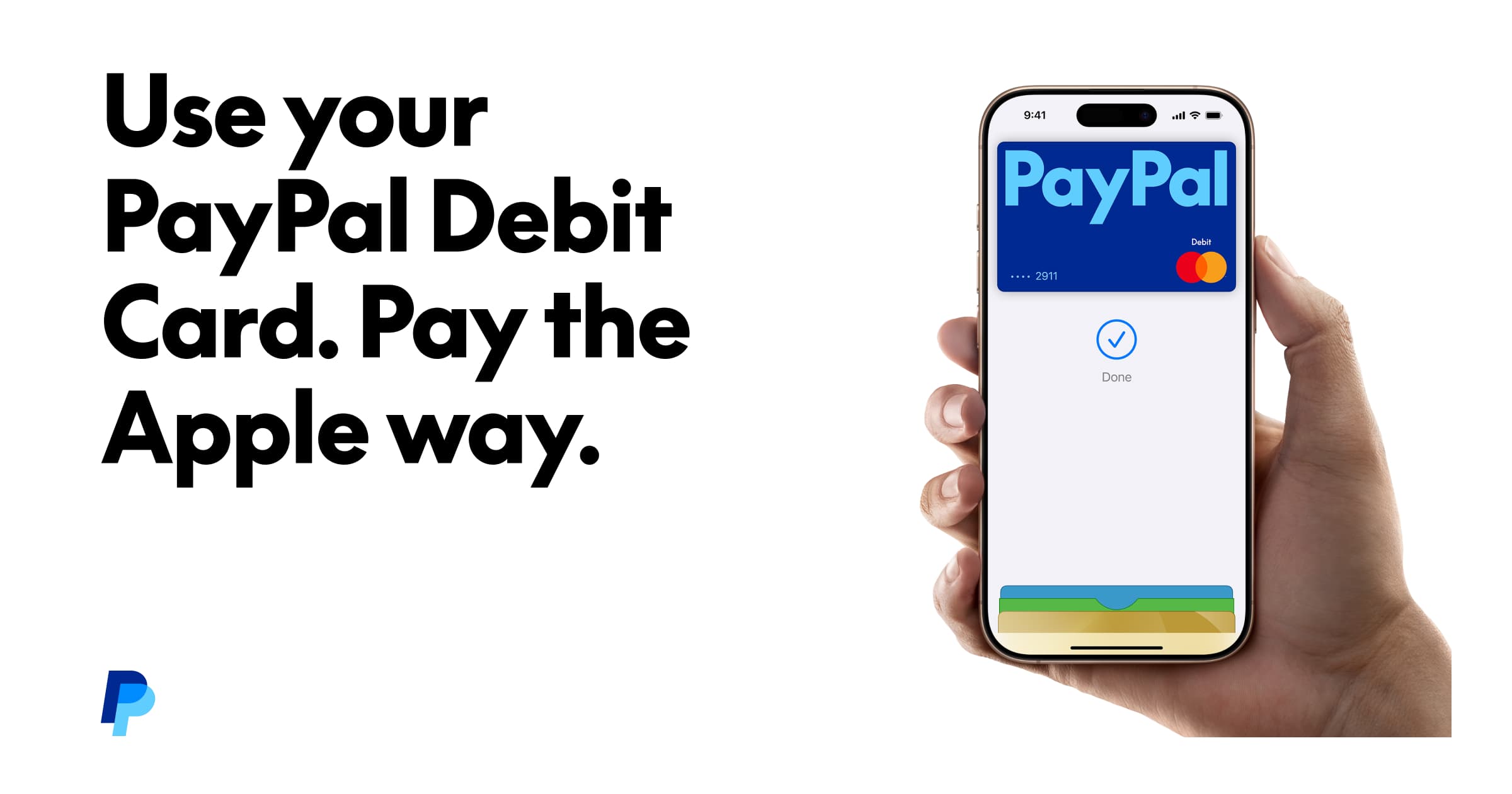
Apple does not list PayPal Pay in 4 as a direct, native payment option during online or in-store checkout because Apple maintains its own proprietary payment and financing ecosystem. Although Apple accepts standard PayPal for online orders in select regions, PayPal Pay in 4 availability depends on merchant category rules, purchase limits, and whether you pay using PayPal's virtual card functionality.
Understanding Apple’s Payment Ecosystem and PayPal Compatibility
When shopping on the Apple Store online or via the Apple Store app, consumers encounter a streamlined checkout workflow designed to promote Apple’s internal services. Apple supports traditional credit and debit cards, Apple Pay, Apple Gift Cards, and standard PayPal accounts in specific countries such as the United States. However, shoppers expecting a dedicated "PayPal Pay in 4" button at checkout often find it missing.
PayPal Pay in 4 is a short-term, interest-free Buy Now, Pay Later (BNPL) installment feature offered by PayPal. It divides an eligible purchase total into four equal payments spread over six weeks, with the first installment due at the time of purchase. While standard PayPal acts as a digital wallet processing full payments, Pay in 4 operates as an extension of PayPal's credit lending services, subject to automated approval checks, credit line limits, and specific merchant integration setups.
- Apple Store Checkout Options
- Native Apple Options
- Apple Pay
- Apple Card Monthly Installments
- Apple Account Balance
- Third-Party / External
- Credit & Debit Cards
- Standard PayPal Account
- Carrier Financing (Select iPhones)
- Native Apple Options
The disconnect occurs because Apple does not natively incorporate PayPal's BNPL API into its direct checkout menu. Apple prefers customers to use its own payment solutions, such as Apple Card Monthly Installments, or pay in full using standard payment methods. Consequently, while standard PayPal can be selected on Apple's website, the option to split that purchase into four interest-free payments through PayPal is not always presented automatically by PayPal during the checkout pop-up window.
Key Reasons PayPal Pay in 4 Is Restricted on Apple Purchases
Several technical, financial, and strategic factors explain why using PayPal Pay in 4 for Apple hardware and software purchases is not a seamless, direct process.
1. Purchase Limit and Order Total Constraints
PayPal Pay in 4 in the United States generally applies to transaction amounts ranging between $30 and $1,500 (limits vary by region and individual user credit assessment). Many of Apple’s flagship hardware products—such as higher-tier MacBooks, Studio Displays, and top-tier iPhone Pro models—exceed the $1,500 ceiling once tax and shipping are calculated. If the shopping cart total exceeds PayPal’s maximum threshold for Pay in 4, PayPal’s system automatically suppresses the Pay in 4 option within the wallet pop-up window, presenting only full-payment funding sources or longer-term financing like PayPal Credit.
2. Apple's Strategic Focus on Apple Card Installments
Apple intentionally optimizes its payment flows to drive adoption of its financial products. Apple Card Monthly Installments allow customers to purchase eligible Apple products with 0% APR financing over 6 to 24 months while earning 3% Daily Cash back. By maintaining tight control over the checkout experience, Apple minimizes the visibility of competing third-party BNPL programs on its platform.
3. Merchant API and Checkout Integration Differences
For a merchant to offer PayPal Pay in 4 natively, it must integrate PayPal's specific messaging widgets and installment SDKs. Apple utilizes a customized, proprietary payment gateway for web and app orders. While Apple accepts standard PayPal payments, it does not display PayPal's promotional installment banners or explicit Pay in 4 API prompts. Instead, whether Pay in 4 appears rests entirely on PayPal's internal algorithm when the user logs into their PayPal account during checkout.
4. Restrictions on Physical Retail Purchases
Inside physical Apple Retail Stores, transactions are processed via point-of-sale (POS) terminals supporting contactless payments (NFC) and physical payment cards. PayPal Pay in 4 is primarily designed for online checkout sessions. Unless a customer has generated a compatible single-use Mastercard through the PayPal app prior to arriving at the register, physical Apple Stores cannot process a PayPal Pay in 4 installment plan at the counter.
How to Use PayPal Pay in 4 for Apple Purchases: Tested Workarounds
If you want to use PayPal Pay in 4 to purchase an Apple product, you can use several established workarounds depending on whether you buy online or in a physical store.
- Step 1: Open PayPal App
- Step 2: Navigate to Pay in 4 / Debit Card
- Step 3: Generate Single-Use Card
- Step 4: Complete Apple Purchase
Method 1: Generating a PayPal Single-Use Virtual Card
The most reliable method to use PayPal Pay in 4 for merchants that do not feature a direct Pay in 4 button is to create a digital single-use card through the PayPal mobile app.
- Open the PayPal App: Ensure your application is updated to the latest version.
- Access the Finance or Pay in 4 Hub: Search for the "Pay in 4" or "Pay Monthly" option within the app’s deals or financial services tab.
- Set Up a Single-Use Card: Enter the exact total cost of your Apple Store order (including estimated sales tax and shipping).
- Select Pay in 4: If eligible for the requested amount, select the 4-installment plan. PayPal will perform a soft credit check and prompt you to approve the down payment (25% of the total).
- Copy the Virtual Card Details: PayPal generates a temporary Mastercard debit card number, complete with an expiration date and Security Code (CVV).
- Apply to Apple Checkout: Go to Apple’s website, proceed through checkout, select Credit or Debit Card (not PayPal), and enter the generated virtual Mastercard details as your primary payment method.
Note: Single-use virtual cards must match the order total within a tight margin. If Apple attempts to pre-authorize an amount higher than the approved card value, the transaction will be declined.
Method 2: Standard PayPal Online Checkout Selection
If your order total falls between $30 and $1,500, you can attempt to access Pay in 4 directly through standard PayPal integration on the Apple Store web page:
- Add your desired item to the bag on apple.com.
- Proceed to the payment screen and select PayPal as your payment method.
- You will be redirected to an official PayPal login window.
- Log into your PayPal account and inspect the listed payment options.
- If eligible, Pay in 4 will appear under the "Pay Later" section within the PayPal modal.
- Select Pay in 4, confirm your primary funding source for the initial down payment, and complete the authorization.
If the option does not appear inside the PayPal window, your transaction may exceed your account's limit, your account may not qualify for BNPL services, or the item category may trigger internal restrictions.
Method 3: Purchasing Apple Gear via Authorized Retailers
If Apple’s direct store does not trigger PayPal Pay in 4 for your transaction, third-party authorized Apple resellers often provide seamless PayPal Pay in 4 integration:
- Best Buy: Fully supports standard PayPal and PayPal Pay in 4 natively at online checkout.
- Walmart: Offers standard PayPal integration and third-party BNPL alternatives.
- Target: Supports PayPal online payments, allowing Pay in 4 selection within the PayPal wallet interface for eligible baskets.
- B&H Photo Video: Integrates PayPal Pay Later messaging directly on product pages and at checkout.
Detailed Comparison of Apple Installment and BNPL Alternatives
When financing an Apple device, compare fees, interest rates, approval requirements, and repayment timelines across available options.
| Payment Method | Interest Rate (APR) | Repayment Term | Late Fees | Soft vs. Hard Credit Check | Primary Availability |
|---|---|---|---|---|---|
| PayPal Pay in 4 | 0% APR | 6 Weeks (4 installments) | No late fees (US) | Soft credit check | Online via virtual card or PayPal modal |
| Apple Card Monthly Installments | 0% APR | 6, 12, or 24 Months | No late fees | Hard inquiry upon line approval | Apple Store online & retail (US) |
| Klarna (Pay in 4) | 0% APR | 6 Weeks | Yes (varies by state) | Soft credit check | Via Klarna Virtual Shopping Card |
| Affirm | 0%–36% APR | 3 to 24 Months | No late fees | Soft check (Hard check for select loans) | Integrated at select third-party retailers |
| PayPal Credit | 0% for 6 Months (over $99) | Revolving Credit Line | Up to $41+ late fee | Hard credit check | Direct PayPal checkout selection |
Disclaimer: Terms, interest rates, and loan structures vary based on regional regulations, lender underwriting criteria, and individual credit profiles. Always review the full disclosures on official provider websites before opening a credit account.
Alternative Installment Options Available Directly at Apple
If PayPal Pay in 4 is unviable for your purchase, Apple supports several alternative financing solutions designed for its ecosystem.
Apple Card Monthly Installments (ACMI)
For US customers, purchasing through Apple Card provides zero-interest financing across almost all hardware categories. The purchase total is split into monthly payments automatically billed to your Apple Card statement:
- 24 Months: iPhones, Apple Watches.
- 12 Months: iPads, Macs, Displays, Pro Accessories.
- 6 Months: AirPods, Apple TV, Beats headphones.
To use ACMI, you must apply and be approved for an Apple Card account, after which you select "Apple Card Installments" as your payment option at Apple Store checkout.
Carrier Financing Options
When buying an iPhone online or at an Apple Store, Apple enables direct carrier financing through AT&T, T-Mobile, or Verizon. These plans typically spread the cost over 36 monthly bill installments. Carrier financing often includes promotional trade-in credits that offset the device cost, provided your account remains active and in good standing.
Citizens One iPhone Upgrade Program
Apple partners with Citizens Bank to offer the iPhone Upgrade Program. This program allows users to finance an unlocked flagship iPhone over 24 months at 0% APR, with the option to trade in the device for a new model after completing 12 payments. It includes AppleCare+ coverage built into the monthly fee.
Troubleshooting PayPal Pay in 4 Checkout Errors on Apple.com
If you encounter issues when trying to split your Apple purchase into four payments via PayPal, check these common points of failure:
Issue: "Pay in 4 Is Not Displayed in the PayPal Pop-Up Window"
- Cause: Your shopping cart total may exceed PayPal’s upper limit (typically $1,500 in the US) or fall below the minimum ($30).
- Solution: Adjust your cart contents or create a PayPal Virtual Card manually inside the PayPal mobile app before starting checkout.
Issue: "Virtual Card Declined During Apple Web Checkout"
- Cause: The authorization amount requested by Apple (which can include estimated local taxes or shipping reserves) exceeded the exact dollar limit assigned to the virtual card.
- Solution: Re-generate the single-use card with a buffer amount that covers tax and expedited shipping costs.
Issue: "PayPal Account Ineligible for Pay Later"
- Cause: PayPal dynamically evaluates accounts based on transaction history, linked payment methods, and external credit agency data.
- Solution: Ensure your PayPal account has an active, verified debit or credit card linked as a backup funding source, or use an alternative payment provider like Klarna, Affirm, or Apple Card.
Frequently Asked Questions
Can I use PayPal Pay in 4 at an Apple Store register?
Not directly via a standard contactless tap using your primary PayPal debit card. However, if you pre-generate a single-use virtual card within the PayPal mobile app and add that virtual card to your Apple Wallet prior to checkout, you can tap to pay using Apple Pay at the physical store register.
Does Apple accept standard PayPal for online purchases?
Yes. Apple accepts standard PayPal payments for online orders on apple.com and within the Apple Store app in several regions, including the United States. Standard PayPal charges the full amount immediately to your chosen PayPal balance or linked bank card.
Will applying for PayPal Pay in 4 hurt my credit score?
PayPal performs a soft credit inquiry to determine eligibility for Pay in 4. Soft credit inquiries do not affect your overall credit score. However, failing to make required payments on time can result in account restrictions within PayPal and potential reporting of severe delinquencies to credit bureaus depending on jurisdiction.
What is the maximum purchase limit for PayPal Pay in 4?
In the United States, the standard transaction range for PayPal Pay in 4 is between $30 and $1,500. Specific limits depend on individual credit profiles, regional banking regulations, and current account standing with PayPal.
Can I split a single Apple purchase between PayPal and an Apple Gift Card?
Yes. Apple allows customers to apply up to eight Apple Gift Cards to a single order online. Any remaining balance can be settled using a primary payment method, such as standard PayPal or a single-use PayPal virtual debit card.
Actionable Steps for Buyers
If you are planning to purchase Apple hardware today using PayPal Pay in 4:
- Calculate the Final Total: Add your desired items to the Apple Store shopping cart, proceed to the final review screen to note the exact total cost including local taxes, and keep that number ready.
- Check Your Eligibility: Open the PayPal app on your mobile device and navigate to the Pay in 4 hub to confirm your available spending limit.
- Generate a Virtual Card: If the cart total is under $1,500, use the PayPal app to generate a single-use card matching your exact total.
- Complete Checkout as a Standard Card Transaction: Return to Apple.com, select Credit/Debit Card at checkout, enter the temporary Mastercard numbers, and complete the order.
- Consider Retail Alternatives: If your transaction exceeds $1,500 or is declined, check authorized Apple retailers like Best Buy or B&H Photo Video, which natively integrate third-party BNPL financing options.
For official details on supported Apple payment options, review Apple Support: Payment methods you can use with your Apple ID. For rules regarding PayPal's lending services, consult the PayPal Pay in 4 Help Center.