Managing the security posture for an Analytics Cloud user in Salesforce involves a multi-layered approach that balances data accessibility with rigorous governance. To effectively secure these users, administrators must configure granular permissions, implement robust authentication protocols, and monitor data consumption patterns to prevent unauthorized access or accidental exposure of sensitive business intelligence assets.
Understanding the Analytics Cloud User Profile
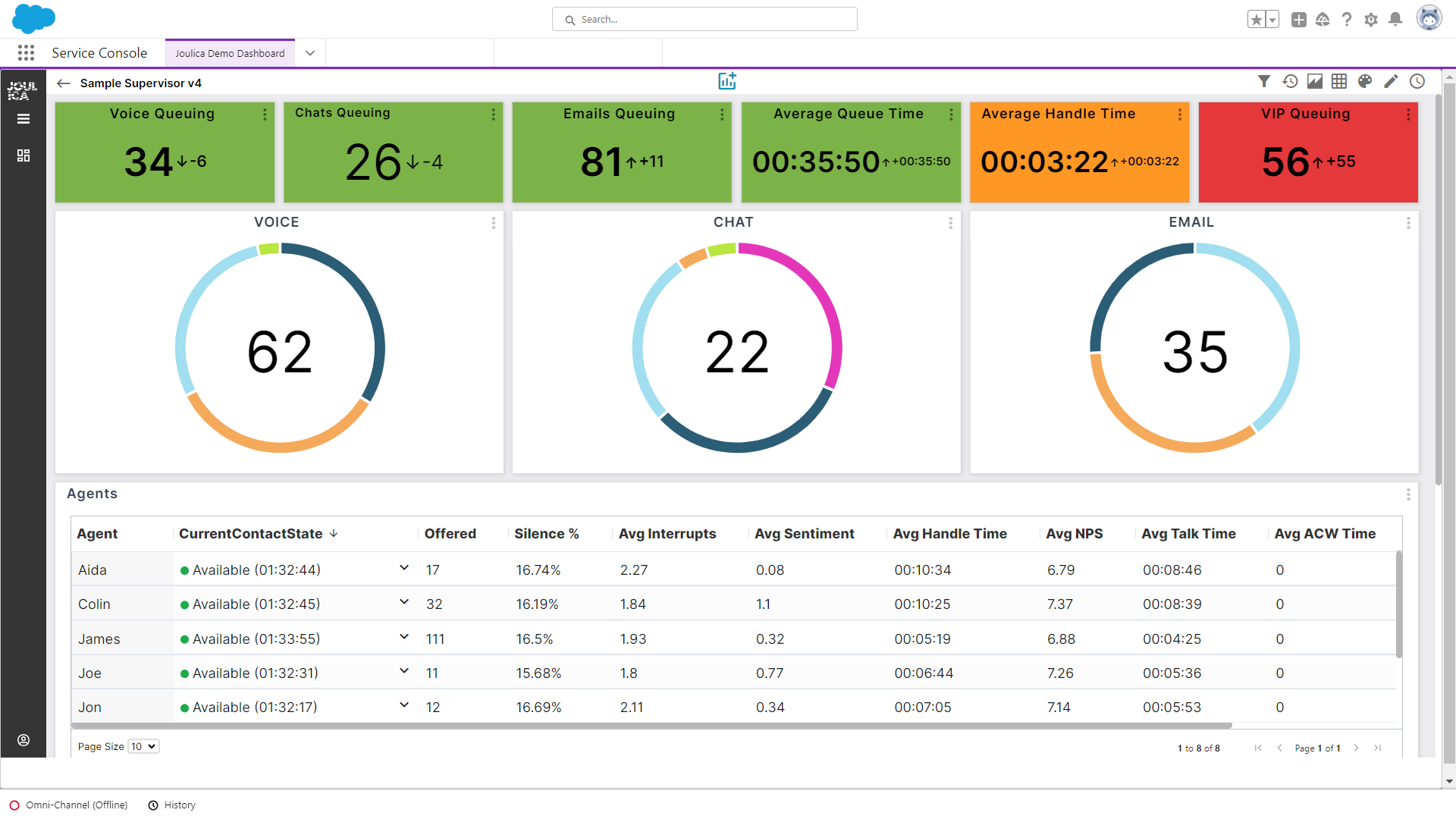
The term "Analytics Cloud" refers to Salesforce CRM Analytics—formerly known as Tableau CRM or Einstein Analytics. Users accessing this environment operate in a unique space where the security of the underlying data must be maintained even as that data is transformed, aggregated, and visualized. Unlike standard Salesforce users who primarily interact with records, an Analytics Cloud user often interacts with complex data flows, datasets, and lenses.
When a user is designated as an "Analytics Cloud Security User" or simply an Analytics-enabled user, they are granted access to the CRM Analytics platform. From a security perspective, these users are high-value targets because they typically possess the ability to extract large volumes of data or view cross-departmental insights. Consequently, security measures must go beyond basic Role-Based Access Control (RBAC) to include row-level security and app-level permission sets.
Establishing Foundational Security Prerequisites
Before assigning Analytics permissions, it is essential to ensure that the environment is hardened. An Analytics Cloud user’s security is only as strong as the Salesforce organization’s global security settings.
User Licensing and Provisioning
Security begins with the Principle of Least Privilege. Only users who require data visualization and analytical capabilities should be assigned the "CRM Analytics Plus" or equivalent permission sets. Administrators must verify that these users have the correct profile, but even more importantly, that their permission sets are scoped specifically to the datasets they need.
MFA and Advanced Authentication
As of 2026, Multi-Factor Authentication (MFA) is a non-negotiable standard for all Salesforce users. For Analytics Cloud users, this is even more critical. Because analytics dashboards often aggregate data from multiple objects—including private fields that may not be exposed in the standard UI—an account compromise here poses a risk of mass data exfiltration. Ensure that the session security levels are set to "High Assurance" for all Analytics-related tasks.
Configuring Granular Security Controls
The core of Analytics Cloud security lies in managing how users interact with data at the row and field levels. Salesforce provides several mechanisms to ensure that users only see the data they are entitled to.
Security Predicates
A security predicate is a filter string defined at the dataset level. It acts as a gatekeeper for every row in a dataset. When a user runs a query, the system evaluates the security predicate against their profile or user attributes.
- Implementation: If a user is a Sales Manager, the predicate can be set to allow them to see rows where
Region == 'NorthAmerica'. - Failure State: If no predicate is defined, the default behavior is often full access. Administrators must be vigilant to ensure that all datasets have a corresponding predicate applied during the dataflow or recipe build phase.
Sharing Inheritance
Sharing Inheritance allows CRM Analytics to respect the sharing rules already defined in the core Salesforce CRM. By enabling this, you ensure that if a user has access to a specific account record in the core CRM, they can see that record in the Analytics dashboard. This reduces the administrative burden of maintaining two separate security models. However, it requires careful audit to ensure that your core CRM sharing rules are current and accurate, as they directly dictate the Analytics security posture.
Comparing Analytics Security Approaches
Choosing the right security strategy depends on your organizational structure and data complexity. The following table compares common security methods for Analytics Cloud users.
| Security Method | Best Use Case | Implementation Complexity | Primary Benefit |
|---|---|---|---|
| Security Predicates | Complex, custom data hierarchies | High | Extreme granularity |
| Sharing Inheritance | Mirroring core CRM access | Low | Consistency with CRM |
| App-Level Access | Departmental data silos | Moderate | Simple management |
| Row-Level Security | Sensitive HR or Financial data | High | Prevents cross-user leakage |
Monitoring and Auditing Access Patterns
Visibility is the final pillar of security. An administrator must be able to prove who accessed what data and when. In the 2026 Salesforce landscape, the Event Monitoring toolset is the primary vehicle for this requirement.
Event Monitoring and Logs
Event Monitoring logs can track specific interactions with CRM Analytics, such as:
- Dashboard View Events: Identifies which users are viewing specific dashboards.
- Dataset Export Events: Alerts administrators when a user downloads raw data from a dataset.
- Query Performance/Execution: Helps identify suspicious query patterns that might indicate an attempt to scrape data.
Setting up automated alerts based on these events is a critical "next action." For example, an alert should be triggered if a user exports more than five datasets within a single hour, as this is a common indicator of unauthorized data staging.
Common Security Pitfalls
Even with robust configurations, security breaches often occur due to oversight in the following areas:
Over-Privileged Service Accounts
Many organizations use a service account to run dataflows or integrations. These accounts are often granted "System Administrator" or "Manage Analytics" permissions to ensure the processes do not fail. If these accounts are compromised, the entire Analytics environment is exposed. Always use dedicated, restricted-permission accounts for back-end data processing.
The "All Users" Sharing Trap
When creating an Analytics App (formerly known as a Folder), it is tempting to share it with "All Internal Users" to ensure ease of access. This overrides granular row-level security and exposes potentially sensitive data to the entire organization. Always follow the practice of sharing apps only with specific public groups or individual roles.
Neglecting Data Recipes
Modern Analytics Cloud uses "Recipes" to prepare data. A common mistake is securing the source object but leaving the destination dataset insecure. Because recipes create new, aggregated datasets, the security settings must be re-applied to the target dataset manually if they do not inherit them from the source.
Integrating Governance into the Lifecycle
Security should not be a "set and forget" activity. As your organization evolves, the data within your Analytics Cloud will change, and with it, the potential security implications.
- Quarterly Access Reviews: Conduct a formal review of all users with "Manage Analytics" or "Create and Edit CRM Analytics Dashboards" permissions. Remove access for users who have changed roles or left the company.
- Dataset Audits: Use the "Dataset Metadata" API to verify that all production-grade datasets have active security predicates or inheritance enabled.
- User Training: Many security breaches occur due to user error. Ensure your analysts understand that exported data is no longer subject to Salesforce security controls. This is the "End of Life" for your data security policy.
Frequently Asked Questions
How does Salesforce CRM Analytics handle row-level security?
Salesforce CRM Analytics uses security predicates—filter strings applied to datasets—and Sharing Inheritance. Predicates act as an OR or AND condition appended to every query a user runs, ensuring that they only retrieve rows that meet the criteria associated with their profile.
Can I apply field-level security to Analytics dashboards?
While direct field-level security from the CRM object is not always inherited automatically by Analytics, you can implement it by creating multiple versions of a dataset or using dataflow transformations to mask sensitive fields (e.g., hiding Social Security Numbers) before the dataset is even exposed to the user.
What is the difference between an Analytics App and a Dataset?
An Analytics App is a container that organizes dashboards, lenses, and datasets for a specific group of users. Security is primarily applied at the App level to control who can view the content. A Dataset is the actual data object; security for a dataset is managed via predicates or inheritance to control access to the individual rows contained within.
Does Multi-Factor Authentication protect my Analytics dashboards?
Yes. MFA is enforced at the Salesforce login level. Once a user is authenticated into the org, they must still have the appropriate permission sets to view Analytics content. However, MFA does not replace the need for granular, row-level security within the Analytics platform itself.
What should I do if a user reports they cannot see data in a dashboard?
First, verify their permissions to the specific Analytics App containing the dashboard. Second, check if they have access to the underlying dataset. If they have both, check if a security predicate is filtering out the data they are expecting to see based on their user attributes.
Final Recommendations
To maintain a high level of security, you should transition toward a "deny-by-default" strategy for your Analytics environment. Audit your existing applications to ensure that no dataset is shared with the "All Internal Users" group, and implement automated alerts for large-scale data exports using Event Monitoring. By centralizing your security logic within row-level predicates and keeping your sharing inheritance rules pruned to reflect the current organizational hierarchy, you minimize the risk of unauthorized data exposure while enabling your team to derive maximum value from your analytics investment.