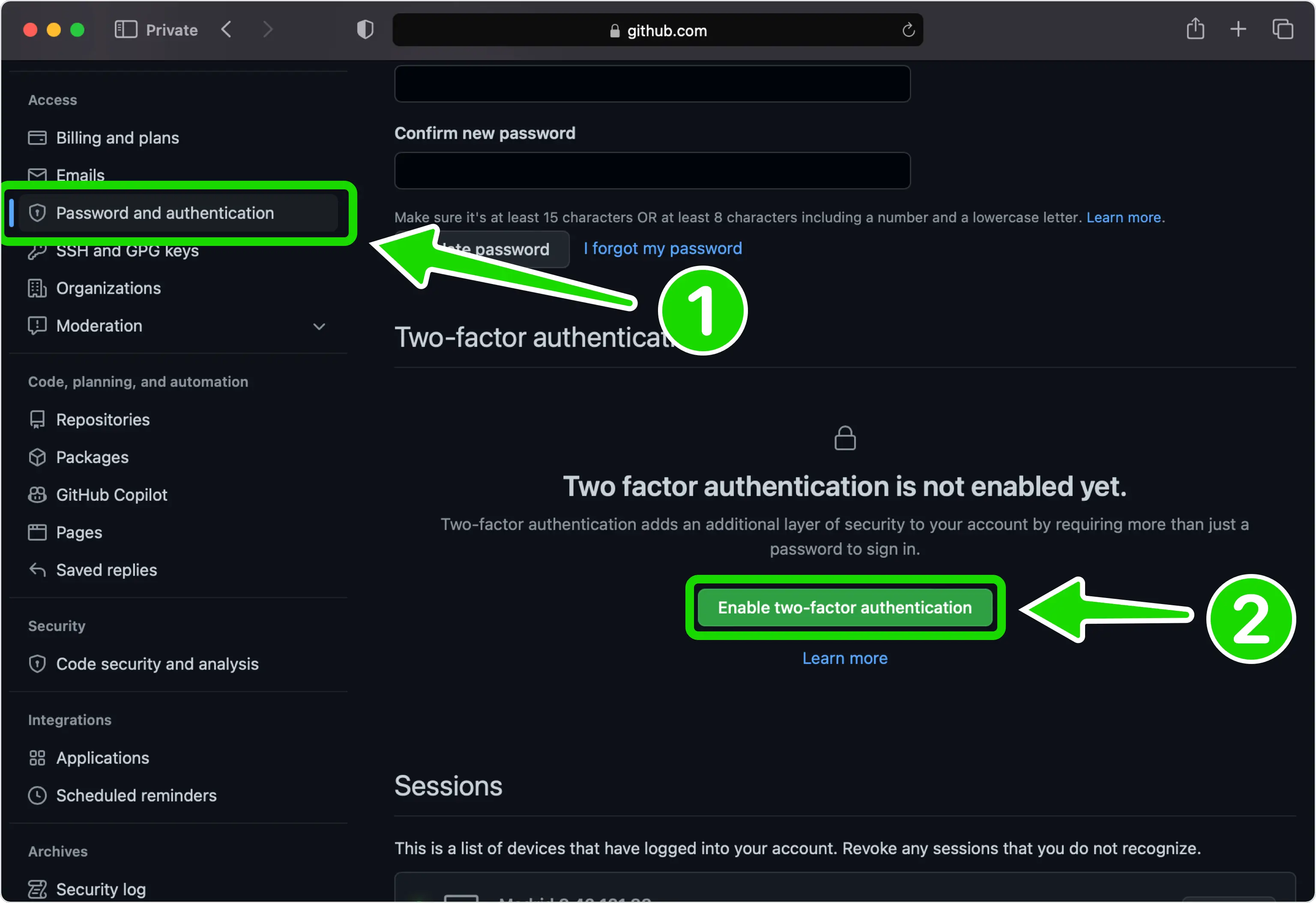
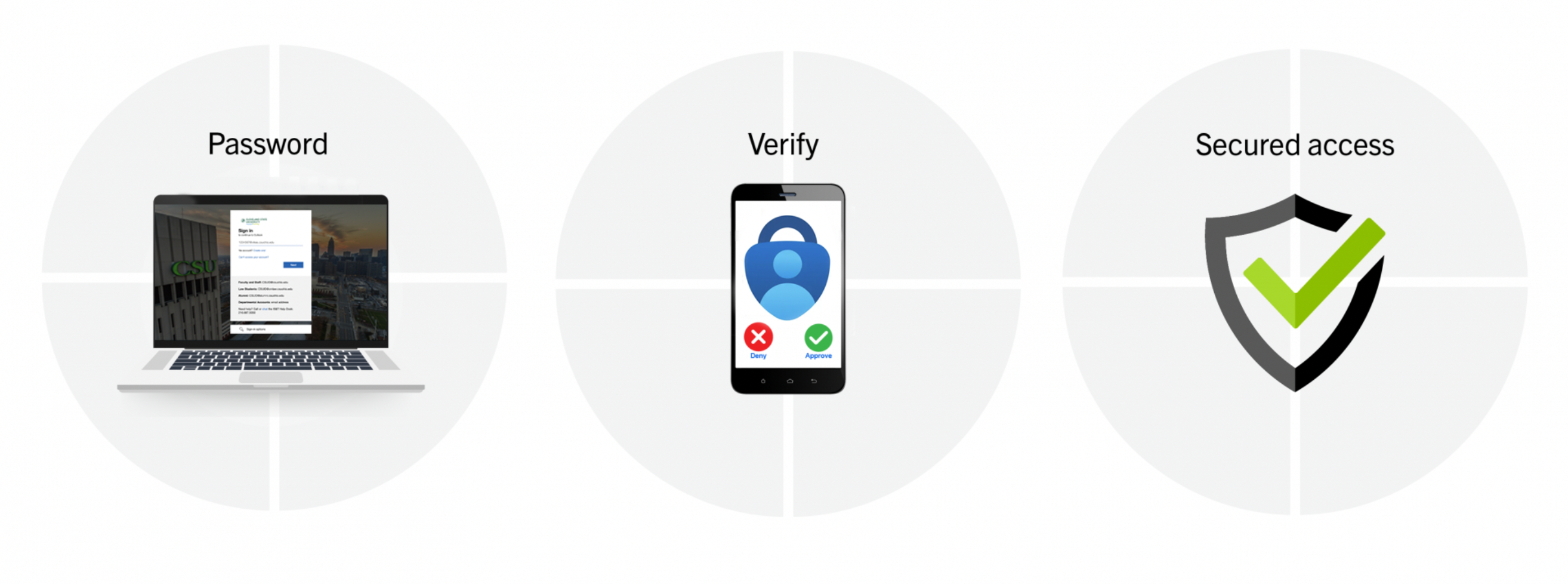
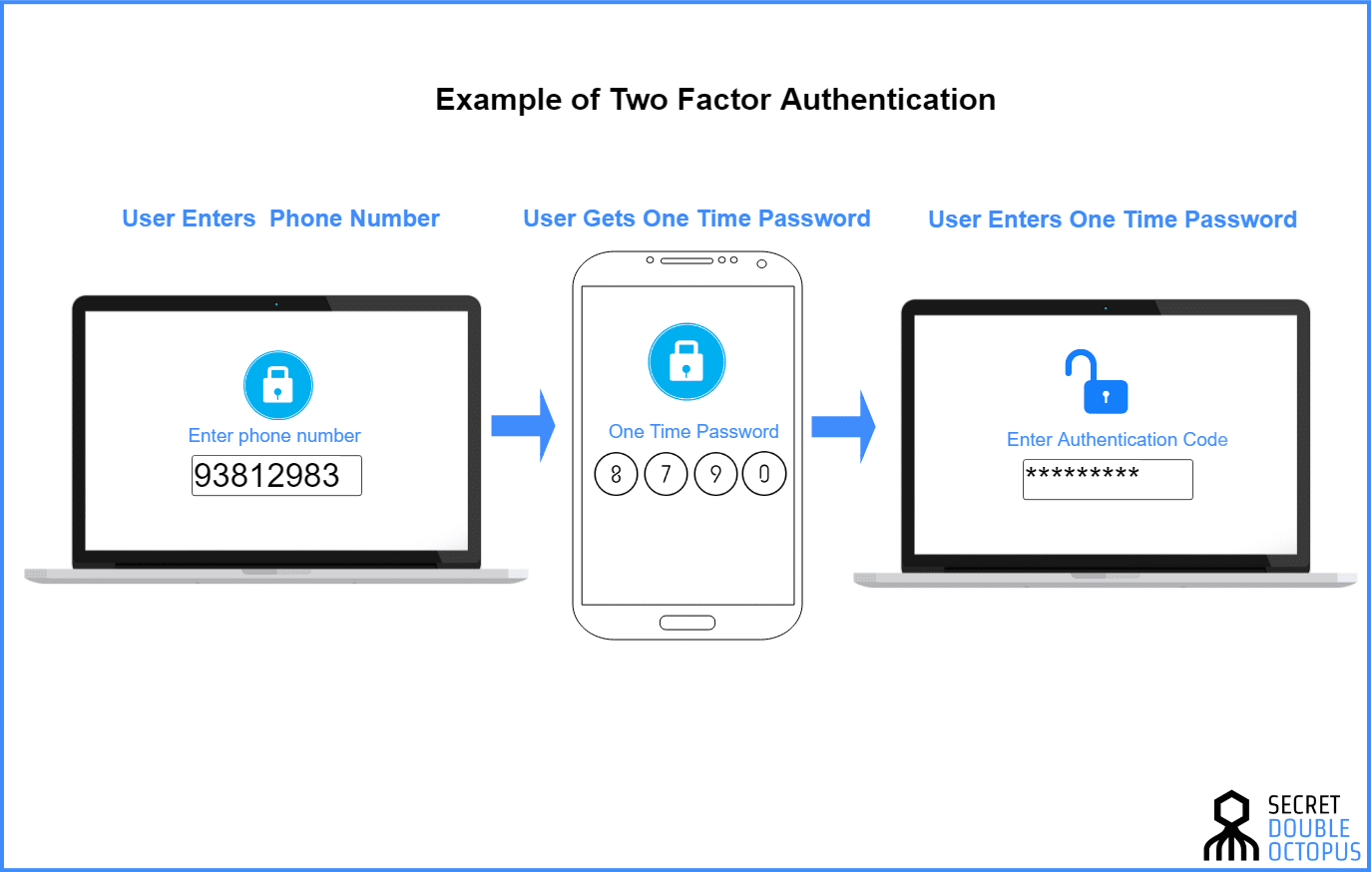
Two-factor authentication (2FA) enhances standard password security by requiring users to provide two distinct verification factors to gain access, combining something you know with something you have or something you are. Selecting the right 2FA site, authenticator application, or deployment platform depends on your specific security posture, ecosystem integration requirements, recovery options, and administrative overhead.
Understanding Two-Factor Authentication Architecture
Implementing two-factor authentication effectively requires a fundamental understanding of how cryptographic verification works behind the login screen. Modern authentication platforms move far beyond simple username and password combinations by introducing a cryptographic challenge-response mechanism. When a user logs into an account protected by 2FA, the system verifies the primary password and then triggers a secondary validation check. This check typically relies on a Time-based One-Time Password (TOTP) algorithm defined by the Internet Engineering Task Force in RFC 6238, or a hardware-backed security key utilizing FIDO2 and WebAuthn standards.
The TOTP protocol generates a short numeric or alphanumeric code that changes every 30 seconds. This generation is governed by a shared secret key established during the initial pairing process between the user's device and the authentication server, combined with the current Unix timestamp. Because both the server and the authenticator app share the same secret and time reference, they independently compute the same code. When the user inputs this code, the platform verifies its mathematical validity within a designated time window, accommodating minor clock drift between devices.
Conversely, hardware keys and FIDO2-compliant platforms eliminate shared secrets entirely. Instead, they use public-key cryptography. During registration, the authenticator hardware generates a unique cryptographic key pair, sending only the public key to the server while retaining the private key securely inside a tamper-resistant hardware element. When logging in, the server issues a random challenge, which the physical key signs using its private key. Because the private key never leaves the hardware token, this method provides robust defense against credential stuffing, phishing, and man-in-the-middle attacks.
Evaluating Criteria for Leading Authentication Platforms
When analyzing the marketplace for 2FA sites, services, and authenticator applications, several critical metrics dictate overall quality, trustworthiness, and long-term viability. Organizations and individual users must weigh these criteria carefully before committing sensitive personal accounts or enterprise infrastructure to a specific provider.
| Evaluation Criteria | Key Considerations & Technical Specifications |
|---|---|
| Encryption & Privacy | Zero-knowledge architecture, end-to-end encryption for cloud vaults, open-source codebases, and independent audits. |
| Cross-Platform Support | Availability of native apps for iOS, Android, macOS, Windows, Linux, and modern web browsers. |
| Backup & Recovery | Secure export options, encrypted cloud synchronization, and account recovery workflows without single points of failure. |
| Standards Compliance | Support for TOTP (RFC 6238), HOTP (RFC 4226), FIDO2, and WebAuthn protocols. |
Beyond basic feature lists, the operational overhead of managing authentication tokens dictates whether a platform succeeds in real-world deployments. Usability plays a vital role; if an authentication mechanism is overly cumbersome, users frequently attempt to bypass security controls or abandon adoption entirely. Furthermore, enterprise environments require robust administrative controls, role-based access management, and detailed audit logging to comply with regulatory frameworks such as SOC 2, HIPAA, and GDPR.
---\n
Five Leading Two-Factor Authentication Platforms and Sites
To establish secure access management, organizations and individuals rely on several prominent platforms known for their cryptographic rigor, feature richness, and industry adoption. The following sections examine five leading solutions in detail.
1. Google Authenticator
Google Authenticator remains one of the most widely deployed TOTP applications globally, serving as a baseline reference for web services and consumer accounts. The application generates time-based codes locally on mobile devices without requiring an active data connection once initially synchronized via a QR code.
Recent updates to Google Authenticator introduced cloud synchronization capabilities, allowing users to back up their TOTP secrets to a personal Google Account. While this update significantly reduces the risk of permanent lockout resulting from a lost or broken mobile device, it also introduces considerations regarding cloud account compromise. For maximum security, users can choose to operate the app strictly offline without cloud syncing enabled. The platform supports straightforward migration tools that allow users to transfer accounts between devices by scanning a single aggregated QR code, making it an accessible entry point for everyday users seeking basic two-factor protection.
2. Duo Security (Cisco Duo)
Duo Security, a Cisco brand, represents an enterprise-grade access management platform designed to secure organizational infrastructure, cloud applications, and remote workforces. Unlike simple consumer apps, Duo provides a comprehensive zero-trust security framework that evaluates user identity, device health, and network context before granting access.
Duo supports a wide array of verification factors, including push notifications via the Duo Mobile app, hardware security keys, SMS codes, and biometric verification. Its administrative dashboard allows IT departments to enforce granular access policies—such as restricting access from unmanaged devices or requiring specific operating system patch levels. Duo integrates seamlessly with enterprise directory services like Microsoft Active Directory and Azure AD, making it a dominant choice for corporate environments requiring robust compliance reporting and scalable multi-factor authentication (MFA) enforcement.
3. Microsoft Authenticator
Microsoft Authenticator serves as a versatile identity verification tool optimized for both personal Microsoft accounts and enterprise environments utilizing Microsoft Entra ID (formerly Azure Active Directory). The application supports standard TOTP codes alongside context-aware push notifications that display matching verification numbers to thwart fatigue attacks.
In enterprise deployments, Microsoft Authenticator integrates tightly with conditional access policies. Administrators can require number matching, GPS location verification, or biometric prompts before approving login requests. For personal use, the app includes an integrated password manager and secure autofill functionality, syncing credentials and authenticator secrets across iOS and Android devices through a personal Microsoft account. This dual capability makes it an efficient utility for users navigating both enterprise and consumer ecosystems.
4. Yubico YubiKey and Ecosystem Site
Yubico’s YubiKey represents the gold standard in hardware-based multi-factor authentication, supported by an ecosystem site that provides comprehensive configuration guides, developer tools, and compatibility directories. Rather than relying on software applications vulnerable to mobile malware, the YubiKey is a physical security token that plugs into USB ports or connects via NFC.
The YubiKey ecosystem supports multiple authentication protocols simultaneously, including FIDO2, WebAuthn, U2F, PIV (Smart Card), and static passwords. Because it does not store shared secrets in software memory, it is virtually immune to remote phishing attacks; the physical device verifies the authenticity of the domain before releasing cryptographic credentials. Yubico’s platform resources guide users through registering hardware keys across major service providers like Google, GitHub, and password managers, establishing a phishing-resistant security posture.
5. Bitwarden Authenticator
Bitwarden, widely recognized for its open-source password management infrastructure, offers robust integrated and standalone authenticator capabilities that cater to privacy-conscious users. The Bitwarden Authenticator generates secure TOTP codes directly within the encrypted vault ecosystem, binding second-factor tokens to the user's primary master password and cryptographic salt.
By centralizing password management and two-factor code generation within a single zero-knowledge architecture, Bitwarden eliminates the administrative friction of juggling multiple applications. Users can export their vault data, including TOTP secrets, in encrypted formats to maintain absolute data sovereignty. The open-source nature of the platform ensures that its cryptographic implementation is continuously audited by independent security researchers, providing high transparency and reliability for individuals and businesses alike.
Comparative Analysis of Authentication Mechanisms
Choosing the appropriate 2FA site or tool involves balancing security rigor against operational convenience. The table below compares the five examined platforms across core functional dimensions.
| Platform / Site | Primary Mechanism | Cloud Sync / Backup | Enterprise Controls | Phishing Resistance |
|---|---|---|---|---|
| Google Authenticator | TOTP Mobile App | Optional (Google Account) | Minimal | Low (Software-based) |
| Duo Security | Push, TOTP, Hardware | Enterprise Managed | Comprehensive | High (With FIDO2/Push) |
| Microsoft Authenticator | Push, TOTP, Number Match | Optional (Microsoft Account) | Comprehensive | Moderate-High |
| Yubico YubiKey | Hardware FIDO2 / WebAuthn | None (Physical Token) | Comprehensive | Absolute (Hardware-backed) |
| Bitwarden Authenticator | Encrypted Vault TOTP | End-to-End Encrypted | Moderate | Low-Moderate |
Implementation Best Practices and Risk Mitigation
Deploying two-factor authentication effectively requires strict adherence to security best practices to prevent self-inflicted lockouts and administrative vulnerabilities.
- Always Secure Recovery Codes: Whenever you register a new account with a 2FA site or authenticator app, the service generates a set of single-use emergency backup codes. Print these codes or store them in an encrypted offline location. Losing access to an authenticator app without backup codes can result in permanent account lockout.
- Prioritize Phishing-Resistant Factors: Where supported, configure FIDO2 hardware keys or number-matching push notifications. Avoid relying solely on SMS-based verification codes, as they remain vulnerable to SIM-swapping attacks and interception via SS7 protocol vulnerabilities.
- Maintain Redundancy: Avoid tying all critical accounts to a single software device. Register at least two independent verification methods—such as a primary hardware key backed up by an approved authenticator app—to ensure continuous access if hardware fails.
- Audit Connected Services Regularly: Periodically review the list of accounts linked to your authenticator apps and enterprise security dashboards. Remove obsolete service integrations and revoke permissions for applications no longer in active use.
Frequently Asked Questions
What happens if I lose my phone with my authenticator app installed?
If you lose your phone, you can regain access to your accounts by using the emergency backup codes provided when you first set up 2FA. If your chosen platform supports encrypted cloud synchronization (such as Microsoft or Google Authenticator), installing the app on a new device and signing into your account will restore your TOTP tokens. If neither backup method is available, you must initiate the account recovery process with the specific service provider, which typically requires identity verification.
Are SMS-based verification codes secure?
SMS-based verification is significantly less secure than app-based TOTP or hardware security keys. Text messages are transmitted unencrypted over cellular networks and can be intercepted or redirected through malicious SIM-swapping techniques, where attackers trick mobile carriers into transferring a victim's phone number to a compromised SIM card. Whenever possible, replace SMS authentication with application-based or hardware-based tokens.
Can I use multiple authenticator apps for the same account?
Many online services allow you to scan the initial setup QR code with multiple authenticator applications simultaneously during the configuration phase. This practice establishes redundant tokens across different devices or platforms, mitigating the risk of lockout if a single device is lost, damaged, or reset.
What is the difference between TOTP and FIDO2?
Time-based One-Time Passwords (TOTP) rely on a shared secret key and a synchronized clock to generate temporary numeric codes that the user manually types into a login prompt. FIDO2 and WebAuthn standards use public-key cryptography embedded within physical hardware or platform authenticators. FIDO2 automates the authentication handshake without sharing secrets, offering complete immunity against phishing websites that mimic legitimate login portals.
Conclusion and Recommended Next Actions
Securing your digital footprint requires moving beyond vulnerable static passwords by implementing robust two-factor authentication across all sensitive accounts. Assess your personal or organizational requirements, select a reputable authentication platform aligned with your ecosystem, and immediately configure backup recovery codes for every service you protect. Prioritize hardware tokens or secure, encrypted authenticator apps to establish a resilient defense against modern credential theft.